Categories
Zoho

A Complete Guide to Zoho Migration Services: Process, Benefits, and Best Practices

Introduction

Migrating your business data, workflows, and applications into Zoho’s powerful ecosystem can be one of the most impactful decisions for streamlining operations and driving growth. However, the journey to Zoho is not always straightforward. Whether your organization is moving from Salesforce to Zoho CRM, transitioning from Outlook or Gmail to Zoho Mail, or replacing QuickBooks with Zoho Books, the migration process requires careful planning, technical expertise, and the right approach to ensure success.

Many businesses underestimate the complexity of data migration. Without a well-structured strategy, organizations risk experiencing costly downtime, data loss, duplicate records, or broken workflows. Employees may face disruptions that impact customer relationships and overall productivity. That’s why leveraging Zoho Migration Services—specialized solutions designed to transfer data securely and efficiently—can make all the difference between a smooth transition and a frustrating experience.

This comprehensive guide is designed to be your roadmap to a successful Zoho migration. Inside, we will cover every stage of the migration process: from pre-migration planning and data cleansing to mapping, importing, testing, and post-migration best practices. You will also discover the key benefits of moving to Zoho, practical checklists for ensuring accuracy, and expert-recommended strategies to avoid common pitfalls. In addition, we’ll highlight the most effective tools available and provide tips for selecting the right Zoho migration service provider to match your business needs.

What Are Zoho Migration Services?

Zoho Migration Services are specialized solutions that help businesses seamlessly transfer their data, emails, workflows, and applications into Zoho’s suite of products. Instead of attempting a manual migration—which can be risky and error-prone—organizations can rely on structured services that ensure accuracy, security, and minimal downtime. These services are particularly valuable for businesses moving from complex platforms like Salesforce, Outlook, QuickBooks, or Zendesk, where data relationships, custom fields, and historical records must be preserved.

Key Areas of Zoho Migration

  • Zoho CRM Migration –Migrating customer data such as leads, contacts, accounts, opportunities, notes, and custom workflows from platforms like Salesforce, HubSpot, Microsoft Dynamics, or Pipedrive into Zoho CRM.
  • Zoho Mail Migration – Moving email accounts, folders, calendars, and contacts from Gmail, Outlook, or other providers while maintaining structure and accessibility.
  • Zoho Books Migration – Transferring financial data including invoices, ledgers, vendors, tax details, and transaction history from accounting systems such as QuickBooks or Xero into Zoho Books.
  • Zoho Desk Migration – Shifting customer service tickets, knowledge bases, and communication histories from platforms like Zendesk or Freshdesk into Zoho Desk.

Why It Matters

Zoho Migration Services do more than just transfer data—they protect business continuity. A professional migration ensures:

  • Data accuracy without duplicates or missing records.
  • Security through encryption and compliance with standards like GDPR or HIPAA.
  • Business continuity with minimal interruptions to daily operations.
  • Scalability so migrated systems are ready to grow with your organization.

Zoho Migration Services bridges the gap between your old systems and Zoho’s modern, integrated platform, ensuring your business can move forward with confidence and efficiency.

Benefits of Zoho Migration Services

Migrating to Zoho is more than just a technical exercise—it’s a strategic investment in your business’s efficiency, scalability, and long-term success. By leveraging professional Zoho Migration Services, organizations can unlock significant advantages that go well beyond simple data transfer. Here are the most important benefits:

1. Cost Efficiency and ROI

Zoho offers one of the most cost-effective business application suites on the market. A successful migration ensures that your investment delivers maximum value by consolidating tools, reducing redundant software subscriptions, and eliminating inefficiencies caused by siloed systems.

2. Accurate and Reliable Data

Data is the foundation of any business. Poorly executed migrations can result in duplicate records, broken relationships, or lost information. With Zoho Migration Services, data cleansing and mapping are performed before transfer, ensuring that what arrives in Zoho is accurate, usable, and reliable for reporting and decision-making.

3. Enhanced Productivity

Once data is migrated into Zoho, teams gain access to automation features, unified dashboards, and centralized workflows. Employees spend less time troubleshooting or hunting for information and more time focusing on sales, service, and growth activities.

4. Seamless Integration Across Applications

Zoho’s ecosystem includes CRM, Mail, Books, Desk, Projects, and more. Migrating correctly allows these applications to share data effortlessly, giving your organization a single source of truth and streamlining cross-department collaboration.

5. Scalability for Growth

As your business expands, your technology must scale with you. Zoho Migration Services ensure that your systems are set up for long-term growth, enabling you to add new applications, users, and customizations without disruptions.

6. Reduced Risks and Increased Security

Professional migrations prioritize data protection. With built-in encryption, access controls, and compliance with international standards like GDPR and HIPAA, businesses minimize the risk of breaches or compliance failures.

7. Competitive Advantage

Companies that complete smooth migrations position themselves ahead of competitors still struggling with legacy systems. Faster sales cycles, better customer experiences, and streamlined operations all translate into a stronger market presence.

Zoho Migration Services transform what could be a stressful, high-risk process into a strategic move that boosts efficiency, reduces costs, and lays the foundation for sustainable growth.

The Zoho Migration Process Step by Step

Migrating to Zoho isn’t a one-click task—it’s a structured process that requires planning, accuracy, and testing to ensure your business runs smoothly post-migration. By following a proven framework, you can minimize risks like data loss or downtime while ensuring your team transitions seamlessly into Zoho’s ecosystem.

Step 1: Initial Assessment and Audit

Begin by analyzing your current systems and identifying the type and volume of data that needs to be migrated. Document all custom fields, workflows, and third-party integrations you rely on. This stage sets the foundation for a smooth transition. For more guidance, see our Zoho Migration Planning Checklist.

Step 2: Data Cleansing and Preparation

Before migration, clean your data to avoid transferring outdated or duplicate records. Standardize formats (such as phone numbers and dates) and resolve inconsistencies. This step ensures that Zoho CRM, Zoho Mail, or Zoho Books will have accurate and reliable data to work with.

Step 3: Data Mapping

Map your existing fields to Zoho’s structure. Pay close attention to custom fields, hierarchies, and picklists, as these will affect workflows and reports. If you’re migrating from Salesforce, check our guide on Salesforce to Zoho Migration.

Step 4: Data Export

Export data from your source system in a supported format such as CSV, XLS, or via APIs for complex migrations. Be sure to verify file integrity before moving to the next step. Zoho provides official resources like the Zoho CRM Migration Help.

Step 5: Data Import into Zoho

Using the Zoho Migration Wizard, Zoho Mail migration tools, or APIs, begin importing your data into Zoho. For large datasets, import in smaller batches to reduce errors. This is where professional Zoho Migration Services Providers can add significant value.

Step 6: Testing and Validation

After import, validate your data. Confirm that record counts, relationships, and attachments are accurate. Test automation workflows, email templates, and dashboards. Reference our Zoho Migration Best Practices for tips on reducing common issues at this stage.

Step 7: Go-Live and Final Adjustments

Once testing is complete, migrate into the live environment. Communicate any downtime to your team and provide training resources for smoother adoption. After go-live, fine-tune workflows, integrations, and reports to ensure business continuity. For additional support, consult Zoho’s Security Practices to safeguard your new environment.

Best Practices for a Smooth Zoho Migration

Even the most well-planned migration can encounter challenges if best practices are overlooked. By following proven strategies, businesses can minimize risk, maximize efficiency, and ensure their teams adapt quickly to Zoho’s tools. Here are the key best practices to keep your migration on track:

1. Start with a Detailed Migration Plan

Create a roadmap that outlines every stage—assessment, data cleansing, mapping, testing, and go-live. A structured approach prevents last-minute surprises. Use our Zoho Migration Planning Checklist to organize your preparation.

  • Define scope and goals.
  • Document existing workflows and integrations.
  • Allocate timelines and responsibilities.

2. Involve Stakeholders Early

Successful migrations require more than IT support. Involve sales, marketing, finance, and customer support teams from the start. Their input ensures workflows and reports are aligned with real-world needs.

3. Clean and Standardize Data Before Transfer

Garbage in, garbage out. Take time to remove duplicates, standardize naming conventions, and fix incomplete records. Accurate data is critical for reports and dashboards in Zoho CRM or Zoho Books.

4. Test in a Sandbox Environment

Never migrate directly to production without testing. Use a sandbox environment to validate data mapping, automation rules, and email templates. Reference our guide on Zoho Migration Best Practices for a deeper look at testing strategies.

5. Leverage Zoho’s Native Tools

Zoho provides official tools like the Zoho Migration Wizard and Zoho Mail Migration Service. These are optimized for reliability and reduce manual errors compared to third-party imports.

6. Monitor and Validate After Go-Live

Post-migration, validate data integrity, confirm workflows, and check dashboard accuracy. Create a backup plan in case of errors. For next steps, see our Post-Migration Best Practices.

7. Train Your Team for Adoption

Technology is only effective if your team uses it well. Provide training sessions, FAQs, and Zoho’s official Help Documentation. Encourage feedback to quickly resolve pain points.

How to Choose the Right Zoho Migration Provider

While Zoho offers powerful built-in tools, many organizations turn to expert providers to handle their migration. The right partner can save time, reduce risk, and ensure your systems are set up for long-term success. But with so many options, how do you select the best one?

1. Evaluate Experience and Expertise

Not all providers are equal. Look for those with proven experience handling migrations from systems similar to yours—whether Salesforce, Outlook, Gmail, or QuickBooks. A good provider should showcase case studies or testimonials. You can explore our list of Zoho Migration Services Providers for top recommendations.

2. Check Technical Competency

A provider should demonstrate expertise in Zoho’s ecosystem, including CRM, Mail, Books, and Projects. Ask about their ability to handle custom fields, automation, third-party integrations, and API-driven migrations. Zoho’s Partner Directory is a good place to verify credentials.

3. Prioritize Data Security and Compliance

Your data is your most valuable asset. Make sure the provider follows strict security protocols, complies with GDPR or HIPAA where relevant, and offers transparent backup and recovery plans. For reference, review Zoho’s Security Practices.

4. Look for a Collaborative Approach

The best providers don’t just move data—they work with your team to understand workflows, optimize processes, and provide training. Ensure they offer post-migration support and resources for user adoption. This is especially critical if you plan to follow Post-Migration Best Practices.

5. Assess Transparency and Cost

Avoid vague pricing models. A reliable provider will give you a clear breakdown of costs, timelines, and scope. Be cautious of unusually low quotes, as they may signal corner-cutting.

6. Ask About Testing and Validation

Before going live, providers should run test migrations to validate data integrity and workflows. This aligns with the Zoho Migration Best Practices we outlined earlier, ensuring a safer launch.

Common Challenges in Zoho Migration

Even with the best planning, migrations can hit roadblocks. Knowing the most common challenges—and how to address them—can help you avoid costly delays and ensure a smooth transition into Zoho.

1. Data Loss or Corruption

Challenge: One of the biggest risks is losing data or importing corrupted records during transfer. This can disrupt operations and erode team confidence.
Solution: Always create a backup before migration and validate data after import. Using tools like the Zoho Migration Wizard minimizes risks. For added protection, see our Zoho Migration Process Step by Step for validation strategies.

2. Incompatible Data Formats

Challenge: Different CRMs and productivity apps may store data in unique formats, making mapping difficult.
Solution: Standardize data before migration—clean up naming conventions, date formats, and phone numbers. Refer to our Zoho Migration Planning Checklist to streamline preparation.

3. Workflow and Automation Gaps

Challenge: Custom workflows, triggers, and automation in the old system may not transfer directly to Zoho.
Solution: Rebuild workflows natively in Zoho CRM or Zoho Books. Use the sandbox environment to test before launch. External resources like Zoho’s CRM Automation Guide can also help.

4. Downtime During Migration

Challenge: A poorly executed migration can lead to downtime that frustrates employees and customers.
Solution: Schedule migrations during low-activity periods and inform your team of expected downtime. Batch imports reduce the impact of errors. This ties closely with our section on Best Practices for a Smooth Zoho Migration.

5. User Adoption Resistance

Challenge: Employees may resist change if they don’t understand Zoho’s benefits or struggle to adapt to the new system.
Solution: Provide training sessions, FAQs, and access to Zoho’s Help Documentation. Encourage feedback and address concerns early.

Post-Migration Best Practices

Completing a migration doesn’t mean the work is done. The post-migration phase is just as important, as it ensures data accuracy, smooth workflows, and successful adoption across your team.

1. Validate and Monitor Data

After migration, review your CRM, email, or financial data to confirm accuracy. Run reports to check record counts, relationships, and attachments. Comparing these results with your pre-migration audit helps confirm nothing was lost.

2. Optimize Workflows and Automations

Migrated data often reveals opportunities to simplify processes. Revisit workflows, triggers, and dashboards—don’t just copy what you had before. Instead, leverage Zoho’s features to improve efficiency. External resources like Zoho CRM Workflow Automation can guide refinements.

3. Support Team Adoption

Successful migration depends on how well your team uses the new system. Offer live training sessions, video tutorials, and FAQs tailored to their roles. Encourage feedback loops to identify bottlenecks. Direct employees to Zoho’s Help Center for additional resources.

4. Schedule Continuous Monitoring

Set regular intervals—weekly or monthly—for reviewing system performance, user activity, and integration health. This ensures long-term stability and prevents small issues from escalating.

Conclusion

Migrating to Zoho is a strategic step toward improving efficiency and enabling long-term growth. By following a structured process, validating data, and supporting your team, you can unlock the full power of Zoho’s ecosystem. At Ashapura Softech, we help businesses migrate seamlessly with secure, customized solutions tailored to your workflows. Whether moving from Salesforce, Outlook, or QuickBooks, our experts ensure a smooth transition with minimal downtime. Ready to make the switch? Contact us at [email protected] today and let us help you achieve a successful Zoho migration.

FAQs

1. How long does a Zoho migration take?
A typical Zoho migration takes 2 to 6 weeks, depending on data volume, the number of modules involved, and how many integrations need to be rebuilt. Simple CRM-only migrations can be completed in under two weeks, while multi-app migrations (CRM + Books + Desk) with custom workflows take longer.

2. Is there a risk of data loss during Zoho migration?
When migration is planned properly, the risk is minimal. We run a full pre-migration data audit, map every field and relationship, and validate record counts after migration to confirm nothing was missed — backups are also taken before any migration begins.

3. How much downtime should I expect during a Zoho migration?
With the right approach, most Zoho migrations run with little to no downtime — data is migrated to a staging environment first, validated, and switched over during off-peak hours so your team keeps working without interruption.

4. Which platforms can be migrated to Zoho?
We migrate data from Salesforce, HubSpot, Microsoft Dynamics, Pipedrive, and spreadsheets, along with financial data from QuickBooks and email/calendar data from Outlook or Google Workspace, into the relevant Zoho apps (CRM, Books, Desk, and more).

5. How much does Zoho migration typically cost?
Cost depends on data volume, the number of custom objects and workflows, and integration complexity — it can range from a few hundred to a few thousand dollars for enterprise-scale migrations. Contact us for a scope-based quote tailored to your setup.

Moving between the two big CRMs? Our Salesforce vs Zoho CRM guide compares pricing, features and fit.

Categories
Zoho

How to Automate the Process with Zoho Flow Integration

Introduction

What Is Workflow Automation?

Workflow automation is the process of streamlining repetitive, manual tasks by using smart software tools. For startups and agencies juggling multiple projects, clients, or tight deadlines, automation becomes a game-changer. It reduces human errors, speeds up work, and helps teams stay focused on what really moves the needle, growing the business and delivering exceptional client results.

Why Automate Business Processes?

Startups and agencies often have lean teams wearing many hats. Instead of wasting time on tasks like updating spreadsheets, sending repetitive emails, or chasing approvals, workflow automation handles these routine jobs in the background. This frees up time and energy for creative problem-solving, strategic planning, and nurturing client relationships, all of which drive long-term success.

Benefits of Automation for Startups and Agencies

  • Faster task execution, approvals, and client updates

  • Fewer manual mistakes that could cost time or reputation

  • Smoother collaboration between teams and departments

  • Scalable processes that grow with your client base

  • Lower operational overheads and better use of resources

What Is Zoho Flow?

Zoho Flow is a powerful, cloud-based automation tool that helps startups and agencies connect all their favorite apps and automate workflows with zero coding. Part of the trusted Zoho suite, it’s designed for growing teams that need affordable, easy-to-use automation that scales with their business. Whether you’re managing marketing campaigns, sales pipelines, or client onboarding, Zoho Flow keeps things running smoothly.

Key Features of Zoho Flow

  • Drag-and-drop flow builds workflows visually, no coding is needed

  • 800+ app integrations, including popular tools for CRM, marketing, and finance

  • Multi-step workflows with conditions, triggers, and custom logic

  • Webhook support for real-time data exchange

  • Automatic notifications and detailed logs so you always know what’s happening

Why Startups and Agencies Choose Zoho Flow

For startups and agencies that rely on Zoho CRM, Zoho Projects, or Zoho Books, Zoho Flow is a natural fit. It’s more cost-effective than many competitors like Zapier while offering deep, seamless integration with the rest of the Zoho ecosystem. Its user-friendly interface means your team can build and tweak automation quickly, saving time and driving growth without needing dedicated developers.

Zoho Flow vs. Competitors: Which Automation Tool Is Best for You?

When it comes to automating workflows, the right tool can save your business countless hours and resources. But with options like Zoho Flow, Zapier, Make (Integromat), and Power Automate, it can be tricky to decide which one fits your unique needs, especially if you’re a growing startup or agency.

Here’s a quick breakdown to help you choose wisely:

Zoho Flow vs. Zapier

Zapier is one of the most popular automation tools out there, known for its huge range of app integrations. However, if your business is already invested in Zoho apps like Zoho CRM, Zoho Books, or Zoho Projects, Zoho Flow offers much deeper, more seamless integration, and you’ll likely get more value for your money.

Zoho Flow vs. Make (Integromat)

Make (formerly Integromat) is loved for its powerful visual scripting and ability to handle complex, multi-step workflows. But it does have a steeper learning curve. Zoho Flow, on the other hand, keeps things simple with an intuitive drag-and-drop builder, making it a smart choice for small businesses and agencies that want to automate fast, without needing advanced technical skills.

Zoho Flow vs. Power Automate

Power Automate is an excellent solution for companies deeply embedded in Microsoft’s ecosystem. It’s robust but can feel overwhelming for lean teams. If your business primarily uses Zoho’s suite, Zoho Flow will feel far more straightforward and budget-friendly.

Zoho Flow vs. Competitors: Quick Feature Comparison

Here’s a snapshot to help you compare these tools at a glance:

FeatureZoho FlowZapierMake (Integromat)Power Automate
Ease of UseVery user-friendlyEasyModerate learningModerate to complex
Best ForZoho app usersWide app rangeComplex workflowsMicrosoft users
Visual Flow BuilderDrag & DropLimitedAdvanced visual editorVisual builder
Cost-EffectiveAffordableModerateModerateHigher for SMEs
Zoho IntegrationDeep integrationBasicBasicNone

Which Automation Tool Should You Choose?

If your startup or agency relies on Zoho apps and wants a simple, affordable way to automate repetitive tasks and scale processes, Zoho Flow is a clear winner. You’ll get tighter integration, an easier learning curve, and pricing that makes sense for small, growing teams.

Getting Started with Zoho Flow

If you’re new to workflow automation, getting up and running with Zoho Flow is refreshingly simple, even for startups and agencies with small teams.

Setting Up Your Zoho Flow Account

First, sign up or log in using your existing Zoho account credentials. Once you’re inside the Zoho Flow dashboard, you’ll find a library of ready-made templates to help you hit the ground running. Prefer to build your own? Use the intuitive drag-and-drop builder to customize flows that perfectly match your business needs, no coding required.

Understanding Triggers and Actions

At its core, every workflow is built around Triggers and Actions:

  • Trigger: This is the event that starts your workflow, like a new lead added to Zoho CRM or a new form submission on your website.

  • Action: This is what happens next, for example, sending an automated welcome email, updating a record, or creating a task in your project management tool.

Pre-Built vs. Custom Flows

Zoho Flow’s ready-made templates are perfect for automating common tasks quickly. However, you can also design powerful custom workflows that handle multiple conditions, branches, and complex scenarios using the visual editor, giving your business maximum flexibility.

Top Business Processes You Can Automate with Zoho Flow

Zoho Flow makes it easy for startups and growing agencies to automate routine business tasks and improve efficiency.

  • Lead Management: Capture leads automatically from web forms, ads, or chatbots and sync them instantly with Zoho CRM; no manual data entry is needed.
  • Marketing Automation: Use Zoho Campaigns or Mailchimp to trigger personalized email sequences when new leads come in or meet certain conditions.
  • Customer Support: Automatically create support tickets in Zoho Desk and send real-time alerts to your team on Slack or Microsoft Teams, ensuring faster resolutions.
  • Invoicing & Payments: Generating invoices with Zoho Books and send payment receipts after transactions through Stripe or PayPal is completely hands-free.
  • HR Automation: Simplify onboarding with Zoho People by sending welcome emails, scheduling interviews, and updating employee records automatically.
  • Project Management: Connect Zoho Projects, Trello, or Asana to assign tasks, track updates, and keep your entire team aligned without manual follow-ups.

Step-by-Step Guide: Creating Your First Zoho Flow

  • Choosing the Right Trigger
    Every workflow starts with a trigger, an event that kicks off your automation. For example, you might choose a new form submission, a lead added in Zoho CRM, or a payment received in Zoho Books. Selecting the right trigger ensures your process starts exactly when you need it to.
  • Adding App Connections
    Next, connect the apps involved in your flow. Zoho Flow offers built-in connectors for 800+ popular apps, like Zoho CRM, Gmail, Slack, Trello, and more. This allows your apps to communicate without manual data entry.
  • Setting Conditions and Delays
    Use conditional logic to create smarter workflows. For instance, add rules like, “If the lead source is Facebook, assign it to a social media sales rep.” You can also add delay blocks to space out tasks, great for scheduling follow-ups or avoiding back-to-back actions.
  • Testing the Flow
    Before going live, always test your flow to ensure every step works as expected. Zoho Flow’s test mode helps you catch errors early, saving time and preventing workflow failures later.
  • Troubleshooting Errors
    If something goes wrong, use Zoho Flow’s flow logs to trace each step, identify errors, and make quick fixes. This built-in troubleshooting saves hours of guesswork.

Advanced Zoho Flow Tips and Best Practices

  • Using Conditional Logic
    Take your automations further with IF/ELSE conditions. This makes your workflows dynamic, handling multiple scenarios in one flow.
  • Working with Webhooks & Custom Functions
    Need to connect an external app not in Zoho Flow? Use webhooks to push or pull data. For specialized tasks, write custom functions to handle calculations or unique data formatting.
  • Error Handling and Versioning
    Use Zoho Flow’s error handling to automatically retry failed steps. Keep different versions of your flows so you can roll back if you ever need to restore a previous setup.
  • Monitoring and Reporting Flows
    Check performance in real-time. The dashboard shows flow runs, success rates, and any failed tasks so you can optimize workflows and scale confidently.

Popular Zoho Flow Integrations

Zoho Flow makes connecting your favorite business apps simple and powerful. For example:

  • Zoho CRM + Gmail/Outlook: Keep your sales pipeline updated by syncing new leads and sending automated email alerts to your team, so no opportunity slips through the cracks.
  • Zoho Books + Stripe: Automate billing and payment workflows. Generate invoices, confirm payments, and update records in Zoho Books automatically after successful transactions through Stripe.
  • Zoho Forms + Google Sheets: Store form submissions directly in Google Sheets for easier data analysis and reporting, saving your team hours of manual data entry.
  • Shopify + Zoho Inventory: Keep product information and stock levels synchronized in real-time, so your online store always displays accurate inventory data.
  • Facebook Leads + Zoho CRM: Instantly capture Facebook lead ads data into Zoho CRM and trigger follow-up actions automatically to close deals faster.

Zoho Flow app integration recipes worth building first

Every Zoho Flow app integration is the same three parts: a trigger app, the event that fires it, and one or more actions in another app. The recipes below are the ones that remove the most re-keying in a typical small or mid sized US business.

Trigger app and eventAction app and resultManual work it removes
Shopify, new paid orderZoho Books creates the invoice, Zoho Inventory decrements stockRe-typing every order into accounting and stock
Stripe, payment succeededZoho Books marks the invoice paid and posts the paymentDaily reconciliation against the payment gateway
Zoho Forms, new submissionZoho CRM creates the lead, assigns the owner, sends the alertCopying enquiries out of a form inbox
Facebook or LinkedIn lead ad, new leadZoho CRM creates the lead and starts the follow up sequenceExporting lead CSVs from the ad platform
Zoho CRM, deal moved to Closed WonZoho Books raises the invoice, Zoho Projects opens the delivery project, Slack notifies the teamThree separate handovers done by hand after every sale
Zoho Desk, ticket breaches SLASlack or Microsoft Teams alerts the owner, CRM logs the escalation on the accountSomeone watching a queue and chasing manually
Gmail or Outlook, email with a labelZoho CRM logs the activity against the matching contactSales reps forwarding email into the CRM
Zoho People, new hire recordAccounts requested across the tool stack, onboarding checklist createdAn IT onboarding email thread per joiner

When a Zoho Flow app integration is the wrong tool

Zoho Flow is built for event driven work: something happens, a few things follow. It is not a data migration tool and not a batch sync engine. Three cases where it will disappoint you:

  • High volume record sync. Moving thousands of records on a schedule belongs in a proper integration or a direct API job, not in a flow that fires per record.
  • Complex conditional logic. Once a flow has more than a handful of branches it becomes hard to test and harder to hand over. A Deluge function inside Zoho CRM is usually cleaner.
  • Two way sync with conflict rules. If both systems can edit the same field, you need an agreed source of truth and conflict handling, which a one directional flow does not give you.

Zoho Flow Pricing and Plans

  • Free vs. Paid Plans:
    Zoho Flow’s free plan is great for testing simple workflows but has limited flows and app connections. Paid plans unlock advanced features, multi-step workflows, premium integrations, and higher usage limits.
  • Which Plan Should You Choose?
    For small businesses or freelancers, the Standard Plan is ideal. Growing startups and agencies often choose the Professional Plan for greater flexibility. Large enterprises can opt for Custom Plans to handle complex, high-volume automation.
  • ROI of Automation:
    Companies using Zoho Flow often save up to 30% of their time by cutting repetitive tasks, reducing human error, and improving overall operational efficiency.

Zoho Ecosystem: Extend Automation Beyond Flow

  • Zoho One: Manage Everything in One Place
    One of the biggest strengths of Zoho Flow is how naturally it integrates with the entire Zoho One suite. Zoho One acts as your all-in-one business operating system, bringing together CRM, Books, Projects, People, and more under a single login. This means you can automate tasks across every department, saving time and boosting productivity without juggling multiple platforms.
  • Zoho Creator: Build Custom Apps Easily
    When your business needs to go beyond ready-made apps, Zoho Creator lets you build custom applications with low-code tools. You can automate unique processes, collect specific data, and create workflows tailored to your exact needs, all while seamlessly connecting these apps to Zoho Flow for end-to-end automation.
  • Zoho Analytics: Make Data-Driven Decisions
    Once your workflows are humming, Zoho Analytics helps you turn all that automated data into actionable insights. Build powerful reports and interactive dashboards to monitor workflows, spot inefficiencies, and track KPIs in real time. This synergy ensures you’re not just automating, you’re optimizing every process with clear, data-backed decisions.

Together, Zoho Flow, Zoho One, Creator, and Analytics empower startups, agencies, and growing businesses to scale smarter with a truly connected automation ecosystem.

FAQs

Is Zoho Flow free to use?
Yes, there’s a free plan that’s perfect for getting started, but it includes a limited number of flows and tasks per month.

Can I integrate non-Zoho apps?
Absolutely! Zoho Flow connects with 800+ third-party apps like Slack, Gmail, Stripe, Shopify, and many more.

How secure is Zoho Flow?
Zoho maintains enterprise-grade security standards, ensuring your data and workflows remain secure and compliant.

Are there limits on the number of flows I can run?
Yes, flow and task limits depend on your plan. Paid plans offer higher usage thresholds and advanced features for growing teams.

What is a Zoho Flow app integration?

It is a connection built in Zoho Flow between two or more applications, made up of a trigger event in one app and one or more actions in the others. No code is written. The connection is configured by choosing the apps, authorising them, and mapping the fields that should carry across.

Which apps can Zoho Flow integrate with?

Zoho Flow ships with several hundred prebuilt app connectors covering the Zoho suite plus common outside tools such as Shopify, Stripe, Slack, Google Workspace, Microsoft 365, Mailchimp and QuickBooks. Anything without a connector can still be reached through the generic webhook and custom function steps, provided that app exposes an API.

How long does it take to build a Zoho Flow app integration?

A single trigger with two or three actions is usually a morning of work including testing. Most of the time goes into agreeing the field mapping and deciding what should happen when a record does not match, not into building the flow itself.

Conclusion

In today’s competitive market, workflow automation isn’t just about saving time; it’s about staying ahead. With Zoho Flow, your business can automate repetitive tasks, reduce manual errors, and improve team collaboration effortlessly. When you combine Zoho Flow with the wider Zoho ecosystem, including Zoho One, Zoho Creator, and Zoho Analytics- you unlock a connected automation powerhouse that helps your business scale faster and operate smarter. Whether you’re a startup, agency, or a growing enterprise, investing in the right automation tools will free up your team to focus on growth and innovation instead of mundane admin work. Ready to streamline your workflows with Zoho Flow? Ashapura Softech is here to help you implement, customize, and get the most out of your Zoho apps. Contact us today at [email protected] and let’s build a smarter, automated future for your business together.

Categories
Zoho

How to Build Investor Relationships That Drive Business Growth

Introduction

In today’s competitive business landscape, building strong and lasting investor relationships is essential to driving sustainable growth. For startups and established companies alike, securing investment is more than just obtaining capital—it’s about forging partnerships that provide strategic guidance, market insights, and valuable connections.

This article explores proven strategies on how to build investor relationships that drive business growth by focusing on key components like software due diligence, market research, competitor analysis, and crafting the perfect idea pitch. Additionally, we highlight the importance of using a software checklist to ease investor concerns and discuss maintaining long-term communication with business investors.

With the right approach, you can turn investors from mere financiers into active partners who help accelerate your business success.

Understanding Software Due Diligence: A Key to Investor Confidence

When seeking investment, especially for technology-driven companies, software due diligence is one of the most crucial steps that can influence investor decisions. This process involves a thorough evaluation of the software assets and infrastructure that power your business.

What is Software Due Diligence?

Software due diligence examines the quality, security, and scalability of your software products or platforms. It verifies that the software is well-maintained, properly licensed, and free of vulnerabilities that could pose business risks.

For investors, this evaluation helps reduce uncertainties and assess the true value of the software underpinning your business.

Why Investors Care About Software Due Diligence?

Investors want assurance that your technology is:

  • Robust and scalable enough to handle growth

  • Legally compliant with intellectual property laws

  • Secure against cyber threats

  • Well-documented and maintainable over time

Failing to demonstrate these points can lead to skepticism, delayed funding, or even lost investment opportunities.

The Role of a Software Checklist in Due Diligence

A software checklist can help you systematically prepare for due diligence by covering:

  • Code quality and development practices

  • Security measures, including encryption and authentication

  • Compliance certifications (e.g., GDPR, HIPAA)

  • Intellectual property ownership and licensing

  • Documentation completeness and update history

Why Market Research and Competitor Analysis Matter to Business Investors

When it comes to winning investor confidence, it’s not just your idea that matters—it’s your understanding of the market. Investors want to know that you’ve done your homework. They’re not just putting money into a product or service; they’re investing in a market opportunity, and your ability to navigate it successfully.

The Power of Market Research

Market research is a critical tool that provides deep insights into the environment your business operates in. It helps you understand who your customers are, what they want, and how big the opportunity really is. Investors want to see evidence that the total addressable market (TAM) is large enough to support meaningful growth.

Through effective market research, you can identify:

  • Key customer segments and their buying behavior

  • Industry trends and shifts in consumer demand

  • Untapped opportunities and emerging niches

  • Risks, challenges, and market entry barriers

By presenting strong, data-backed research, you show investors that your business is grounded in reality and ready to scale.

Competitor Analysis: Proving Your Edge

In any market, there will be competition. What investors care about is how well you understand your competitors—and how your business stacks up.

A detailed competitor analysis helps highlight your:

  • Unique value proposition

  • Pricing strategy and market positioning

  • Technological or service-based differentiators

  • Competitive advantages and long-term sustainability

Demonstrating a clear plan for outpacing the competition makes your idea pitch stronger and more convincing.

Crafting the Perfect Idea Pitch to Attract Prospects and Investors

Your idea pitch is more than just a presentation—it’s your first opportunity to make a powerful impression on investors and prospects. In a competitive landscape, your pitch must be clear, concise, emotionally engaging, and backed by solid data. Investors want to know not only what your product is but why it matters—and more importantly, how it will succeed in the market.

Key Elements of a Winning Idea Pitch

To build a compelling pitch, include these essential components:

  • Problem Statement
    Start by clearly defining the pain point your product or service solves. Make it relatable and backed by real-world examples or data.

  • Solution Overview
    Demonstrate how your offering effectively solves the problem. Focus on your unique value proposition and what sets your solution apart.

  • Market Opportunity
    Present data from your market research to show the size of the opportunity. Investors want proof that there is room for growth and customer demand.

  • Competitive Landscape
    Offer a brief but strategic competitor analysis that highlights your strengths and differentiators in the current market.

  • Business Model & Revenue Streams
    Show how the business plans to generate revenue. Investors need to see a sustainable and scalable model.

  • Financial Projections & ROI
    Include clear, realistic financial projections that demonstrate potential return on investment.

  • Use of Funds
    Explain exactly how the investment will be used—whether it’s product development, marketing, or expanding the team.

  • Team Credentials
    Highlight the experience, passion, and track record of your leadership team.

Utilizing a Software Checklist to Streamline Due Diligence

Investors love preparation—and that’s exactly what a software checklist shows. Before committing to any deal, investors will evaluate your technical infrastructure through a software due diligence process. Being organized and transparent from the beginning gives you a distinct edge.

Why a Software Checklist Matters

A comprehensive software checklist helps ensure that your platform meets industry standards and is ready for scale. It also reassures investors that your product is stable, secure, and well-managed.

Key Areas to Cover:

  • Code Quality: Clean, efficient code under version control (e.g., Git), following standard coding practices.

  • Security: Documentation of encryption methods, authentication layers, and results from security testing, like penetration tests.

  • Compliance: Adherence to standards such as GDPR, HIPAA, and any relevant industry-specific regulations.

  • Documentation: Up-to-date documentation including API references, architectural diagrams, and technical support manuals.

  • Scalability: A clearly defined path for how your software can handle increased user traffic and feature expansion.

  • Intellectual Property: Evidence that all software is either owned or properly licensed with no legal conflicts.

How to Effectively Engage Business Investors During the Pitch

Securing investment is not just about having a brilliant idea—it’s about building a relationship of trust. Investor engagement during the pitch phase should be seen as a two-way conversation, not a one-sided presentation. The best entrepreneurs understand that their goal is to create a shared vision with potential investors.

Best Practices for Investor Engagement

  • Transparency: Be honest about your business challenges as well as your wins. Investors respect founders who can identify risks and explain how they’ll mitigate them. Transparency builds credibility.
  • Clarity: Ensure your pitch is clear and backed by relevant data. Avoid jargon. When investors ask questions, answer directly and confidently with evidence to support your claims.
  • Show the Metrics: Share meaningful KPIs such as customer acquisition costs (CAC), monthly recurring revenue (MRR), lifetime value (LTV), and churn rate. These metrics show traction and help investors evaluate the health of your business.
  • Highlight the Team: Investors don’t just invest in products—they invest in people. Emphasize your team’s experience, resilience, and ability to execute.
  • Be Adaptable: Show openness to feedback and a willingness to evolve your strategy. This demonstrates coachability—a quality investors highly value.

Remember, you’re not just seeking funds; you’re seeking strategic partners. When investors feel heard and respected, they’re more likely to align with your long-term vision.

Building Long-Term Relationships with Investors Beyond the Pitch

Once you’ve secured funding, the real work begins. Treat your investors as long-term allies rather than one-time contributors. Continuous engagement ensures lasting support.

How to Keep Investors Involved

  • Regular Updates: Send monthly or quarterly reports with performance highlights, challenges, milestones, and goals.

  • Invite Participation: Welcome investors to product launches, strategic meetings, or milestone celebrations to keep them engaged.

  • Seek Strategic Input: Tap into your investors’ experience—ask for guidance, market insights, or introductions.

  • Personal Connection: Build rapport beyond business. Occasional check-ins, calls, or informal chats go a long way.

  • Align on Goals: Discuss long-term plans, including growth strategies, fundraising rounds, and exit options.

Leveraging Market Insights to Adapt and Grow

Successful founders know that markets are always shifting. Staying relevant requires a proactive approach powered by ongoing market research and investor feedback.

How to Stay Agile and Investor-Ready

  • Track Market Trends: Use research tools and data analytics to identify changing customer needs or emerging competitors.

  • Refine Your Offering: Based on investor and market input, update your product roadmap or reposition your brand if needed.

  • Adjust Business Models: Don’t be afraid to pivot. If the data suggests a better path to revenue or growth, act on it.

  • Communicate Adaptations: Keep investors updated about major strategic shifts. This reinforces your role as a thoughtful, data-driven leader.

By staying informed and adaptable, you demonstrate to investors that your business is not just surviving—it’s ready to thrive, regardless of external challenges.

FAQs

1. What should a pre-pitch include to attract serious investors?

A pre-pitch should include a compelling cover letter, well-defined target market, market research data, value strategy, pricing model, and a clear investment plan. These elements show preparation, vision, and business potential—essentials investors look for.

2. How does a pitch deck differ from a pre-pitch?

A pre-pitch sets the narrative and relationship, while the pitch deck visually presents your business plan, traction, and ROI potential. The pre-pitch warms up investors; the pitch deck seals the deal.

3. Why is market research crucial in early investor conversations?

Investors want evidence that you understand your target audience and competitors. Solid market research demonstrates business viability, growth potential, and strategic thinking.

4. What is the ideal length of a startup pitch presentation?

Most successful startup pitch presentations are 10–15 slides and under 20 minutes. Investors prefer concise, high-impact pitches with time left for questions.

5. What mistakes should entrepreneurs avoid during pre-pitch meetings?

Avoid vague financials, unclear market positioning, overpromising, under-researching your investor, or failing to articulate how the funds will be used. Clarity, honesty, and focus are key.

Conclusion

Building investor relationships is not just about securing capital—it’s about creating long-term value, trust, and strategic collaboration. Whether you’re refining your pre-pitch, presenting a compelling pitch deck, or navigating due diligence with confidence, each step plays a critical role in transforming prospects into lasting partners. At Ashapura Softech, we empower startups and scale-ups to align their tech stack, market strategy, and business story—so investors don’t just see numbers, but potential. From due diligence-ready software systems to pitch-deck-friendly product demos, our team supports you at every phase of your funding journey. Ready to build investor trust and scale your business? Contact us at [email protected]. Let’s turn your idea into an investor-backed reality.


Categories
Zoho

Zoho Connect: Revolutionizing Team Collaboration and Communication

Introduction

The way we work has transformed. Teams no longer operate within office walls. Remote work, hybrid setups, and global collaborations are the new norm. In this dynamic landscape, seamless communication isn’t just a perk—it’s a necessity. That’s where Zoho Connect steps in.

More than just a workplace intranet, Zoho Connect is a robust team collaboration platform designed to bring people, ideas, and knowledge together. Whether you’re managing a startup or a large enterprise, it ensures your team stays aligned, engaged, and productive.

What Is Zoho Connect?

Zoho Connect is a cloud-based collaboration tool that enables teams to communicate, collaborate, and coordinate all in one space. It centralizes internal communication while empowering employees to share updates, ideas, tasks, and documents effortlessly.

Unlike isolated tools that solve only one part of the collaboration puzzle, Zoho Connect offers an all-in-one solution. It combines social-style feeds, structured forums, task management, knowledge-sharing tools, and workflow automation.

Key Features That Make Zoho Connect a Game-Changer

Zoho Connect doesn’t overwhelm you with tools—it provides the right ones, built with purpose. Let’s dive into its standout features.

Feeds and Forums

The Feed functions like a social media timeline for your organization. It’s a space where employees can share updates, ask questions, or post announcements. Users can comment, like, and tag teammates, creating an engaging and responsive workplace culture.

On the other hand, forums bring structure to discussions. Perfect for focused conversations around projects or departments, forums help preserve context and enable long-term knowledge retention.

Tasks and Boards

Managing to-dos becomes a breeze with Zoho Connect’s task management system. You can create personal or group tasks, assign deadlines, add labels, and track progress.

Boards (similar to Kanban-style task boards) allow teams to visualize project workflows. Whether it’s product development, marketing campaigns, or hiring processes, boards bring transparency and accountability to task execution.

Manuals and Knowledge Base

Every organization needs a knowledge hub, and Zoho Connect delivers that with Manuals. Teams can create step-by-step guides, process documentation, training materials, or onboarding content.

Manuals are searchable and organized into categories, reducing repetitive queries and making knowledge accessible 24/7.

Custom Apps and Workflows

No two businesses are alike. That’s why Zoho Connect enables users to build custom apps to suit specific needs without writing code.

Want an internal ticketing system, an event sign-up form, or an asset tracker? You can create these through simple drag-and-drop builders. Plus, workflow automation helps you streamline repetitive actions with triggers and conditions, boosting operational efficiency.

How Zoho Connect Supports Remote & Hybrid Teams

With remote and hybrid work on the rise, tools must bridge distance effectively. Zoho Connect supports distributed teams by providing

  • Real-time communication through Feeds and Forums
  • Task visibility via shared Boards and project updates
  • Knowledge access through cloud-hosted Manuals
  • Mobile apps for both Android and iOS to stay connected anytime

Team members can work across time zones without losing sight of the big picture. It eliminates silos and fosters a sense of connection, no matter where employees are based.

Simplified Collaboration with Seamless Integrations

Zoho Connect doesn’t live in a silo—it plays well with others.

The platform integrates seamlessly with Zoho’s suite of tools (Zoho CRM, Projects, People, Mail) and external apps like Google Drive, Dropbox, Zapier, and more.

Need to bring in a calendar event, attach a Google Doc, or trigger an automation in Slack? Zoho Connect makes it simple. This reduces tool-hopping and creates a smoother, unified workflow across your organization.

Boosting Employee Engagement with Social Features

Zoho Connect isn’t just about tasks and updates. It’s about people.

The platform features Kudos, a way to recognize employees’ efforts and celebrate wins. You can create groups based on interests or projects, encouraging team bonding.

Features like Polls, Events, and Town Hall meetings further enhance engagement and transparency. When employees feel seen and heard, productivity follows.

Real-Life Use Cases: Teams Thriving with Zoho Connect

Businesses across sectors, from tech startups to nonprofit organizations, are thriving with Zoho Connect.

  • A marketing agency uses forums to plan campaigns and boards to manage deliverables.
  • A software development firm created a custom app for feature request tracking.
  • A nonprofit uses manuals for volunteer training and polls to decide on fundraising strategies.
  • A remote-first company relies on the Feed and mobile app for real-time communication and status updates.

These examples show that Zoho Connect is versatile, scalable, and truly transformative.

Pros and Cons of Using Zoho Connect

Pros:

  • Easy-to-use interface
  • Unified platform for communication and task management
  • Custom apps and workflow automation
  • Strong mobile functionality
  • Secure and compliant infrastructure
  • Affordable pricing

Cons:

  • Limited third-party integrations compared to major competitors
  • Slight learning curve for new users unfamiliar with collaboration platforms
  • No native video conferencing tool (though integrations are available)

Overall, the pros far outweigh the cons, especially for teams looking for a cost-effective and comprehensive solution.

Pricing and Plans: Is It Worth the Investment?

Zoho Connect offers transparent pricing to accommodate businesses of all sizes.

  • Free Plan: Up to 25 users. Great for startups or small teams.
  • Standard Plan: $1/user/month. Offers advanced task management and customization.
  • Enterprise Plan: Custom pricing. Designed for large organizations with advanced needs.

Considering its broad capabilities, Zoho Connect offers excellent value. You get enterprise-grade features without the enterprise-sized price tag.

Final Verdict: Is Zoho Connect Right for Your Team?

If your team is tired of juggling fragmented tools, suffering communication breakdowns, or struggling to retain internal knowledge, Zoho Connect is worth a serious look.

It’s not trying to be everything. It focuses on being what you need—a place where your team truly connects.

From daily updates to long-term documentation, task tracking to team culture, it provides the digital infrastructure for the future of work. And if you’ve ever lost track of an important email thread or chased a document buried in Slack, you’ll appreciate just how powerful that is.

FAQs

Q: Is Zoho Connect secure for enterprise use?
Yes, it follows industry best practices, including data encryption, access control, and GDPR compliance.

Q: Can Zoho Connect be used by educational institutions?
Absolutely. Schools and universities use it for faculty collaboration, student communities, and academic planning.

Q: What platforms does Zoho Connect support?
It’s available on the web, Android, and iOS, ensuring users stay connected across devices.

Q: Is coding knowledge required to use custom apps?
No. Zoho Connect offers drag-and-drop tools to build apps without technical expertise.

Q: Can I try Zoho Connect before committing?
Yes. A free plan is available, and you can also request a demo of advanced features.

Conclusion

In today’s fast-paced, digital-first world, effective communication and seamless collaboration are the pillars of high-performing teams. Zoho Connect brings together people, processes, and knowledge into one unified space, breaking down silos and enabling teams to stay aligned, productive, and engaged—regardless of location. Whether you’re managing remote employees, building a hybrid culture, or simply aiming to streamline internal operations, Zoho Connect empowers your organization to work smarter. With powerful features like feeds, forums, task boards, knowledge manuals, and custom workflows, it adapts to your unique needs and scales with your growth. Ready to modernize your workplace collaboration? Contact us, Ashapura Softech, today at [email protected] to explore how Zoho Connect can be tailored to transform your team’s productivity and performance.

Categories
Zoho

Simplifying Your Supply Chain with Zoho One: A Complete Guide

The logistics and supply chain industry faces many challenges—inefficient operations, poor inventory control, and weak supplier relationships can all impact business performance. These issues not only slow down productivity but also affect customer satisfaction and profits.

That’s where digital transformation steps in—and Zoho One leads the way. With its all-in-one ERP solution, Zoho One helps businesses overcome these hurdles through automation, real-time tracking, and seamless system integration. It brings clarity, control, and agility to your supply chain operations.

Partnering with a trusted Zoho One consulting expert ensures smooth implementation tailored to your unique business needs. From smarter inventory management to stronger supplier communication, Zoho One simplifies every step of the process.

Key Challenges in Logistics and Supply Chain Management

Modern supply chains are increasingly complex and face a wide array of challenges. These problems can severely impact operational efficiency and hinder scalability. Below are some of the most pressing concerns:

1. Lack of Supply Chain Visibility

Inability to track inventory or shipments across the supply chain can result in delays, stockouts, or overstocking, thereby affecting customer satisfaction and operational costs.

2. Restructuring Issues

As businesses scale, their supply chains must evolve. Poor restructuring and rigid systems lead to bottlenecks, affecting delivery timelines and increasing costs.

3. Higher Freight Prices

Volatility in fuel costs, labor shortages, and global economic instability can spike freight prices, making logistics more expensive and unpredictable.

4. Port Congestion

Congested ports delay shipments, disrupt supply schedules, and increase demurrage charges, leading to substantial financial losses.

5. Complex Demand Forecasting

Accurate forecasting is essential for inventory planning, but most traditional systems fail to factor in real-time data, seasonal demand, or changing market dynamics.

Why Choose Zoho One for Supply Chain and Logistics?

Zoho One is an all-encompassing digital operating system designed for modern businesses. For logistics and supply chain companies, it provides comprehensive tools for managing inventory, operations, communication, sales, and analytics—all under one platform.

By integrating Zoho One into your CRM pipelines, you gain complete visibility into customer preferences, demand fluctuations, and operational inefficiencies. This allows for quick course corrections and strategic decision-making.

Collaborating with a Zoho One consultant ensures that the software is configured specifically to your business needs, streamlining processes and improving ROI.

Key Features of Zoho One for Logistics and Supply Chain Management

1. Inventory Optimization at Scale

Zoho Inventory helps you gain full control over stock levels in multiple warehouses. From real-time stock updates to barcode scanning, inventory tracking becomes seamless.

2. Fast-Track Order Handling

Through Zoho Creator and Zoho Flow, you can create automated workflows that manage orders from placement to fulfillment across multiple channels, integrating marketplaces like Amazon, Shopify, and eBay.

3. End-to-End Sales Monitoring

Use Zoho CRM to centralize sales data. Track every opportunity, monitor invoice generation, and gain insights into transaction history.

4. Unified Contact Management

With Zoho ContactManager, manage your suppliers, partners, and customers from a single hub. You’ll never lose track of crucial business relationships again.

5. Simplified Accounting & Payments

Integrate Zoho Books and Zoho Expense for automated bookkeeping and payment reconciliation. Stay compliant and audit-ready, always.

How Zoho One Transforms Each Stage of Supply Chain Management

Zoho One is uniquely positioned to offer customizable features that cater to every stage of the logistics and supply chain management pipeline:

Planning and Procurement

  • Analyze historical data for demand forecasting with Zoho Analytics
  • Automate supplier communications and purchase orders via Zoho Creator
  • Compare vendor pricing and evaluate contract performance

Inventory and Warehousing

  • Automate reordering based on stock levels using Zoho Inventory
  • Use barcoding and RFID integrations for accurate inventory tracking
  • Organize and streamline multi-location warehouse operations

Logistics and Transportation

  • Schedule and monitor deliveries using Zoho Projects
  • Manage driver schedules and routes using custom apps in Zoho Creator
  • Track real-time shipments and get notified about delays or changes

Order Fulfillment

  • Integrate with e-commerce platforms like Shopify, WooCommerce
  • Use Zoho Flow to automate updates across channels
  • Improve accuracy in picking, packing, and shipping processes

Customer Engagement and Support

  • Use Zoho Desk to provide multi-channel customer support
  • Track customer queries, returns, and service requests
  • Automate ticket assignments and monitor customer satisfaction

Benefits of Zoho One for Logistics Businesses

1. Streamlined Business Operations

Zoho Campaigns and Zoho CRM help logistics businesses better engage with customers by personalizing communication and nurturing long-term relationships.

2. Better Inventory Management

Zoho Inventory provides real-time tracking, helping businesses reduce wastage, fulfill orders accurately, and avoid overstocking or stockouts.

3. Seamless Collaboration

Zoho Cliq and Zoho Connect improve internal team communication and external partner coordination, increasing responsiveness and agility.

4. Data-Driven Insights

Zoho Analytics delivers actionable insights and KPI reports to improve decision-making and optimize supply chain performance.

5. Scalability

As your logistics business grows, Zoho One scales with you. Add new users, apps, or features as needed without rebuilding your tech stack.

6. Cost-Effective

With one subscription covering over 40 applications, Zoho One is one of the most affordable digital solutions available, providing excellent value for money.

Real-World Case Study: Package Mate’s Turnaround Story

When Australian startup Package Mate entered the eCommerce scene, they were drowning in logistical chaos. Inventory mismanagement, order delays, poor analytics—the full horror show.

Once they adopted Zoho Inventory, Zoho Books, and Zoho Flow, things changed dramatically. Inventory accuracy improved by 45%, customer complaints dropped by 60%, and revenue went up by 37% in under a year.

Their success? Built entirely on the foundation of a well-executed Zoho One implementation.

How to Ensure a Successful Implementation? Choose the Right Partner

You’ve seen what Zoho One can do. But success lies in execution. That’s where Ashapura Softech comes in.

As a leading Zoho consulting partner, we provide:

  • Customized Zoho One Solutions tailored to your industry
  • Seamless Integration with your existing systems
  • Expert Training and Support for your team
  • Data Migration done the right way
  • Long-term Strategy Planning aligned with your business goals

Why Choose Ashapura Softech as Your Zoho One Consulting Partner?

As a trusted Zoho partner, Ashapura Softech specializes in tailored Zoho One implementation and consulting for logistics and supply chain businesses. Here’s why we stand out:

  • End-to-End Implementation: From planning to execution, we ensure Zoho One is seamlessly integrated into your business.
  • Customization Expertise: We tailor Zoho’s features to align with your logistics workflows and goals.
  • Dedicated Support: Our experts provide ongoing support and training to your teams.
  • Maximized ROI: With our deep domain knowledge, we ensure that every aspect of Zoho One contributes directly to your business growth.

Conclusion

The logistics and supply chain management industry is rapidly evolving, and businesses must adapt to remain competitive. Zoho One is not just a tool—it’s a comprehensive digital transformation solution. From inventory optimization and real-time analytics to collaborative tools and cost-effective operations, Zoho One empowers logistics businesses at every level. Partnering with an experienced Zoho One consultant like Ashapura Softech ensures that you get the most out of your investment. With our support, you can build a scalable, efficient, and customer-centric logistics operation. Ready to transform your logistics and supply chain operations with Zoho One? Contact us at Ashapura Softech at [email protected] for a personalized consultation today.

If the wider finance, inventory and procurement side needs building out as well, that is covered under our Zoho ERP implementation services.

Categories
Zoho

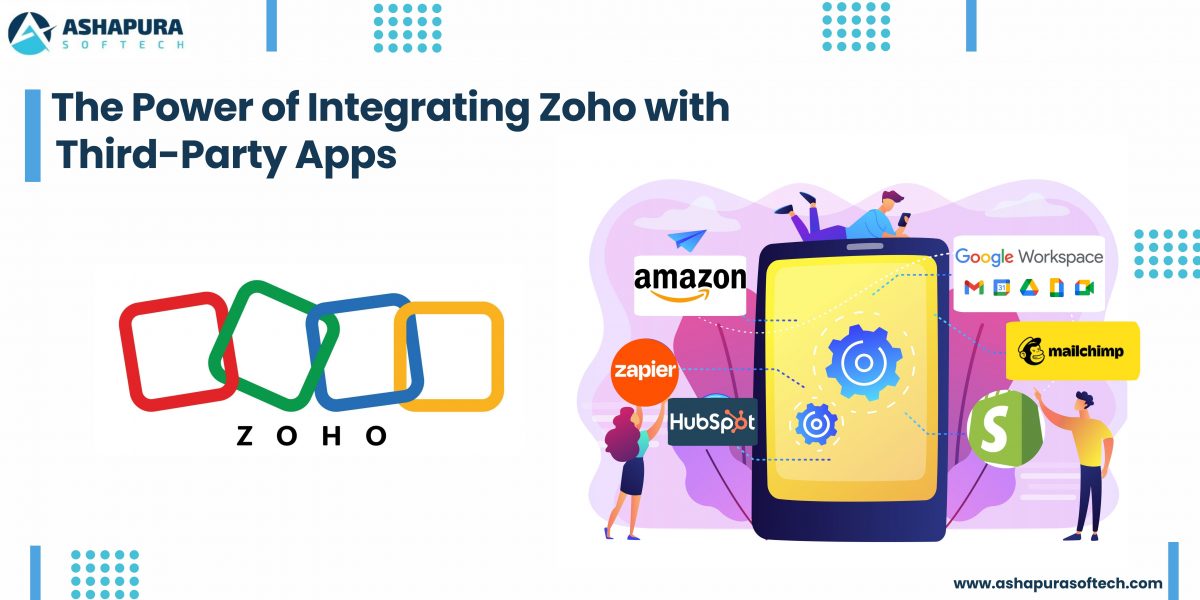
The Power of Zoho Integration with Third-Party Apps: A Case Study

Introduction: Why Zoho Integration Matters

In today’s hyper-connected world, business agility isn’t just a buzzword; it’s survival. Zoho Integrate is more than just a catchphrase tossed around in IT boardrooms. it’s the backbone of businesses embracing digital transformation. When we discuss Zoho solutions in real-world scenarios, we’re talking about creating an ecosystem where apps and teams work in harmony. how companies evolve once they unlock the synergy between Zoho and third-party applications.

Let’s dive into a story  a case study where Zoho integration services didn’t just help, they revolutionized.

How Zoho integration actually works: the four connection routes

A Zoho integration is any connection that lets a Zoho application exchange data with another system, whether that is another Zoho app or an outside tool such as Shopify, QuickBooks or Microsoft 365. Four routes exist, and picking the wrong one is the most common reason a Zoho integration project costs more than it should.

RouteHow it worksBest suited toWhere it stops
Native in-suite linkZoho apps share one data layer, so CRM, Books, Desk and Inventory connect with a settings toggleTeams standardising on the Zoho suiteOnly covers Zoho to Zoho
Zoho Marketplace extensionA prebuilt connector installed into a Zoho app and configured with field mappingCommon pairings such as Shopify, Mailchimp, QuickBooks and SlackField mapping is fixed by whoever built the extension
Zoho FlowA no code builder that fires a chain of actions across apps when an event happensMulti step workflows that cross three or more toolsStruggles with high volume batch sync and complex branching
Custom API or Deluge scriptDirect calls against the Zoho REST APIs, or server side Deluge functions inside ZohoLegacy systems, ERP and industry software with no connectorNeeds a developer and ongoing maintenance

Most businesses end up with a mix. A typical setup uses native links inside the suite, one or two Marketplace extensions for the obvious tools, Zoho Flow for the workflows that cross departments, and a small amount of custom API work for the one system nothing else talks to.

The Challenge: Disconnected Tools and Fractured Workflows

A fast-growing eCommerce brand juggling multiple tools  Shopify for their online store, QuickBooks for accounting, and Mailchimp for email marketing. Each tool worked beautifully, but they didn’t talk to each other. The marketing team manually exported customer lists, finance struggled to reconcile sales reports, and operations often faced delays. The business was scaling, but its workflow efficiency wasn’t.

Why Zoho Integration is the Game-Changer for Modern Businesses

Do you know how it feels when your tools don’t talk to each other? Like trying to have a Zoom call where half the people are on mute and the other half are buffering. Businesses today are using a cocktail of tools: Slack, Shopify, Mailchimp, Google Workspace, and so on. And without proper integration, it’s just noise.

This is where Zoho integration services come in, making all these platforms sing in harmony.

Imagine your CRM pulling data directly from your Shopify store, your marketing tools syncing leads automatically, and your customer support system flagging high-priority cases on Slack, all without lifting a finger. That’s the power of integrating Zoho with third-party applications.


The Anatomy of a Seamless Zoho Integration

Here’s where things get juicy. Zoho Partners, like us at Ashapura Softech, build custom integrations tailored to your business needs. We don’t just plug in APIs and call it a day. We architect ecosystems.

When we integrated Zoho CRM with a client’s QuickBooks Online, sales reps suddenly had real-time financial data inside their CRM. They could see unpaid invoices, credit limits, and account balances without switching tabs.

Result? Sales cycles shortened by 30% and cash flow improved significantly.

The Secret Sauce

The true beauty is in workflow automation. By stitching together Zoho and apps like Zapier or Make.com, you can automate repetitive tasks like:

  • Triggering email sequences when deals are won.
  • Auto-assigning support tickets based on customer location.
  • Syncing sales and marketing data effortlessly.

It’s not just integration. It’s orchestration.


Case Study: Scaling Faster with Zoho + Shopify + Mailchimp

Let’s talk specifics. One of our retail clients was drowning in fragmented data. Their Shopify sales weren’t syncing with their CRM, and Mailchimp campaigns were a guessing game.

The Solution

We created a Zoho-integrated hub that pulled order details from Shopify directly into Zoho CRM and updated customer segments in Mailchimp in real time.

The magic touch? We layered on Zoho Analytics, giving them deep insights into customer behavior, abandoned carts, and lifetime value.

The Outcome

  • 20% increase in repeat purchases.
  • 15% boost in email open rates thanks to personalized campaigns.
  • Operational efficiency is up by 35%.

It was like watching a sports car hit turbo on the freeway.


Why Businesses Trust Zoho Integration Services

It’s more than just connecting software; it’s about creating a frictionless user experience for your teams and customers. and let’s be real nobody has time to be chasing scattered data anymore.

Benefits of Partnering with Zoho Experts

  • Deep customization: Every business is different, and out-of-the-box won’t cut it.
  • Scalability: As you grow, your integrations grow with you.
  • Security & Compliance: We ensure your data flows safely and within regulatory bounds.
  • Support & Training: We don’t just set it and forget it. We empower your teams.

Personal Anecdote: The “Aha!” Moment

I’ll never forget sitting across from a frustrated CEO at a client site in Mumbai. He said, “I feel like my team is spending more time toggling between apps than actually selling.”

Fast forward three months after we delivered a full-fledged Zoho integrated solution: that same CEO was showing off his automated dashboard on a tablet like a proud parent at a science fair. His sales reps? Crushing quotas with time to spare.

That’s the moment it clicked. Integration is not just tech. It’s empowerment.


How Zoho Integrations Future-Proof Your Business

With remote teams, cloud-first operations, and customer expectations soaring, businesses need agility more than ever. Zoho integration services equip you to:

  • Break silos between departments.
  • Automate redundant workflows.
  • Unlock real-time data for faster decisions.

The ROI? You’ll see it in happier customers, faster deal closures, and lower operational costs.

What Zoho integrates with: a practical map

Zoho integrations fall into predictable groups once you sort them by the job the outside system does. The table below covers the pairings US businesses ask for first.

Outside systemZoho app it pairs withUsual routeWhat moves between them
Shopify or WooCommerceZoho CRM, Inventory, BooksMarketplace extensionOrders, customers, stock levels, invoices
QuickBooks or XeroZoho CRM, BooksMarketplace extensionInvoices, payments, customer records
MailchimpZoho CRM, CampaignsMarketplace extensionLists, subscriber status, campaign engagement
Stripe or PayPalZoho Books, SubscriptionsMarketplace extensionPayments, refunds, subscription status
Microsoft 365 or Google WorkspaceZoho CRM, Mail, ProjectsNative connectorEmail, calendar, contacts, files
Slack or Microsoft TeamsZoho CRM, Desk, CliqMarketplace extension or Zoho FlowRecord alerts, notifications, approvals
Twilio or another telephony providerZoho CRM, DeskMarketplace extensionCall logs, recordings, SMS activity
Salesforce or HubSpot during a migrationZoho CRMMigration tooling plus APIAccounts, contacts, opportunities, activity history
An ERP or industry specific systemAny Zoho appCustom API or Zoho FlowWhatever the two sides agree on, defined up front

Which Zoho integrations to build first

Order the work by how much manual re-entry each connection removes. In most companies the finance link goes first, because invoice and payment data is re-keyed daily and mistakes there are expensive. The commerce link usually comes second, then marketing, then support and telephony. Leave custom API work until the standard connectors are live, because that is when you find out what is genuinely missing.

FAQs

What is Zoho integration?

Zoho integration connects Zoho apps (like CRM, Books, Desk) with third-party tools (e.g., Shopify, Slack, QuickBooks) to create seamless data flow and automate business processes.

Why should I use Zoho integration services?

Because it saves time, boosts productivity, and enhances customer experience by eliminating manual tasks and data silos.

How long does it take to integrate Zoho with third-party apps?

Depending on the complexity, it can take anywhere from a few days to a few weeks. At Ashapura Softech, we tailor timelines based on your specific requirements.

Are there risks with integrating Zoho and other platforms?

With expert Zoho Partners like us, risks are minimal. We ensure secure connections, data protection, and compliance with regulations.

Can integrations be customized to fit my unique business workflows?

Absolutely! We design integrations around your processes, not the other way around.


How many apps does Zoho integrate with?

Zoho Marketplace lists prebuilt extensions for well over a thousand applications, and Zoho Flow connects to several hundred more. Anything on neither list can still be connected through the Zoho REST APIs, so in practice almost any system with an API can be integrated.

Do Zoho integrations require coding?

Usually not. Native links and Marketplace extensions are configuration only, and Zoho Flow is a no code builder. Coding becomes necessary when you need a connection nobody has built yet, when field mapping has to follow business rules, or when data volumes are too high for a workflow tool.

How long does a Zoho integration take?

A single Marketplace extension can be configured and tested in a day. A Zoho Flow workflow crossing three systems typically takes a few days once the field mapping is agreed. Custom API work depends entirely on the other system, and the mapping discussion almost always takes longer than the build.

What breaks a Zoho integration after it goes live?

Three things, in order of frequency: someone adds or renames a field on one side without telling the other, an API credential expires, and a duplicate rule silently rejects incoming records. Agreeing who owns field changes is worth more than any amount of extra build effort.

Conclusion

In today’s fast-paced digital landscape, integrating Zoho with third-party apps isn’t just a choice it’s a game-changer. As we’ve seen in this case study, the right integrations can break down silos, streamline workflows, and unlock new heights of productivity and customer satisfaction. By connecting Zoho with your essential tools, you empower your business to make smarter decisions, improve collaboration, and achieve operational excellence.

At Ashapura Softech, we’re passionate about helping businesses like yours leverage the full potential of Zoho integrations. Whether you’re looking to automate tasks, enhance CRM capabilities, or integrate complex third-party systems, our expert team is here to guide you every step of the way. Ready to elevate your business with seamless Zoho integration? Contact us today at [email protected] and let’s create your success story together.

Categories
CRM Salesforce Zoho

Zoho vs Salesforce CRM: An Honest 2026 Comparison From a Partner of Both

Zoho vs Salesforce is one of the most common CRM decisions we help US businesses make, and as a certified partner for both platforms we have no reason to push you toward either. This guide compares Zoho CRM and Salesforce on pricing, features, AI, customisation, integrations and total cost, then tells you plainly which one fits which kind of business.

Zoho vs Salesforce at a glance

FactorZoho CRMSalesforce
Best fitSmall and mid-sized businesses, cost-conscious teamsMid-market and enterprise, complex or fast-scaling sales operations
Entry price (billed annually)Free for 3 users, paid plans from about $14 per user per monthFree for 2 users, paid plans from $25 per user per month
Top standard editionUltimate, about $52 per user per monthUnlimited $350, Agentforce 1 Sales $550 per user per month
AI assistantZia, included in higher editionsAgentforce and Einstein, often a paid add-on
EcosystemZoho One suite (Books, Desk, Campaigns, Analytics and more)AppExchange marketplace, Service, Marketing, Commerce and Data Cloud
CustomisationLow-code, Deluge scriptingLow-code Flow plus Apex and Lightning Web Components
Time to go liveUsually shorterUsually longer, depends on scope

Zoho CRM vs Salesforce pricing in 2026

Price is the first reason most businesses compare the two, so here are the published list prices per user per month, billed annually, at the time of writing.

Zoho CRM editionPriceSalesforce Sales Cloud editionPrice
Free (up to 3 users)$0Free (up to 2 users)$0
Standard$14Starter Suite$25
Professional$23Pro Suite$100
Enterprise$40Enterprise$175
Ultimate$52Unlimited$350
Agentforce 1 Sales$550

Both vendors change prices and bundles often, and monthly billing costs more than annual billing, so always confirm on the vendor’s own pricing page before you budget.

What the table does not show: licence price is rarely the biggest cost. Implementation, data migration, integrations, training and ongoing admin usually decide the real number. For a 20-user team on the Enterprise editions, the list-price gap alone is about $32,000 a year in Zoho’s favour, but a poorly set up system of either kind costs more than that in lost productivity. Our guide to the Salesforce editions explains what each tier actually unlocks.

Features compared

Sales automation and pipeline

Both platforms cover leads, contacts, deals, pipelines, workflows, email and forecasting. Salesforce goes deeper on complex processes: territory management, advanced forecasting, CPQ, approval chains and large sales teams with many layers. Zoho covers what most small and mid-sized teams need at a much lower price, with Blueprint for guided processes and Cadences for follow-up sequences.

AI: Zia vs Agentforce

Zoho’s Zia gives predictions, anomaly alerts, deal scoring and writing help inside the CRM, included in the higher editions. Salesforce has moved further toward AI agents with Agentforce, which can answer customers, qualify leads and take actions across Sales, Service and Marketing Cloud. Agentforce is more powerful, but it usually costs extra and needs clean data to work well. See our Agentforce use cases for what companies have put live.

Customisation and development

Zoho CRM is highly configurable with custom modules, fields and layouts, and Deluge scripting covers most custom logic. Salesforce offers the same low-code tools through Flow, plus Apex and Lightning Web Components for fully custom applications. If your process is unusual or your data model is complex, Salesforce gives developers more room.

Reporting and analytics

Zoho includes solid reports and dashboards, and Zoho Analytics adds deeper BI. Salesforce reports and dashboards are strong out of the box, with Tableau and Data Cloud for advanced analytics and unified customer profiles, at additional cost.

Integrations and ecosystem

Zoho’s strength is its own suite: Zoho One bundles more than 40 apps, including Books, Desk, Campaigns, Projects and People, that work together without connectors. Salesforce’s strength is AppExchange, the largest CRM app marketplace, plus native Service, Marketing, Commerce and Data Cloud products. Both connect to common tools; see how we approach Zoho integration with third-party apps.

Ease of use

Zoho is generally quicker to learn and faster to set up for small teams. Salesforce has a steeper learning curve and usually needs an admin or partner, especially once the org grows.

Salesforce vs Zoho CRM: which one should you choose?

Choose Zoho CRM if:

  • You are a small or mid-sized business and cost matters
  • You want CRM, accounting, support and marketing in one suite
  • Your sales process is fairly standard
  • You want to go live quickly with a small admin effort

Choose Salesforce if:

  • You have a large or fast-growing sales team with complex processes
  • You need enterprise features such as advanced forecasting, CPQ or territory management
  • You plan to use AI agents, or already run Service, Marketing or Commerce Cloud
  • You need deep custom development or a very large integration marketplace

Personal observations

Having worked with both platforms, one thing stands out: Salesforce feels like the Ferrari of CRMs, while Zoho CRM is more like a dependable Toyota Corolla. A small business owner once told us that Zoho fit like a glove, but when the company started scaling, Salesforce was the engine it needed. That is why we always ask where the business will be in three years, not only where it is today.

Switching between Zoho and Salesforce

Moves happen in both directions. Growing companies move from Zoho to Salesforce when their processes outgrow it, and some teams move from Salesforce to Zoho to cut licence costs. In either case, clean the data first, map fields and automations carefully, and run both systems side by side for a short period. Read how to prepare Salesforce data for a Zoho CRM migration and our complete guide to Zoho migration services.

How Ashapura Softech helps

Ashapura Softech is a certified partner for both Zoho and Salesforce, so our advice starts from your requirements, not a quota. We help with platform selection, setup, customisation, integration and migration through our Zoho development services, Zoho CRM development, Zoho migration services, Salesforce CRM development and Salesforce cloud services. If neither fits, we also build custom CRM software. Comparing more options? See Salesforce vs Odoo and the benefits of Zoho CRM development for US small businesses.

FAQs

Is Zoho cheaper than Salesforce?

Yes. Zoho CRM’s paid editions start at about $14 per user per month billed annually, compared with $25 for Salesforce Starter Suite, and the gap widens at higher tiers.

Is Zoho CRM good enough for large enterprises?

Some large companies run Zoho successfully, especially with Zoho One. Enterprises with complex processes, many teams or heavy AI and integration needs usually get more from Salesforce.

Which is easier to use, Zoho or Salesforce?

Zoho is usually easier to learn and set up. Salesforce has more depth, which brings a steeper learning curve and a greater need for an admin.

Can I migrate from Zoho CRM to Salesforce later?

Yes. Records, custom fields and most automations can be moved, but workflows usually need to be rebuilt in Salesforce Flow. Planning the data model early makes a later move much easier.

Does Zoho have AI like Salesforce Agentforce?

Zoho has Zia, which covers predictions, scoring and writing help. Agentforce goes further with autonomous agents that take actions, usually at extra cost.

Conclusion

In the Zoho vs Salesforce decision, there is no universal winner. Zoho CRM gives small and mid-sized businesses excellent value and a connected suite, while Salesforce gives growing and enterprise teams more depth, AI and room to scale. Match the platform to your processes, budget and growth plans, and talk to a partner who works with both before you commit.