

Last updated: 9 October 2026
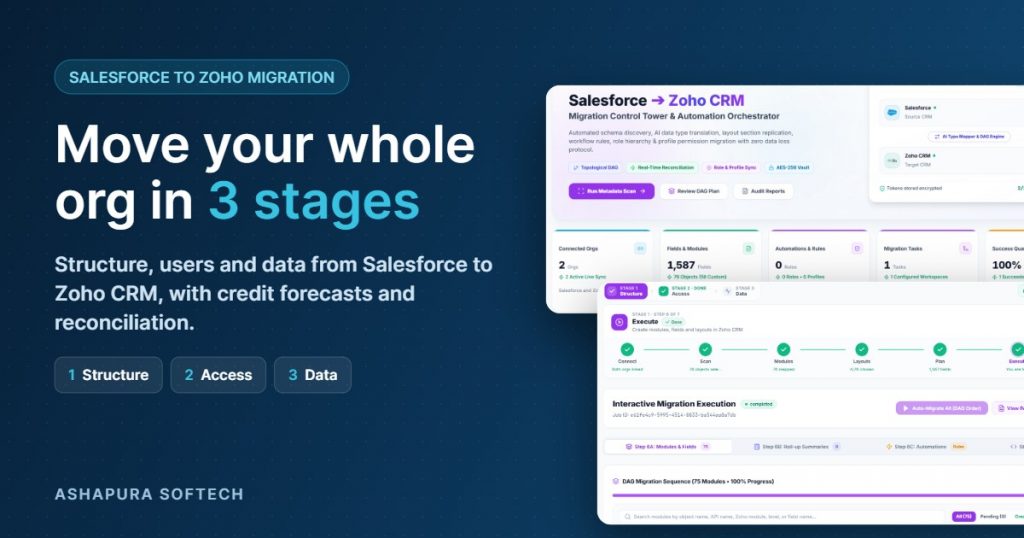
Ashapura Softech has built Salesforce to Zoho Migration, a platform that moves a complete Salesforce org into Zoho CRM: the structure, the users and the data. It is made for companies already using Salesforce that want to move to Zoho CRM without losing records, links or owners on the way.
You can run it yourself from one workspace, or have our team run it with you. This post shows what the product does and how it works.
3 guided stages
Structure, users, then data
Nothing lost
Lookups and owners kept intact
Self-serve
Run it yourself or with our team
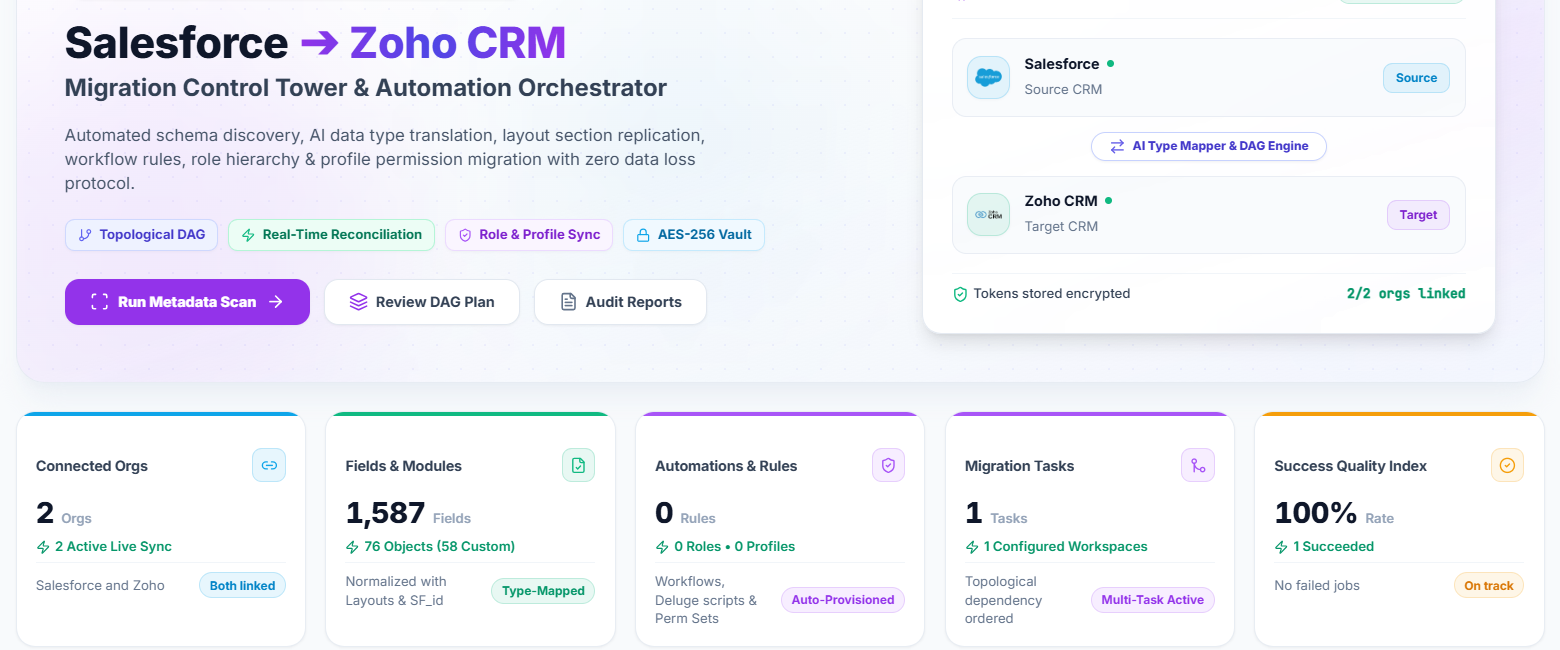
What Salesforce to Zoho Migration does
Moving from Salesforce to Zoho CRM by hand means rebuilding modules and fields, re-creating roles and users, and importing records in the right order so nothing breaks. Salesforce to Zoho Migration does that work for you:
Rebuilds your structure
Objects, fields, picklists and layouts are created in Zoho CRM automatically.
Carries over your team
Roles, profiles and users move across, so records keep their real owners.
Moves data safely
Parent records load before child records, so links between records stay intact.
Respects Zoho API limits
It forecasts the API credits you need and never runs your org out of budget.
Proves the result
Record counts are reconciled for every object, and every action is logged.
You stay in control
Every change to Zoho has a review step first, so nothing happens without your sign off.
Who it is for
Salesforce to Zoho Migration is for companies that are already using Salesforce and want to move to Zoho CRM. If your team works in Salesforce today, the platform takes everything you have built there, your objects, fields, users and records, and sets it up in Zoho CRM so your team can carry on working in Zoho without starting from scratch.
For example, say your sales team has worked in Salesforce for years. Every account, contact, deal and note they rely on lives there, and now the company wants to shift to Zoho CRM. Instead of rebuilding all of that by hand, you connect both systems, review the plan and let the platform move it across, with each deal still linked to the right account and owned by the right person.
How Salesforce to Zoho Migration works: three simple stages
You connect your Salesforce org and your Zoho CRM org in one workspace. The platform then guides you through three stages, in order.
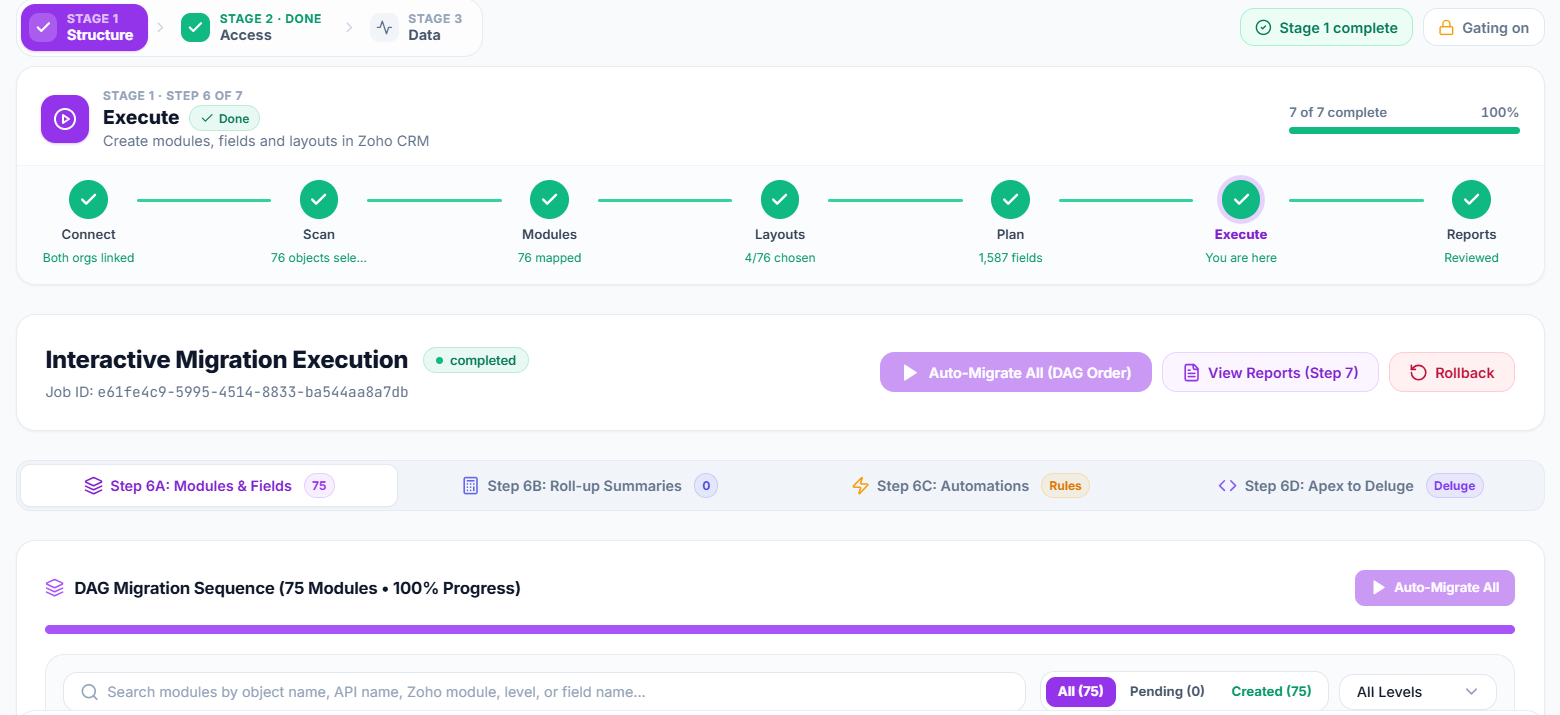
Stage 1: Structure
The platform scans your Salesforce org and reads its objects, fields, picklists, layouts, validation rules and Apex code. It then suggests a Zoho module for every object (Account to Accounts, Opportunity to Deals, custom objects to new custom modules) and a Zoho field type for every field. You review the plan, skip what you do not need, and run it. Modules are created in the right order, parents before children, and nothing is ever created twice.
It can also migrate workflow rules and roll-up summaries, and draft Zoho Deluge scripts from your Apex code for your developers to review.
Stage 2: Access and users
Salesforce roles are recreated in Zoho with the same reporting hierarchy, and Salesforce profiles become Zoho profiles, with a preview of the permissions before anything is written. Users are matched automatically by email, username or name. Anyone without a match can be created in Zoho or mapped by hand, so every record lands with the right owner.
Stage 3: Data
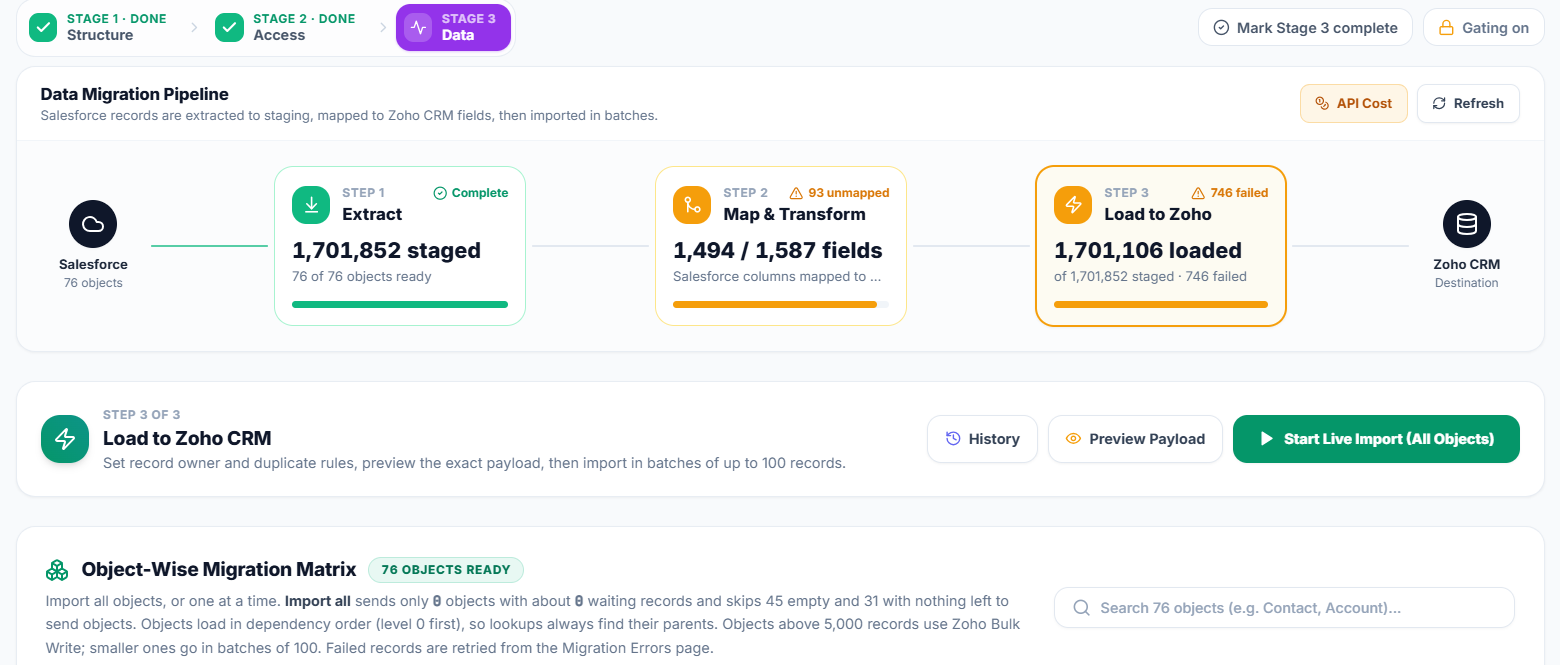
Records are pulled from Salesforce into a staging area, mapped to Zoho fields and loaded into Zoho CRM. Auto-match fills in the obvious field pairs, and simple clean-up rules (trim spaces, change case, default if blank, find and replace) tidy the data on the way. You can do a dry run first, then start, pause, resume or stop the import at any time.
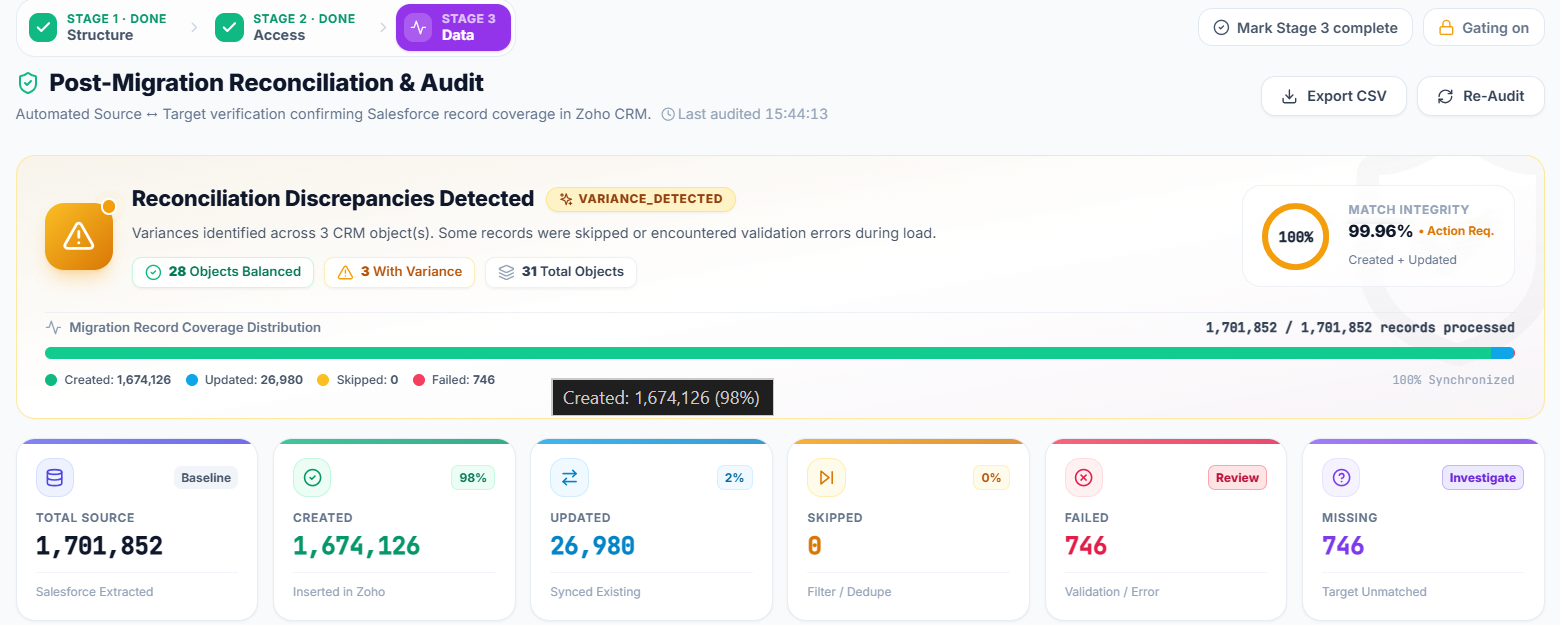
When the load finishes, failed records are listed with the reason Zoho gave, so you can fix them and retry only those. Reconciliation then compares Salesforce records with records created and updated in Zoho, object by object.
See it on your own Salesforce org
Book a free demo and we will scan your org and show you the module plan and credit forecast before anything is written to Zoho.
Key features of Salesforce to Zoho Migration
Beyond the three stages, these features keep the migration safe, predictable and within your Zoho API budget.
Zoho API credit forecast
Zoho gives every org a limited number of API credits per day. The platform shows how many credits each stage will need before you start, based on your real record counts, and only counts the work that is still left.
Smart loading with Bulk Write
Large batches of new records go through Zoho’s Bulk Write, which costs far fewer credits. In a worked example of about 460,000 records, that meant about 9,500 credits instead of about 46,000.
Quota guard
A running import checks the remaining credit budget and stops cleanly before it runs out, so your live Zoho integrations keep working. The next run continues exactly where it stopped.
Safe re-runs
The Salesforce record id is kept on every Zoho record, so running the import again updates existing records instead of creating duplicates.
Security and audit log
Salesforce and Zoho tokens are stored encrypted, data only travels between the platform, Salesforce and Zoho, and every mapping change, job and API call is written to a searchable audit log.
Dry run, pause and resume
Preview the load with a dry run first, then start, pause, resume or stop the import whenever you need to.
Use it yourself or with our team
You can run Salesforce to Zoho Migration on your own or with Ashapura Softech, whichever suits your team.
Run it yourself
Salesforce to Zoho Migration is guided, so your own admin can run it end to end, with a review step before every change to Zoho.
Run it with our team
Prefer experts to handle it? Our team can run the migration with you as part of our Zoho migration services.
See the features, screenshots and a free demo form on the Salesforce to Zoho Migration product page.
Frequently asked questions
Quick answers to the questions Salesforce users ask most before moving to Zoho CRM.
What is Salesforce to Zoho Migration?
It is a migration platform built by Ashapura Softech that moves a Salesforce org into Zoho CRM in three stages: structure, access and users, then data.
Can I use it myself?
Yes. The stages are guided and every change to Zoho has a review step first. You can also have our team run it with you.
Will I lose data or record owners?
No. Structure is built before data, users are matched before records load, and parents load before children. Record counts are reconciled for every object at the end.
Can I move only some objects?
Yes. You can skip any object and choose which layouts and fields to carry over.
Is there anything I still do by hand?
A few things: setting mandatory flags and default values in Zoho Setup, re-running workflows on bulk-loaded records, and reviewing the Deluge scripts drafted from Apex. The platform lists these for you.
Moving from Salesforce to Zoho CRM?
Book a free demo of Salesforce to Zoho Migration and see your own org’s migration plan before you commit to anything.
Related reading
More guides from our team on moving to Zoho CRM.