Categories
Zoho CRM

Top Benefits of Zoho CRM Development for Small Businesses in the USA

Introduction

Running a small business in the USA comes with unique challenges. From managing leads and customer communications to overseeing daily operations, small business owners and startup founders often juggle multiple tasks at once. Many rely on spreadsheets, emails, and disconnected tools to track prospects and sales, which can lead to missed opportunities, inefficient workflows, and frustrated teams.

This is where Zoho CRM development for small businesses in the USA becomes a game-changer. Unlike off-the-shelf CRM software, custom Zoho CRM solutions are tailored to meet the specific needs of your business, whether you’re in retail, real estate, education, professional services, or a tech startup. By implementing a customized Zoho CRM system, small businesses can centralize customer data, automate repetitive tasks, and gain real-time insights into sales and marketing performance.

Investing in Zoho CRM development allows businesses to streamline lead management, track customer interactions efficiently, and enhance team collaboration. With features like workflow automation, custom dashboards, and seamless integration with popular tools like QuickBooks, Shopify, and Mailchimp, Zoho CRM helps small businesses not only save time but also improve customer experience and retention.

Moreover, a tailored Zoho CRM ensures scalability, meaning your system can grow with your business—adding users, automating complex processes, and adapting to new sales strategies without disrupting daily operations. For small businesses looking to compete in the competitive U.S. market, the ROI from Zoho CRM customization can be substantial, including increased conversions, higher revenue, and more informed decision-making.

In this article, we’ll explore the top benefits of Zoho CRM development for small businesses in the USA, industry-specific use cases, and actionable insights on how implementing a custom CRM can transform your business operations and accelerate growth.

Why Small Businesses in the USA Need a Custom CRM

Small businesses in the USA often face challenges that slow growth and reduce operational efficiency. Many rely on manual processes, like tracking leads and customer interactions in spreadsheets or emails, which can be time-consuming and prone to errors. These inefficiencies can lead to missed opportunities, delayed follow-ups, and ultimately, lost revenue.

Decision-makers also face limited visibility into team performance, sales pipelines, and customer trends. Without accurate, real-time insights, strategic decisions can become guesswork rather than data-driven actions. While several off-the-shelf CRMs exist, they often fail to meet the specific needs of small businesses, leaving workflows disjointed and teams frustrated.

This is where Zoho CRM customization becomes essential. By tailoring workflows, dashboards, and modules to your unique business requirements, a custom Zoho CRM streamlines operations, enhances productivity, and ensures that your CRM grows with your business.

Common Challenges for SMBs
  • Lead Management Issues: Leads scattered across spreadsheets or emails often result in missed opportunities.
  • Collaboration Gaps: Teams working in silos struggle to stay aligned, affecting productivity and customer experience.
  • Reporting Inefficiencies: Without accurate reports, decision-making becomes reactive rather than strategic.

Investing in custom Zoho CRM development addresses these challenges by centralizing data, automating repetitive tasks, and providing real-time reporting. For small businesses in the USA, a tailored CRM not only boosts sales efficiency and customer retention but also provides measurable ROI, enabling smarter business growth.

What is Zoho CRM Development?

For small businesses in the USA, Zoho CRM development goes far beyond simply installing software. It involves customizing and optimizing the CRM to fit your business’s unique workflows, sales processes, and operational needs. Instead of a generic, one-size-fits-all solution, custom Zoho CRM development creates a system that aligns perfectly with your goals, team structure, and industry requirements.

A well-developed Zoho CRM allows businesses to centralize customer data, track leads and opportunities in real time, and automate repetitive tasks like follow-ups, email reminders, and reporting. This not only saves valuable time but also reduces human error, ensuring your team can focus on strategic initiatives rather than administrative work.

Key Features of Custom Zoho CRM
  • Workflow Automation: Automatically assign leads, send reminders, and trigger alerts for important tasks.
  • Custom Dashboards & Reports: Visualize KPIs, track team performance, and make informed decisions with real-time insights.
  • Third-Party Integrations: Seamlessly connect Zoho CRM with tools like QuickBooks, Shopify, and Mailchimp to unify your operations.
  • Scalability: Add new users, modules, and automation rules as your business grows without disrupting workflows.

Unlike off-the-shelf CRMs, custom Zoho CRM development ensures that your system works exactly the way your business works. Whether you’re a startup in tech, a real estate agency, or a professional service provider, a tailored CRM supports efficiency, collaboration, and growth.

Investing in Zoho CRM customization not only streamlines daily operations but also enhances customer experience, team productivity, and decision-making, helping small businesses in the USA compete effectively in a fast-paced market.

Top Benefits of Zoho CRM Development for Small Businesses

Small businesses in the USA face unique challenges when it comes to managing sales, marketing, and customer relationships. Many SMBs rely on fragmented systems, spreadsheets, and manual processes, which can lead to lost leads, inefficient workflows, and missed growth opportunities. This is where Zoho CRM development for small businesses proves transformative. A customized Zoho CRM system helps streamline operations, automate tasks, and provide actionable insights, ensuring that your business operates efficiently while scaling effectively.

Here are the top benefits of Zoho CRM development for small businesses, backed by real-world applications and actionable insights.

1. Streamlined Sales and Lead Management

One of the most immediate benefits of custom Zoho CRM development is the ability to streamline sales and lead management. Small business teams often struggle with scattered leads across emails, spreadsheets, or multiple systems, which can result in missed opportunities.

With a custom Zoho CRM system, all leads are captured, tracked, and scored automatically, ensuring timely follow-ups. Sales teams can easily see which leads are hot, which require nurturing, and which are ready to convert. Automated notifications and reminders prevent leads from slipping through the cracks, improving conversion rates and overall revenue.

2. Improved Customer Experience

A key differentiator for small businesses is the quality of customer experience. A custom Zoho CRM centralizes all customer data, including previous interactions, preferences, and transaction history, allowing your team to provide personalized service.

By understanding customer behavior and engagement patterns, businesses can tailor communication, resolve issues faster, and maintain consistent follow-ups. This leads to higher customer satisfaction, loyalty, and repeat business, which is crucial for SMB growth.

3. Enhanced Team Collaboration and Productivity

Small business teams often face collaboration challenges, especially when information is scattered across different tools. Zoho CRM development helps centralize data, tasks, and communication within a single platform, ensuring all team members have access to the same information in real time.

Custom dashboards allow managers to track team performance, assign tasks efficiently, and monitor workflow progress. By automating repetitive tasks such as reminders, follow-ups, and notifications, teams can focus on strategic activities instead of administrative work.

Benefits:

  • Reduced duplication of effort
  • Increased accountability
  • Improved cross-team collaboration
4. Data-Driven Decision Making

Decision-making in small businesses can often be reactive, relying on intuition rather than data. A custom Zoho CRM provides powerful reporting and analytics capabilities, offering insights into sales performance, customer behavior, and marketing effectiveness.

Custom dashboards allow business owners to visualize key metrics in real time. Predictive analytics helps forecast sales, identify trends, and detect potential bottlenecks, enabling smarter, data-driven decisions that directly impact growth.

5. Seamless Integration with Business Tools

Small businesses typically use multiple tools for accounting, marketing, and e-commerce. A custom Zoho CRM integrates seamlessly with popular platforms like QuickBooks, Shopify, Mailchimp, and Slack, creating a unified workflow.

This integration eliminates manual data entry, reduces errors, and provides a holistic view of business operations. Sales, marketing, and finance teams can work in sync, improving efficiency and decision-making across the organization.

6. Scalability for Growing Businesses

As small businesses expand, their systems need to scale. Custom Zoho CRM development ensures your CRM grows with your business. Adding new users, automating complex workflows, or creating new modules is seamless, minimizing disruption to operations.

Scalability also means that as your team or client base grows, your CRM continues to deliver value without requiring frequent overhauls or expensive upgrades. This adaptability ensures that your business is always ready to seize new opportunities.

7. Industry-Specific Use Cases

Custom Zoho CRM development benefits SMBs across various industries by adapting to their unique needs:

  • Retail & eCommerce: Manage inventory, segment customers, automate promotions, and track orders.
  • Real Estate: Track leads, manage property listings, and automate agent follow-ups.
  • Education & Training: Automate student enrollment, manage courses, and track engagement.
  • Professional Services & Startups: Streamline client onboarding, monitor project progress, and track invoices.
8. ROI and Cost Efficiency

Investing in Zoho CRM customization delivers measurable ROI for small businesses. By automating repetitive tasks, improving lead management, and enhancing customer experience, businesses save time and increase revenue. Compared to off-the-shelf CRMs, Zoho CRM provides affordable customization options that fit small business budgets without compromising functionality.

Industry Use Cases for U.S. Small Businesses

Zoho CRM development is versatile and can be customized to meet the specific needs of small businesses across a variety of industries in the USA. By tailoring workflows, dashboards, and automation, SMBs can improve efficiency, boost customer engagement, and drive growth.

1. Retail & eCommerce

For small retailers and online stores, a custom Zoho CRM helps manage inventory, customer segmentation, and order tracking. Integration with platforms like Shopify or Mailchimp allows for automated marketing campaigns and personalized promotions, increasing customer retention and sales.

2. Real Estate

Real estate SMBs benefit from Zoho CRM by automating lead tracking, property management, and agent assignments. Automated follow-ups ensure that no property inquiry is missed, improving conversion rates and enhancing client satisfaction.

3. Education & Training

Schools, coaching centers, and training institutes can streamline student enrollment, track attendance, and manage course schedules using Zoho CRM. Automated reminders and follow-ups improve communication with students and parents, boosting engagement and enrollment numbers.

4. Professional Services & Startups

Service-based SMBs and startups can leverage Zoho CRM to manage client onboarding, track project milestones, and monitor team performance. Custom dashboards provide insights into revenue, project timelines, and client satisfaction, supporting informed business decisions.

ROI & Cost Benefits of Zoho CRM Development

Investing in custom Zoho CRM development for small businesses in the USA delivers measurable ROI, helping teams save time, increase revenue, and improve customer relationships. For small and medium-sized businesses (SMBs), a well-implemented CRM can transform operations, making everyday workflows more efficient and strategic.

1. Time Savings

Manual tasks like lead follow-ups, data entry, and report generation can consume hours each week. With automated workflows in Zoho CRM, small business teams can focus on high-value activities, such as nurturing leads, closing deals, and improving customer service. Automating repetitive processes not only increases productivity but also reduces errors and ensures that no opportunities slip through the cracks.

2. Revenue Growth

A customized Zoho CRM enhances lead management and sales tracking, enabling businesses to follow up with prospects at the right time. Automated reminders, lead scoring, and pipeline tracking increase conversion rates, resulting in higher revenue. By centralizing sales data, decision-makers can identify trends, optimize strategies, and capitalize on growth opportunities more effectively.

3. Customer Retention

Personalized communications foster loyalty and long-term relationships. With Zoho CRM, SMBs can track customer preferences, purchase history, and engagement patterns to deliver tailored experiences. Happy, engaged customers are more likely to return, boosting lifetime value and overall profitability.

4. Cost Consideration

Zoho CRM offers SMB-friendly pricing, making it an affordable alternative to enterprise solutions like Salesforce or HubSpot without compromising on customization potential. The platform’s scalability ensures that as your business grows, your CRM adapts, minimizing the need for expensive software changes or upgrades.

How to Choose a Zoho CRM Development Partner

Selecting the right partner for Zoho CRM development is crucial for small businesses in the USA. A skilled development partner ensures smooth implementation, effective customization, and ongoing support—maximizing the ROI from your CRM investment.

1. Look for Certified Expertise

Always choose a partner with Zoho certification and proven experience in CRM customization. Certified developers understand the platform’s capabilities, best practices, and advanced features, enabling them to tailor the system to your unique business processes.

2. Industry Experience Matters

A partner familiar with your industry—whether it’s retail, real estate, education, or professional services—can design workflows that align with your specific needs. Industry-specific knowledge ensures that your CRM addresses common pain points like lead management, customer segmentation, and reporting inefficiencies.

3. Prioritize Customization and Scalability

Your business evolves, and so should your CRM. Look for a partner who can implement custom modules, dashboards, and integrations with tools like QuickBooks, Shopify, or Mailchimp. Scalability ensures your CRM grows with your business without costly overhauls.

4. Support and Training

Post-implementation support is critical. A reliable partner provides training, troubleshooting, and ongoing updates, empowering your team to fully leverage the CRM’s features.

5. Cost Transparency and ROI Focus

Finally, choose a partner who offers transparent pricing and demonstrates how their services deliver measurable ROI, from time savings to increased revenue and customer retention.

FAQs

1. What is the cost of Zoho CRM for SMBs in the USA?
Zoho CRM offers flexible, SMB-friendly pricing depending on your plan and customization needs. Small businesses in the USA can choose from free, standard, professional, or enterprise plans, and add custom modules or integrations based on requirements, making it cost-effective without sacrificing functionality.

2. Can Zoho CRM be customized for my industry?
Yes! Zoho CRM is fully customizable for different industries, including retail, real estate, education, professional services, and startups. Custom modules, dashboards, and automated workflows ensure the CRM fits your unique business processes and enhances efficiency.

3. How long does Zoho CRM implementation take?
Implementation varies by complexity. For most SMBs in the USA, custom Zoho CRM implementation takes 4–12 weeks, including planning, configuration, testing, and training, ensuring a smooth transition and minimal disruption to operations.

4. What integrations does Zoho CRM support?
Zoho CRM supports seamless integration with popular tools like QuickBooks, Shopify, Mailchimp, Slack, and other accounting, marketing, or eCommerce platforms, creating a unified system that improves workflow and data accuracy.

5. How does Zoho CRM improve sales and productivity?
By automating workflows, tracking leads, and providing real-time insights, Zoho CRM reduces manual tasks, streamlines operations, and improves team collaboration, helping SMBs in the USA boost sales and maximize revenue efficiently.

Conclusion

Custom Zoho CRM development empowers small businesses in the USA to streamline sales, automate workflows, and enhance customer engagement. By implementing tailored dashboards, workflow automation, and seamless integrations with tools like QuickBooks, Shopify, and Mailchimp, SMBs can improve efficiency, boost revenue, and achieve measurable ROI. Partnering with Ashapura Softech ensures expert Zoho CRM customization, industry-specific solutions, and ongoing support. Take the next step to transform your CRM into a growth-driving tool—contact us today at [email protected] and elevate your business operations.

Categories
Zoho CRM

Zoho CRM for Real Estate: Transform Your Business with Data-Driven Efficiency

Introduction

In today’s fast-paced property market, real estate professionals need more than traditional methods to stay competitive. A powerful real estate CRM like Zoho CRM for real estate helps agents manage leads, track properties, and build lasting client relationships with ease. By leveraging advanced CRM software, agencies can streamline operations, improve communication, and drive consistent business growth.

Zoho CRM provides a centralized platform designed for both independent agents and large real estate teams. With features like lead management, automated workflows, and property tracking, this real estate CRM software ensures agents can focus on selling rather than administrative tasks. Integrations with email, phone, marketing tools, and social media make it simple to maintain seamless communication across channels.

Real-time analytics and reporting empower teams to monitor sales pipelines, forecast revenue, and make data-driven decisions confidently. Mobile access allows agents to update listings, respond to client inquiries, and manage appointments on the go—keeping business moving efficiently anytime, anywhere.

For real estate agencies, collaboration features help teams share property details, assign tasks, and track progress in one system. By implementing Zoho CRM effectively, businesses can improve productivity, enhance customer satisfaction, and maximize ROI.

In a competitive market, using Zoho CRM real estate software is more than a tool—it’s a strategic advantage. By combining automation, analytics, and seamless communication, agents and agencies can transform their operations and grow their business sustainably.

What Is Zoho CRM?

Zoho CRM is a cloud-based CRM software designed to help businesses manage sales, marketing, and customer support all in one platform. For the real estate industry, Zoho CRM for real estate provides specialized tools that simplify complex processes, including tracking leads, managing property listings, and automating client communications.

With this real estate CRM, agents and agencies can centralize client and property data, ensuring no opportunity is missed. Automated reminders and follow-ups keep interactions timely, while customizable dashboards and reports provide real-time insights into sales pipelines, lead sources, and conversion rates. By using these data-driven insights, agents can make smarter decisions and improve overall efficiency.

The platform’s flexibility allows it to be tailored for solo agents or large teams alike. Integrations with email, phone systems, marketing platforms, and social media ensure a seamless workflow across all channels. Zoho CRM real estate software empowers professionals to focus on building meaningful client relationships while driving business growth.

Why Real Estate Professionals Choose Zoho CRM

The real estate market is highly competitive, and agents face multiple challenges. Managing multiple leads simultaneously requires quick responses and prioritization of high-potential clients. Tracking property listings, from new to sold, can be overwhelming if done manually. Maintaining effective communication across multiple channels is essential to build trust, and analyzing performance without analytics makes it hard to make informed decisions or forecast sales.

Zoho CRM for real estate solves these challenges by centralizing client and property information, automating repetitive tasks, integrating with other tools, and providing actionable analytics. Automated workflows and reminders save time, while real-time reports allow agents to monitor pipelines, optimize strategies, and increase conversions. Its seamless integration with email, marketing platforms, and social media ensures consistent and personalized client communication.

By addressing these pain points, Zoho CRM real estate software enhances productivity, improves client satisfaction, and drives business growth. Agents and agencies can now manage their operations more efficiently, make data-driven decisions, and maintain a competitive edge in the market.

Key Features of Zoho CRM for Real Estate

Zoho CRM for real estate agents offers a comprehensive set of tools designed to simplify daily operations, enhance client relationships, and drive business growth. Its features address the unique needs of real estate professionals, from lead management to analytics.

1. Lead Management

Efficient lead management is essential for converting prospects into clients. Zoho CRM for real estate agents allows you to capture leads from multiple channels, including webforms, social media, and emails. Leads can be automatically assigned to agents based on predefined rules, tracked through the sales pipeline, and prioritized according to potential value. This organized approach ensures no opportunity is missed while nurturing leads effectively.

2. Property Management

Managing multiple listings is effortless with Zoho CRM for property management. Store property details, photos, and videos in a centralized database, share listings with clients, and monitor property status from available to sold. This centralized system ensures accurate, up-to-date information for both agents and clients, reducing errors and saving time.

3. Client Communication

Building strong client relationships requires consistent communication. Zoho CRM real estate marketing tools enable integrated email, phone, and SMS messaging, personalized for each client. Automated follow-ups and reminders ensure timely interactions, improving client engagement and demonstrating professionalism.

4. Workflow Automation

Routine tasks can consume valuable time. With Zoho CRM, agents can schedule property viewings automatically, send welcome emails to new leads, and update client records after each interaction. Automation reduces human error and allows your team to focus on high-value activities, such as closing deals and nurturing relationships.

5. Analytics and Reporting

Data-driven insights empower smarter decisions. Zoho CRM provides customizable dashboards and reports on sales, lead conversion, and client engagement. Predictive analytics help forecast market trends and identify business opportunities, maximizing ROI for agents and agencies.

Benefits of Zoho CRM for Real Estate

Implementing Zoho CRM for real estate agents offers numerous advantages, helping agencies streamline operations, enhance client relationships, and increase revenue. Here are the key benefits:

1. Improved Lead Conversion

By organizing and tracking leads efficiently, Zoho CRM for real estate agents ensures no prospect is overlooked. Automated follow-ups and prioritized lead management help agents convert more leads into loyal clients, boosting sales performance.

2. Centralized Property Management

With Zoho CRM for property management, all property listings are stored in one place. Agents can quickly access property details, share accurate information with clients, and update listings in real time, reducing errors and improving client trust.

3. Enhanced Client Communication

Strong communication is critical in real estate. Zoho CRM real estate marketing tools allow agents to send personalized messages, integrate multiple channels, and automate reminders. This ensures timely, professional, and consistent interactions with clients, enhancing satisfaction and loyalty.

4. Time-Saving Automation

Workflow automation minimizes repetitive tasks, such as scheduling property viewings or updating client records. Agents can focus on high-value activities like closing deals and building relationships, increasing overall productivity and efficiency.

5. Data-Driven Insights

Zoho CRM provides actionable analytics and customizable reports, allowing agents to monitor performance, track conversion rates, and forecast sales. These insights enable informed decision-making and help agencies refine strategies to maximize ROI.

6. Scalable Solution for Growth

Whether you’re a solo agent or a large agency, Zoho CRM for real estate agents scales with your business. Its flexible platform supports team collaboration, integrates with other tools, and grows alongside your operations.

How to Get Started with Zoho CRM

Getting started with Zoho CRM for real estate agents is simple and intuitive. By following these steps, you can quickly set up the platform to streamline your business operations and enhance client relationships.

1. Sign Up

Begin by visiting the Zoho CRM website and selecting a plan that fits your business needs. Whether you’re a solo agent or part of a large agency, Zoho CRM offers flexible plans tailored to real estate professionals. Signing up is quick, and you can start exploring the platform immediately.

2. Customize Your CRM

Tailor Zoho CRM to match your business processes. Add custom fields, modules, and workflows specific to your real estate operations. For example, create property listing modules, lead categories, or client tracking fields to ensure the CRM aligns perfectly with your day-to-day activities.

3. Integrate with Other Tools

Enhance productivity by connecting Zoho CRM with other tools you use, such as email marketing platforms, property listing services, or social media accounts. Seamless integration ensures all your data is centralized, reducing manual work and improving efficiency.

4. Train Your Team

Provide training to ensure your team can use Zoho CRM effectively. Familiarize them with key features like lead management, automated workflows, and reporting dashboards. A well-trained team maximizes the CRM’s potential and boosts overall productivity.

5. Monitor and Optimize

Regularly review analytics, track performance, and adjust workflows to improve outcomes. Zoho CRM’s customizable dashboards allow you to make data-driven decisions, forecast sales, and optimize processes for better results.

Top Challenges in Real Estate and How Zoho CRM Solves Them

The real estate industry is fast-paced and highly competitive. Agents and agencies often face challenges that can slow growth or affect client satisfaction. Zoho CRM for real estate agents provides practical solutions to these common problems.

1. Managing Multiple Leads

Handling numerous leads at once can be overwhelming. With Zoho CRM lead management, agents can automatically capture leads from websites, social media, and emails. The system prioritizes high-value prospects and assigns them to the right agents, ensuring timely follow-ups and reducing missed opportunities.

2. Disorganized Property Listings

Keeping track of property details manually can be chaotic. Zoho CRM property management software centralizes all listings, including photos, videos, and status updates. Agents can easily share accurate information with clients, maintain consistency across the team, and save hours of administrative work.

3. Inefficient Communication

Communication is key in real estate, but juggling multiple channels can lead to missed messages. Zoho CRM real estate marketing tools allow agents to send personalized emails, SMS, and phone messages all from one platform. Automated follow-ups keep clients engaged and enhance professional relationships.

4. Manual Reporting & Analytics

Without proper data, it’s hard to track performance or forecast sales. Zoho CRM offers advanced dashboards and customizable reports, providing insights into lead conversion, property performance, and market trends. These analytics enable smarter, data-driven decisions.

Zoho CRM Integrations for Real Estate

1. Email Marketing Tools

Stay connected with clients and nurture leads effortlessly by integrating Mailchimp or Zoho Campaigns. These integrations allow you to send personalized email campaigns, track engagement, and automate follow-ups directly from your CRM.

2. Document Management

Manage contracts, property documents, and client files in one place. Zoho CRM integrates with Zoho Docs and Google Drive, so you can store, access, and share documents without switching platforms, saving time and reducing errors.

3. Accounting & Invoicing

Keep your finances organized by connecting Zoho CRM with Zoho Books or QuickBooks. Automate invoices, track payments, and sync client billing information to streamline accounting processes.

4. Property Listing Platforms

Get real-time updates and manage listings efficiently by integrating your CRM with MLS or other property listing platforms. This ensures your clients always receive accurate and up-to-date property information.

Best Practices for Using Zoho CRM in Real Estate

1. Customize Your Dashboard

Tailor your CRM dashboards to display what matters most—lead tracking, sales pipelines, and property listings. This gives agents quick access to critical information and helps them stay focused on high-priority tasks.

2. Segment Clients

Not all clients have the same needs. Use segmentation features within Zoho CRM real estate marketing tools to group clients by budget, location, or buying stage. This enables you to send personalized communication and improve engagement.

3. Automate Follow-Ups

Never miss an opportunity. Set reminders, automated emails, and notifications to nurture leads consistently. Automated follow-ups save time while ensuring prospects receive timely responses.

4. Train Your Team

Even the best CRM is only as effective as the people using it. Regular training helps your agents fully understand and utilize Zoho CRM features, boosting overall team productivity.

5. Maintain Clean Data

Accurate data is key to success. Regularly update and clean your client and property records to avoid duplicates or outdated information. This ensures your reports and analytics remain reliable.

ROI and Benefits of Zoho CRM in Numbers

One of the biggest advantages of using Zoho CRM for real estate agents is the ability to measure success with real numbers. By streamlining workflows and improving communication, real estate professionals see significant improvements in performance.

  • Faster Lead Response – Agencies report a 30–40% faster lead response time, allowing them to engage prospects before competitors do.
  • Higher Conversions – With better lead management, agents experience a 25–30% increase in lead-to-client conversions, turning more inquiries into closed deals.
  • Reduced Workload – Automation helps cut down repetitive tasks, leading to a 20% reduction in administrative workload so agents can focus on selling.
  • Stronger Client Retention – Personalized follow-ups and consistent communication improve client satisfaction, boosting overall retention rates.

Zoho CRM Mobile App for Real Estate Agents

1. Instant Access to Information

Agents can quickly access client details, property listings, and deal status anytime, ensuring they always have the right information at hand during client meetings or property visits.

2. Real-Time Updates

After a property showing, you can immediately update lead status, add notes, or schedule the next follow-up, keeping your CRM data accurate and up to date.

3. On-the-Go Communication

The app makes it easy to send follow-up emails, SMS, or calls directly from your phone. This ensures leads are nurtured without delay, improving response rates.

4. Team Collaboration

With real-time notifications and task updates, agents can collaborate with their teams seamlessly, even while working remotely or in the field.

Comparing Zoho CRM with Other Real Estate CRM Solutions

1. Affordability

Unlike many CRMs that come with hefty subscription fees, Zoho CRM offers flexible pricing plans, making it a cost-effective solution for solo agents as well as large agencies.

2. Customization

Every real estate business works differently. Zoho CRM allows you to customize dashboards, fields, and workflows, ensuring the platform adapts to your business processes—not the other way around.

3. Seamless Integrations

With native integration across the Zoho ecosystem (like Zoho Books, Zoho Campaigns, and Zoho Docs) and compatibility with third-party tools such as Google Workspace and MLS platforms, Zoho CRM ensures smooth workflow management.

4. Tailored for Real Estate

Unlike generic CRMs, Zoho CRM includes features specifically designed for real estate—lead management, property tracking, and client communication—making it a complete solution for the industry.

Conclusion

Embracing Zoho CRM can revolutionize your real estate business by simplifying operations, enhancing client relationships, and accelerating growth. With its powerful tools for lead management, property tracking, and workflow automation, it empowers real estate professionals to stay ahead in a highly competitive market. Let the experts at Ashapura Softech help you customize and implement the perfect solution for your business needs. Contact us today at [email protected] and start your journey toward smarter real estate management today.

Categories
Zoho CRM

How Zoho CRM and WhatsApp Integration Streamlines Customer Communication

Introduction

In today’s fast-paced digital era, customers expect instant and personalized communication. They no longer tolerate waiting hours or days for responses. Whether it’s a quick inquiry about a product, a service update, or a support issue, they want real-time answers—preferably on platforms they already use daily.

With over 2 billion active users, WhatsApp has emerged as the leading messaging app for both personal and business communication. Combining its global reach with Zoho CRM, a robust and versatile customer relationship management platform, delivers a powerful solution for modern businesses.

By integrating Zoho CRM with the WhatsApp Business API, companies can:

  • Centralize customer interactions in one unified dashboard.
  • Automate repetitive messaging workflows.
  • Respond faster to inquiries, improving sales conversion rates.
  • Deliver personalized service that boosts customer loyalty.

This guide will walk you through how the integration works, the key benefits, the setup process, and best practices to maximize results.

Whether you run an e-commerce store, a service-based company, or a global enterprise, this integration can help you streamline communication, enhance customer experience, and give your business a competitive edge.

To understand the WhatsApp Business API in depth, check the official WhatsApp Business API documentation.

Why WhatsApp and CRM Integration Is a Game-Changer

Before integrating WhatsApp with a CRM like Zoho, many businesses struggled with fragmented communication workflows. Teams often had to:

  • Switch between multiple tools to manage messaging and update CRM records.
  • Manually log important customer conversations, risking errors or missed details.
  • Lose opportunities for real-time engagement due to delayed responses.

How Zoho CRM And WhatsApp Integration Solves These Issues

By integrating Zoho CRM with the WhatsApp Business API, companies can:

  • Send and receive messages directly from within Zoho CRM.
  • Store complete WhatsApp chat histories automatically under each customer’s profile.
  • Automate follow-ups based on lead stages, deal progress, or support ticket updates.

The Real Impact on Business Performance

Industry research shows just how transformative this integration can be:

  • Businesses using WhatsApp for customer communication experience up to 40% higher response rates compared to email.
  • Real-time messaging capabilities can reduce the sales cycle length by 25%.
  • Centralizing chat history in CRM enhances team collaboration and accountability, ensuring no lead or support query falls through the cracks.

By merging the conversational convenience of WhatsApp with the data power of Zoho CRM, businesses can deliver faster responses, nurture stronger relationships, and close more deals.

Key Features of Zoho CRM and WhatsApp Integration

1. Unified Messaging & Contact Management

With Zoho CRM’s WhatsApp integration, all WhatsApp conversations are accessible directly inside your CRM. This creates a 360-degree customer view that combines chat history, call logs, emails, and deal records in one place. You can tag leads, add notes, and segment contacts for targeted campaigns without switching between tools.

Example:
A potential buyer sends an inquiry via WhatsApp. Zoho CRM instantly links the chat to their contact record, assigns it to the right sales rep, and triggers an automated welcome message.

2. Workflow Automation

Automate repetitive tasks by sending WhatsApp messages when:

  • A new lead is added.
  • A deal moves to the next pipeline stage.
  • A payment or order is confirmed.

Example:
When a deal is marked “Won,” Zoho automatically sends a thank-you WhatsApp message with next-step instructions.

3. AI-Enhanced Communication

Leverage AI-powered chatbots to qualify leads, answer FAQs, route queries to the correct team member, and even provide real-time translation for multilingual customers.

Example:
A bot greets a new lead, asks qualifying questions, updates their CRM profile with the responses, and then seamlessly transfers the conversation to a sales agent.

4. Multi-Agent & Team Collaboration

A shared WhatsApp inbox lets multiple agents respond simultaneously. Conversations can be assigned to team members, and multiple WhatsApp numbers can be managed for different departments or regions.

5. Analytics & Insights

Gain powerful insights by tracking response times, open rates, engagement, and sales conversions from WhatsApp campaigns. This data helps optimize messaging strategies and boost ROI.

For custom CRM automation solutions, visit our CRM software development page.

How to Set Up Zoho CRM and WhatsApp Integration

Integrating Zoho CRM with WhatsApp can transform how your business communicates with customers—bringing real-time conversations directly into your CRM system. Depending on your requirements, you can use Zoho’s native integration or opt for third-party tools that provide additional functionality.

1. Using Zoho’s Native Integration

Zoho offers a built-in connection with the WhatsApp Business API, making setup quick and straightforward:

  • Log in to your Zoho CRM account.
  • Navigate to Setup → Channels → Business Messaging.
  • Select WhatsApp as your preferred communication channel.
  • Connect your WhatsApp Business API account by following the prompts.
  • Add approved message templates for notifications, confirmations, and automated replies.
  • Assign phone numbers to specific agents or departments so incoming messages are routed correctly.

This method is ideal for businesses that want seamless integration without relying on third-party platforms. However, it requires that you already have a verified WhatsApp Business API account.

2. Using Third-Party Tools

If you require advanced features like bulk messaging, campaign analytics, or more customization, you may choose a third-party integration tool. Popular options include:

  • Twilio – Ideal for scalable, API-driven messaging.
  • Happilee – Focused on automated workflows and customer engagement.
  • WAPlus – Offers bulk messaging and contact segmentation.
  • ControlHippo – Provides multi-agent WhatsApp management with analytics.

When selecting a provider, make sure they:

  • Support the WhatsApp Business API.
  • Comply with WhatsApp’s messaging guidelines to avoid penalties or account suspension.

Real-World Use Cases of Zoho CRM and WhatsApp Integration

1. Lead Nurturing

Engage prospects immediately by sending personalized welcome messages as soon as they connect with your business. Share product brochures, explainer videos, and relevant links directly in the chat. You can also schedule automated reminders for limited-time offers to create urgency.

2. Customer Support

Provide 24/7 assistance using AI-powered chatbots to handle FAQs and simple requests instantly. Send order confirmations, shipping updates, and service notifications without manual intervention. Since the WhatsApp chat history is stored in Zoho CRM, support agents can view the entire customer history before responding, ensuring faster resolution times.

3. Appointment Scheduling

Simplify scheduling by sending booking confirmations directly through WhatsApp. Automate reminder messages 24 hours before an appointment to reduce no-shows. If customers need to reschedule, they can reply with a single message, and Zoho CRM will update the appointment in real time.

This approach improves customer convenience while helping businesses maintain accurate schedules without constant manual follow-ups.

When implemented strategically, Zoho CRM and WhatsApp integration can boost conversion rates, improve customer retention, and streamline operational workflows—making it a must-have for businesses that prioritize customer experience.

For a fully customized WhatsApp–Zoho CRM solution tailored to your business, visit our CRM software development page. 

Overcoming Common Challenges

1. 24-Hour Messaging Window

WhatsApp enforces a 24-hour customer care window, meaning you can freely send messages within 24 hours of the last customer reply. After this period, you must use pre-approved message templates through the WhatsApp Business API.

Solution:
Plan your communication workflows to keep conversations active. For instance, set automated reminders or follow-up messages before the 24-hour window expires to maintain engagement.

2. API vs. Regular App

WhatsApp CRM integration requires the WhatsApp Business API, not the standard mobile app. Many businesses initially start with the regular WhatsApp Business app but later need to migrate to the API for integration.

Solution:
Work with a certified WhatsApp API provider or a Zoho integration partner to handle the migration process, ensuring compliance with WhatsApp’s guidelines.

3. Credit Costs

Template-based messages sent through the WhatsApp Business API may incur per-message charges, depending on the recipient’s country and conversation type.

Solution:
Monitor your messaging costs using Zoho CRM reports and adjust automation rules to prioritize high-value conversations. Group updates and promotional content into fewer, more impactful messages to control expenses.

Measuring Success

  • First Response Time (FRT): The time taken to respond to a customer’s first message. Lower FRT typically correlates with higher customer satisfaction and improved retention.
  • Customer Satisfaction Score (CSAT): After each interaction, send a short survey via WhatsApp to gauge how satisfied customers are with your service.
  • Conversion Rate: Compare sales or lead conversion rates before and after integration to assess the direct impact on revenue and deal closures.

Use Zoho CRM’s built-in reporting tools to monitor these metrics and identify patterns over time. For deeper insight, integrate with Zoho Analytics for custom dashboards.

8. Best Practices for Zoho CRM and WhatsApp Integration

  • Get Opt-In Consent: Always secure explicit customer consent before sending messages to comply with WhatsApp Business API policies.
  • Personalize Messages: Use customer names and tailor offers to their interests or purchase history for higher engagement.
  • Segment Contacts: Organize your CRM data to create targeted campaigns for different audience groups.
  • Train Your Teams: Provide training on WhatsApp etiquette, data privacy, and compliance rules to maintain professionalism and trust.
  • Leverage Analytics: Regularly review metrics to refine message templates, optimize workflows, and enhance customer journeys.

For compliance guidelines, refer to the official WhatsApp Business API policies.

By combining data-driven measurement with these best practices, you can transform WhatsApp from just another communication tool into a strategic growth driver for your business.

FAQs

1: Do I need the WhatsApp Business API for Zoho CRM integration?
Yes. The integration requires the WhatsApp Business API, not the regular mobile app. This allows automation, multi-agent support, and CRM data syncing.

2: Can I send bulk messages through Zoho CRM using WhatsApp?
Yes, but only if you’re using a third-party integration tool that supports bulk messaging. Always ensure compliance with WhatsApp Business Policy.

3: Will my existing WhatsApp Business number work with the API?
In most cases, yes — but migration may be required. Work with an integration partner to ensure a smooth transition.

4: How can I measure success after integration?
Track First Response Time (FRT), Customer Satisfaction Score (CSAT), and conversion rates using Zoho CRM’s reporting features or Zoho Analytics.

5: Is it possible to automate follow-ups with this integration?
Absolutely. You can set automation rules in Zoho CRM to trigger personalized WhatsApp messages when certain events occur — such as a new lead, payment confirmation, or deal closure.

Conclusion

Integrating Zoho CRM with WhatsApp Business API is no longer a luxury — it’s a necessity for businesses that value real-time, personalized, and data-driven customer communication. From unified messaging and workflow automation to AI-powered chatbots and advanced analytics, this integration empowers your team to respond faster, close deals quickly, and deliver a more satisfying customer experience. By following the best practices outlined in this guide, you can maximize engagement, boost conversions, and maintain compliance with WhatsApp’s policies. Whether you use Zoho’s native integration or a third-party tool, the result is a streamlined process that keeps customers happy and your team efficient. If you’re ready to implement this solution for your business, our team at Ashapura Softech can help you set up, customize, and optimize your Zoho CRM and WhatsApp integration for maximum ROI. Contact us today at [email protected] to discuss your project and get a tailored integration plan.


Categories
Zoho CRM

Sales Productivity with Zoho CRM’s Mobile App Features

In today’s fast-paced business environment, sales teams need tools that keep them connected, agile, and efficient, regardless of their location. Zoho CRM’s mobile app empowers sales professionals with real-time access to customer data, seamless communication, and advanced automation, ensuring they never miss an opportunity.

This article explores how Zoho CRM’s mobile features enhance sales productivity, the key functionalities that drive efficiency, and best practices for implementation. We’ll also look at real-world success stories and how Zoho CRM development can be tailored to meet your business needs.

Zoho CRM Development

Zoho CRM is a powerful customer relationship management platform designed to streamline sales, marketing, and customer support. With its cloud-based infrastructure, businesses can manage leads, automate workflows, and gain actionable insights.

The Zoho CRM mobile app extends these capabilities to smartphones and tablets, ensuring sales teams stay productive even when away from their desks. Whether it’s logging calls, updating deals, or tracking customer interactions, the mobile app ensures seamless connectivity.

Key Features of Zoho CRM Mobile App

1. Real-time Lead & Contact Management

Sales reps can access, edit, and update lead details, contact information, and deal stages in real time. Changes sync instantly across devices, ensuring all team members have the latest data.

2. Location-based Check-ins

Using GPS tracking, sales reps can log client visits, track travel routes, and automate check-ins, helping managers monitor field activities efficiently.

3. Instant Notifications & Reminders

The app sends alerts for meetings, follow-ups, and pending tasks, ensuring no opportunity slips through the cracks.

4. Voice Notes & Call Logging

Instead of typing lengthy notes, reps can record voice memos post-call, saving time and improving accuracy. All calls are automatically logged for future reference.

5. Offline Access & Syncing

Even without internet, reps can view, edit, and update records, with changes syncing once connectivity is restored, eliminating data loss risks.

Benefits of Using Zoho CRM Mobile for Sales Teams

Enhanced Productivity on the Go

Sales reps can manage pipelines, send quotes, and update deals from anywhere, reducing dependency on office systems.

Faster Response Time to Leads

With instant notifications and quick access to customer history, teams can respond to leads before competitors.

Improved Collaboration & Team Tracking

Managers can assign tasks, track field activities, and monitor performance in real time, ensuring accountability.

Higher Conversion Rates

Automated follow-ups, timely updates, and streamlined workflows lead to more closed deals and increased revenue.

Importance of Zoho Mobile CRM in Today’s Business Landscape

The rapid rise of mobile technology has transformed how businesses operate. According to Gartner, over 70% of professionals now use mobile devices for work, making mobile-friendly solutions a must-have for staying competitive. Traditional CRM systems are no longer enough; companies need flexible, on-the-go access to customer data and sales tools.

  • Zoho Mobile CRM keeps your team connected to clients and deals from anywhere. Whether you’re meeting customers in person or working remotely, you can:
    Access real-time customer data
    Close deals faster
    Respond to client needs instantly
  • Research by Nucleus shows that mobile CRM users experience:
    26% more accurate data
    15% boost in efficiency

Plus, with Zoho CRM Integrations, the app works seamlessly with your favorite business tools—even offline. For teams looking to work smarter, move faster, and outperform competitors, Zoho Mobile CRM is the ultimate solution.

Features of Zoho CRM Mobile App for Modern Businesses

1. Access Customer Data Anytime, Anywhere

With the Zoho CRM app, your sales team can retrieve critical customer information on the go, whether at client meetings, traveling, or working remotely. The app even offers offline access to leads, contacts, and deals, so sales reps stay productive without an internet connection. Once back online, all updates sync automatically.

Why it matters:

  • Businesses using mobile CRM see a 24% boost in customer retention (IDC Research)
  • Ideal for teams operating in areas with poor connectivity.

2. Effortless Contact & Lead Management

Manage leads and contacts seamlessly; view, edit, and track interactions directly from your phone. The app provides a complete customer history, helping sales reps personalize engagements. Plus, integration with other apps ensures a unified CRM system across sales and marketing teams.

Why it matters:

  • Mobile CRM users experience a 15% higher lead conversion rate (Forrester Research).

3. Automate Sales Tasks for Higher Efficiency

From scheduling meetings to setting reminders, the Zoho CRM app simplifies daily sales activities. By reducing manual data entry, sales reps can focus on closing deals instead of admin work.

Why it matters:

4. Smart Route Planning with RouteIQ

RouteIQ, an intelligent route optimizer, helps sales teams plan client visits efficiently, saving time and boosting productivity. It ensures reps meet more customers daily, increasing opportunities for conversions.

Why it matters:

  • Optimized routes lead to 18% more customer visits and 14% higher conversions (McKinsey & Company).

5. Work Offline Without Disruptions

Even without internet access, sales reps can update records, log interactions, and manage deals—all changes sync once reconnected. This feature is crucial for field teams and remote workers.

Why it matters:

  • Prevents data loss and ensures real-time accuracy in customer records.

6. Email & Document Management on the Go

The app lets users send emails, attach files, and organize documents directly within CRM. This ensures quick responses and keeps all client communications in one place.

Why it matters:

  • CRM-integrated email boosts productivity by 25% (Nucleus Research).

7. Real-Time Sales Analytics

Access instant reports, sales forecasts, and performance metrics to make data-driven decisions. Mobile analytics help track team progress and identify growth opportunities.

Why it matters:

  • Businesses using CRM analytics see 12% higher sales productivity (Gartner).

8. Scan Business Cards Instantly

No more manual data entry! The app’s business card scanner captures lead details in seconds, reducing errors and ensuring no potential customer is missed.

Why it matters:

  • Improves data accuracy by 30% (HubSpot).

Zoho CRM Integrations for Modern Businesses

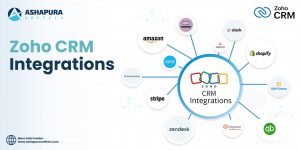
Zoho CRM integration dashboard showing connected apps like Google Workspace, Zoho Desk, and Mailchimp for seamless business workflow automation.
One platform, endless possibilities! Integrate Zoho CRM with 500+ apps & boost productivity.

The Zoho CRM mobile app seamlessly integrates with other tools to automate workflows and enhance productivity. Key integrations include:

  • Zoho Desk – Sync customer support tickets for faster issue resolution.
  • Zoho Campaigns – Align marketing efforts with sales pipelines.
  • Google Workspace – Access and manage documents directly within CRM.

These integrations eliminate manual data entry, improve collaboration, and ensure a smooth workflow across teams. By connecting Zoho CRM with your favorite apps, you can work smarter and close deals faster.

How Zoho CRM Development Enhances Mobile Experience

Custom App Workflows & Modules

Tailor Zoho CRM to fit unique sales processes—whether it’s lead scoring, approval workflows, or industry-specific fields.

Integration with Third-party Tools

Connect with marketing automation, customer support, and analytics tools for a seamless ecosystem.

Personalized Dashboards & Analytics

Sales teams get custom reports, performance insights, and predictive analytics on the go.

Best Practices for Implementing Zoho CRM Mobile App

1. Training & Onboarding Your Sales Team

Conduct interactive workshops to ensure reps understand app functionalities.

2. Setting Permissions & Roles

Define access levels to protect sensitive data while enabling necessary features.

3. Monitoring App Usage & Feedback

Track adoption rates and gather feedback to optimize CRM usage.

Case Study: Sales Growth with Zoho CRM Mobile Features

Real-world Example of Increased Efficiency

A B2B SaaS company implemented Zoho CRM’s mobile app for its remote sales team. Within six months, they saw:

  • 40% faster lead response time
  • 25% increase in conversion rates
  • 30% reduction in administrative tasks

Metrics & Outcomes

  • Deal closure time reduced by 35%
  • Customer satisfaction improved by 20%

Conclusion

Zoho CRM’s mobile app transforms sales productivity by providing real-time access, automation, and seamless collaboration. From lead management to offline syncing, every feature is designed to help sales teams work smarter. With custom Zoho CRM development, businesses can further optimize the platform for higher efficiency and better ROI. Ready to Boost Your Sales Productivity? At Ashapura Softech, we specialize in Zoho CRM customization and integration to help businesses maximize their sales potential. Contact us today at [email protected] to get started.

Categories
Zoho CRM

How Zoho CRM with OpenAI & Zia Enhances Customer Engagement

In today’s hyper-connected, customer-first world, engagement is no longer a luxury. it’s the lifeblood of business success. Gone are the days when CRMs were just static databases of customer information. The new era demands intelligent systems that think, learn, and interact like humans. This is where Zoho CRM, supercharged by OpenAI and its built-in assistant Zia, takes center stage.

Imagine a CRM that not only stores data but also understands customer emotions, predicts behavior, crafts compelling messages, and nudges your team at just the right time. With the power of OpenAI’s natural language capabilities and Zia’s deep analytics, Zoho CRM isn’t just a tool—it’s your smartest teammate. Together, they’re reshaping how businesses approach engagement, delivering experiences that are personal, timely, and remarkably human.

The Rise of Intelligent CRM: A New Age of Customer Delight

Real-world example that shows just how powerful intelligent CRM can be. A few months back, I observed a call between a startup founder and a Fortune 500 executive. Zia, Zoho’s AI assistant, was silently present (with full consent) during the conversation. The moment the call ended, Zia sprang into action, summarizing key discussion points, identifying actionable insights, and even drafting a personalized follow-up email.

But this wasn’t your typical robotic response. The message was thoughtful, well-structured, and emotionally in tune with the conversation, so much so that it could’ve easily passed as something the founder personally wrote. That’s what real-time conversation intelligence looks like.

With tools like Zia and OpenAI working together, follow-ups aren’t just timely—they’re meaningful. It’s more than automation. It’s empathy at scale. If you’re aiming for deeper engagement and smarter communication, this is the future your sales and service teams need.

Zia + OpenAI: Why This Combo Matters

Zia on her own was already impressive—scanning customer sentiment, offering workflow suggestions, even telling you when to follow up. But now? With OpenAI integration, she can generate human-like responses, auto-compose emails, create conversation summaries, and—get this—predict deal closures with eerie accuracy.

We’re talking about zero-latency understanding of customer pain points. Zia doesn’t just tell you what happened. She tells you what will happen. That’s next-level.

Real-Time Conversation Intelligence

A few months ago, I sat in on a call between a startup founder and a Fortune 500 prospect. Zia was listening in (with consent, of course), and within minutes of the call ending, it had summarized key takeaways, suggested next steps, and even drafted the follow-up email.

Not just a skeleton draft a well-worded, emotionally intelligent message that was indistinguishable from one written by the founder himself. If that’s not engagement with a capital “E”, I don’t know what is.

Data-Driven Nudges at Just the Right Time

We’ve all been ghosted by a lead at some point. But with Zoho CRM’s AI-powered nudges, the system identifies the perfect moment to re-engage. It looks at behavior, engagement level, sentiment trends, and even calendar patterns to say, “Hey, maybe now’s a good time to reach out to Sarah.”

Predictive intelligence makes customer interactions proactive rather than reactive. You’re not fishing in the dark anymore—you’re using a heat-seeking missile.

Hyper-Personalized Messaging at Scale

You can’t scale if you’re manually crafting each message. But blast emails feel like, well, blasts. Here’s where OpenAI inside Zoho CRM becomes your ghostwriter. It adapts tone, style, and even vocabulary to suit each client, based on previous interactions, interests, and even mood indicators.

That’s not just personalization that’s hyper-personalization. Think of it as an empathetic sales assistant with infinite memory and no sleep requirements.

The Holy Grail: Customer Engagement Analytics

We live in a world where metrics matter. But more importantly, actionable metrics matter. Zoho CRM’s AI-enhanced dashboards don’t just give you numbers, they give you insight.

Which email templates perform best? What’s the average engagement time post-response? What deals tend to stall, and why?

Zia connects the dots, turning metrics into movement. That’s where decisions become data-backed and teams become aligned.

Sales Coaching on Autopilot

Sales managers, rejoice. You no longer have to listen to every sales call or pore through activity logs. Zia offers sales coaching tips based on actual performance, tone of voice, objection handling, and engagement quality.

It’s like having a built-in Tony Robbins for every sales rep.

Smart Workflows That Actually Work

With OpenAI-powered automation, your CRM workflows evolve from static if-this-then-that rules into adaptive intelligence flows. Zia tweaks workflows in real time based on data inputs, helping you respond to business dynamics as they happen.

More agility. Less firefighting.

A Personal Take: The ‘Aha’ Moment

A few weeks ago, while demoing this setup to a mid-sized SaaS company, their VP of Sales literally stopped me mid-presentation and said: “Wait, this thing just recommended a cross-sell based on a keyword in the last customer email?”

Yep. Zia doesn’t just listen. She comprehends. That was their “aha” moment—and the closed-won email came two days later.

Why Ashapura Softech Recommends This Stack

At Ashapura Softech, we’ve integrated, customized, and optimized Zoho CRM with AI enhancements for clients across multiple industries—from fintech to e-commerce to healthcare. And guess what? Every single one has reported higher engagement, faster conversions, and happier clients.


FAQs

1. What is Zia in Zoho CRM?
Zia is Zoho’s built-in AI assistant. She helps with data analysis, predictions, customer sentiment detection, sales coaching, and much more.

2. How does OpenAI integrate with Zoho CRM?
Through API connections and Zoho’s AI extension framework, OpenAI powers features like natural language generation, content summarization, and predictive analytics.

3. What industries benefit from this combo?
Virtually every industry—especially sales-heavy sectors like real estate, SaaS, e-commerce, healthcare, and finance.

4. Can this integration help with marketing?
Absolutely. From content suggestions to optimized timing for outreach, this tech duo enhances your entire marketing funnel.

5. How hard is it to implement Zoho CRM with OpenAI and Zia?
With a trusted partner like Ashapura Softech, implementation is smooth, strategic, and fully tailored to your needs.

Conclusion

In a world screaming for attention, those who listen, truly listen,  will win. And that’s what Zoho CRM with OpenAI and Zia is all about. Intelligent listening, meaningful responses, predictive guidance, and authentic engagement at scale. If your current CRM feels like a blunt tool in a laser-focused world, it’s time to upgrade. The future isn’t coming—it’s here. And it’s powered by Zoho CRM, OpenAI, and Zia. Partner with Ashapura Softech for a seamless transition into this future. Contact us at [email protected] to start your journey today.

Categories
Zoho CRM

Top Benefits of Integrating Zoho CRM into Your Business

Zoho has become a name synonymous with reliability and rightfully so. Initially gaining traction with its powerful office suite that rivaled Microsoft Office, Zoho quickly earned the trust of professionals and businesses alike. However, what many don’t realize is just how impactful Zoho CRM can be for business growth.

Over the years, Zoho has significantly expanded its ecosystem. Today, it offers robust solutions like Zoho CRM, Zoho Payroll, and Zoho People, catering to essential business needs such as sales, marketing, HR, and accounting. Interestingly, Zoho CRM has been around since 2005, launching alongside the popular Zoho Writer from its office suite.

In this article, we’ll explore the top benefits of Zoho CRM and how integrating it into your business strategy can revolutionize your operations.

What is Zoho CRM?

Zoho CRM is a powerful component of the expansive Zoho ecosystem, which includes over 45 seamlessly integrated business applications. It’s a cloud-based customer relationship management solution designed to help businesses attract leads, nurture relationships, close deals, and enhance customer satisfaction—all in one intuitive platform.

With features like contact management, sales automation, multichannel communication, in-depth analytics, and AI-driven insights, Zoho CRM empowers businesses to work smarter and grow faster. And the best part? It’s user-friendly and doesn’t require technical expertise to get started.

Whether you’re a startup or a large enterprise, Zoho CRM offers the flexibility and scalability to match your business needs, delivering real value without the complexity. It’s not just CRM; it’s customer relationships done right.

What is the importance of CRM?

Customer Relationship Management (CRM) is the backbone of modern business growth. In a world where customers expect personalized, responsive experiences, CRM systems help companies stay organized, responsive, and connected. It centralizes customer data, interactions, and sales processes giving teams a complete view of every relationship, from first contact to long-term loyalty.

By leveraging CRM, businesses can streamline communication, boost productivity, enhance customer satisfaction, and make data-driven decisions that drive revenue. It empowers sales, marketing, and support teams to work in sync, ensuring that every customer touchpoint is meaningful and impactful.

CRM isn’t just a tool—it’s a strategic investment that helps build lasting relationships, foster trust, and turn customers into brand advocates. In today’s competitive landscape, a robust CRM isn’t optional—it’s essential.

Why Zoho CRM Is So Popular?

Zoho CRM has earned its popularity by striking the perfect balance between power, affordability, and simplicity. Unlike many complex systems, Zoho CRM offers an intuitive interface combined with robust functionality, making it ideal for businesses of all sizes.

Its customizability, AI-powered tools, multichannel communication features, and seamless integration with over 45 Zoho apps and countless third-party apps platforms make it a true game-changer. Businesses love how easily it adapts to their workflows without the need for constant IT support.

Moreover, Zoho’s transparent pricing and commitment to data privacy appeal to both startups and enterprises alike. Whether you’re automating sales, managing contacts, or gaining actionable insights, Zoho CRM delivers consistent value and scalability.

That’s why it’s trusted by over 250,000 businesses globally because it simply works, and works brilliantly.


Key Benefits of Zoho CRM Development

1. End-to-End Sales Automation

Maximizing Sales Efficiency: How Zoho CRM Transforms Your Sales Process It’s not just a catchy line; it’s a game plan. Zoho CRM empowers businesses to automate every stage of their sales funnel, from lead capture to deal closure. Whether you’re grabbing leads from forms, emails, or social media, everything is tracked and organized automatically.

You can assign tasks, set follow-up reminders, create lead scoring rules based on user behavior, and automate workflows with just a few clicks. The result? Sales teams stay focused on closing deals, not chasing paperwork. It’s like having a personal assistant for your entire sales department—only it works 24/7 without coffee breaks.

2. AI-Powered Intelligence with Zia

Meet Zia, Zoho’s smart AI assistant. If Clippy from Microsoft had gone to Stanford and picked up machine learning along the way, you’d have something like Zia. This AI doesn’t just analyze data it understands it.

Zia can predict sales trends, suggest the best time to contact leads, highlight anomalies in your pipeline, and even automatically compose follow-up emails. Imagine a virtual sales coach that improves your strategies on the fly. This is where Zoho CRM sets itself apart—it doesn’t just store your data; it turns data into decisions.

3. Custom CRM Development for Every Workflow

Here’s the beauty of Zoho CRM Development it bends but never breaks. Thanks to a wide range of customization tools and the skills of expert Zoho Developers, your CRM becomes a true reflection of your unique business process.

You can build custom modules, add functions, configure layouts, and even automate entirely new workflows without touching a line of code. We’ve personally helped clients—from e-commerce retailers to manufacturing giants—build industry-specific CRM solutions inside Zoho with outstanding success.

Whether you’re looking for a lightweight tweak or full-blown transformation, Zoho CRM implementation and consulting partners like us can help tailor the platform to fit you like a glove.

4. Seamless Integrations

Let’s face it—your CRM needs to talk to your other tools. That’s why Zoho CRM integrates with over 500 applications, including popular platforms like Google Workspace, Slack, WhatsApp, Mailchimp, QuickBooks, and many more.

These integrations enable real-time data flow, reduce duplicate work, and create a unified tech ecosystem for your business. Want to take it a step further? Zoho provides open APIs that allow advanced integration strategies—and that’s where Zoho CRM consultants come in to design and implement solutions that support your workflow.

5. Multichannel Communication

Today’s customers don’t stick to one platform—and your CRM shouldn’t either. Zoho CRM’s multichannel capabilities allow your team to connect with leads and customers across email, phone, social media, live chat, and web forms—all from one centralized dashboard.

No more switching between 10 different apps or losing track of a crucial conversation. One of our clients saw a 48% increase in lead conversion simply by consolidating all communication inside Zoho CRM. When everything’s in one place, your team responds faster, follows up better, and builds stronger relationships.

6. Mobile Access & Real-Time Updates

In a world where business doesn’t stop when you leave the office, Zoho CRM’s mobile app is a lifesaver. It offers complete functionality on the go update records, manage tasks, respond to leads, or close deals—all from your phone.

And yes, it works offline too. When your signal returns, it syncs data automatically, ensuring your CRM is always up-to-date. Whether you’re at a coffee shop or on a flight, Zoho CRM keeps your business moving.

2025 Trends Shaping Zoho CRM Development

AI Gets More Human

Expect Zia to become more conversational, think ChatGPT meets CRM. Automated workflows will become more contextual, and predictive analytics will border on psychic.

Hyper-Personalization at Scale

Zoho is investing big into micro-segmentation, enabling businesses to personalize emails, offers, and workflows based on behavioral insights in real-time.

Advanced Data Visualization

Expect richer dashboards, reports, and drill-down analytics that make Excel sheets cry in shame.

Vertical-Specific CRM Modules

From real estate to healthcare, Zoho is developing CRM blueprints tailored to industry-specific needs. One-size-fits-all is out. One-size-fits-YOU is in.

Why Zoho CRM is the Best Choice for Your Business

Looking for a CRM that evolves with your growing business? Zoho CRM is built to do just that—without locking you into overpriced add-ons or limited features. It offers a perfect balance of flexibility, scalability, and smart automation, making it ideal for both SMBs and large enterprises.

With tools like AI-powered insights, multichannel communication, sales automation, and powerful integrations, Zoho CRM adapts to your unique workflow. Whether you’re just starting out or scaling globally, Zoho provides the features you need at pricing that aligns with your budget.

From customization to automation, every feature is designed to help you build stronger customer relationships and boost productivity. When you choose Zoho CRM, you’re not just investing in software; you’re investing in long-term growth.

The Future of Zoho CRM: How Zoho is Shaping Customer Relationship

Gone are the days when CRMs were glorified contact lists. Zoho CRM is pioneering a future where customer relationships are intelligent, contextual, and deeply personalized. It’s not just about tracking interactions—it’s about predicting them.

With innovations like Zia, Zoho’s AI assistant, and advanced analytics, businesses can now anticipate customer needs before they’re even voiced. From flagging issues early to recommending the next best action, Zoho CRM enables a proactive engagement model that strengthens loyalty and trust.

What sets Zoho apart is its constant evolution. Each update aligns with the direction modern businesses are heading—automation-first, insight-rich, and customer-obsessed. As we move into a digital-first era, Zoho CRM is building an ecosystem where context drives connection and data drives decisions.

The future of CRM isn’t about storing customers—it’s about understanding them. And Zoho CRM is already there.

FAQs

1. What is Zoho CRM used for?
Zoho CRM is used for managing customer relationships, automating sales processes, improving communication, and boosting revenue through AI-driven insights and customizable workflows.

2. How is Zoho CRM better than others?
Zoho CRM is affordable, highly customizable, and packed with features like AI, omnichannel communication, and seamless integration. It’s a scalable solution fit for businesses of all sizes.

3. Can Zoho CRM be customized?
Absolutely. With the help of Zoho Developers and custom functions, Zoho CRM can be tailored to match any business process—from sales to support.

4. Is Zoho CRM good for small businesses?
Yes! Zoho CRM is one of the best tools for small and mid-sized businesses thanks to its low cost, intuitive UI, and powerful automation tools.

5. What does Zoho CRM development include?
It includes module customization, workflow automation, integration with third-party apps, and dashboard/report design to fit your business needs.

Conclusion

In today’s competitive landscape, staying ahead means embracing tools that simplify, automate, and scale—Zoho CRM does all that and more. From lead nurturing to deep analytics, it empowers businesses to streamline operations and enhance customer engagement. Whether you’re a growing startup or an established enterprise, Zoho CRM development ensures your workflows are optimized, while expert Zoho implementation and consulting unlock its full potential. Partnering with trusted Zoho partners like Ashapura Softech means you get tailored strategies, seamless integration, and ongoing support that fuels growth. Ready to transform your CRM experience? Contact us at [email protected] to learn how we can support your business with Zoho CRM.


Categories
Zoho CRM

The Future of Zoho CRM: How Zoho is Shaping Customer Relationship

In today’s digital economy, customer relationships are everything. Businesses no longer compete solely on price or product quality—they compete on customer experience. That’s where Customer Relationship Management (CRM) tools, like Zoho CRM, come into play. With Zoho CRM’s ever-evolving features, AI-powered tools, and seamless integrations, it is shaping the future of how businesses connect, engage, and retain customers.

Let’s dive deep into understanding CRM software, explore how it improves customer experiences, and discover why Zoho CRM stands out as a transformational tool for future-focused businesses.

Understanding CRM Software

At its core, CRM software centralizes customer data, providing a 360-degree view of each client or lead. This means you can track every touchpoint, from the first interaction to ongoing customer service.

Key Functions of CRM Software:

  • Contact and lead management
  • Sales tracking and pipeline automation
  • Marketing automation
  • Customer support management
  • Business analytics and reporting

CRM software is not just a digital Rolodex; it’s your command center for managing relationships and growing your business. It aligns teams, streamlines workflows, and ensures data is accessible and accurate.

How CRM Integration Improves Customer Experience

Customers expect fast, consistent, and personalized service every time. CRM integration ensures all departments work from the same playbook, allowing seamless transitions between sales, marketing, and support.

1. Real-Time Data Access

CRM systems like Zoho CRM integrate effortlessly with tools like email platforms, calendars, call systems, and social media. This integration ensures that no customer interaction goes unnoticed, allowing businesses to respond promptly and effectively.

2. Personalized Communication

Integrated CRMs can track customer behavior and preferences, allowing businesses to send relevant content, offers, and recommendations.

3. Omnichannel Support

Zoho CRM supports live chat, social media, email, and telephony, all from one platform. This ensures a unified customer experience, reducing friction and boosting satisfaction.

4. Automation of Routine Tasks

Repetitive tasks like data entry, lead assignment, follow-up emails, and notifications can be automated, freeing up time for teams to focus on high-impact work.

How Zoho CRM Transforms Your Sales Process is especially visible here. it automates tedious sales tasks, enabling reps to close deals faster and more efficiently.

CRM Technology as a Single Source of Truth

Businesses often struggle with data scattered across tools, departments, and spreadsheets. This leads to errors, missed opportunities, and inconsistent customer service.

With Zoho CRM, you gain a Single Source of Truth (SSOT)—a central platform that unifies and validates all customer-related data.

Benefits of CRM as SSOT:

  • Eliminates data silos
  • Provides accurate reporting and insights
  • Enhances cross-functional collaboration
  • Ensures compliance and data integrity

With modules connected to finance, marketing, support, and project management tools like Zoho Books, Zoho Campaigns, and Zoho Desk, Zoho CRM ensures that everyone is on the same page—literally.


The Future of Customer Relationship Management

CRM platforms are evolving rapidly, and Zoho CRM is leading the charge. Tomorrow’s CRM will be:

1. AI-Driven

Zoho’s AI assistant, Zia, already offers lead scoring, sales forecasting, and email sentiment analysis. Future versions will likely offer predictive personalization, automated content generation, and real-time coaching for sales teams.

2. Highly Personalized

As machine learning evolves, CRMs will offer hyper-personalized experiences based on user behavior, location, and real-time data.

3. Voice and Conversational Interfaces

Voice commands and chatbots will simplify CRM usage. Imagine asking Zia to generate a sales report or schedule a call—hands-free.

4. Deeper Integration with Emerging Technologies

Expect to see CRM integrating with blockchain for secure data storage, IoT devices for real-time status updates, and AR/VR for immersive customer service training.

The future isn’t coming. It’s here—and Zoho CRM is already bringing it to your dashboard.


How CRM is Helpful for Your Business

Regardless of your industry or company size, CRM provides value across departments. Here’s how:

1. Improved Sales Efficiency

Automated workflows, deal tracking, and lead scoring ensure your sales team spends time on the most valuable leads.

2. Better Customer Retention

CRM systems keep track of customer anniversaries, product renewals, and previous issues, enabling timely and personalized outreach.

3. Enhanced Marketing ROI

Marketing teams can segment customers based on behavior, interests, and demographics, sending targeted messages that convert.

4. Real-Time Decision Making

Customizable dashboards and reports provide insight into performance, allowing business leaders to make quick, data-driven decisions.

5. Scalable Operations

From startups to enterprises, CRM systems grow with your business. You can add users, automate new processes, and integrate third-party apps as needed.

Why Zoho CRM is the Best Choice for Your Business? It’s simple: affordability, flexibility, and scalability. Zoho CRM offers robust enterprise-level features at a fraction of the cost of competitors, making it ideal for businesses looking to grow smartly.

Conclusion

In a world where customer expectations are evolving faster than ever, your business needs a partner that evolves too. Zoho CRM is not just software—it’s a vision of what CRM should be: intuitive, integrated, intelligent. From understanding customer behavior to improving team productivity and forecasting future sales, Zoho CRM empowers businesses to deliver exceptional customer relationships at every stage. If you’re serious about building deeper relationships, increasing revenue, and scaling your business—now’s the time to act. At Ashapura Softech, we specialize in helping businesses unlock the full potential of Zoho CRM. Whether you need implementation, customization, or ongoing support—we’ve got your back. Ready to take your customer relationship management to the next level? Contact us at [email protected] to learn how we can support your business with Zoho CRM.

Categories
Zoho CRM

Maximizing Sales Efficiency: How Zoho CRM Transforms Your Sales Process

When revolutionizing sales efficiency is the goal, few tools are capable of coming anywhere near Zoho CRM. Whether it is seamless lead management or smart sales analytics, Zoho CRM is not just software – it’s a revolution. Let us take apart the manner in which this powerful tool can revolutionize your sales process and make it not just smooth but downright delightful.

Why Sales Efficiency Matters More Than Ever

Before jumping into Zoho CRM, let’s clarify something. Sales productivity is not simply selling faster—selling smarter. With today’s competitive business climate, losing time to manual follow-ups, unqualified prospects, or poor data is akin to money out the window.

The Sales Issues Most Businesses Experience
  • Disseminated Lead Data: Leads broken out among spreadsheets, emails, and sticky notes.
  • Ineffective Manual Tasks: Excessive time is spent keying data or booking meetings.
  • Lack of Visibility: Without analytics, you’re flying blind on forecasting.

How Zoho CRM Centralizes Your Sales World

One of the standout aspects of Zoho CRM is that it centralizes. You can visualize everything from your leads, customer data, and follow-up actions in a single dashboard. You no longer need to be a detective with fragmented data.

Centralized Lead Management

Zoho CRM’s lead management module is every salesman’s wish. It tracks the lead source, assigns priority scores, and even gives you next best action suggestions. Trust me, I once lost a big deal because I didn’t follow up at the right time. With Zoho’s reminder, that’s history now.

Automating Routine Work for Peak Productivity

If there is one thing that Zoho CRM does better than most others, it’s automation. Lead assignment to follow-up, Zoho CRM does the heavy lifting and you get your team to close deals.

Automated Lead Scoring

Zoho’s intelligent lead scoring allows you to focus your time on high-potential leads and not on ghost chases. The system identifies behaviors like email opens, form submissions, and visits to rank leads accurately.

Follow-Up Workflows

Create automated workflows to automatically act on lead status. For example, when a lead is a hot lead, Zoho CRM can automatically allocate it to the most appropriate salesperson.

Improved Forecasting and Sales Insights

Come on, let’s admit it—forecasting is guesswork without reliable data. Zoho CRM eliminates that guesswork with its advanced analytics and reporting features.

Customizable Dashboards

Every sales team has its own most critical metrics. With Zoho’s drag-and-drop customizable dashboards, you can chart pipeline stages, close rates, and average deal sizes—all in real time.

Predictive Sales Insights

Zoho’s AI, Zia, takes data analysis to the next level by making predictions of deal closure. It even flags possible chokepoints before they blow out of proportion.

Seamless Integration Across Platforms

Zoho CRM is not standalone. It works beautifully with third-party software like Google Workspace, Microsoft 365, and even social media websites. This means it is easy to stay informed without needing to switch platforms.

Mobile Sales Efficiency

Zoho’s mobile app ensures that sales effectiveness is not bound to a desk. Wherever you are meeting a customer or grabbing a cup of coffee, Zoho keeps you connected to your sales pipeline in real time.

A Personal Experience: Turning a Failing Deal Around

I had a deal once that was on the brink of falling apart. The lead had gone cold, and I couldn’t fathom why. Zoho CRM’s activity tracking indicated they had stopped opening emails after we had changed our subject lines. We changed our strategy, re-approached them, and closed the deal within a week.

FAQs

What is Zoho CRM?

Zoho CRM is a customer relationship management tool that allows organizations to automate lead handling, sales processes, and customer interaction.

Can Zoho CRM boost the conversion of leads?

Yes! Zoho CRM uses lead scoring, AI-driven insights, and automation to allow the sales team to focus on top-level leads and drive maximum conversions.

Is mobile access available in Zoho CRM?

Yes. The mobile app for Zoho CRM gives users easy access to follow-ups, leads, and deals on the road, keeping their sales reps busy wherever they happen to be.

Is Zoho CRM customizable?

Yes. Zoho CRM allows rich customization capabilities for workflows, automation rules, and dashboards to match the unique sales process of your business.

How does Ashapura Softech implement Zoho CRM?

Ashapura Softech offers full-cycle implementation of Zoho CRM, from installation to customized solutions and maintenance.

Conclusion

Zoho CRM is not just a software—it’s an incisor of sales transformation. With strong features and intelligent automation, it allows sales teams to do what they excel at: closing deals. Small business or enterprise, Zoho CRM has something for all. If you are ready to take your sales process to the next level, we at Ashapura Softech are ready to help. Contact us at [email protected] to start your journey towards unparalleled sales efficiency.

Categories
Zoho CRM

Custom Dashboards in Zoho CRM: Tailoring Insights to Fit Your Business Needs

Introduction

In the modern business environment, data is the new oil; the prospect of monitoring, analyzing, and using this data makes the difference for any organization. Business users of CRM systems need access to information in real-time, serviced by dashboards specifically tailored to their needs to enable them to make well-informed decisions. Zoho CRM is one of the strongest and most flexible CRM platforms currently in the market, with custom dashboards that drive real business insights to businesses.

This article takes it to a whole new level as it features the ways of customizing dashboards in Zoho CRM to meet specific business needs that aid your data-driven decisions. Its contents will specify features, benefits, and best practices in creating dashboards while providing a roadmap on how to further optimize your Zoho CRM system if your need is to upscale CRM services to reach higher heights of effectiveness in your customer relationship management work.

What is Zoho CRM?

Zoho CRM is a web-based application aimed at assisting businesses to manage their customer interactions, sales, and marketing activities. It is specifically designed for companies of any size and is adept at offering powerful tools for lead generation, sales forecasting, and reporting. There is also a feature of a custom dashboard that allows businesses to mirror and draw data in specific ways. With Zoho CRM dashboards, one can utilize real-time critical insights. Performance against targets can be tracked, and decisions can be made in the shortest time possible. Raw data gets transformed into intuitive visual representations easy to interpret and act on.

What are Custom Dashboards?

Custom dashboards in Zoho CRM present the flexibility of user selection based on KPIs, metrics, and reports in one view. If you are tracking your sales, marketing, or customer support activities, these dashboards give you all the important data that matters to your business.

Every user can personalize their dashboards so that the information provided is both relevant and useful for them and addresses the details of their job functions.

Benefits of Custom Dashboards in Zoho CRM

a) Improved Decision Making

Custom dashboards furnish actual-time information in meaningful and actionable format to the decision-makers. Whether you are in sales, marketing, or customer care, you can track key performance metrics like revenue forecasting, lead conversion, or customer satisfaction score to take the right decision on the fly.

b) Instant Data Visualization

The data thus presented visually is much easier to understand than raw numbers. In Zoho CRM, immediate visualization of data is allowed through custom dashboards, and users can easily identify trends, spot anomalies, and respond in due course.

c) Role-Based Insights

Not every member of the team needs the same kind of information, so Zoho CRM offers the functionality to create role-based customized dashboards that present only what is relevant to each team member. So, the sales teams can track their performance against the quotas, and marketing tracks the campaign effectiveness and customer engagement metrics.

d) Better Collaboration

With custom dashboards, all teams access the same real-time data, which boosts better collaboration across departments, ensuring that everyone uses the same insights as the basis of their work.

e) Interoperability Custom

layouts ensure that all teams have access to real-time data. This ensures better collaboration in different departments as everyone works with one set of goals in mind and, therefore, similar insights. Every business is unique and a reflection of it can be seen in the Zoho CRM dashboards. You may opt for custom layouts of your dashboards and include the charts, graphs, lists, and KPIs most suitable for you. This ensures you view everything at a glance.

Zoho CRM Dashboards Key Features

a) Wide Variety of Widgets

Zoho CRM enables the insertion of multiple widgets from its arsenal, including bar charts, pie charts, line graphs, and even tabular views, onto your customized dashboard. This allows you to see the information in whatever format you think is most conducive to interpretation.

b) Drag-and-Drop Functionality

Custom dashboards in Zoho CRM are very easy to create. A drag-and-drop feature is built in, so you can easily customize and reorder widgets as fits your needs.

c) Refresh Data in Real Time

Custom dashboards in Zoho CRM pull data in real time, so you’re always assured of current information. This would be very helpful to organizations that have to respond quickly to change anywhere in the marketplace or with their internal operations.

d) Multiple Data Sources

However, integrating Zoho CRM with third-party applications as well as internal systems ensures your customized dashboard can display data coming from several sources. It can include sales data, website analytics, or even feedback from customers; you can bring everything together into one view.

e) Automated Reports and Notifications

Dashboards can also be set to automatically create reports, send scheduled reports to team members, or simply throw up a notice when some of the KPIs are below or above the targets. This automation saves manual efforts and also ensures timely actions.

Building Your Custom Dashboards

Building custom dashboards in Zoho CRM is very easy. Here’s a step-by-step guide to help you set up your dashboard:

Step 1: Define Your Objectives

Before assembling a dashboard, ask yourself what you are trying to achieve. Do you want to track sales performance? Monitor customer engagement? Determine your goals so that you could select the right metrics for display.

Step 2: Select Relevant Metrics and KPIs

Once you have identified your goals, start by selecting the most important metrics and KPIs that support your goals. For instance, if you are looking for better performance in sales, metrics will include total revenue, conversion rate, and lead response time among others.

Step 3: Add Widgets to the Dashboard

You can include multiple widgets in your dashboard. Depending on the type of data you need to present, you can pick from a pie chart, bar graph, line graph, or a list. Simply drag and drop those widgets into place.

Step 4: Organize and Personalize Layout

Arrange your widgets in a very readable fashion on your dashboard. Size and position every widget to create a layout of preference. Personalize color schemes, labels, and titles of your widgets.

Test and Refine

After designing your custom dashboard, you would always review it against the set standards, making sure that the information is clear and actionable. Then ask the team members who are really going to use the dashboard for feedback and make necessary adjustments.

Best Practices for Custom Dashboards in Zoho CRM

a) Keep It Simple

To avoid this cluttered dashboard from overwhelming you, focus on only those metrics most important to your business. For large-scale operations, it is even possible to have a few dashboards related to various sides—sales, marketing, or customer support.

b) Make Data Actionable

Choose metrics that can be acted on. For example, if a KPI is not performing well, then it should call for immediate action. Choose non-vanity metrics so that your business will grow.

c) Watch Continuously

You are to constantly update and refresh your dashboards so that you keep track of the changing dynamics of your business. Create alerts so that once there is considerable deviation from the desired performance, then you get alerted.

d) Leverage Real-Time Data

You will have real-time data from Zoho CRM that you can use to respond rapidly to new trends and changes in the market, thus putting your team one step ahead.

Custom Dashboards for Different Team

a) Sales Teams

Customized dashboards for sales teams track lead response time, win rates, and pipeline value. Moreover, the clear visibility enables them to prioritize high-value leads and close deals faster.

b) Marketing Teams

Customized dashboards would allow marketing teams to present metrics like campaign performance, website traffic, and customer engagement. Such insights bring optimization to the marketer’s strategy and allow them to improve ROI on the marketing campaigns.

C) Customer Support Teams

Custom dashboards are quite handy for recording customer satisfaction, resolution time of tickets, and customer feedback. This enables support teams to increase the level of service delivery while, at the same time, improving overall customer satisfaction.

Conclusion

Custom dashboards in Zoho CRM provide businesses with the ability to transform complex data into meaningful, actionable insights. Whether you are tracking sales, marketing, or customer service metrics, these dashboards give your team the information they need in real time to make better decisions and drive business growth. The flexibility, ease of use, and role-based customization offered by Zoho CRM make it a must-have tool for businesses looking to gain a competitive edge in today’s data-driven world. By tailoring your dashboards to meet your specific business needs, you ensure that your team stays focused on the metrics that matter most. At Ashapura Softech, we specialize in helping businesses like yours harness the full power of Zoho CRM. Whether you’re looking to set up custom dashboards, optimize your CRM workflows, or streamline your operations, our team of experts is here to assist. Contact us today at [email protected] and let’s start transforming your CRM experience!