
Last updated: 8 October 2026
Quick answer
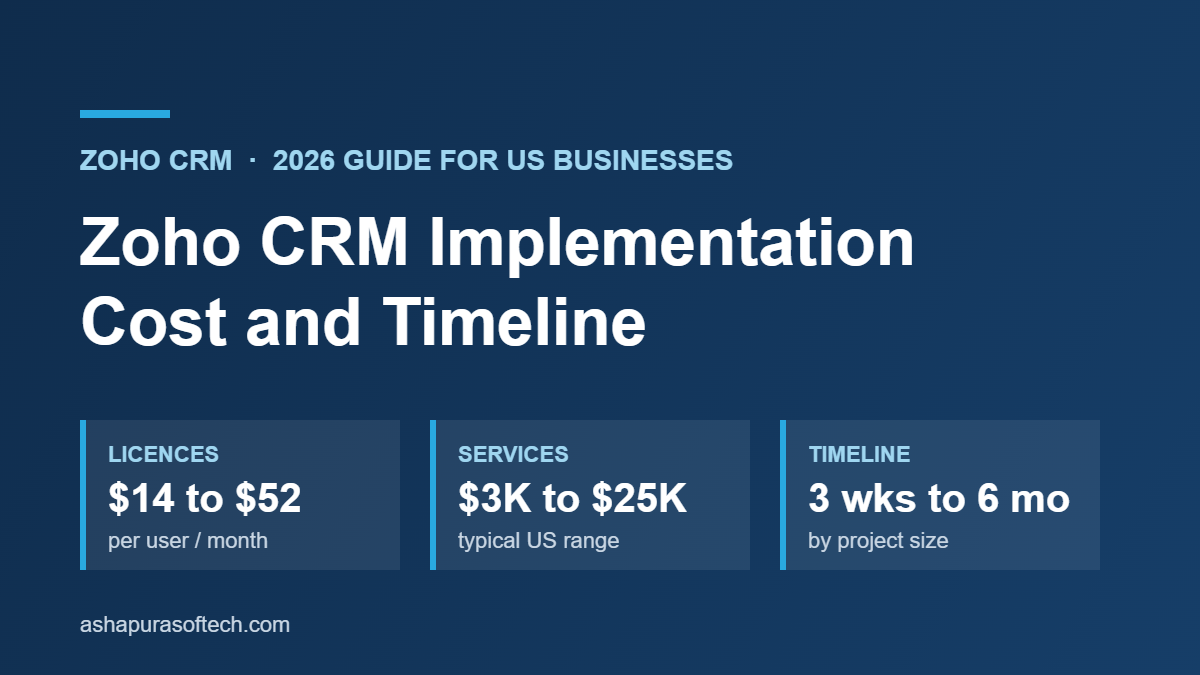
Zoho CRM implementation cost for a US business usually falls between $3,000 and $25,000 in services, on top of licences that run $14 to $52 per user per month on annual billing. A small team with clean data can go live in 3 to 6 weeks. A mid-size rollout with migration and integrations takes 2 to 4 months, and enterprise projects take 4 to 6 months or more. Data migration, integrations and custom development are what push a project from the low end to the high end.
Need a fixed-scope estimate for your team? Book a free 30-minute consultation with our Zoho team.
Zoho CRM implementation cost is the question most US buyers ask after they see the licence price, because the licence is rarely the biggest number. This guide covers what a Zoho CRM rollout actually costs in 2026, how long each phase takes, and which decisions move the budget. It is written for owners, sales leaders and operations managers at small and mid-size US businesses who are comparing a do-it-yourself setup with hiring a Zoho partner.
All licence prices below are Zoho’s published US list prices, and all service ranges come from published partner and pricing research, linked in the sources section. We have not invented a single “average”, because there is no honest average across a 5-user team and a 200-user one.
What you are actually paying for
A Zoho CRM project has two separate bills, and most budgets go wrong because they only plan for the first one.
1. Licences (recurring). You pay Zoho per user, per month, for the edition you choose. This is predictable and easy to model.
2. Implementation services (mostly one-time). Somebody has to design the pipeline, configure modules and fields, move your data, connect your other tools, and train your team. That is either your own staff’s time, a partner’s fees, or a mix of both.
A third, smaller bill comes after go-live: ongoing admin, change requests and support. Plan for it now, because a CRM that nobody maintains decays within a year.
Zoho CRM licence cost in 2026
Zoho lists five Zoho CRM editions. Annual billing is noticeably cheaper than paying month to month.
| Edition | Annual billing (per user / month) | Monthly billing (per user / month) | Typical fit |
|---|---|---|---|
| Free | $0 | $0 | Up to 3 users, testing the basics |
| Standard | $14 | $20 | Small sales teams with a simple pipeline |
| Professional | $23 | $35 | Growing teams that need blueprints, inventory and more automation |
| Enterprise | $40 | $50 | Multiple teams, territories, advanced customisation |
| Ultimate | $52 | $65 | Enterprise plus built-in BI and higher limits |
Some quick arithmetic shows why the edition choice matters more than people expect:
- 10 users on Professional, billed annually: 10 × $23 × 12 = $2,760 a year.
- The same 10 users billed monthly: 10 × $35 × 12 = $4,200 a year.
- 25 users on Enterprise, billed annually: 25 × $40 × 12 = $12,000 a year.
Prices exclude sales tax, and Zoho can change list prices, so confirm the current figure on Zoho’s pricing page before you sign. If you already use several Zoho apps, also price Zoho One or CRM Plus, because a bundle can cost less than separate CRM plus helpdesk plus marketing licences.
Zoho CRM implementation cost by approach
There are three common ways to implement Zoho CRM. The ranges below are drawn from published 2025 and 2026 partner research for US projects.
| Approach | Typical services cost | Typical time to a working CRM | Best for |
|---|---|---|---|
| Do it yourself | About $3,000 to $5,000 in internal staff time (60 to 100 hours) | 8 to 16 weeks, often longer | Under 10 users, clean data, no integrations |
| Hybrid (you configure, a partner handles migration and integrations) | $3,000 to $10,000 | 4 to 8 weeks | Small teams with one or two systems to connect |
| Full partner implementation, mid-market | $5,000 to $25,000 | 2 to 4 months | 30 to 100 users, several integrations, migrated history |
| Full partner implementation, enterprise | $25,000 to $75,000 or more | 4 to 6 months or more | Multiple divisions, custom development, complex data |
For small US businesses with 5 to 20 users, published partner pricing puts a standard professional rollout at roughly $3,000 to $7,000. US Zoho consultants commonly bill $150 to $250 an hour, so a fixed-scope quote is usually easier to compare than an hourly estimate.
The do-it-yourself route looks cheapest on paper, but it is not free. The hours come out of a sales manager’s or an operations lead’s week, and a rushed self-build is the most common reason companies pay a partner later to redo the setup.
Zoho CRM implementation timeline, phase by phase
Every serious Zoho rollout goes through the same phases. They overlap, so the total is shorter than the sum of the column.
| Phase | What happens | Typical duration (mid-size project) |
|---|---|---|
| Discovery | Map your sales process, roles, reports and the systems the CRM must talk to | 1 to 2 weeks |
| Design and configuration | Modules, fields, layouts, pipelines, blueprints, roles and permissions | 2 to 4 weeks |
| Custom development | Deluge functions, custom modules, widgets, client scripts | 2 to 8 weeks, driven entirely by scope |
| Data migration | Clean, deduplicate, map and import accounts, contacts, deals and history | 1 to 3 weeks |
| Integrations | Email, calendar, accounting, ecommerce, telephony, forms, marketing tools | 1 to 3 weeks |
| Testing and training | User acceptance testing, role-based training, admin handover | 1 to 2 weeks |
| Go-live and hypercare | Cutover, fixing what real users find, early adoption tracking | 1 to 2 weeks, with the first 2 to 4 weeks after launch being the critical window |
In practice this gives three realistic timelines:
- Simple, single-app setup with clean data: 3 to 6 weeks.
- Mid-size rollout (roughly 30 to 100 users) with migration and integrations: 2 to 4 months.
- Enterprise or multi-app rollout with custom development: 4 to 6 months, and up to 9 months when several Zoho apps go live together.
The five things that move your budget
1. The state of your data
Migration is where estimates break. Duplicate contacts, free-text fields that should be picklists, and spreadsheets with no consistent owner field all have to be fixed before import, not after. If you are coming from another CRM, read our guide on preparing Salesforce data for a Zoho CRM migration, because the same cleanup rules apply to most source systems.
2. How many systems need to connect
Each integration adds design, build and testing time. Native connectors such as Zoho Books or Google Workspace are quick. A two-way sync with an ERP, an ecommerce store or a custom database is a project in its own right. Our Zoho integration readiness checklist helps you count what you really need before you request quotes.
3. Customisation versus configuration
Configuration (fields, layouts, workflows, blueprints) is fast and cheap to change later. Custom code is slower and has to be maintained. A good rule is to configure first and only write Deluge or build widgets where configuration genuinely cannot do the job.
4. The edition you choose
Some limits, such as the number of custom modules, workflow rules or blueprint transitions, differ by edition. Choosing an edition that is too low forces workarounds that cost more in services than the licence upgrade would have.
5. Adoption and training
A CRM nobody updates is the most expensive outcome of all. Budget time for role-based training and for a named internal owner who keeps the system tidy after the partner leaves.
Worked example: a 15-user US sales team
To make the numbers concrete, here is a planning example built only from the published ranges above. It is an illustration, not a quote.
| Cost line | Assumption | First-year cost |
|---|---|---|
| Licences | 15 users on Professional, annual billing ($23 × 15 × 12) | $4,140 |
| Implementation services | Partner-led small business rollout with one migration and two integrations | $5,000 to $10,000 |
| Internal time | Process owner and sales manager during discovery, testing and training | 40 to 60 staff hours |
| Total cash cost, year one | About $9,140 to $14,140 |
From year two, the cash cost drops to the licences plus whatever ongoing admin support you choose.
Want these numbers for your own rollout?
Tell us your user count, current system and the tools you need connected, and we will map scope, timeline and a fixed price range in one call.
Costs that continue after go-live
Implementation is mostly a one-time cost, but a healthy CRM needs some ongoing spend. Budget for these lines from the start so year two does not come as a surprise:
- Admin time. Someone has to add fields, fix reports, manage users and answer “why can’t I see this record” questions. In a small team this is a few hours a week from an internal owner. In a larger one it is a part-time or full-time admin.
- Change requests. New products, a new sales team or a new approval step all mean configuration work. Many US businesses keep a small monthly support retainer with their partner for this.
- Add-ons and extra apps. Extra storage, telephony, advanced analytics or additional Zoho apps are billed separately. If you expect to use several Zoho apps, compare the cost of Zoho One or CRM Plus against separate licences before you renew.
- Edition upgrades. Teams often outgrow Standard within a year once they want blueprints, more automation or inventory. Price the next edition up now so the jump is planned rather than forced.
Questions to ask before you sign a Zoho implementation quote
Two quotes for the “same” Zoho CRM project can differ by 3 times, usually because they assume different scope. These questions expose the difference quickly:
| Question to ask | What a good answer looks like |
|---|---|
| What exactly is in scope? | A written list of modules, pipelines, automations, reports and integrations, not “full CRM setup” |
| How many records are you migrating, and from where? | A record count per object and a named source system, plus who cleans the data |
| Which integrations are native and which are custom? | Each integration named, with the method (native connector, Zoho Flow, or custom API) and who maintains it |
| How are change requests priced? | A clear rate or change process, agreed before work starts |
| What training and handover is included? | Role-based sessions, admin documentation and a defined support window after go-live |
| Who owns the configuration after launch? | Your team does, with admin access and documentation, not only the partner |
If a partner cannot answer these in writing, the quote is not comparable to the others yet, however low it looks.
How to keep a Zoho CRM project on budget
- Write down the process before anyone opens Zoho. Stages, handoffs and required fields decided on paper cost nothing to change.
- Clean data before migration, not after. Deduplicate and standardise in the source system or in a spreadsheet first.
- Launch in phases. Get the sales pipeline live first, then add quotes, service or marketing modules.
- Ask for a fixed-scope quote with a change process. It is far easier to compare partners on scope than on hourly rates.
- Name an internal CRM owner. One person accountable for fields, reports and user requests keeps the system usable.
If your project includes a move from another platform, see our Zoho migration guide and how to choose the right Zoho migration partner. For a quick view of what Zoho CRM does well for small teams, read the benefits of Zoho CRM development for US small businesses.
Zoho CRM implementation cost FAQs
How much does Zoho CRM implementation cost?
For most US small and mid-size businesses, implementation services cost $3,000 to $25,000, separate from licences. Small teams with clean data are at the low end. Projects with data migration, several integrations or custom code move toward the high end, and enterprise rollouts can pass $75,000.
How long does it take to implement Zoho CRM?
A simple setup with clean data can be live in 3 to 6 weeks. A mid-size rollout with migration and integrations usually takes 2 to 4 months. Enterprise and multi-app projects take 4 to 6 months or more.
Can I implement Zoho CRM myself?
Yes, if you have fewer than about 10 users, clean data and no integrations. Expect 60 to 100 hours of internal time. Most teams bring in a partner for data migration and integrations even when they do the basic configuration themselves.
Is Zoho CRM cheaper than Salesforce to implement?
Usually, yes. Zoho’s licences are lower and its configuration tools are simpler, so comparable projects tend to need fewer services hours. The gap narrows when either platform needs heavy custom development or complex integrations.
What is the biggest hidden cost in a Zoho CRM project?
Data cleanup and migration. Duplicate and inconsistent records take longer to fix than most teams expect, and importing them unchanged undermines reporting from day one.
Does Zoho charge a setup fee?
Zoho does not charge a separate setup fee for Zoho CRM licences. Implementation costs come from your own staff time or from the partner you hire.
Sources
- Zoho CRM pricing and editions, Zoho
- Zoho CRM pricing explained, 2026, Automation Atlas (USD list prices re-checked June 2026)
- Zoho CRM implementation guide, Elsner (updated 25 September 2026)
- Zoho implementation timeline, CodeStringers (27 June 2026)
- Zoho One implementation cost, India and USA, Codroid IT Labs
- Zoho CRM hidden costs 2026, CostBench
Ashapura Softech is a certified Zoho, Salesforce and Odoo implementation partner working with US businesses. If you want a fixed-scope estimate for your rollout, see our Zoho CRM implementation and development services, or start with a free CRM health check template to see where your current setup stands.
About the author
Ankur Pandey is Marketing Manager at Ashapura Softech Inc., where he works with the Zoho and Salesforce delivery teams on implementation guides for US businesses. He writes about CRM costs, migrations and platform choices on the Ashapura Softech blog.