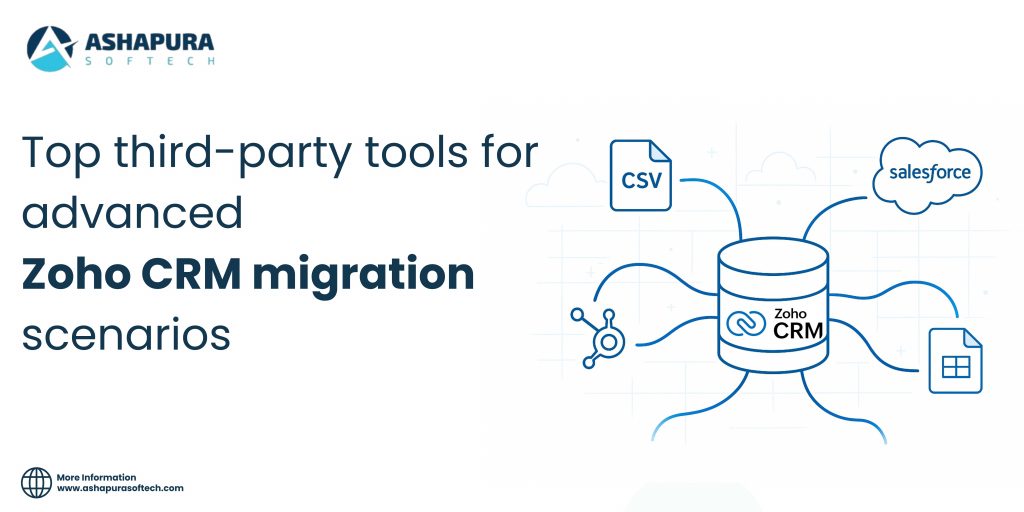
Introduction
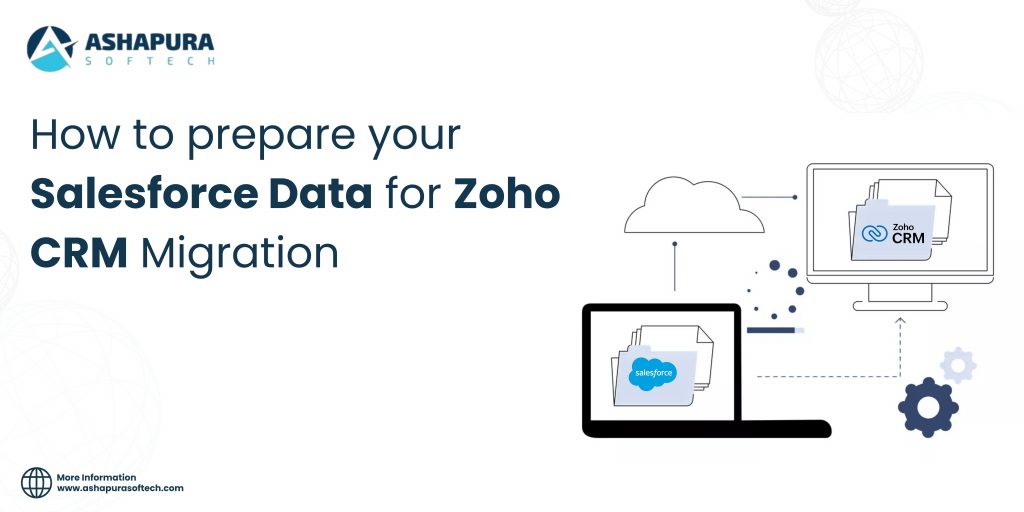
Migrating from Salesforce to Zoho CRM is like relocating your business into a new home – you don’t want to carry every old box. Instead, you want to move only the essentials, organize them neatly, and leave behind the clutter. Without proper preparation, a CRM migration can quickly turn chaotic, leading to data loss, broken workflows, and frustrated teams. That’s why a Salesforce to Zoho CRM migration is more than just a technical task – it’s a strategic transformation that impacts sales, marketing, and customer relationships.
Before jumping into the migration, businesses need to understand that Salesforce data must be cleaned, validated, and mapped carefully to ensure accuracy in Zoho CRM. This preparation involves a series of structured steps: conducting data audits, removing duplicates, creating field mappings, and performing backups. A well-prepared migration plan reduces errors, protects customer information, and ensures that your team adopts Zoho CRM with confidence.
In this guide, we’ll walk you through the key steps to prepare Salesforce data for Zoho CRM migration. Whether you’re a CRM administrator, an IT manager, or a business owner seeking efficiency, these best practices will help you migrate smoothly. From data audits to validation checks, you’ll learn how to transform raw Salesforce data into a streamlined Zoho CRM system that supports growth.
Why Preparation Is Critical Before Migration
When planning a Salesforce to Zoho CRM migration, many organizations underestimate the importance of thorough preparation. Skipping this step can create costly pitfalls such as broken workflows, missing records, and frustrated teams who struggle to adapt to the new system. Treating migration as a simple data transfer rather than a strategic data migration process is one of the most common mistakes businesses make. proper preparation safeguards your Salesforce data, minimizes downtime, and ensures that Zoho CRM performs as intended from day one. It also protects the integrity of customer information, which is the backbone of any CRM software. By investing time in preparation, businesses avoid duplicate records, corrupted files, and compliance risks.
Four key reasons why preparation is non-negotiable:
- Data integrity: Prevents corrupted or incomplete transfers between Salesforce and Zoho CRM.
- Efficiency: Reduces time spent fixing errors after the migration.
- User adoption: Clean, organized data helps teams embrace Zoho CRM quickly.
- Compliance: Protects against regulatory issues when handling sensitive customer information.
Audit Your Salesforce Data Before Migration
Before you begin a Salesforce to Zoho CRM migration, it’s essential to conduct a full audit of your Salesforce instance. This process helps you identify exactly what data is worth migrating and what should be left behind. By knowing the quality of your Salesforce data upfront, you avoid carrying unnecessary clutter into Zoho CRM, which results in a cleaner, more efficient system.
Tackle Data Duplication Issues
Duplicates are one of the most common problems in CRM software. The same lead or contact might appear multiple times with slight variations in spelling, phone numbers, or email addresses. If these duplicates remain, they can cause miscommunication, skew reports, and create inefficiencies in your sales pipeline. Use Salesforce’s duplicate management tools or third-party deduplication apps to identify and merge records before the data migration process.
Manage Inactive Leads
Inactive leads that have been untouched for months – or even years – often add no value to your business. Ask yourself whether these leads still have potential or if they’re simply taking up space. For a smooth Zoho CRM migration, consider archiving or excluding inactive leads. This ensures only high-value prospects are transferred, keeping your sales and marketing workflows sharp and efficient.
Data Cleanup & Structuring for a Smooth Migration
Once your Salesforce data audit is complete, the next critical step in the Salesforce to Zoho CRM migration process is cleaning and structuring your data. Proper cleanup ensures that the information you transfer is accurate, consistent, and ready to power your new CRM software without unnecessary clutter.
Use Deduplication Tools
Duplicates not only waste storage space but also erode trust in your CRM system. Sales teams rely on clean data to make informed decisions, and duplicate entries can distort pipeline reports and cause embarrassing miscommunications. Before initiating data migration, leverage tools such as DemandTools, DataLoader.io, or Salesforce’s built-in duplicate management features to merge and streamline records. This step boosts efficiency and helps build confidence in Zoho CRM post-migration.
Standardize Data Formats
Inconsistent data formats are another common challenge. For example, phone numbers may appear with or without country codes, and addresses may include inconsistent abbreviations. These issues may seem small but can create reporting errors once Salesforce data is moved into Zoho CRM. Standardize formats for key fields like phone numbers, email addresses, and postal codes to ensure accuracy and uniformity.
CRM Data Cleanup in Practice
Data cleanup isn’t only about deleting bad records; it’s also about restructuring valuable information. During the preparation stage, take time to:
- Eliminate outdated tags and irrelevant fields
- Validate email addresses to improve campaign performance
- Normalize naming conventions for accounts, leads, and contacts
Mapping Fields for Zoho CRM
One of the most technical yet crucial steps in a Salesforce to Zoho CRM migration is field mapping. Because Salesforce and Zoho CRM use different data structures, transferring data without a clear mapping strategy can result in lost records, broken workflows, and confusion for end users. To ensure continuity, you need to carefully align Salesforce data fields with their Zoho CRM counterparts.
Preserve Workflows Across Platforms
Salesforce offers powerful workflows, automation rules, and dependencies – but Zoho CRM operates differently. During the data migration, review each Salesforce workflow and determine whether it can be replicated or adapted in Zoho CRM. For example, if Salesforce triggers automated emails based on lead scoring, you can replicate this in Zoho CRM by creating custom workflows. This alignment preserves efficiency while reducing disruption for sales and marketing teams.
Handle Custom Objects with Care
Many organizations rely on custom objects in Salesforce that are tailored to unique business processes. Migrating these requires deliberate planning. Zoho CRM supports custom modules, but you must map Salesforce custom objects carefully to maintain data integrity. Thorough testing is essential to avoid broken data relationships after migration. By taking time to plan field mapping, adapt workflows, and transfer custom objects, businesses ensure their Zoho CRM migration is smooth, reliable, and fully aligned with existing processes. This strategic step reduces errors, boosts user adoption, and maximizes the value of your CRM software.
Backup Strategy for a Safe Salesforce to Zoho CRM Migration
A solid backup plan is your safety net during any Salesforce to Zoho CRM migration. Even with the most carefully designed data migration strategy, unexpected glitches, compatibility issues, or human errors can occur. Without a backup, businesses risk losing mission-critical Salesforce data such as contacts, accounts, or historical activities. Treat backups as a non-negotiable step to safeguard business continuity.
Perform a Full Export Before Migration
Before transferring information to Zoho CRM, export all Salesforce data – including contacts, accounts, opportunities, activities, attachments, and custom objects – into a secure format like CSV or XML. This complete export acts as a snapshot of your CRM ecosystem, giving you a reliable point of reference if anything goes wrong during the migration. Many IT teams also run incremental backups to capture the most recent updates before starting the Zoho CRM migration.
Ensure Secure Storage
Backups should be stored in highly secure environments, such as encrypted cloud storage solutions (AWS S3, Google Cloud, Azure) or protected local servers. Storing backups securely not only protects sensitive customer information but also makes reconciliation easier after the migration. If discrepancies appear between Salesforce and Zoho CRM, these backups can be used to validate and restore lost records.
Backup Checklist for Salesforce to Zoho CRM Migration
Before Migration
- Export all Salesforce data (contacts, leads, accounts, opportunities, activities, and attachments).
- Run deduplication and clean the exported files for accuracy.
- Store backups in an encrypted cloud or secure local servers.
During Migration
- Create incremental backups for any new records added during migration.
- Monitor migration logs for errors or incomplete transfers.
- Validate a small test batch against your backup before full migration.
After Migration
- Compare Salesforce backups with Zoho CRM records to confirm data accuracy.
- Reconcile discrepancies by restoring missing or corrupted records.
- Retain backups as a long-term archive for compliance and auditing.
Validation & Testing for a Smooth Salesforce to Zoho CRM Migration
Validation and testing are critical steps in every Salesforce to Zoho CRM migration. Skipping them is like launching a new system blindfolded – you risk broken workflows, missing Salesforce data, and frustrated teams. By performing trial runs and testing thoroughly, you ensure that your data migration is accurate, reliable, and ready for full deployment.
Run Trial Migrations First
Instead of immediately transferring your entire database, select a representative sample – typically 5–10% of Salesforce records – and migrate it to Zoho CRM. This “sandbox migration” allows you to identify errors such as broken field mappings, missing dependencies, or duplicate records. It also gives your team an early look at how the new CRM software will handle existing data structures. A test run is also the cheapest way to measure how many API credits the full load will need, as explained in how Zoho CRM API credits work in a Salesforce migration.
Validation Checklist
A strong validation process ensures your Salesforce data arrives intact. Be sure to:
- Verify that record counts match between Salesforce and Zoho CRM
- Confirm that all field values remain accurate and complete
- Test workflows, automation rules, and triggers in Zoho CRM
- Check relational data consistency between accounts, contacts, and opportunities
FAQs
1. How do I clean Salesforce data before migrating to Zoho CRM?
To clean Salesforce data, start by removing duplicates, archiving inactive leads, and standardizing formats for emails, phone numbers, and addresses. This CRM data cleanup ensures accurate, usable information in Zoho CRM.
2. What’s the best way to prepare Salesforce data for Zoho migration?
The best way is to audit your Salesforce records, perform data cleanup, map fields carefully, and create backups before transferring. Always test small sample migrations before going live.
3. Do I need a backup before Salesforce data migration?
Yes. A full data export is essential before any Salesforce data migration. Store backups securely in encrypted cloud or local storage to protect against data loss during the process.
4. How do I map Salesforce fields to Zoho CRM?
Create a field mapping document that matches Salesforce fields to Zoho fields. Don’t forget custom objects – these may require mapping into Zoho’s custom modules. Testing ensures no data is lost in translation.
5. Why is data validation important in Salesforce to Zoho migration?
Validation confirms that all records, fields, and workflows migrate correctly. By running trial migrations, you identify errors early and ensure your Salesforce to Zoho migration is smooth and reliable.
6. Can I migrate custom workflows from Salesforce to Zoho CRM?
Yes, but workflows may not transfer directly. Instead, replicate Salesforce automation rules inside Zoho CRM using its custom workflows. This preserves functionality for your sales and marketing teams.
Preparing the data is one half of the job. Setting the new system up around how your team actually works is the other, which we cover in personalized CRM implementation.
Conclusion
Migrating from Salesforce to Zoho CRM isn’t just a technical project – it’s a chance to refine your business processes, enhance data integrity, and empower your teams with cleaner, more actionable insights. By auditing, cleaning, mapping, backing up, and validating, you set the stage for a successful migration. Skipping these steps, however, can lead to data chaos and operational setbacks. At Ashapura Softech, we specialize in ensuring smooth CRM migrations with zero data loss and maximum efficiency. Whether you need help with Salesforce data migration, CRM data cleanup, or complete Salesforce to Zoho migration services, our team has the expertise to guide you every step of the way. Ready to migrate with confidence? Contact us today at [email protected] to unlock a seamless CRM future.
Not sure the move is right? Our Zoho vs Salesforce comparison covers when each platform fits.