Categories
Zoho

How to Build Investor Relationships That Drive Business Growth

Introduction

In today’s competitive business landscape, building strong and lasting investor relationships is essential to driving sustainable growth. For startups and established companies alike, securing investment is more than just obtaining capital—it’s about forging partnerships that provide strategic guidance, market insights, and valuable connections.

This article explores proven strategies on how to build investor relationships that drive business growth by focusing on key components like software due diligence, market research, competitor analysis, and crafting the perfect idea pitch. Additionally, we highlight the importance of using a software checklist to ease investor concerns and discuss maintaining long-term communication with business investors.

With the right approach, you can turn investors from mere financiers into active partners who help accelerate your business success.

Understanding Software Due Diligence: A Key to Investor Confidence

When seeking investment, especially for technology-driven companies, software due diligence is one of the most crucial steps that can influence investor decisions. This process involves a thorough evaluation of the software assets and infrastructure that power your business.

What is Software Due Diligence?

Software due diligence examines the quality, security, and scalability of your software products or platforms. It verifies that the software is well-maintained, properly licensed, and free of vulnerabilities that could pose business risks.

For investors, this evaluation helps reduce uncertainties and assess the true value of the software underpinning your business.

Why Investors Care About Software Due Diligence?

Investors want assurance that your technology is:

  • Robust and scalable enough to handle growth

  • Legally compliant with intellectual property laws

  • Secure against cyber threats

  • Well-documented and maintainable over time

Failing to demonstrate these points can lead to skepticism, delayed funding, or even lost investment opportunities.

The Role of a Software Checklist in Due Diligence

A software checklist can help you systematically prepare for due diligence by covering:

  • Code quality and development practices

  • Security measures, including encryption and authentication

  • Compliance certifications (e.g., GDPR, HIPAA)

  • Intellectual property ownership and licensing

  • Documentation completeness and update history

Why Market Research and Competitor Analysis Matter to Business Investors

When it comes to winning investor confidence, it’s not just your idea that matters—it’s your understanding of the market. Investors want to know that you’ve done your homework. They’re not just putting money into a product or service; they’re investing in a market opportunity, and your ability to navigate it successfully.

The Power of Market Research

Market research is a critical tool that provides deep insights into the environment your business operates in. It helps you understand who your customers are, what they want, and how big the opportunity really is. Investors want to see evidence that the total addressable market (TAM) is large enough to support meaningful growth.

Through effective market research, you can identify:

  • Key customer segments and their buying behavior

  • Industry trends and shifts in consumer demand

  • Untapped opportunities and emerging niches

  • Risks, challenges, and market entry barriers

By presenting strong, data-backed research, you show investors that your business is grounded in reality and ready to scale.

Competitor Analysis: Proving Your Edge

In any market, there will be competition. What investors care about is how well you understand your competitors—and how your business stacks up.

A detailed competitor analysis helps highlight your:

  • Unique value proposition

  • Pricing strategy and market positioning

  • Technological or service-based differentiators

  • Competitive advantages and long-term sustainability

Demonstrating a clear plan for outpacing the competition makes your idea pitch stronger and more convincing.

Crafting the Perfect Idea Pitch to Attract Prospects and Investors

Your idea pitch is more than just a presentation—it’s your first opportunity to make a powerful impression on investors and prospects. In a competitive landscape, your pitch must be clear, concise, emotionally engaging, and backed by solid data. Investors want to know not only what your product is but why it matters—and more importantly, how it will succeed in the market.

Key Elements of a Winning Idea Pitch

To build a compelling pitch, include these essential components:

  • Problem Statement
    Start by clearly defining the pain point your product or service solves. Make it relatable and backed by real-world examples or data.

  • Solution Overview
    Demonstrate how your offering effectively solves the problem. Focus on your unique value proposition and what sets your solution apart.

  • Market Opportunity
    Present data from your market research to show the size of the opportunity. Investors want proof that there is room for growth and customer demand.

  • Competitive Landscape
    Offer a brief but strategic competitor analysis that highlights your strengths and differentiators in the current market.

  • Business Model & Revenue Streams
    Show how the business plans to generate revenue. Investors need to see a sustainable and scalable model.

  • Financial Projections & ROI
    Include clear, realistic financial projections that demonstrate potential return on investment.

  • Use of Funds
    Explain exactly how the investment will be used—whether it’s product development, marketing, or expanding the team.

  • Team Credentials
    Highlight the experience, passion, and track record of your leadership team.

Utilizing a Software Checklist to Streamline Due Diligence

Investors love preparation—and that’s exactly what a software checklist shows. Before committing to any deal, investors will evaluate your technical infrastructure through a software due diligence process. Being organized and transparent from the beginning gives you a distinct edge.

Why a Software Checklist Matters

A comprehensive software checklist helps ensure that your platform meets industry standards and is ready for scale. It also reassures investors that your product is stable, secure, and well-managed.

Key Areas to Cover:

  • Code Quality: Clean, efficient code under version control (e.g., Git), following standard coding practices.

  • Security: Documentation of encryption methods, authentication layers, and results from security testing, like penetration tests.

  • Compliance: Adherence to standards such as GDPR, HIPAA, and any relevant industry-specific regulations.

  • Documentation: Up-to-date documentation including API references, architectural diagrams, and technical support manuals.

  • Scalability: A clearly defined path for how your software can handle increased user traffic and feature expansion.

  • Intellectual Property: Evidence that all software is either owned or properly licensed with no legal conflicts.

How to Effectively Engage Business Investors During the Pitch

Securing investment is not just about having a brilliant idea—it’s about building a relationship of trust. Investor engagement during the pitch phase should be seen as a two-way conversation, not a one-sided presentation. The best entrepreneurs understand that their goal is to create a shared vision with potential investors.

Best Practices for Investor Engagement

  • Transparency: Be honest about your business challenges as well as your wins. Investors respect founders who can identify risks and explain how they’ll mitigate them. Transparency builds credibility.
  • Clarity: Ensure your pitch is clear and backed by relevant data. Avoid jargon. When investors ask questions, answer directly and confidently with evidence to support your claims.
  • Show the Metrics: Share meaningful KPIs such as customer acquisition costs (CAC), monthly recurring revenue (MRR), lifetime value (LTV), and churn rate. These metrics show traction and help investors evaluate the health of your business.
  • Highlight the Team: Investors don’t just invest in products—they invest in people. Emphasize your team’s experience, resilience, and ability to execute.
  • Be Adaptable: Show openness to feedback and a willingness to evolve your strategy. This demonstrates coachability—a quality investors highly value.

Remember, you’re not just seeking funds; you’re seeking strategic partners. When investors feel heard and respected, they’re more likely to align with your long-term vision.

Building Long-Term Relationships with Investors Beyond the Pitch

Once you’ve secured funding, the real work begins. Treat your investors as long-term allies rather than one-time contributors. Continuous engagement ensures lasting support.

How to Keep Investors Involved

  • Regular Updates: Send monthly or quarterly reports with performance highlights, challenges, milestones, and goals.

  • Invite Participation: Welcome investors to product launches, strategic meetings, or milestone celebrations to keep them engaged.

  • Seek Strategic Input: Tap into your investors’ experience—ask for guidance, market insights, or introductions.

  • Personal Connection: Build rapport beyond business. Occasional check-ins, calls, or informal chats go a long way.

  • Align on Goals: Discuss long-term plans, including growth strategies, fundraising rounds, and exit options.

Leveraging Market Insights to Adapt and Grow

Successful founders know that markets are always shifting. Staying relevant requires a proactive approach powered by ongoing market research and investor feedback.

How to Stay Agile and Investor-Ready

  • Track Market Trends: Use research tools and data analytics to identify changing customer needs or emerging competitors.

  • Refine Your Offering: Based on investor and market input, update your product roadmap or reposition your brand if needed.

  • Adjust Business Models: Don’t be afraid to pivot. If the data suggests a better path to revenue or growth, act on it.

  • Communicate Adaptations: Keep investors updated about major strategic shifts. This reinforces your role as a thoughtful, data-driven leader.

By staying informed and adaptable, you demonstrate to investors that your business is not just surviving—it’s ready to thrive, regardless of external challenges.

FAQs

1. What should a pre-pitch include to attract serious investors?

A pre-pitch should include a compelling cover letter, well-defined target market, market research data, value strategy, pricing model, and a clear investment plan. These elements show preparation, vision, and business potential—essentials investors look for.

2. How does a pitch deck differ from a pre-pitch?

A pre-pitch sets the narrative and relationship, while the pitch deck visually presents your business plan, traction, and ROI potential. The pre-pitch warms up investors; the pitch deck seals the deal.

3. Why is market research crucial in early investor conversations?

Investors want evidence that you understand your target audience and competitors. Solid market research demonstrates business viability, growth potential, and strategic thinking.

4. What is the ideal length of a startup pitch presentation?

Most successful startup pitch presentations are 10–15 slides and under 20 minutes. Investors prefer concise, high-impact pitches with time left for questions.

5. What mistakes should entrepreneurs avoid during pre-pitch meetings?

Avoid vague financials, unclear market positioning, overpromising, under-researching your investor, or failing to articulate how the funds will be used. Clarity, honesty, and focus are key.

Conclusion

Building investor relationships is not just about securing capital—it’s about creating long-term value, trust, and strategic collaboration. Whether you’re refining your pre-pitch, presenting a compelling pitch deck, or navigating due diligence with confidence, each step plays a critical role in transforming prospects into lasting partners. At Ashapura Softech, we empower startups and scale-ups to align their tech stack, market strategy, and business story—so investors don’t just see numbers, but potential. From due diligence-ready software systems to pitch-deck-friendly product demos, our team supports you at every phase of your funding journey. Ready to build investor trust and scale your business? Contact us at [email protected]. Let’s turn your idea into an investor-backed reality.


Categories
Zoho

Zoho Connect: Revolutionizing Team Collaboration and Communication

Introduction

The way we work has transformed. Teams no longer operate within office walls. Remote work, hybrid setups, and global collaborations are the new norm. In this dynamic landscape, seamless communication isn’t just a perk—it’s a necessity. That’s where Zoho Connect steps in.

More than just a workplace intranet, Zoho Connect is a robust team collaboration platform designed to bring people, ideas, and knowledge together. Whether you’re managing a startup or a large enterprise, it ensures your team stays aligned, engaged, and productive.

What Is Zoho Connect?

Zoho Connect is a cloud-based collaboration tool that enables teams to communicate, collaborate, and coordinate all in one space. It centralizes internal communication while empowering employees to share updates, ideas, tasks, and documents effortlessly.

Unlike isolated tools that solve only one part of the collaboration puzzle, Zoho Connect offers an all-in-one solution. It combines social-style feeds, structured forums, task management, knowledge-sharing tools, and workflow automation.

Key Features That Make Zoho Connect a Game-Changer

Zoho Connect doesn’t overwhelm you with tools—it provides the right ones, built with purpose. Let’s dive into its standout features.

Feeds and Forums

The Feed functions like a social media timeline for your organization. It’s a space where employees can share updates, ask questions, or post announcements. Users can comment, like, and tag teammates, creating an engaging and responsive workplace culture.

On the other hand, forums bring structure to discussions. Perfect for focused conversations around projects or departments, forums help preserve context and enable long-term knowledge retention.

Tasks and Boards

Managing to-dos becomes a breeze with Zoho Connect’s task management system. You can create personal or group tasks, assign deadlines, add labels, and track progress.

Boards (similar to Kanban-style task boards) allow teams to visualize project workflows. Whether it’s product development, marketing campaigns, or hiring processes, boards bring transparency and accountability to task execution.

Manuals and Knowledge Base

Every organization needs a knowledge hub, and Zoho Connect delivers that with Manuals. Teams can create step-by-step guides, process documentation, training materials, or onboarding content.

Manuals are searchable and organized into categories, reducing repetitive queries and making knowledge accessible 24/7.

Custom Apps and Workflows

No two businesses are alike. That’s why Zoho Connect enables users to build custom apps to suit specific needs without writing code.

Want an internal ticketing system, an event sign-up form, or an asset tracker? You can create these through simple drag-and-drop builders. Plus, workflow automation helps you streamline repetitive actions with triggers and conditions, boosting operational efficiency.

How Zoho Connect Supports Remote & Hybrid Teams

With remote and hybrid work on the rise, tools must bridge distance effectively. Zoho Connect supports distributed teams by providing

  • Real-time communication through Feeds and Forums
  • Task visibility via shared Boards and project updates
  • Knowledge access through cloud-hosted Manuals
  • Mobile apps for both Android and iOS to stay connected anytime

Team members can work across time zones without losing sight of the big picture. It eliminates silos and fosters a sense of connection, no matter where employees are based.

Simplified Collaboration with Seamless Integrations

Zoho Connect doesn’t live in a silo—it plays well with others.

The platform integrates seamlessly with Zoho’s suite of tools (Zoho CRM, Projects, People, Mail) and external apps like Google Drive, Dropbox, Zapier, and more.

Need to bring in a calendar event, attach a Google Doc, or trigger an automation in Slack? Zoho Connect makes it simple. This reduces tool-hopping and creates a smoother, unified workflow across your organization.

Boosting Employee Engagement with Social Features

Zoho Connect isn’t just about tasks and updates. It’s about people.

The platform features Kudos, a way to recognize employees’ efforts and celebrate wins. You can create groups based on interests or projects, encouraging team bonding.

Features like Polls, Events, and Town Hall meetings further enhance engagement and transparency. When employees feel seen and heard, productivity follows.

Real-Life Use Cases: Teams Thriving with Zoho Connect

Businesses across sectors, from tech startups to nonprofit organizations, are thriving with Zoho Connect.

  • A marketing agency uses forums to plan campaigns and boards to manage deliverables.
  • A software development firm created a custom app for feature request tracking.
  • A nonprofit uses manuals for volunteer training and polls to decide on fundraising strategies.
  • A remote-first company relies on the Feed and mobile app for real-time communication and status updates.

These examples show that Zoho Connect is versatile, scalable, and truly transformative.

Pros and Cons of Using Zoho Connect

Pros:

  • Easy-to-use interface
  • Unified platform for communication and task management
  • Custom apps and workflow automation
  • Strong mobile functionality
  • Secure and compliant infrastructure
  • Affordable pricing

Cons:

  • Limited third-party integrations compared to major competitors
  • Slight learning curve for new users unfamiliar with collaboration platforms
  • No native video conferencing tool (though integrations are available)

Overall, the pros far outweigh the cons, especially for teams looking for a cost-effective and comprehensive solution.

Pricing and Plans: Is It Worth the Investment?

Zoho Connect offers transparent pricing to accommodate businesses of all sizes.

  • Free Plan: Up to 25 users. Great for startups or small teams.
  • Standard Plan: $1/user/month. Offers advanced task management and customization.
  • Enterprise Plan: Custom pricing. Designed for large organizations with advanced needs.

Considering its broad capabilities, Zoho Connect offers excellent value. You get enterprise-grade features without the enterprise-sized price tag.

Final Verdict: Is Zoho Connect Right for Your Team?

If your team is tired of juggling fragmented tools, suffering communication breakdowns, or struggling to retain internal knowledge, Zoho Connect is worth a serious look.

It’s not trying to be everything. It focuses on being what you need—a place where your team truly connects.

From daily updates to long-term documentation, task tracking to team culture, it provides the digital infrastructure for the future of work. And if you’ve ever lost track of an important email thread or chased a document buried in Slack, you’ll appreciate just how powerful that is.

FAQs

Q: Is Zoho Connect secure for enterprise use?
Yes, it follows industry best practices, including data encryption, access control, and GDPR compliance.

Q: Can Zoho Connect be used by educational institutions?
Absolutely. Schools and universities use it for faculty collaboration, student communities, and academic planning.

Q: What platforms does Zoho Connect support?
It’s available on the web, Android, and iOS, ensuring users stay connected across devices.

Q: Is coding knowledge required to use custom apps?
No. Zoho Connect offers drag-and-drop tools to build apps without technical expertise.

Q: Can I try Zoho Connect before committing?
Yes. A free plan is available, and you can also request a demo of advanced features.

Conclusion

In today’s fast-paced, digital-first world, effective communication and seamless collaboration are the pillars of high-performing teams. Zoho Connect brings together people, processes, and knowledge into one unified space, breaking down silos and enabling teams to stay aligned, productive, and engaged—regardless of location. Whether you’re managing remote employees, building a hybrid culture, or simply aiming to streamline internal operations, Zoho Connect empowers your organization to work smarter. With powerful features like feeds, forums, task boards, knowledge manuals, and custom workflows, it adapts to your unique needs and scales with your growth. Ready to modernize your workplace collaboration? Contact us, Ashapura Softech, today at [email protected] to explore how Zoho Connect can be tailored to transform your team’s productivity and performance.

Categories
Zoho

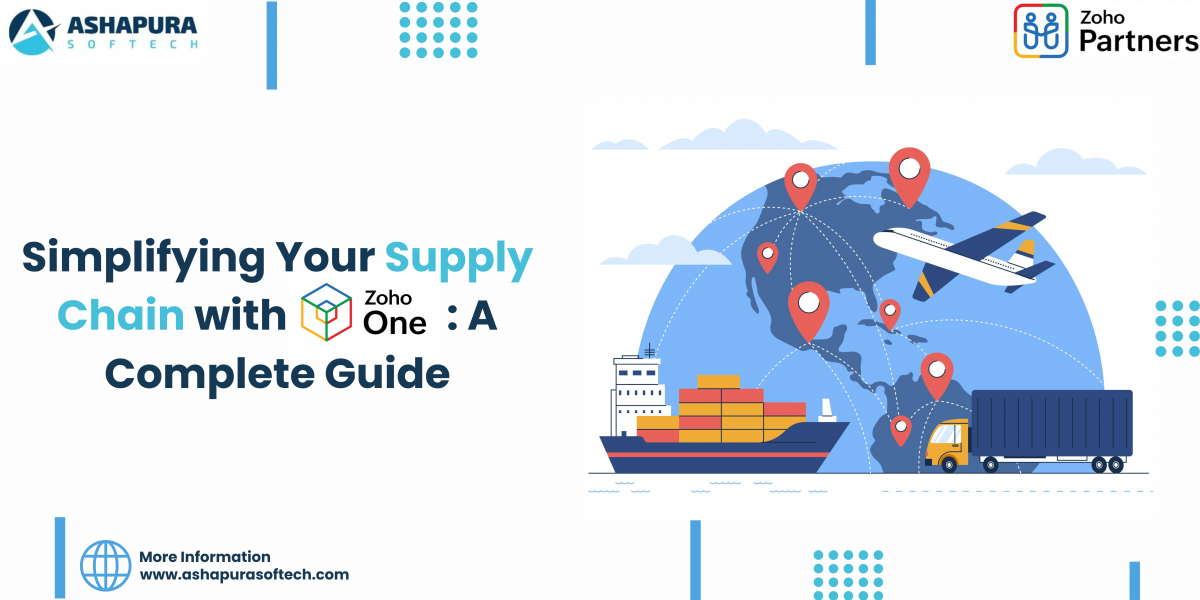
Simplifying Your Supply Chain with Zoho One: A Complete Guide

The logistics and supply chain industry faces many challenges—inefficient operations, poor inventory control, and weak supplier relationships can all impact business performance. These issues not only slow down productivity but also affect customer satisfaction and profits.

That’s where digital transformation steps in—and Zoho One leads the way. With its all-in-one ERP solution, Zoho One helps businesses overcome these hurdles through automation, real-time tracking, and seamless system integration. It brings clarity, control, and agility to your supply chain operations.

Partnering with a trusted Zoho One consulting expert ensures smooth implementation tailored to your unique business needs. From smarter inventory management to stronger supplier communication, Zoho One simplifies every step of the process.

Key Challenges in Logistics and Supply Chain Management

Modern supply chains are increasingly complex and face a wide array of challenges. These problems can severely impact operational efficiency and hinder scalability. Below are some of the most pressing concerns:

1. Lack of Supply Chain Visibility

Inability to track inventory or shipments across the supply chain can result in delays, stockouts, or overstocking, thereby affecting customer satisfaction and operational costs.

2. Restructuring Issues

As businesses scale, their supply chains must evolve. Poor restructuring and rigid systems lead to bottlenecks, affecting delivery timelines and increasing costs.

3. Higher Freight Prices

Volatility in fuel costs, labor shortages, and global economic instability can spike freight prices, making logistics more expensive and unpredictable.

4. Port Congestion

Congested ports delay shipments, disrupt supply schedules, and increase demurrage charges, leading to substantial financial losses.

5. Complex Demand Forecasting

Accurate forecasting is essential for inventory planning, but most traditional systems fail to factor in real-time data, seasonal demand, or changing market dynamics.

Why Choose Zoho One for Supply Chain and Logistics?

Zoho One is an all-encompassing digital operating system designed for modern businesses. For logistics and supply chain companies, it provides comprehensive tools for managing inventory, operations, communication, sales, and analytics—all under one platform.

By integrating Zoho One into your CRM pipelines, you gain complete visibility into customer preferences, demand fluctuations, and operational inefficiencies. This allows for quick course corrections and strategic decision-making.

Collaborating with a Zoho One consultant ensures that the software is configured specifically to your business needs, streamlining processes and improving ROI.

Key Features of Zoho One for Logistics and Supply Chain Management

1. Inventory Optimization at Scale

Zoho Inventory helps you gain full control over stock levels in multiple warehouses. From real-time stock updates to barcode scanning, inventory tracking becomes seamless.

2. Fast-Track Order Handling

Through Zoho Creator and Zoho Flow, you can create automated workflows that manage orders from placement to fulfillment across multiple channels, integrating marketplaces like Amazon, Shopify, and eBay.

3. End-to-End Sales Monitoring

Use Zoho CRM to centralize sales data. Track every opportunity, monitor invoice generation, and gain insights into transaction history.

4. Unified Contact Management

With Zoho ContactManager, manage your suppliers, partners, and customers from a single hub. You’ll never lose track of crucial business relationships again.

5. Simplified Accounting & Payments

Integrate Zoho Books and Zoho Expense for automated bookkeeping and payment reconciliation. Stay compliant and audit-ready, always.

How Zoho One Transforms Each Stage of Supply Chain Management

Zoho One is uniquely positioned to offer customizable features that cater to every stage of the logistics and supply chain management pipeline:

Planning and Procurement

  • Analyze historical data for demand forecasting with Zoho Analytics
  • Automate supplier communications and purchase orders via Zoho Creator
  • Compare vendor pricing and evaluate contract performance

Inventory and Warehousing

  • Automate reordering based on stock levels using Zoho Inventory
  • Use barcoding and RFID integrations for accurate inventory tracking
  • Organize and streamline multi-location warehouse operations

Logistics and Transportation

  • Schedule and monitor deliveries using Zoho Projects
  • Manage driver schedules and routes using custom apps in Zoho Creator
  • Track real-time shipments and get notified about delays or changes

Order Fulfillment

  • Integrate with e-commerce platforms like Shopify, WooCommerce
  • Use Zoho Flow to automate updates across channels
  • Improve accuracy in picking, packing, and shipping processes

Customer Engagement and Support

  • Use Zoho Desk to provide multi-channel customer support
  • Track customer queries, returns, and service requests
  • Automate ticket assignments and monitor customer satisfaction

Benefits of Zoho One for Logistics Businesses

1. Streamlined Business Operations

Zoho Campaigns and Zoho CRM help logistics businesses better engage with customers by personalizing communication and nurturing long-term relationships.

2. Better Inventory Management

Zoho Inventory provides real-time tracking, helping businesses reduce wastage, fulfill orders accurately, and avoid overstocking or stockouts.

3. Seamless Collaboration

Zoho Cliq and Zoho Connect improve internal team communication and external partner coordination, increasing responsiveness and agility.

4. Data-Driven Insights

Zoho Analytics delivers actionable insights and KPI reports to improve decision-making and optimize supply chain performance.

5. Scalability

As your logistics business grows, Zoho One scales with you. Add new users, apps, or features as needed without rebuilding your tech stack.

6. Cost-Effective

With one subscription covering over 40 applications, Zoho One is one of the most affordable digital solutions available, providing excellent value for money.

Real-World Case Study: Package Mate’s Turnaround Story

When Australian startup Package Mate entered the eCommerce scene, they were drowning in logistical chaos. Inventory mismanagement, order delays, poor analytics—the full horror show.

Once they adopted Zoho Inventory, Zoho Books, and Zoho Flow, things changed dramatically. Inventory accuracy improved by 45%, customer complaints dropped by 60%, and revenue went up by 37% in under a year.

Their success? Built entirely on the foundation of a well-executed Zoho One implementation.

How to Ensure a Successful Implementation? Choose the Right Partner

You’ve seen what Zoho One can do. But success lies in execution. That’s where Ashapura Softech comes in.

As a leading Zoho consulting partner, we provide:

  • Customized Zoho One Solutions tailored to your industry
  • Seamless Integration with your existing systems
  • Expert Training and Support for your team
  • Data Migration done the right way
  • Long-term Strategy Planning aligned with your business goals

Why Choose Ashapura Softech as Your Zoho One Consulting Partner?

As a trusted Zoho partner, Ashapura Softech specializes in tailored Zoho One implementation and consulting for logistics and supply chain businesses. Here’s why we stand out:

  • End-to-End Implementation: From planning to execution, we ensure Zoho One is seamlessly integrated into your business.
  • Customization Expertise: We tailor Zoho’s features to align with your logistics workflows and goals.
  • Dedicated Support: Our experts provide ongoing support and training to your teams.
  • Maximized ROI: With our deep domain knowledge, we ensure that every aspect of Zoho One contributes directly to your business growth.

Conclusion

The logistics and supply chain management industry is rapidly evolving, and businesses must adapt to remain competitive. Zoho One is not just a tool—it’s a comprehensive digital transformation solution. From inventory optimization and real-time analytics to collaborative tools and cost-effective operations, Zoho One empowers logistics businesses at every level. Partnering with an experienced Zoho One consultant like Ashapura Softech ensures that you get the most out of your investment. With our support, you can build a scalable, efficient, and customer-centric logistics operation. Ready to transform your logistics and supply chain operations with Zoho One? Contact us at Ashapura Softech at [email protected] for a personalized consultation today.

Categories
Zoho

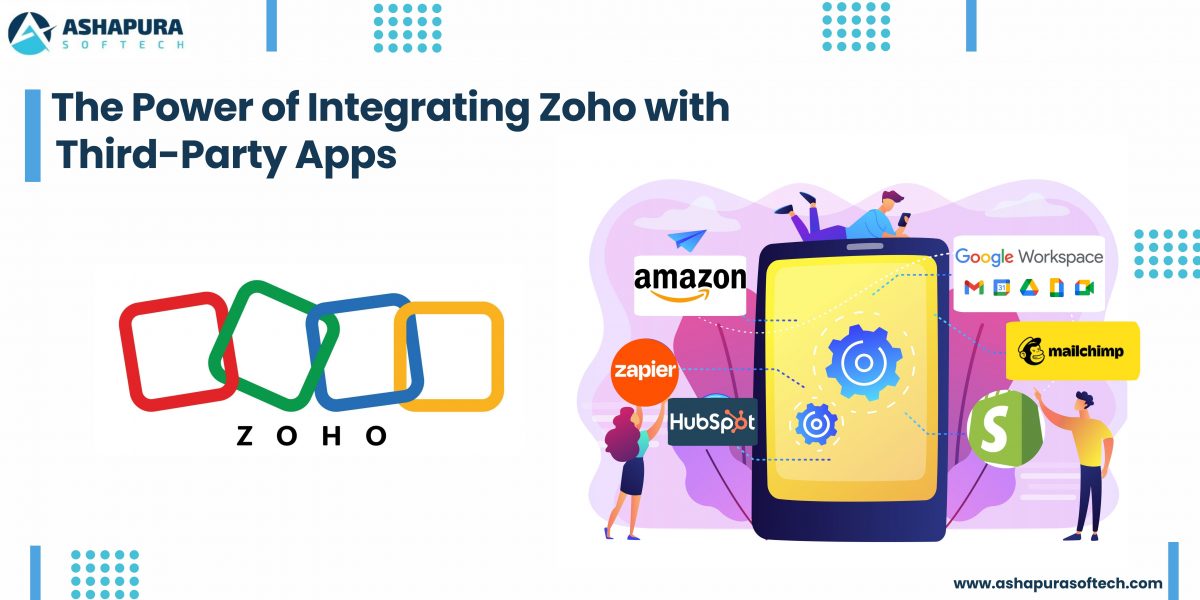
The Power of Zoho Integration with Third-Party Apps: A Case Study

Introduction: Why Zoho Integration Matters

In today’s hyper-connected world, business agility isn’t just a buzzword; it’s survival. Zoho Integrate is more than just a catchphrase tossed around in IT boardrooms. it’s the backbone of businesses embracing digital transformation. When we discuss Zoho solutions in real-world scenarios, we’re talking about creating an ecosystem where apps and teams work in harmony. how companies evolve once they unlock the synergy between Zoho and third-party applications.

Let’s dive into a story  a case study where Zoho integration services didn’t just help, they revolutionized.

The Challenge: Disconnected Tools and Fractured Workflows

A fast-growing eCommerce brand juggling multiple tools  Shopify for their online store, QuickBooks for accounting, and Mailchimp for email marketing. Each tool worked beautifully, but they didn’t talk to each other. The marketing team manually exported customer lists, finance struggled to reconcile sales reports, and operations often faced delays. The business was scaling, but its workflow efficiency wasn’t.

Why Zoho Integration is the Game-Changer for Modern Businesses

Do you know how it feels when your tools don’t talk to each other? Like trying to have a Zoom call where half the people are on mute and the other half are buffering. Businesses today are using a cocktail of tools: Slack, Shopify, Mailchimp, Google Workspace, and so on. And without proper integration, it’s just noise.

This is where Zoho integration services come in, making all these platforms sing in harmony.

Imagine your CRM pulling data directly from your Shopify store, your marketing tools syncing leads automatically, and your customer support system flagging high-priority cases on Slack—all without lifting a finger. That’s the power of integrating Zoho with third-party applications.


The Anatomy of a Seamless Zoho Integration

Here’s where things get juicy. Zoho Partners, like us at Ashapura Softech, build custom integrations tailored to your business needs. We don’t just plug in APIs and call it a day—we architect ecosystems.

When we integrated Zoho CRM with a client’s QuickBooks Online, sales reps suddenly had real-time financial data inside their CRM. They could see unpaid invoices, credit limits, and account balances without switching tabs.

Result? Sales cycles shortened by 30% and cash flow improved significantly.

The Secret Sauce

The true beauty is in workflow automation. By stitching together Zoho and apps like Zapier or Make.com, you can automate repetitive tasks like:

  • Triggering email sequences when deals are won.
  • Auto-assigning support tickets based on customer location.
  • Syncing sales and marketing data effortlessly.

It’s not just integration. It’s orchestration.


Case Study: Scaling Faster with Zoho + Shopify + Mailchimp

Let’s talk specifics. One of our retail clients was drowning in fragmented data. Their Shopify sales weren’t syncing with their CRM, and Mailchimp campaigns were a guessing game.

The Solution

We created a Zoho-integrated hub that pulled order details from Shopify directly into Zoho CRM and updated customer segments in Mailchimp in real time.

The magic touch? We layered on Zoho Analytics, giving them deep insights into customer behavior, abandoned carts, and lifetime value.

The Outcome

  • 20% increase in repeat purchases.
  • 15% boost in email open rates thanks to personalized campaigns.
  • Operational efficiency is up by 35%.

It was like watching a sports car hit turbo on the freeway.


Why Businesses Trust Zoho Integration Services

It’s more than just connecting software; it’s about creating a frictionless user experience for your teams and customers. and let’s be real nobody has time to be chasing scattered data anymore.

Benefits of Partnering with Zoho Experts

  • Deep customization: Every business is different, and out-of-the-box won’t cut it.
  • Scalability: As you grow, your integrations grow with you.
  • Security & Compliance: We ensure your data flows safely and within regulatory bounds.
  • Support & Training: We don’t just set it and forget it—we empower your teams.

Personal Anecdote: The “Aha!” Moment

I’ll never forget sitting across from a frustrated CEO at a client site in Mumbai. He said, “I feel like my team is spending more time toggling between apps than actually selling.”

Fast forward three months after we delivered a full-fledged Zoho integrated solution: that same CEO was showing off his automated dashboard on a tablet like a proud parent at a science fair. His sales reps? Crushing quotas with time to spare.

That’s the moment it clicked. Integration is not just tech—it’s empowerment.


How Zoho Integrations Future-Proof Your Business

With remote teams, cloud-first operations, and customer expectations soaring, businesses need agility more than ever. Zoho integration services equip you to:

  • Break silos between departments.
  • Automate redundant workflows.
  • Unlock real-time data for faster decisions.

The ROI? You’ll see it in happier customers, faster deal closures, and lower operational costs.

FAQs

What is Zoho integration?

Zoho integration connects Zoho apps (like CRM, Books, Desk) with third-party tools (e.g., Shopify, Slack, QuickBooks) to create seamless data flow and automate business processes.

Why should I use Zoho integration services?

Because it saves time, boosts productivity, and enhances customer experience by eliminating manual tasks and data silos.

How long does it take to integrate Zoho with third-party apps?

Depending on the complexity, it can take anywhere from a few days to a few weeks. At Ashapura Softech, we tailor timelines based on your specific requirements.

Are there risks with integrating Zoho and other platforms?

With expert Zoho Partners like us, risks are minimal. We ensure secure connections, data protection, and compliance with regulations.

Can integrations be customized to fit my unique business workflows?

Absolutely! We design integrations around your processes, not the other way around.


Conclusion

In today’s fast-paced digital landscape, integrating Zoho with third-party apps isn’t just a choice it’s a game-changer. As we’ve seen in this case study, the right integrations can break down silos, streamline workflows, and unlock new heights of productivity and customer satisfaction. By connecting Zoho with your essential tools, you empower your business to make smarter decisions, improve collaboration, and achieve operational excellence.

At Ashapura Softech, we’re passionate about helping businesses like yours leverage the full potential of Zoho integrations. Whether you’re looking to automate tasks, enhance CRM capabilities, or integrate complex third-party systems, our expert team is here to guide you every step of the way. Ready to elevate your business with seamless Zoho integration? Contact us today at [email protected] and let’s create your success story together.

Categories
Zoho

How to Integrate Zoho with Your Favorite Tools: A Step-by-Step Guide

Introduction

Integrating Zoho with your favorite apps and services is more than just a tech upgrade—it’s a strategic move towards a more efficient, collaborative, and agile business environment. By following the steps in this guide, you’ll be well on your way to creating a seamless workflow that saves time, reduces errors, and ultimately drives growth. Ready to supercharge your productivity? Let’s get integrated!

Welcome to our blog! Ready to supercharge your workflow? Let’s dive in and discover how to connect Zoho with your favorite tools for a more efficient, streamlined business.

In today’s fast-paced business world, staying connected and efficient is key. Whether you’re managing a small team or leading a large enterprise, the tools you use can either streamline your workflows or create unnecessary friction. Enter Zoho—a powerful suite of applications designed to simplify business operations. But what if you could take that efficiency up a notch? Integrating Zoho with other popular apps and services could be the game-changer your business needs. Let’s explore how to seamlessly connect Zoho with the tools you love, ensuring a smoother, more productive workflow.

Why Should You Integrate Zoho with Your Business Tools?

1. Unified Data Across All Platforms

Data silos slow your business down. By integrating Zoho, you unify your data. Whether it’s sales figures, customer information, or project updates, everything syncs automatically. This reduces manual input and minimizes costly errors.

2. Automation for Higher Productivity

Manual tasks consume time and energy. Automating them with Zoho saves hours daily. Imagine scheduling meetings, syncing contacts, or sending follow-up emails—without lifting a finger.

3. Enhanced Team Collaboration

Integrating Zoho with communication and project management tools like Slack or Trello fosters collaboration. Your team can work together more efficiently, with real-time updates and seamless file sharing.

4. Smarter, Faster Decisions

With all your data available in one place, decisions are no longer based on assumptions. Zoho integrations provide real-time insights across your operations. This empowers you to act quickly and confidently.


Top Tools You Should Integrate with Zoho

Google Workspace

Sync Gmail, Google Calendar, and Google Drive directly with Zoho. Manage meetings, emails, and documents effortlessly from one dashboard.

Microsoft Office 365

Bring the power of Office 365 to Zoho. Access and edit your Word, Excel, and PowerPoint files directly within the Zoho ecosystem.

Slack

Never miss a CRM update again. Integrate Zoho CRM with Slack to receive lead notifications, deal updates, and task alerts right in your team’s chat.

Trello

Combine Zoho Projects with Trello for visual project tracking. Manage tasks using Trello boards while Zoho handles reporting and detailed workflows.

Zapier

Zapier acts as a bridge between Zoho and over 3,000 other apps. Automate repetitive tasks like adding subscribers to your email marketing list or syncing customer data.


Step-By-Step Zoho Integration Guide

1. Zoho + Google Workspace

  • Log in to Zoho and go to the Marketplace.
  • Choose Google Workspace.
  • Grant permissions to allow Zoho access to your Google account.
  • Select sync options (emails, contacts, calendars).
  • Save your settings and perform a test sync.

2. Zoho + Slack

  • Go to Zoho CRM Settings and select Integrations.
  • Click on Slack and authorize access.
  • Choose notification types (new leads, closed deals, etc.).
  • Test the integration by sending a sample notification.

3. Zoho + Trello

  • Log in to Zoho Projects.
  • Navigate to Integrations and select Trello.
  • Authorize Trello and link boards to specific Zoho Projects.
  • Map tasks and workflows.
  • Test by syncing tasks and reviewing updates.

4. Zoho + Zapier

  • Create a Zapier account.
  • Select Zoho as your trigger app.
  • Choose an action (e.g., “New Lead” triggers “Add Subscriber” in Mailchimp).
  • Map Zoho data fields to the destination app.
  • Activate your Zap and enjoy automated workflows.

Advanced Integration Tips

Regularly Audit Permissions

Ensure integrations have the right permissions. Review and update them to avoid service disruptions or security issues.

Keep Apps Updated

Outdated software can break integrations. Always keep Zoho and your connected apps updated to the latest versions.

Optimize Your Workflows

Review automations regularly. Remove bottlenecks, improve logic, and ensure processes align with your business goals.


Future-Proof Your Zoho Integrations

Zoho is constantly evolving. Stay ahead by exploring new integrations and features as they’re released. AI, machine learning, and advanced analytics are becoming core components of business tools. Keep experimenting and adapting to ensure your Zoho setup remains cutting-edge.


Benefits of Integrating Zoho with Your Favorite Apps

1. Time-Saving Automation

From auto-generated reports to instant customer follow-ups, Zoho integrations reduce manual labor dramatically.

2. Boosted Collaboration

When teams can access centralized data and share updates instantly, communication improves across departments.

3. Greater Scalability

Zoho integrations help businesses grow without increasing overhead. Automate more, hire less, and scale operations easily.

4. Superior Customer Experience

Integrated systems allow faster response times and personalized customer interactions, improving satisfaction and retention.


Best Practices for Seamless Integrations

Start Simple

Begin by integrating Zoho with your most-used tools first. Once comfortable, scale up to more advanced connections.

Train Your Team

Ensure your staff understands how to use the integrations. Provide regular training sessions and encourage feedback.

Test Everything

Before fully deploying any integration, run thorough tests. Ensure data flows correctly and automations work as expected.


Frequently Asked Questions

1. Can I integrate Zoho with custom apps?

Yes, Zoho offers APIs and webhooks, allowing for custom integrations with in-house or niche applications.

2. How secure are Zoho integrations?

Zoho prioritizes security with robust encryption and regular audits. However, always follow best security practices.

3. Do I need technical skills to integrate Zoho?

No coding is needed for most integrations. Zoho’s Marketplace and tools like Zapier simplify the process.


Conclusion

Integrating Zoho with your preferred apps is no longer optional—it’s essential. By connecting Zoho to tools like Google Workspace, Slack, Trello, and Zapier, your business will operate more efficiently and collaboratively. Say goodbye to data silos, manual processes, and miscommunication. With Zoho integrations, you’ll save time, reduce errors, and supercharge your business for future success. Let Ashapura Softech help you set up Zoho integrations that drive real results. Contact us today at [email protected] for a free consultation.

Categories
Zoho ERP

Zoho ERP: A Game Changer for Small and Medium-Sized Businesses

In today’s fast-paced digital economy, small and medium-sized businesses (SMBs) need a robust, scalable, and cost-effective Enterprise Resource Planning (ERP) system to stay competitive. That’s where Zoho ERP comes in. With its feature-rich ecosystem, seamless integrations, and affordability, Zoho ERP has emerged as a game-changer for small and medium-sized businesses. Whether you’re a growing startup or an established company looking to streamline operations, Zoho ERP solutions offer the right tools to manage your business efficiently.

Why Small and Medium-Sized Businesses Need a Robust ERP System

Managing a business isn’t just about selling products or services. It’s about optimizing workflows, tracking finances, ensuring inventory control, and maintaining seamless customer relationships. Here’s why Small and Medium-Sized Businesses should invest in Zoho ERP solutions:

  • Automation: Say goodbye to manual data entry and redundant tasks.
  • Real-time Insights: Get live reports on sales, inventory, and financials.
  • Scalability: Whether you’re a 5-person team or a 500-person enterprise, Zoho ERP grows with you.
  • Cost-Effectiveness: Unlike expensive legacy ERP systems, Zoho provides enterprise-level features at small and medium-sized businessesfriendly prices.

Key Features of Zoho ERP Solutions

1. Comprehensive Business Management

Zoho ERP provides a 360-degree view of your business. It covers essential areas like finance, sales, HR, and supply chain management, allowing businesses to operate smoothly without juggling multiple tools.

2. Seamless Integrations with Zoho Ecosystem

Zoho ERP seamlessly integrates with other Zoho applications like Zoho CRM, Zoho Books, Zoho Inventory, and Zoho People, making it an all-in-one solution.

3. Cloud-Based and Mobile-Friendly

Unlike traditional ERP systems that require on-premise setups, Zoho ERP is entirely cloud-based, allowing business owners to access data from anywhere, anytime, using any device.

4. AI-Powered Automation

With Zoho’s AI assistant, Zia, you can automate repetitive tasks, generate detailed reports, and even predict trends, helping businesses make data-driven decisions.

5. Customization & Flexibility

Unlike rigid ERP systems, Zoho ERP allows customization, enabling businesses to tailor workflows, automate approvals, and add industry-specific modules as needed.

How Zoho ERP Outshines Traditional ERP Systems

Many businesses hesitate when it comes to ERP implementation, fearing high costs and complex deployment. However, Zoho ERP agency solutions stand out for their affordability, ease of use, and scalability. Here’s how Zoho ERP competes with traditional ERP systems:

Feature Traditional ERP Zoho ERP
Cost High (licensing & maintenance) Affordable (subscription-based)
Deployment On-premise (hardware required) Cloud-based (access from anywhere)
User-Friendliness Complex & Requires Training Intuitive & Easy-to-Use
Customization Limited Highly Flexible

The Role of Zoho Partners and Consultants

If you’re considering implementing Zoho ERP, partnering with a Zoho ERP agency or hiring a Zoho consultant can make a world of difference. Here’s how they help:

  • Seamless Implementation: Experts ensure smooth deployment without business disruptions.
  • Customization & Training: Get tailored solutions to match your unique needs.
  • Ongoing Support: Zoho partners provide continuous assistance and updates.

Real-Life Success Story: How Small and Medium-Sized Businesses Benefit from Zoho ERP

A growing e-commerce business struggling with inventory mismanagement and financial tracking switched to Zoho ERP solutions. Within months, they:

  • Reduced inventory errors by 50%
  • Automated financial tracking, saving 20+ hours per week
  • Improved order fulfillment rates, leading to 30% growth in customer satisfaction

This transformation showcases how Zoho ERP empowers Small and Medium-Sized Businessess to operate more efficiently and scale rapidly.

How to Get Started with Zoho ERP

Thinking about implementing Zoho ERP for your business? Follow these simple steps:

  1. Assess Your Needs: Identify pain points in your current workflow.
  2. Consult a Zoho Partner: Get expert advice on implementation.
  3. Choose the Right Modules: Pick features that align with your business goals.
  4. Train Your Team: Ensure smooth adoption with hands-on training.
  5. Monitor & Optimize: Use analytics to fine-tune processes over time.

Frequently Asked Questions (FAQs)

1. Is Zoho ERP suitable for all industries?

Yes! Zoho ERP is flexible and can be tailored for industries like manufacturing, retail, healthcare, e-commerce, and finance.

2. How much does Zoho ERP cost?

Zoho ERP follows a subscription-based model, making it affordable for SMBs. Pricing depends on the features and modules selected.

3. Can I integrate Zoho ERP with third-party applications?

Absolutely! Zoho ERP offers seamless integrations with tools like Shopify, QuickBooks, PayPal, and more.

4. Do I need technical expertise to use Zoho ERP?

Not at all! Zoho ERP is user-friendly, and Zoho consultants provide training to help you get started.

5. How secure is Zoho ERP?

Zoho follows enterprise-grade security protocols, ensuring data encryption, multi-factor authentication, and compliance with global standards.

Conclusion

For small and medium-sized businesses (SMBs) looking to scale efficiently, Zoho ERP solutions offer a powerful, affordable, and user-friendly alternative to traditional ERP systems. From automation to real-time analytics, Zoho ERP equips businesses with everything they need to thrive in a competitive market. Ready to take the next step? Partner with Ashapura Softech today. Contact us at [email protected] to transform your business with Zoho ERP.

Categories
Zoho ERP

How Zoho ERP is Changing the Way Businesses Manage Operations

Introduction

In today’s fast-paced business environment, managing operations efficiently is no longer optional—it’s a necessity. Enter Zoho ERP Solutions, a game-changer in enterprise resource planning. Businesses worldwide are embracing Zoho ERP Development to streamline workflows, automate processes, and optimize overall productivity. But how exactly is Zoho ERP revolutionizing business operations? Let’s dive in.


Why Zoho ERP is a Game-Changer

Zoho ERP is not just another ERP software—it’s a comprehensive, cloud-based system designed to tackle real business challenges. From finance to inventory management, from HR to customer relations, Zoho ERP integrates all critical functions under one umbrella.

1. Seamless Integration Across Departments

Unlike traditional ERP systems that operate in silos, Zoho ERP Solutions ensure seamless communication between different departments. For example, sales data automatically syncs with inventory and finance, reducing discrepancies and improving decision-making.

2. Customization for Every Business Size

Whether you’re a startup or a large enterprise, Zoho ERP is fully customizable. Businesses can tailor the system to match specific operational needs, making it an ideal choice for companies looking for flexibility.

3. Enhanced Automation for Greater Efficiency

Manual processes are a thing of the past. Zoho ERP automates tasks such as invoice generation, payroll management, and inventory tracking, ensuring smooth operations while minimizing human errors.


Key Features of Zoho ERP That Make It Stand Out

1. Real-Time Data & Analytics

Zoho ERP provides real-time insights into key business metrics, empowering companies to make data-driven decisions. With built-in analytics, businesses can track performance trends and identify areas for improvement.

2. Scalable Cloud-Based Platform

Unlike legacy ERP systems that require heavy infrastructure investments, Zoho ERP is cloud-based, ensuring seamless scalability. This means businesses can expand without worrying about system limitations.

3. AI-Powered Insights & Automation

Zoho’s AI capabilities help predict trends, suggest operational improvements, and automate repetitive tasks, enabling businesses to stay ahead of the competition.

4. User-Friendly Interface

One of the biggest barriers to ERP adoption is complexity. Zoho ERP, however, comes with an intuitive interface that reduces the learning curve, making it easier for employees to adapt.

5. Secure & Compliant System

Zoho ERP follows industry-standard security protocols, ensuring data protection and regulatory compliance across multiple industries.


How Businesses Are Benefiting from Zoho ERP

1. Manufacturing Industry

Manufacturers use Zoho ERP for production planning, inventory management, and supply chain optimization, reducing operational costs and improving efficiency.

2. Retail & E-Commerce

Retailers leverage Zoho ERP to manage stock levels, track sales, and automate order processing, ensuring a seamless customer experience.

3. Healthcare Sector

Hospitals and healthcare providers utilize Zoho ERP to manage patient records, streamline billing, and ensure regulatory compliance.

4. Financial Services

Banks and financial institutions use Zoho ERP to automate accounting, monitor transactions, and improve customer relationship management.


Common Challenges & How Zoho ERP Solves Them

Challenge Zoho ERP Solution
Data Silos Centralized database for real-time access
Manual Errors AI-powered automation to reduce mistakes
Compliance Issues Built-in regulatory compliance tools
Costly IT Maintenance Cloud-based solution with minimal upkeep
Integration Hassles Seamless third-party integrations

Future of Zoho ERP in Business Operations

With the increasing adoption of AI and IoT, Zoho ERP is expected to become even more powerful. Future updates will likely focus on predictive analytics, deeper automation, and enhanced customization.


FAQs

1. Is Zoho ERP suitable for small businesses?

Yes! Zoho ERP is highly scalable, making it a great option for both small startups and large enterprises.

2. Can Zoho ERP integrate with third-party applications?

Absolutely! Zoho ERP supports integration with various third-party tools like Salesforce, QuickBooks, and more.

3. How long does it take to implement Zoho ERP?

Implementation time varies based on business needs, but with expert guidance from a Zoho ERP Development Agency like Ashapura Softech, deployment can be quick and efficient.

4. Is Zoho ERP secure?

Yes, Zoho ERP follows industry-leading security measures, ensuring data protection and compliance.

5. How can I get started with Zoho ERP?

Contact Ashapura Softech at [email protected] to get started with a tailored Zoho ERP implementation.


Conclusion

Zoho ERP is redefining how businesses manage operations, offering a scalable, automated, and integrated solution for enterprises across industries. Whether you’re a startup or a multinational corporation, investing in Zoho ERP can drive efficiency, reduce costs, and improve decision-making. Ready to transform your business with Zoho ERP? Contact us at [email protected] and let’s get started.