Quick answer
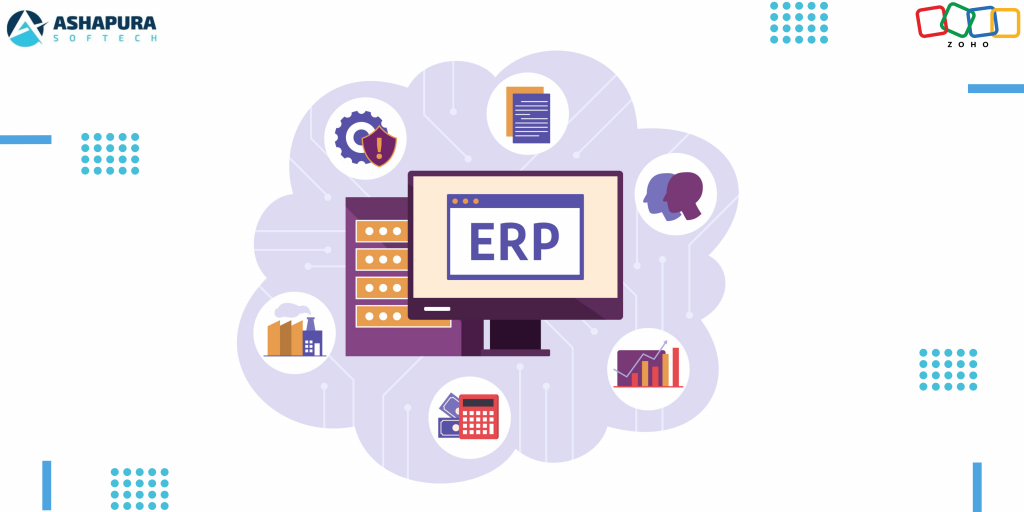
Zoho does not sell one product called Zoho ERP. What an SMB actually buys is a set of Zoho apps covering finance, inventory, purchasing, CRM and custom processes, licensed either individually or through Zoho One on a per user basis. Most of the risk sits in process discovery and data preparation, not in the build. There are also cases, deep discrete manufacturing among them, where Zoho is the wrong answer and an enterprise grade platform costs less in the long run.
In today’s fast-paced digital economy, small and medium-sized businesses (SMBs) need a robust, scalable, and cost-effective Enterprise Resource Planning (ERP) system to stay competitive. That’s where Zoho ERP comes in. With its feature-rich ecosystem, seamless integrations, and affordability, Zoho ERP has emerged as a game-changer for small and medium-sized businesses. Whether you’re a growing startup or an established company looking to streamline operations, Zoho ERP solutions offer the right tools to manage your business efficiently.
Why Small and Medium-Sized Businesses Need a Robust ERP System
Managing a business isn’t just about selling products or services. It’s about optimizing workflows, tracking finances, ensuring inventory control, and maintaining seamless customer relationships. Here’s why Small and Medium-Sized Businesses should invest in Zoho ERP solutions:
- Automation: Say goodbye to manual data entry and redundant tasks.
- Real-time Insights: Get live reports on sales, inventory, and financials.
- Scalability: Whether you’re a 5-person team or a 500-person enterprise, Zoho ERP grows with you.
- Cost-Effectiveness: Unlike expensive legacy ERP systems, Zoho provides enterprise-level features at small and medium-sized businesses–friendly prices.
Key Features of Zoho ERP Solutions
1. Comprehensive Business Management
Zoho ERP provides a 360-degree view of your business. It covers essential areas like finance, sales, HR, and supply chain management, allowing businesses to operate smoothly without juggling multiple tools.
2. Seamless Integrations with Zoho Ecosystem
Zoho ERP seamlessly integrates with other Zoho applications like Zoho CRM, Zoho Books, Zoho Inventory, and Zoho People, making it an all-in-one solution.
3. Cloud-Based and Mobile-Friendly
Unlike traditional ERP systems that require on-premise setups, Zoho ERP is entirely cloud-based, allowing business owners to access data from anywhere, anytime, using any device.
4. AI-Powered Automation
With Zoho’s AI assistant, Zia, you can automate repetitive tasks, generate detailed reports, and even predict trends, helping businesses make data-driven decisions.
5. Customization & Flexibility
Unlike rigid ERP systems, Zoho ERP allows customization, enabling businesses to tailor workflows, automate approvals, and add industry-specific modules as needed.
How Zoho ERP Outshines Traditional ERP Systems
Many businesses hesitate when it comes to ERP implementation, fearing high costs and complex deployment. However, Zoho ERP agency solutions stand out for their affordability, ease of use, and scalability. Here’s how Zoho ERP competes with traditional ERP systems:
| Feature | Traditional ERP | Zoho ERP |
|---|---|---|
| Cost | High (licensing & maintenance) | Affordable (subscription-based) |
| Deployment | On-premise (hardware required) | Cloud-based (access from anywhere) |
| User-Friendliness | Complex & Requires Training | Intuitive & Easy-to-Use |
| Customization | Limited | Highly Flexible |
The Role of Zoho Partners and Consultants
If you’re considering implementing Zoho ERP, partnering with a Zoho ERP agency or hiring a Zoho consultant can make a world of difference. Here’s how they help:
- Seamless Implementation: Experts ensure smooth deployment without business disruptions.
- Customization & Training: Get tailored solutions to match your unique needs.
- Ongoing Support: Zoho partners provide continuous assistance and updates.
Real-Life Success Story: How Small and Medium-Sized Businesses Benefit from Zoho ERP
A growing e-commerce business struggling with inventory mismanagement and financial tracking switched to Zoho ERP solutions. Within months, they:
- Reduced inventory errors by 50%
- Automated financial tracking, saving 20+ hours per week
- Improved order fulfillment rates, leading to 30% growth in customer satisfaction
This transformation showcases how Zoho ERP empowers Small and Medium-Sized Businessess to operate more efficiently and scale rapidly.
How to Get Started with Zoho ERP
Thinking about implementing Zoho ERP for your business? Follow these simple steps:
- Assess Your Needs: Identify pain points in your current workflow.
- Consult a Zoho Partner: Get expert advice on implementation.
- Choose the Right Modules: Pick features that align with your business goals.
- Train Your Team: Ensure smooth adoption with hands-on training.
- Monitor & Optimize: Use analytics to fine-tune processes over time.
How Businesses Are Benefiting from Zoho ERP
1. Manufacturing Industry
Manufacturers use Zoho ERP for production planning, inventory management, and supply chain optimization, reducing operational costs and improving efficiency.
2. Retail & E-Commerce
Retailers leverage Zoho ERP to manage stock levels, track sales, and automate order processing, ensuring a seamless customer experience.
3. Healthcare Sector
Hospitals and healthcare providers utilize Zoho ERP to manage patient records, streamline billing, and ensure regulatory compliance.
4. Financial Services
Banks and financial institutions use Zoho ERP to automate accounting, monitor transactions, and improve customer relationship management.
Common Challenges & How Zoho ERP Solves Them
| Challenge | Zoho ERP Solution |
|---|---|
| Data Silos | Centralized database for real-time access |
| Manual Errors | AI-powered automation to reduce mistakes |
| Compliance Issues | Built-in regulatory compliance tools |
| Costly IT Maintenance | Cloud-based solution with minimal upkeep |
| Integration Hassles | Seamless third-party integrations |
Future of Zoho ERP in Business Operations
With the increasing adoption of AI and IoT, Zoho ERP is expected to become even more powerful. Future updates will likely focus on predictive analytics, deeper automation, and enhanced customization.
Zoho ERP Software Modules and What Each One Covers
Zoho does not ship a single product called “Zoho ERP”. What businesses refer to as a Zoho ERP system is a connected set of Zoho applications that share one data layer, so an order raised in one app updates stock, accounts and reporting in the others. Understanding which module does what is the first step in scoping an implementation.
| Business function | Zoho application | What it handles |
|---|---|---|
| Finance and accounting | Zoho Books | Invoicing, bank reconciliation, tax filing, multi currency ledgers, financial statements |
| Inventory and order management | Zoho Inventory | Stock across warehouses, purchase orders, sales orders, shipping integrations, barcode handling |
| Sales and customer data | Zoho CRM | Pipeline, quotes, forecasting, customer history shared with finance and inventory |
| Procurement and vendor management | Zoho Inventory and Zoho Books | Vendor records, purchase approvals, bills, landed cost tracking |
| Manufacturing and production | Zoho Creator custom modules | Bill of materials, work orders, production scheduling, shop floor capture |
| Reporting and analytics | Zoho Analytics | Cross module dashboards, cohort reporting, blended finance and sales views |
| Process automation | Zoho Flow and Deluge scripts | Approval chains, cross app triggers, third party system syncs |
| Everything bundled | Zoho One | A single per user subscription that carries the full application suite |
The practical consequence of this architecture is that a Zoho ERP rollout is a configuration and integration exercise rather than a single software install. That is also why two companies on the same Zoho subscription can end up with very different systems.
Zoho ERP Implementation: The Steps and a Realistic Timeline
Most of the risk in a Zoho ERP implementation sits in the first two phases, not in the build. Skipping the process mapping stage is the single most common reason a rollout stalls after go live.
- Process discovery. Document how orders, purchases, stock movements and month end close actually run today, including the spreadsheet steps nobody has written down.
- Module selection and licensing. Decide whether individual Zoho apps or a Zoho One subscription is the right commercial fit for the headcount and the module list.
- Data preparation. Clean the master data before it moves: chart of accounts, item master, vendor and customer records, opening stock and opening balances. This is usually the longest phase and it is client side work.
- Configuration. Tax settings, warehouses, price lists, approval rules, user roles and field level permissions.
- Custom development. Anything the standard modules do not cover, built in Zoho Creator or with Deluge scripting, plus integrations with systems that stay outside Zoho.
- Migration and parallel run. Move historical data, then run the old system and Zoho side by side for at least one full close cycle before switching off the legacy system.
- Training and handover. Role based training, documented standard operating procedures and a defined support window after go live.
A focused deployment covering finance and inventory for a single entity commonly runs in weeks rather than months. Multi entity, multi currency or manufacturing scope with custom production modules extends that considerably. The variables that move the timeline most are the state of the existing data, the number of integrations and how quickly the client team can sign off on process decisions.
What Drives the Cost of a Zoho ERP System
There are two separate cost lines and they behave differently. The Zoho subscription is published, predictable and priced per user per month, with Zoho One bundling the suite at a single per user rate. The implementation cost is the variable one, and it is driven by scope rather than by company size.
- Number of modules in scope. Finance and inventory alone is a materially smaller project than finance, inventory, manufacturing and field service together.
- Data condition. Clean, deduplicated master data shortens the project. Years of inconsistent item codes lengthen it.
- Custom modules. Bill of materials, production planning and industry specific compliance screens are build work, not configuration.
- Integrations. Every external system that has to stay connected, whether that is a shipping carrier, a payment gateway, a marketplace or an existing warehouse system, adds build and testing effort.
- Entities and geographies. Multi entity consolidation and multi country tax handling add configuration and testing scope.
- Post go live support. A defined support and enhancement retainer after handover, which most businesses underestimate.
Zoho ERP by Industry
The module mix changes significantly depending on what the business actually sells.
Retail and e-commerce
Zoho Inventory carries multi channel stock, with marketplace and storefront orders flowing into one item master. The critical design decisions are how stock is allocated across channels and how returns are posted back to finance. Read more on e-commerce development where the storefront itself is in scope.
Manufacturing
Standard Zoho modules cover procurement, stock and finance well, but bill of materials, work orders and production scheduling are normally built in Zoho Creator. This is the scenario where a Zoho ERP implementation is least “out of the box” and where partner experience matters most.
Logistics and supply chain
Purchase to pay, warehouse transfers and vendor performance reporting sit across Zoho Inventory, Books and Analytics. We have covered this pattern in more detail in our guide to supply chain automation with Zoho One.
Professional services
Project accounting, timesheets and utilisation reporting drive the module mix here, with Zoho Books and Zoho Analytics doing most of the work and CRM feeding the pipeline that projects are forecast from.
When Zoho ERP Is Not the Right Fit
Recommending Zoho for every situation would not be honest. There are cases where a business is better served by an enterprise grade platform, and it is cheaper to establish that before an implementation than after one.
- Deep discrete manufacturing. Complex multi level production planning, capacity scheduling and shop floor control are areas where dedicated manufacturing ERP platforms are stronger out of the box.
- Heavily regulated industries. Where validated systems and formal audit trails are a compliance requirement rather than a preference.
- Very large transaction volumes. High volume, high concurrency operations should be load tested against the platform limits before committing.
- Existing enterprise stack. A business already running a mature enterprise platform elsewhere in the group usually gets more value from extending it than from introducing a second ERP.
If the current setup has already outgrown small business tooling, our note on enterprise software development covers the alternative path. Where Zoho is the right fit, our Zoho ERP implementation services team scopes and runs the project, our Zoho development services team handles the configuration, custom modules and integrations, and our Zoho migration services team handles moving the data across from whatever the business runs today.
Frequently Asked Questions (FAQs)
Is Zoho ERP suitable for all industries?
Yes! Zoho ERP is flexible and can be tailored for industries like manufacturing, retail, healthcare, e-commerce, and finance.
How much does Zoho ERP cost?
Zoho ERP follows a subscription-based model, making it affordable for SMBs. Pricing depends on the features and modules selected.
Can I integrate Zoho ERP with third-party applications?
Absolutely! Zoho ERP offers seamless integrations with tools like Shopify, QuickBooks, PayPal, and more.
Do I need technical expertise to use Zoho ERP?
Not at all! Zoho ERP is user-friendly, and Zoho consultants provide training to help you get started.
How secure is Zoho ERP?
Zoho follows enterprise-grade security protocols, ensuring data encryption, multi-factor authentication, and compliance with global standards.
Is Zoho ERP for small business worth it compared with a bigger ERP?
For most companies under roughly 250 people, yes. The larger ERP platforms are priced and built for complexity a growing business does not have yet, and the implementation alone can run for a year. Zoho ERP for small business gives you finance, inventory, sales and operations on one data model at a subscription price, and you can add modules as the company grows rather than buying them up front.
Which Zoho apps make up Zoho ERP for small business?
There is no single product called Zoho ERP. In practice it is a set of Zoho applications working on shared data: Zoho Books or Zoho Finance Plus for accounting, Zoho Inventory for stock and order management, Zoho CRM for sales, Zoho Projects or Zoho Creator for operations, and Zoho Analytics for reporting across all of them. Which apps you switch on is what defines your ERP footprint.
How long does a Zoho ERP implementation take for a small business?
A finance and inventory core is commonly live within four to eight weeks. What stretches a timeline is rarely the software: it is data cleanup in the old system, and deciding which of your current manual processes should be kept and which should be dropped before they get rebuilt.
Is Zoho an ERP or a CRM?
Zoho CRM is the sales and customer module. A Zoho ERP system is the wider set of connected applications that adds finance, inventory, procurement and reporting around it. Businesses that start with Zoho CRM alone and later add Zoho Books and Zoho Inventory are effectively building the ERP layer in stages.
What is the difference between Zoho One and a Zoho ERP implementation?
Zoho One is a licensing model, a single per user subscription that gives access to the full application suite. A Zoho ERP implementation is the project that configures those applications around a specific business process. Buying Zoho One does not by itself produce a working ERP.
Can Zoho ERP replace an existing ERP system?
In many small and mid sized deployments, yes, provided the manufacturing and compliance requirements are within what Zoho and custom Creator modules can support. The honest assessment happens during process discovery, before any licence is bought.
Does Zoho ERP work for a business operating in the USA?
Yes. Zoho Books supports US sales tax handling, US bank feeds and US payment gateways, and multi entity setups for businesses running more than one legal entity. Tax configuration is part of the implementation scope rather than something that works correctly by default.
What happens to our historical data during a Zoho ERP migration?
Master data and open transactions are migrated, and closed historical periods are normally brought across as opening balances plus an archived export rather than transaction by transaction. The cut off point is a decision made with the finance team during scoping.
Conclusion
For small and medium-sized businesses (SMBs) looking to scale efficiently, Zoho ERP solutions offer a powerful, affordable, and user-friendly alternative to traditional ERP systems. From automation to real-time analytics, Zoho ERP equips businesses with everything they need to thrive in a competitive market. Ready to take the next step? Partner with Ashapura Softech today. Contact us at [email protected] to transform your business with Zoho ERP.