

Last updated: 15 October 2026
Quick answer
Zoho integration is any connection that lets a Zoho app, such as Zoho CRM, Books, Desk or Inventory, share data with another Zoho app or an outside tool like Shopify, QuickBooks, WhatsApp or Microsoft 365. There are four routes: native links inside the Zoho suite, prebuilt Zoho Marketplace extensions, Zoho Flow for no-code multi-step workflows, and custom integrations built on the Zoho REST APIs or Deluge scripts. Start with the simplest route that covers your data, and move to custom code only when no connector fits.
Introduction: Why Zoho Integration Matters
In today’s hyper-connected world, business agility isn’t just a buzzword; it’s survival. Zoho Integrate is more than just a catchphrase tossed around in IT boardrooms. it’s the backbone of businesses embracing digital transformation. When we discuss Zoho solutions in real-world scenarios, we’re talking about creating an ecosystem where apps and teams work in harmony. how companies evolve once they unlock the synergy between Zoho and third-party applications.
Let’s dive into a story a case study where Zoho integration services didn’t just help, they revolutionized.
Connecting apps is one part of a bigger project. See what CRM implementation services include and how integrations change the budget.
How Zoho integration actually works: the four connection routes
A Zoho integration is any connection that lets a Zoho application exchange data with another system, whether that is another Zoho app or an outside tool such as Shopify, QuickBooks or Microsoft 365. Four routes exist, and picking the wrong one is the most common reason a Zoho integration project costs more than it should.
| Route | How it works | Best suited to | Where it stops |
|---|---|---|---|
| Native in-suite link | Zoho apps share one data layer, so CRM, Books, Desk and Inventory connect with a settings toggle | Teams standardising on the Zoho suite | Only covers Zoho to Zoho |
| Zoho Marketplace extension | A prebuilt connector installed into a Zoho app and configured with field mapping | Common pairings such as Shopify, Mailchimp, QuickBooks and Slack | Field mapping is fixed by whoever built the extension |
| Zoho Flow | A no code builder that fires a chain of actions across apps when an event happens | Multi step workflows that cross three or more tools | Struggles with high volume batch sync and complex branching |
| Custom API or Deluge script | Direct calls against the Zoho REST APIs, or server side Deluge functions inside Zoho | Legacy systems, ERP and industry software with no connector | Needs a developer and ongoing maintenance |
Most businesses end up with a mix. A typical setup uses native links inside the suite, one or two Marketplace extensions for the obvious tools, Zoho Flow for the workflows that cross departments, and a small amount of custom API work for the one system nothing else talks to.
The Challenge: Disconnected Tools and Fractured Workflows
A fast-growing eCommerce brand juggling multiple tools Shopify for their online store, QuickBooks for accounting, and Mailchimp for email marketing. Each tool worked beautifully, but they didn’t talk to each other. The marketing team manually exported customer lists, finance struggled to reconcile sales reports, and operations often faced delays. The business was scaling, but its workflow efficiency wasn’t.
Why Zoho Integration is the Game-Changer for Modern Businesses
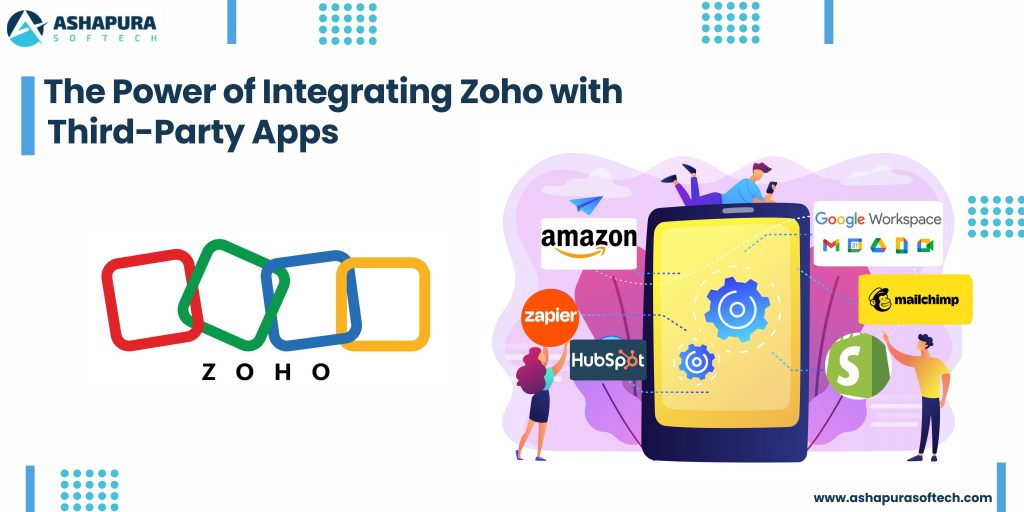
Do you know how it feels when your tools don’t talk to each other? Like trying to have a Zoom call where half the people are on mute and the other half are buffering. Businesses today are using a cocktail of tools: Slack, Shopify, Mailchimp, Google Workspace, and so on. And without proper integration, it’s just noise.
This is where Zoho integration services come in, making all these platforms sing in harmony.
Imagine your CRM pulling data directly from your Shopify store, your marketing tools syncing leads automatically, and your customer support system flagging high-priority cases on Slack, all without lifting a finger. That’s the power of integrating Zoho with third-party applications.
The Anatomy of a Seamless Zoho Integration
Here’s where things get juicy. Zoho specialists, like our team at Ashapura Softech, build custom integrations tailored to your business needs. We don’t just plug in APIs and call it a day. We architect ecosystems.
When we integrated Zoho CRM with a client’s QuickBooks Online, sales reps suddenly had real-time financial data inside their CRM. They could see unpaid invoices, credit limits, and account balances without switching tabs. If finance is the bigger gap for you, our guide to Zoho ERP solutions for SMBs shows how invoicing, inventory and operations fit alongside the CRM.
Result? Sales cycles shortened by 30% and cash flow improved significantly.
The Secret Sauce
The true beauty is in workflow automation. By stitching together Zoho and apps like Zapier or Make.com, you can automate repetitive tasks like:
- Triggering email sequences when deals are won.
- Auto-assigning support tickets based on customer location.
- Syncing sales and marketing data effortlessly.
It’s not just integration. It’s orchestration.
Case Study: Scaling Faster with Zoho + Shopify + Mailchimp
Let’s talk specifics. One of our retail clients was drowning in fragmented data. Their Shopify sales weren’t syncing with their CRM, and Mailchimp campaigns were a guessing game.
The Solution
We created a Zoho-integrated hub that pulled order details from Shopify directly into Zoho CRM and updated customer segments in Mailchimp in real time.
The magic touch? We layered on Zoho Analytics, giving them deep insights into customer behavior, abandoned carts, and lifetime value.
The Outcome
- 20% increase in repeat purchases.
- 15% boost in email open rates thanks to personalized campaigns.
- Operational efficiency is up by 35%.
It was like watching a sports car hit turbo on the freeway.
Why Businesses Trust Zoho Integration Services
It’s more than just connecting software; it’s about creating a frictionless user experience for your teams and customers. and let’s be real nobody has time to be chasing scattered data anymore.
Benefits of Partnering with Zoho Experts
- Deep customization: Every business is different, and out-of-the-box won’t cut it.
- Scalability: As you grow, your integrations grow with you.
- Security & Compliance: We ensure your data flows safely and within regulatory bounds.
- Support & Training: We don’t just set it and forget it. We empower your teams.
Personal Anecdote: The “Aha!” Moment
I’ll never forget sitting across from a frustrated CEO at a client site in Mumbai. He said, “I feel like my team is spending more time toggling between apps than actually selling.”
Fast forward three months after we delivered a full-fledged Zoho integrated solution: that same CEO was showing off his automated dashboard on a tablet like a proud parent at a science fair. His sales reps? Crushing quotas with time to spare.
That’s the moment it clicked. Integration is not just tech. It’s empowerment.
How Zoho Integrations Future-Proof Your Business
With remote teams, cloud-first operations, and customer expectations soaring, businesses need agility more than ever. Zoho integration services equip you to:
- Break silos between departments.
- Automate redundant workflows.
- Unlock real-time data for faster decisions.
The ROI? You’ll see it in happier customers, faster deal closures, and lower operational costs.

What Zoho integrates with: a practical map
Zoho integrations fall into predictable groups once you sort them by the job the outside system does. The table below covers the pairings US businesses ask for first.
| Outside system | Zoho app it pairs with | Usual route | What moves between them |
|---|---|---|---|
| Shopify or WooCommerce | Zoho CRM, Inventory, Books | Marketplace extension | Orders, customers, stock levels, invoices |
| QuickBooks or Xero | Zoho CRM, Books | Marketplace extension | Invoices, payments, customer records |
| Mailchimp | Zoho CRM, Campaigns | Marketplace extension | Lists, subscriber status, campaign engagement |
| Stripe or PayPal | Zoho Books, Subscriptions | Marketplace extension | Payments, refunds, subscription status |
| Microsoft 365 or Google Workspace | Zoho CRM, Mail, Projects | Native connector | Email, calendar, contacts, files |
| Slack or Microsoft Teams | Zoho CRM, Desk, Cliq | Marketplace extension or Zoho Flow | Record alerts, notifications, approvals |
| Twilio or another telephony provider | Zoho CRM, Desk | Marketplace extension | Call logs, recordings, SMS activity |
| Salesforce or HubSpot during a migration | Zoho CRM | Migration tooling plus API | Accounts, contacts, opportunities, activity history |
| An ERP or industry specific system | Any Zoho app | Custom API or Zoho Flow | Whatever the two sides agree on, defined up front |
Which Zoho integrations to build first
Order the work by how much manual re-entry each connection removes. In most companies the finance link goes first, because invoice and payment data is re-keyed daily and mistakes there are expensive. The commerce link usually comes second, then marketing, then support and telephony. Leave custom API work until the standard connectors are live, because that is when you find out what is genuinely missing.
Connecting Zoho CRM to WhatsApp
Most teams want WhatsApp conversations to sit on the CRM record instead of in one rep’s phone. Zoho supports this through its messaging channels and through Marketplace extensions from WhatsApp Business providers. The exact setup depends on your Zoho edition and region, so check Zoho’s current documentation before you commit to a route. Before you start, settle four things: which number is the business number and who owns the Meta Business account, how you will collect opt-in from customers, which module (Leads, Contacts or Deals) the chat attaches to, and what auto-reply goes out after hours. Our walkthrough of the Zoho CRM and WhatsApp integration covers the customer-communication side in more detail.
Automating handoffs with Zoho Flow
Zoho Flow links Zoho apps and third-party apps with trigger-and-action rules. Typical examples are a new CRM lead that creates a follow-up task and alerts the team, or a deal moved to Closed Won that creates a customer in Zoho Books. Keep each flow small: one trigger, a few actions and a clear name such as “Closed Won to Books customer”. Long flows with many branches are hard to debug when one step fails. Our Zoho Flow integration guide shows how to set these up step by step.
From closed deal to invoice: CRM to Zoho Books
Sales and finance usually need the same customer in two places. The native Zoho CRM and Zoho Books connection is the first thing to try, because it needs the least maintenance. Before you switch it on, decide whether a CRM Account or a Contact maps to the Books customer, make sure currency and tax settings match on both sides, and agree who owns each field after the sync. If your data still lives in another system, a Zoho migration should come first, with the right third-party tools for the job. Where the native link does not fit your process, custom Zoho CRM development closes the gap.
Catching silent sync errors before they cost you
Integrations rarely fail loudly. A sync stops, nobody notices, and weeks of records drift apart. A small safety net helps:
- Name every flow and workflow clearly so a failed run points to its purpose.
- Send failure alerts to a shared inbox, not one person.
- Review execution history weekly for repeated failures on the same step.
- Schedule large imports off-hours so you stay inside API limits.
- Clone a live flow and test on the copy before you edit it.
The usual causes are an expired connection token, a renamed or deleted field, a required field left blank, and a picklist value that does not match.
FAQs
What is Zoho integration?
Zoho integration connects Zoho apps (like CRM, Books, Desk) with third-party tools (e.g., Shopify, Slack, QuickBooks) to create seamless data flow and automate business processes.
Why should I use Zoho integration services?
Because it saves time, boosts productivity, and enhances customer experience by eliminating manual tasks and data silos.
How long does it take to integrate Zoho with third-party apps?
Depending on the complexity, it can take anywhere from a few days to a few weeks. At Ashapura Softech, we tailor timelines based on your specific requirements.
Are there risks with integrating Zoho and other platforms?
With an experienced Zoho team, risks are minimal. We ensure secure connections, data protection, and compliance with regulations.
Can integrations be customized to fit my unique business workflows?
Absolutely! We design integrations around your processes, not the other way around.
How many apps does Zoho integrate with?
Zoho Marketplace lists prebuilt extensions for well over a thousand applications, and Zoho Flow connects to several hundred more. Anything on neither list can still be connected through the Zoho REST APIs, so in practice almost any system with an API can be integrated.
Do Zoho integrations require coding?
Usually not. Native links and Marketplace extensions are configuration only, and Zoho Flow is a no code builder. Coding becomes necessary when you need a connection nobody has built yet, when field mapping has to follow business rules, or when data volumes are too high for a workflow tool.
How long does a Zoho integration take?
A single Marketplace extension can be configured and tested in a day. A Zoho Flow workflow crossing three systems typically takes a few days once the field mapping is agreed. Custom API work depends entirely on the other system, and the mapping discussion almost always takes longer than the build.
What breaks a Zoho integration after it goes live?
Three things, in order of frequency: someone adds or renames a field on one side without telling the other, an API credential expires, and a duplicate rule silently rejects incoming records. Agreeing who owns field changes is worth more than any amount of extra build effort.
What is Zoho Flow used for?
Zoho Flow is Zoho’s workflow automation tool. It connects Zoho apps and third-party apps so an event in one, such as a new lead or a closed deal, triggers actions in another without manual work.
How do I connect Zoho CRM to another app?
Use the native integration if one exists, for example Zoho Books, Zoho Campaigns or Zoho Desk. For other apps, use Zoho Flow, a Marketplace extension or the Zoho CRM API. Start with the native option because it needs the least maintenance.
Conclusion
In today’s fast-paced digital landscape, integrating Zoho with third-party apps isn’t just a choice it’s a game-changer. As we’ve seen in this case study, the right integrations can break down silos, streamline workflows, and unlock new heights of productivity and customer satisfaction. By connecting Zoho with your essential tools, you empower your business to make smarter decisions, improve collaboration, and achieve operational excellence.
At Ashapura Softech, we’re passionate about helping businesses like yours leverage the full potential of Zoho integrations. Whether you’re looking to automate tasks, enhance CRM capabilities, or integrate complex third-party systems, our expert team is here to guide you every step of the way. Ready to elevate your business with seamless Zoho integration? Contact us today at [email protected] and let’s create your success story together.
Is your Zoho setup ready to scale?
Use our free Zoho integration readiness checklist: 21 checks covering data, field mapping, error handling and ownership, so your CRM, Books and Flow automations stay in sync.
About the author. Ankur Pandey is Marketing Manager at Ashapura Softech, a certified Salesforce and Odoo consulting partner that also builds on Zoho, based in Irving, Texas, with a delivery center in Ahmedabad, India. He works with the company’s Zoho delivery team on CRM, Books and integration projects for US businesses and writes about what makes integrations hold up after go-live.