Categories
Salesforce Health Cloud

HIPAA Checklist for Salesforce Health Cloud Integration

Introduction

In today’s rapidly evolving healthcare landscape, Salesforce Health Cloud has become a cornerstone platform for managing patient relationships, streamlining care coordination, and integrating electronic health records (EHRs) across multiple systems. With this digital transformation comes a critical responsibility: ensuring that all workflows and integrations are fully compliant with the Health Insurance Portability and Accountability Act (HIPAA). Protecting sensitive patient information is not just a regulatory requirement—it is essential for maintaining patient trust, safeguarding organizational reputation, and avoiding costly compliance violations.

As healthcare organizations increasingly adopt cloud-based solutions, the volume of Protected Health Information (PHI) flowing through Salesforce Health Cloud continues to grow. From patient 360 records and risk assessments to telehealth interactions and AI-powered insights, the platform handles a wide range of sensitive data. Without a structured compliance approach, even small misconfigurations in user roles, data encryption, or API integrations can result in significant HIPAA risks. Understanding the rise of PHI workflows within Health Cloud, recognizing the potential compliance challenges during integrations, and implementing technical, administrative, and physical safeguards are therefore critical steps for any healthcare IT team.

This guide provides a comprehensive HIPAA checklist for Salesforce Health Cloud integration, covering everything from configuring secure user roles and leveraging Shield Platform Encryption to implementing logging, monitoring, and AI-safe workflows. You will also find actionable strategies for managing real-world integration scenarios, such as connecting EPIC, FHIR-based data, and other EHR systems, while minimizing risks. Additionally, the guide highlights common HIPAA mistakes and practical solutions, ensuring your organization can achieve full compliance while harnessing the full power of Health Cloud. By following this checklist, healthcare providers and IT teams can confidently deploy Salesforce Health Cloud in a HIPAA-compliant, secure, and scalable manner.

Why HIPAA Compliance Matters in Salesforce Health Cloud

Salesforce Health Cloud has revolutionized the way healthcare providers manage patient relationships, streamline workflows, and deliver personalized care. However, as the platform becomes a hub for sensitive patient data, ensuring HIPAA compliance is no longer optional—it is critical for every healthcare organization. HIPAA compliance safeguards Protected Health Information (PHI) and sets the standard for secure handling, storage, and transmission of sensitive patient data across cloud-based healthcare systems.

The Rise of PHI Workflows Inside Health Cloud

One of the key advantages of Salesforce Health Cloud is its ability to centralize patient information, enabling providers to access a comprehensive view of patient health, medical histories, risk assessments, care plans, and ongoing interactions. While this functionality enhances care coordination, it also increases the volume and complexity of PHI within the system. Every workflow that accesses, updates, or transmits PHI—whether it’s telehealth communications, EHR integrations, or AI-driven analytics—introduces potential points of vulnerability. Without robust HIPAA safeguards, these workflows can expose sensitive information, leading to compliance violations, data breaches, or reputational damage.

Compliance Risks During Integrations and Data Exchange

Healthcare organizations often integrate Salesforce Health Cloud with external EHR systems, FHIR APIs, telehealth applications, and third-party analytics tools. Each integration point presents a unique compliance risk. For example, misconfigured API permissions, unsecured data transfers, or inadequate monitoring can result in PHI being accessed by unauthorized personnel or transmitted without encryption. Additionally, AI-powered features and predictive analytics can inadvertently process PHI in ways that violate HIPAA if proper safeguards are not in place. Recognizing and mitigating these risks early is essential for maintaining a secure and compliant Health Cloud environment.

HIPAA Requirements for Cloud-Based Healthcare CRMs

HIPAA regulations define specific administrative, physical, and technical safeguards for protecting PHI. Administrative safeguards include workforce training, role-based access controls, and documented policies and procedures. Physical safeguards cover device security, access restrictions, and secure storage environments. Technical safeguards focus on encryption, authentication, session controls, and detailed audit logging. Salesforce Health Cloud provides tools such as Shield Platform Encryption, Event Monitoring, and Field Audit Trail to help organizations meet these requirements, but proper configuration and ongoing monitoring are essential.

Understanding HIPAA Requirements for Salesforce Health Cloud

Ensuring HIPAA compliance in Salesforce Health Cloud requires a comprehensive understanding of the three core safeguard categories defined by the Health Insurance Portability and Accountability Act: administrative, physical, and technical safeguards. Each category addresses specific aspects of PHI protection, and together they create a holistic compliance framework that secures patient data, reduces risk, and ensures regulatory adherence.

Administrative Safeguards

Administrative safeguards are policies, procedures, and workforce management practices designed to protect PHI. Within Salesforce Health Cloud, these safeguards establish who can access sensitive data, how that access is granted, and what rules govern the handling of patient information.

Key administrative requirements include:
  • Workforce Access Controls: Role-based access ensures that only authorized personnel can view or edit PHI. For example, care coordinators, providers, and billing teams should have access strictly aligned with their responsibilities.
  • Security Training & Policies: Staff must receive training on HIPAA compliance, secure handling of PHI, and proper use of Health Cloud features. Policies should outline acceptable use, incident reporting, and breach response procedures.
  • Vendor and Business Associate Agreements (BAAs): Third-party tools integrated with Health Cloud must comply with HIPAA. BAAs formalize the responsibilities of partners in handling PHI securely.
  • Regular Risk Assessments: Conducting periodic risk assessments helps identify vulnerabilities in workflows, integrations, and system configurations before they result in breaches.

Physical Safeguards

Physical safeguards protect the environments where PHI is accessed or stored. While Salesforce manages data center security, your organization is responsible for securing devices and locations where employees interact with PHI.

Key physical requirements include:
  • Device Security: All endpoints accessing Health Cloud—laptops, tablets, and mobile devices—must enforce strong passwords, device encryption, and remote wipe capabilities.
  • Access Restrictions: Limit physical access to workstations or devices containing PHI. Geolocation controls and restricted office access reduce the risk of unauthorized exposure.
  • Secure Workspaces: Ensure that paper records, printed reports, or secondary storage devices do not contain PHI in unprotected areas.
  • Mobile and Remote Access Controls: Employees working remotely must access Health Cloud via secure VPNs and compliant mobile device management (MDM) solutions.

Technical Safeguards

Technical safeguards are critical for HIPAA compliance in cloud environments like Salesforce Health Cloud. They focus on the systems, software, and configurations that protect PHI from unauthorized access or breaches.

Key technical requirements include:
  • Encryption in Transit and at Rest: Shield Platform Encryption ensures PHI remains secure both while stored and during transmission between systems.
  • Authentication & Session Controls: Multi-factor authentication, strict password policies, and session timeout settings help prevent unauthorized access.
  • Audit Logging & Event Monitoring: Detailed logging of all PHI interactions—including logins, edits, and exports—is essential for compliance audits. Event monitoring and automated alerts provide real-time detection of suspicious activity.
  • Secure API Configurations: Any integration with EHRs, FHIR endpoints, or third-party applications must enforce encrypted connections, minimal data exposure, and proper access restrictions.

Technical safeguards are the most visible compliance layer in Health Cloud and provide measurable protection against breaches. Leveraging Salesforce’s built-in tools alongside proper configuration ensures these safeguards are effective and scalable. By implementing administrative, physical, and technical safeguards, healthcare organizations can create a secure, HIPAA-compliant environment within Salesforce Health Cloud. Properly addressing these requirements not only reduces risk but also builds patient trust, ensures regulatory adherence, and supports advanced workflows such as AI-driven insights and cross-system integrations.

Core HIPAA Checklist for Salesforce Health Cloud Integration

Implementing Salesforce Health Cloud in a HIPAA-compliant manner requires a structured approach to security, access, and data management. While understanding HIPAA safeguards is foundational, translating that knowledge into actionable steps ensures your organization can deploy Health Cloud safely and confidently. The following checklist covers the most critical areas—including user roles, Shield encryption, API security, logging, monitoring, and integration best practices.

Step 1 — Configure HIPAA-Compliant User Roles and Profiles

The foundation of HIPAA compliance in Health Cloud begins with proper user access management. Misconfigured roles are one of the most common sources of PHI exposure.

Actionable Steps:
  • Minimum Necessary Access: Assign permissions based strictly on job responsibilities. Care coordinators, providers, billing teams, and administrators should only access objects and fields necessary for their role.
  • PHI Permission Boundaries: Limit access to high-risk objects such as CarePlan, RiskAssessment, ClinicalData, and PatientCard. Remove “view all” or “modify all” permissions for non-essential users.
  • Permission Sets and Groups: Use permission sets to standardize access across teams and simplify audits.
  • Regular Role Audits: Schedule quarterly reviews to ensure access aligns with current staff responsibilities.

Step 2 — Set Up Salesforce Shield for Encryption and Monitoring

Salesforce Shield is essential for protecting PHI, offering encryption, auditing, and monitoring capabilities.

Actionable Steps:
  • Platform Encryption for PHI: Enable Shield to encrypt sensitive fields, attachments, and EHR identifiers. Ensure deterministic or probabilistic encryption is applied based on compliance needs.
  • Event Monitoring for HIPAA Auditing: Track user activities such as logins, exports, and API interactions. Configure automated alerts for suspicious behavior.
  • Field Audit Trail Configuration: Maintain detailed historical logs of changes to PHI, which support regulatory reporting and auditing.

Learn more in Why Providers Trust Salesforce Health Cloud for Digital Care.

Step 3 — Apply HIPAA-Compliant Data Classification and Labeling

Proper data classification ensures all PHI is consistently identified and protected across Health Cloud.

Actionable Steps:
  • Identify PHI Fields: Map every field containing sensitive information, including medical record numbers, patient identifiers, and care notes.
  • Automated Classification Tools: Use Salesforce data classification and labeling tools to automate tagging, reporting, and compliance checks.
  • Custom Object Classification: Apply consistent labeling to custom objects storing PHI to prevent accidental exposure during integrations or exports.

Step 4 — Secure Integrations (APIs, FHIR, EHR, EPIC)

Integrations present a major HIPAA risk if not properly secured. Every external connection—whether with EHR systems, FHIR endpoints, or third-party apps—must enforce strict access controls.

Actionable Steps:
  • API Security: Enforce OAuth 2.0 authentication, mutual TLS, and least-privilege permissions for every connected system.
  • FHIR Integration Compliance: Ensure FHIR resources and endpoints comply with HIPAA standards, restricting PHI to the minimum necessary data.
  • EHR Sync Best Practices: Encrypt all EHR-to-Health Cloud transmissions, validate data mapping, and log every transfer.
  • Third-Party App Management: Confirm Business Associate Agreements (BAAs) and restrict unnecessary permissions.

More guidance is available in How to Integrate Salesforce Health Cloud With EHR Systems for Better Patient Care.

Step 5 — Implement Logging, Monitoring, and Real-Time Alerts

Ongoing monitoring is critical for detecting unauthorized access and maintaining compliance.

Actionable Steps:
  • Access Logs: Maintain comprehensive logs for all PHI interactions, including views, edits, and exports.
  • Real-Time Alerts: Configure automated alerts for unusual activities, such as bulk exports or logins from unrecognized locations.
  • SIEM Integration: Forward Health Cloud event logs to Security Information and Event Management (SIEM) systems for centralized monitoring and alerting.

Step 6 — Build a HIPAA-Compliant Data Retention and Backup Plan

Even with strong access and monitoring, proper retention and backup procedures are essential.

Actionable Steps:
  • Define Retention Timelines: Align PHI storage duration with organizational policies and regulatory requirements.
  • Automate Data Deletion: Remove expired PHI using automated processes to prevent unnecessary exposure.
  • Secure Backups: Encrypt backup data, limit access, and store in HIPAA-ready cloud environments.
  • Disaster Recovery Testing: Regularly test backup restoration and recovery procedures to ensure business continuity.

HIPAA Checklist for AI Use in Salesforce Health Cloud

As Salesforce Health Cloud evolves into an AI-powered platform, healthcare organizations are increasingly leveraging artificial intelligence to streamline workflows, personalize patient engagement, and analyze complex health data. While AI offers transformative benefits, it also introduces new HIPAA compliance risks. Without proper safeguards, AI tools can inadvertently expose Protected Health Information (PHI) or create gaps in regulatory adherence. The following checklist provides actionable steps for integrating AI safely and maintaining HIPAA compliance in 2025–26.

1. Identify AI Workflows That Access PHI

Before implementing AI models, it’s critical to understand where PHI is used within Salesforce Health Cloud workflows.

Actionable Steps:
  • Map all AI-driven processes, including predictive analytics, chatbots, and clinical decision support.
  • Categorize workflows by PHI exposure risk.
  • Ensure AI tools only access the minimum necessary PHI.

2. Configure AI-Safe Prompts and Input Controls

Generative AI and predictive analytics can process sensitive data in unintended ways. Configuring safe prompts reduces exposure.

Actionable Steps:
  • Avoid sending raw PHI to AI models outside Health Cloud.
  • Use anonymized or tokenized patient data for AI training and testing.
  • Implement automated input validation to detect and block sensitive fields.

3. Enable Encryption and Access Controls for AI Data

Even AI-generated insights can contain sensitive PHI and require strict access management.

Actionable Steps:
  • Apply Shield Platform Encryption to all AI input/output fields.
  • Restrict AI model access via role-based permissions.
  • Use session controls and MFA for users interacting with AI dashboards.

4. Audit Logging and Real-Time Monitoring for AI Workflows

Continuous monitoring ensures AI processes comply with HIPAA regulations.

Actionable Steps:
  • Track all AI interactions with PHI, including inputs, outputs, and model changes.
  • Configure real-time alerts for unusual AI activity, such as attempts to export sensitive datasets.
  • Integrate AI logs into centralized SIEM systems to enable audits and regulatory reporting.

5. AI Vendor Compliance and Business Associate Agreements

Many AI capabilities are provided via third-party platforms or managed services. Ensuring vendor compliance is essential.

Actionable Steps:
  • Verify that AI vendors have HIPAA-compliant infrastructure.
  • Sign Business Associate Agreements (BAAs) where PHI is accessed or processed.
  • Review vendor security policies, encryption standards, and breach response procedures.

6. AI Governance and Transparency

Maintaining transparency and governance over AI systems reduces legal and ethical risks.

Actionable Steps:
  • Document all AI models, data sources, and decision-making logic.
  • Implement review boards or committees for AI workflows that access PHI.
  • Ensure patients’ rights to access or correct AI-influenced data are maintained.

7. Training and Awareness for AI-Enabled Health Cloud Users

Human oversight remains crucial. Staff must understand AI-specific risks and follow proper HIPAA procedures.

Actionable Steps:
  • Conduct training on AI data handling policies.
  • Emphasize the importance of anonymizing patient data in AI projects.
  • Provide guidelines for reporting AI-related compliance incidents.

HIPAA-Compliant Integration Scenarios (Real-World Examples)

Integrating Salesforce Health Cloud with external systems is essential for modern healthcare workflows, but it also introduces potential compliance risks. HIPAA-compliant integration requires careful planning, secure configurations, and adherence to the minimum necessary standard for PHI access. The following real-world scenarios illustrate best practices for safely connecting Health Cloud to EHRs, FHIR endpoints, and multiple healthcare systems while maintaining Zero Trust principles.

1. Integrating EPIC with Salesforce Health Cloud

EPIC remains one of the most widely used EHR platforms. Connecting EPIC to Health Cloud allows providers to access a unified patient 360 view, but exposes PHI across multiple endpoints.

Key Compliance Steps:
  • Encrypted API Communication: Ensure all EPIC-to-Health Cloud API calls use TLS 1.2+ encryption.
  • Role-Based Access: Only authorized users should access EPIC data within Health Cloud. Implement least-privilege permissions.
  • Audit Logging: Track every read/write operation on PHI objects such as clinical notes, lab results, and care plans.
  • BAA Verification: Confirm that EPIC and any integration middleware are HIPAA-compliant with signed Business Associate Agreements.

2. Syncing FHIR-Based Patient Data

FHIR (Fast Healthcare Interoperability Resources) is increasingly used for real-time data exchange. Health Cloud integrations using FHIR provide flexibility but require strict PHI controls.

Key Compliance Steps:
  • Secure FHIR Endpoints: Apply OAuth 2.0 authentication and mutual TLS to protect data in transit.
  • Minimum Necessary Access: Configure FHIR resource requests to include only essential PHI fields.
  • Logging & Alerts: Monitor FHIR API usage and set alerts for abnormal access patterns.
  • Data Transformation Security: When mapping FHIR data into Health Cloud, validate fields to prevent accidental exposure of PHI.

3. Migrating EHR Data Securely into Health Cloud

Migrating large volumes of patient records from legacy EHRs requires a methodical, HIPAA-compliant approach.

Key Compliance Steps:
  • Encrypted Data Transfers: Use encrypted file transfer protocols (SFTP) or secure API pipelines.
  • Validation & Mapping: Ensure each field maps correctly to Health Cloud objects while protecting sensitive data.
  • Pre-Migration Anonymization: Where possible, anonymize non-essential PHI during migration.
  • Post-Migration Audits: Verify that all PHI was correctly imported and accessible only to authorized users.

4. Multi-System PHI Workflows & Zero Trust Integration Patterns

Zero Trust principles strengthen multi-system integrations by continuously verifying access, rather than assuming trust based on network location.

Key Compliance Steps:
  • Continuous Authentication: Enforce MFA and session controls across all integrated systems.
  • Segmentation & Micro-Policies: Limit PHI exposure by segmenting workflows and applying granular access rules.
  • Centralized Monitoring: Integrate all system logs into a Security Information and Event Management (SIEM) platform for real-time oversight.
  • Automated Alerts & Incident Response: Configure automated alerts for unauthorized access attempts and establish clear incident response procedures.

Common HIPAA Mistakes in Salesforce Health Cloud (and How to Avoid Them)

Even with a structured HIPAA checklist, organizations can make mistakes that put Protected Health Information (PHI) at risk. Understanding common pitfalls in Salesforce Health Cloud—and knowing how to prevent them—ensures secure, compliant operations while maintaining patient trust. This section highlights frequent HIPAA compliance mistakes and actionable solutions for healthcare IT teams.

1. Misconfigured User Roles and Excessive Access

The Mistake: Assigning overly broad permissions, such as “view all” or “modify all,” exposes PHI to users who do not require it.

How to Avoid:

  • Implement least-privilege access based on job responsibilities.
  • Use permission sets and groups to standardize role assignments.
  • Conduct quarterly access audits to remove unnecessary permissions.
  • Document access decisions for auditing purposes.

2. Missing Audit Logging During Integrations

The Mistake: Not tracking PHI activity in Health Cloud or third-party integrations can create gaps in compliance documentation.

How to Avoid:

  • Enable Shield Event Monitoring to track all user interactions with PHI.
  • Configure real-time alerts for abnormal activity, such as bulk exports or external system access.
  • Integrate logs into a centralized SIEM system for comprehensive oversight.
  • Maintain Field Audit Trails to record changes to sensitive data.

3. Improper Encryption Setup

The Mistake: PHI stored in Health Cloud or transmitted via APIs without encryption is vulnerable to unauthorized access.

How to Avoid:

  • Enable Shield Platform Encryption for fields, attachments, and custom objects containing PHI.
  • Use TLS 1.2+ for all API and integration communications.
  • Encrypt backup data and ensure proper key management.
  • Verify encryption coverage regularly with compliance audits.

4. PHI Exposure Through Third-Party Apps

The Mistake: Installing AppExchange or third-party integrations without proper HIPAA verification can result in accidental data leaks.

How to Avoid:

  • Confirm that all apps are HIPAA-compliant and covered under signed Business Associate Agreements (BAAs).
  • Limit third-party permissions to the minimum necessary access.
  • Conduct integration risk assessments before deployment.
  • Monitor app activity and revoke access if unnecessary.

5. Neglecting AI-Specific PHI Risks

The Mistake: AI tools can inadvertently process raw PHI, creating compliance gaps if safeguards are not implemented.

How to Avoid:

  • Use anonymized or tokenized data for AI training and testing.
  • Apply role-based access to AI outputs containing PHI.
  • Enable audit logging and monitoring for AI workflows.
  • Train staff on AI-specific compliance procedures and PHI handling.

FAQs

1. Is Salesforce Health Cloud HIPAA compliant out of the box?

Salesforce Health Cloud provides HIPAA-ready features such as Shield encryption, audit logging, and role-based access. However, compliance is not automatic—organizations must configure these features properly and manage workflows, integrations, and user permissions to meet HIPAA standards.

2. What do I need to configure to make Health Cloud HIPAA-ready?

Key configurations include enabling Shield Platform Encryption, setting up role-based access controls, implementing audit logging with Field Audit Trail, and securing API connections. Regular risk assessments and staff training are also critical.

3. How do I secure PHI during integrations with EHR or FHIR systems?

Use encrypted API connections (TLS 1.2+), enforce least-privilege access, and enable logging for all PHI transactions. Ensure Business Associate Agreements (BAAs) are in place with any third-party systems.

4. What is required for HIPAA encryption in Health Cloud?

PHI must be encrypted at rest and in transit using Shield Platform Encryption and secure API protocols. Multi-factor authentication and session controls further strengthen compliance.

5. How do AI features affect HIPAA compliance in Health Cloud?

AI workflows must anonymize or tokenize PHI inputs, restrict access through role-based permissions, and maintain audit logs for all AI interactions with patient data. Governance and transparency policies are essential.

Conclusion

HIPAA compliance in Salesforce Health Cloud is critical for protecting patient data while leveraging the platform’s full capabilities. By following the comprehensive HIPAA checklist—covering user roles, Shield encryption, secure integrations, AI workflows, logging, monitoring, and data retention—organizations can minimize risk, maintain regulatory adherence, and deliver efficient, safe digital care. At Ashapura Softech, we help healthcare providers implement HIPAA-ready Health Cloud deployments tailored to their needs. For a personalized consultation or to download our detailed HIPAA integration checklist, contact us at [email protected]. Let us help you build a secure, compliant, and future-ready Salesforce Health Cloud environment that empowers safe, AI-enabled patient care.


Categories
Salesforce Health Cloud

How to Integrate Salesforce Health Cloud With EHR Systems for Better Patient Care

Introduction

Healthcare organizations are under growing pressure to deliver seamless, patient-centered care. Even with major investments in Electronic Health Record (EHR) systems such as Epic, Cerner, Allscripts, Meditech, and Athenahealth, many clinicians still struggle to access a unified view of patient information. Critical data remains siloed across clinical, administrative, and engagement platforms, making it difficult to support truly coordinated care.

This is where Salesforce Health Cloud plays a transformative role. Built on the trusted Salesforce platform, Health Cloud centralizes patient engagement, care coordination, analytics, and CRM capabilities. However, its full value is unlocked only when Salesforce Health Cloud is integrated with EHR systems, enabling secure and real-time data exchange.

A robust Health Cloud–EHR integration allows providers, payers, ambulatory centers, and digital health organizations to create a comprehensive Patient 360 view. With interoperable data powered by standards like FHIR and HL7, teams gain better clinical insights, stronger patient engagement, improved operational efficiency, and measurable improvements in outcomes.

This guide provides an enterprise-level overview of how to integrate Salesforce Health Cloud with EHR systems using FHIR APIs, MuleSoft, Healthcare APIs, and AppExchange connectors. It also covers technical mapping, compliance considerations, security best practices, implementation strategies, and cost expectations to help healthcare organizations build a scalable, interoperable digital ecosystem.

Why Healthcare Providers Need Salesforce Health Cloud–EHR Integration

Healthcare organizations are accelerating their shift toward value-based care, hybrid care models, and digital health ecosystems. In this landscape, interoperability between Salesforce Health Cloud and EHR systems is no longer optional—it is essential for delivering connected, patient-centered care at scale.

Most providers rely on multiple EHR platforms such as Epic, Cerner, Meditech, and Athenahealth, along with separate tools for scheduling, communication, care management, and patient engagement. Without integration, this data remains siloed, limiting visibility and slowing clinical workflows.

By integrating Salesforce Health Cloud with EHR systems using FHIR APIs or MuleSoft, healthcare organizations can enable a seamless exchange of real-time, actionable patient data. This supports critical needs such as:

  • Care coordination across multidisciplinary teams
  • Clinical decision support powered by unified patient insights
  • Personalized patient engagement and automated outreach
  • Population health and remote monitoring programs

At the core of this transformation is the Patient 360 view, which brings together clinical, behavioral, and operational information into one longitudinal record. This unified data model is now considered the gold standard for modern, high-quality care delivery.

Current Challenges With Fragmented Patient Data

Most healthcare organizations operate across a complex mix of EHR systems such as Epic, Cerner, Meditech, and Athenahealth, combined with third-party tools for scheduling, billing, outreach, and care management. Without integration, this creates siloed clinical and administrative environments that limit the ability to deliver coordinated, high-quality care. Common challenges include:

  • Clinical data locked inside the EHR, accessible only to select care teams
  • Care management documentation is dispersed across spreadsheets, shared drives, or non-integrated apps
  • Patient engagement data is fragmented across portals, SMS platforms, contact centers, and mobile tools
  • Manual, repetitive data entry, increasing administrative burden, and clinician burnout
  • No unified longitudinal record, requiring staff to switch between systems during patient encounters
  • Delayed or incomplete information affecting triage decisions, discharge planning, chronic care management, and follow-up workflows

Fragmented data directly impacts care coordination, population health programs, remote monitoring workflows, and overall patient satisfaction. These gaps make it difficult for providers to deliver real-time insights, proactive outreach, and seamless transitions of care—key requirements in today’s digital-first healthcare ecosystem. Integrating Salesforce Health Cloud with EHR systems addresses these challenges by consolidating clinical, behavioral, social, and engagement data into a single, interoperable platform designed to support Patient 360 visibility, scalable automation, and end-to-end care collaboration.

How Salesforce Health Cloud Enhances Clinical Workflows and Patient Engagement

Integrating Salesforce Health Cloud with your EHR system—whether through FHIR APIs, HL7 interfaces, MuleSoft, or Salesforce Healthcare APIs—turns the platform into a powerful interoperability engine that unifies clinical, operational, and engagement data. Instead of navigating fragmented systems or manual workflows, healthcare organizations gain a connected, intelligent digital ecosystem designed to improve clinical efficiency, strengthen care coordination, and elevate the patient experience across every touchpoint.

1. A Connected, Real-Time Patient 360 Experience

A truly comprehensive view of the patient is no longer optional—it’s a requirement for effective, whole-person care. Salesforce Health Cloud creates a unified Patient 360, pulling together:

  • EHR clinical data (labs, encounters, problems, medications)
  • Behavioral and social determinants of health (SDOH) insights
  • Care plans, goals, and longitudinal health history
  • Engagement activity, communications, and outreach
  • Utilization trends, risk indicators, and predictive insights

2. Smart, Automated Workflows That Reduce Administrative Burden

Traditional EHRs excel at clinical documentation, but they often fall short in supporting operational workflows and care coordination. Salesforce Health Cloud closes this gap with intelligent automation that streamlines repetitive tasks for:

  • Nurses and clinical staff
  • Care coordinators and case managers
  • Behavioral health and social work teams
  • Scheduling, access, and administrative teams

3. Personalized Patient Journeys That Strengthen Engagement

Engagement is no longer just about reminders—it’s about personalized, proactive communication that meets patients where they are. With Salesforce Health Cloud integrated with Marketing Cloud or Engagement Studio, healthcare organizations can build tailored journeys for:

  • Appointment reminders and care-gap closure
  • Post-discharge transitions and follow-up instructions
  • Medication adherence and refill management
  • Preventive care, screenings, and chronic disease management
  • Telehealth preparation, check-in, and education
  • Digital patient education and ongoing self-management

4. AI-Powered Risk Scoring and Predictive Clinical Insights

Modern care teams need more than retrospective reports—they need real-time intelligence. Salesforce Health Cloud, amplified by Einstein AI, delivers predictive insights that support:

  • Early intervention for high-risk or rising-risk patients
  • Chronic condition monitoring and proactive outreach
  • Identification of care gaps, utilization spikes, or adherence issues
  • Population health analytics and segmentation
  • These capabilities help prioritize resources, improve triage, and enhance clinical decision-making—especially in value-based care models where outcomes and efficiency matter most.

5. Unified Timelines for Complete Care Visibility

Fragmented communication is one of the biggest contributors to care delays and patient frustration. Salesforce Health Cloud solves this by consolidating all activity into one unified, interactive timeline, including:

  • Referrals and authorizations
  • Encounters, appointments, and follow-up tasks
  • Care plans, milestones, and clinical goals
  • Messages, calls, outreach attempts, and case notes
  • Social or community resource interventions
  • Marketing and engagement activity history

6. True Cross-Department Collaboration Through a Single Source of Truth

Perhaps the most transformative advantage of Salesforce Health Cloud is its ability to break down silos. Because every team works from the same real-time information, the platform creates true operational and clinical interoperability across:

  • Physicians, nurses, and clinical teams
  • Care coordinators, case managers, and social workers
  • Population health and RPM teams
  • Patient access, scheduling, and administrative staff
  • Contact centers and patient support teams
Benefits of Integrating EHR Data With Salesforce Health Cloud
  • Real-Time Patient Visibility Across the Care Continuum – When EHR data syncs into Health Cloud, clinicians and non-clinical teams gain an up-to-date, unified Patient 360. Engagement data, claims data, social needs, and communication history combine with clinical information to support more contextual, holistic care.
  • Stronger and More Efficient Care Coordination – Integrated workflows streamline interdisciplinary collaboration. Care teams can manage referrals, coordinate transitions of care, and automate follow-ups—all from a single hub.
  • More Personalized and Effective Patient Engagement – EHR data helps power segmented outreach and dynamic patient journeys. Patients receive the right communication, at the right time, through the right channel.
  • Reduced Administrative Burden – Centralized information reduces redundancy and manual work. Staff spend less time chasing information and more time supporting patients.
  • Better Outcomes Through Predictive Insights – With consistent EHR data fueling AI-driven models, organizations can identify risks earlier, prioritize rising-risk patients, and deliver more proactive care.

Top Benefits of Integrating Salesforce Health Cloud With EHR Systems

Achieving a Real-Time, Unified Patient 360 View

Salesforce Health Cloud EHR integration gives healthcare organizations a single, unified Patient 360 view by connecting Health Cloud with EHR systems such as Epic, Cerner, Meditech, and Athena. When you integrate Health Cloud with EHR systems, clinical, operational, and engagement data flows into one real-time dashboard. This reduces data fragmentation, improves clinical decision-making, and supports more personalized, connected care journeys.

Improved Care Coordination and Outcome-Driven Workflows

Seamless interoperability removes manual data entry and siloed workflows. Care teams can manage tasks, referrals, follow-ups, and discharge plans inside Health Cloud while pulling the latest clinical data directly from the EHR. Through FHIR integration, Salesforce Health Cloud processes become more accurate and efficient, reducing care gaps and enabling better population health management and value-based care outcomes.

Enhanced Patient Engagement and Digital Health Automation

By synchronizing clinical and engagement data, organizations can automate patient outreach, appointment reminders, care plan updates, and telehealth workflows. Health Cloud’s digital engagement tools—powered by real-time EHR insights—deliver omnichannel patient experiences that boost satisfaction and promote better adherence. This level of automation is a major reason organizations invest in Salesforce Health Cloud implementation services.

Reduced Clinician Burden and Operational Inefficiencies

Salesforce Health Cloud EHR integration helps reduce clinician burnout by eliminating redundant administrative work. Automated data exchange, clinical documentation routing, and workflow orchestration minimize time spent navigating multiple systems. With fewer operational bottlenecks across scheduling, authorizations, and care management, providers can focus more on delivering high-quality patient care rather than manual administrative tasks.

Integration Methods: How Salesforce Connects With Epic, Cerner, and Other EHRs

FHIR-Based Integration

Fast Healthcare Interoperability Resources (FHIR) is the leading standard for modern clinical data exchange. Many EHR vendors now provide robust FHIR APIs, allowing seamless FHIR integration with Salesforce Health Cloud workflows. With FHIR endpoints, organizations can synchronize patient demographics, care plans, encounters, and other clinical data in a cleaner, more secure, and real-time manner. FHIR is often the backbone of scalable Salesforce Health Cloud EHR integration projects.

MuleSoft API-Led Connectivity for Enterprise Interoperability

MuleSoft serves as the enterprise integration layer for health systems with complex data ecosystems. It supports orchestrated API flows, transformations, authentication management, and real-time monitoring. MuleSoft makes it easier to standardize integrations across Epic, Cerner, Meditech, or custom clinical systems. For large-scale Salesforce Health Cloud implementation services, MuleSoft often provides the most flexible and governed approach.

Direct Salesforce Healthcare APIs

Salesforce offers healthcare-specific APIs that enable bi-directional clinical data exchange without requiring middleware. These APIs support patient records, care management objects, provider relationships, and encounter data. Direct API integration is ideal for smaller organizations or focused use cases where full-scale middleware is unnecessary. It provides a straightforward path for integrating Health Cloud with EHR systems when FHIR support is limited.

AppExchange Connectors for Plug-and-Play Integration

Salesforce AppExchange offers prebuilt connectors for Epic, Cerner, and other EHR platforms. These connectors simplify configuration, reduce development time, and accelerate interoperability initiatives. Healthcare organizations use these plug-and-play tools to rapidly deploy data exchange pipelines and jump-start their Salesforce Health Cloud EHR integration.

Step-by-Step Process to Integrate Salesforce Health Cloud With an EHR System

Step 1 – Assess EHR System Capabilities (Epic, Cerner, Meditech, Athena)

The first step in any Salesforce Health Cloud EHR integration is evaluating the capabilities of your current EHR. Review available APIs, FHIR endpoints, HL7 interfaces, authentication methods, and interoperability tools offered by Epic, Cerner, Meditech, Athena, or other vendors. This assessment helps determine whether the integration should rely on FHIR integration Salesforce Health Cloud, MuleSoft, direct Salesforce APIs, or AppExchange connectors. A clear understanding of your EHR’s strengths ensures you choose the right technical approach.

Step 2 – Define Clinical and Operational Integration Use Cases

Identify the clinical and operational workflows that will gain the most value when you integrate Health Cloud with EHR systems. Common use cases include care management coordination, referral automation, discharge workflows, prior authorization processes, patient engagement campaigns, and population health initiatives. Defining these scenarios early ensures your Salesforce Health Cloud implementation services are aligned with measurable clinical and business outcomes.

Step 3 – Map FHIR/EHR Data to the Health Cloud Data Model

Map essential EHR data elements—such as demographics, encounters, medications, allergies, provider notes, and care plans—to the Salesforce Health Cloud data model. This step ensures the Patient 360 view remains accurate and clinically meaningful. When possible, use standardized FHIR resources (Patient, Observation, Encounter, CarePlan, MedicationRequest) to streamline scalability and minimize custom development. This is often a core phase in a successful FHIR integration Salesforce Health Cloud strategy.

Step 4 – Configure Secure Authentication and API Connectivity

Establish secure, HIPAA-compliant authentication between Salesforce and the EHR. Depending on your integration method, this may include OAuth 2.0, SMART on FHIR, mutual TLS, or API keys. Proper security configuration protects PHI and supports long-term interoperability across all Salesforce Health Cloud implementation services.

Step 5 – Set Up Real-Time or Batch Data Synchronization

Determine the right synchronization model for each dataset:

  • Real-time sync for referrals, care plans, vitals, alerts, and care-management triggers.
  • Batch sync for bulk clinical records, nightly population updates, or analytics pipelines.

Aligning sync frequency with clinical importance is essential for a successful Salesforce Health Cloud EHR integration.

Step 6 – Build Integration Logic, Validation Rules, and Error Handling

Develop the logic that governs data transformation, deduplication, and identity resolution. Add error-handling mechanisms to catch issues like missing fields, invalid codes, mismatched identifiers, or FHIR schema failures. Strong validation ensures every integration point remains reliable and compliant.

Step 7 – Perform Testing, Validation, and Go-Live Deployment

Perform end-to-end testing across clinical, administrative, IT, and compliance teams. Validate workflows, data accuracy, user experience, and security posture. After approval, deploy the integration to production and monitor performance, adoption, and data quality. Ongoing governance ensures your Salesforce Health Cloud implementation services continue delivering long-term value.

Data Types Commonly Synced Between Salesforce Health Cloud and EHR Systems

Patient Demographics and Identity Data

One of the most essential components of any Salesforce Health Cloud integration is accurate patient identity management. Commonly synced fields include MPI/EMPI identifiers, medical record numbers, insurance coverage data, household relationships, and contact information. Clean demographic data ensures reliable matching across systems and forms the foundation of every Salesforce Health Cloud implementation.

Encounters, Admissions, and Provider Notes

Health Cloud frequently receives encounter and admission data—covering inpatient, outpatient, emergency, and virtual visits—from connected EHR systems. These clinical events, paired with provider notes and discharge summaries, give care teams the context needed to manage follow-ups, automate referrals, and support value-based care workflows.

Medications, Allergies, and Immunization History

Medication lists, allergy information, immunization records, and adherence insights play a critical role in patient safety. Syncing these datasets during Salesforce Health Cloud EHR integration enables medication reconciliation, automated patient reminders, and improved chronic care management.

Lab Results, Vitals, and Clinical Observations

FHIR-based data exchange allows real-time syncing of lab panels, diagnostic imaging results, vitals, and key clinical observations. These datasets enhance Health Cloud’s care management features, enabling intelligent risk alerts, personalized outreach, and proactive care interventions.

Care Plans and Care Team Assignments

Structured care plans, clinical goals, tasks, interventions, and care team assignments help organizations coordinate multidisciplinary care. When you integrate Health Cloud with EHR systems, syncing these elements ensures all stakeholders—providers, care managers, social workers, and specialists—operate from a unified, up-to-date view.

Security, Compliance, and HIPAA Requirements for Salesforce Health Cloud EHR Integration

Data Encryption and Secure API Protocols

All sensitive data must be encrypted both at rest and in transit using TLS 1.2+ and secure API authentication. Whether syncing patient demographics, encounters, or lab results during Health Cloud–EHR integration, encryption safeguards protected health information (PHI) from unauthorized access. Secure APIs and OAuth 2.0 or SMART on FHIR authentication protocols ensure compliant, reliable interoperability.

Role-Based Access and PHI Governance

Implement strict role-based access controls (RBAC) and field-level security to restrict PHI access to authorized users only. Governance policies must define who can view, edit, or share patient data when you integrate Health Cloud with EHR systems. This ensures that all clinical, administrative, and IT teams comply with HIPAA and organizational security requirements.

Salesforce Shield and Audit Trail Best Practices

Leverage Salesforce Shield for enhanced security monitoring, field-level encryption, and audit trails. Shield provides comprehensive logging of user actions, API calls, and data changes, supporting regulatory compliance and internal governance. Integrating Shield into your Salesforce Health Cloud implementation services ensures audit-ready reporting for HIPAA, HITECH, and SOC 2 standards.

Compliance With HIPAA, HITECH, HL7, and SOC 2

All integrated systems must adhere to federal and industry regulations, including HIPAA, HITECH, HL7 interoperability standards, and SOC 2 controls. Compliance guarantees that your Salesforce Health Cloud EHR integration is secure, reliable, and capable of supporting real-time patient care while mitigating legal and operational risks.

Costs and Timelines for Salesforce Health Cloud EHR Integration

Licensing Costs (Salesforce, MuleSoft, and Connectors)

Licensing fees vary based on the Salesforce edition, the number of users, API usage, and additional tools like MuleSoft or prebuilt AppExchange connectors. Organizations that integrate Health Cloud with EHR systems using multiple endpoints may incur higher costs due to API calls, data volumes, and middleware licensing. Factoring in these costs early helps budget accurately for Salesforce Health Cloud implementation services.

Integration Development and Customization Costs

Development and customization costs depend on the complexity of workflows, number of data objects, clinical scenarios, and mapping requirements. Custom integrations may include FHIR-based data transformation, real-time sync logic, validation rules, error handling, and user interface adjustments. High-quality development ensures your Salesforce Health Cloud EHR integration meets clinical, operational, and regulatory needs.

Expected Timeline: 8–24 Weeks

Typical integration projects take between 2 and 6 months. Simpler use cases using prebuilt connectors or direct API integration may take less than 8 weeks, while enterprise-scale FHIR integration Salesforce Health Cloud projects can extend up to 24 weeks, including testing, validation, and go-live.

Long-Term Maintenance and Scaling Considerations

Ongoing maintenance is critical for sustaining Salesforce Health Cloud EHR integration performance. Organizations should plan for EHR upgrades, Health Cloud updates, API version changes, monitoring, and governance. Well-structured maintenance strategies ensure that Salesforce Health Cloud implementation services continue to support care coordination, patient engagement, and clinical decision-making over time.

How to Choose the Right Integration Partner for Salesforce Health Cloud EHR Integration

Proven Salesforce Health Cloud Experience

Ensure your partner has a track record of successful Salesforce Health Cloud EHR integration projects. Experienced teams understand Health Cloud’s data model, Patient 360 architecture, and care management workflows, enabling them to accelerate project delivery while minimizing risks.

FHIR and HL7 Technical Proficiency

Integration partners must be proficient in FHIR integration, Salesforce Health Cloud, as well as HL7 standards. Expertise in API mapping, data transformation, real-time synchronization, and FHIR resource utilization ensures that your Health Cloud instance communicates effectively with Epic, Cerner, Meditech, Athena, or other EHR platforms.

EHR Vendor Experience (Epic, Cerner, Meditech, Athena)

Look for partners with hands-on experience integrating Health Cloud with major EHR systems. Vendor-specific knowledge reduces integration errors, accelerates timelines, and ensures that clinical workflows are preserved during the integration of Health Cloud with EHR systems.

Security, Compliance, and Regulatory Knowledge

The partner should have strong expertise in HIPAA, HITECH, SOC 2, and organizational compliance frameworks. This ensures that PHI, patient demographics, clinical encounters, and care plans are protected throughout your Salesforce Health Cloud implementation services.

Scalability and Long-Term Support

Choose a partner that offers ongoing support, version upgrades, and scaling strategies. Long-term collaboration ensures your Salesforce Health Cloud EHR integration remains secure, interoperable, and capable of adapting to evolving clinical and operational needs.

FAQs

1. What is Salesforce Health Cloud integration and why is it important for healthcare?
Salesforce Health Cloud integration connects your EHR system with Salesforce Health Cloud, enabling a unified view of patient data. By combining clinical, administrative, and engagement information, care teams gain real-time access to patient demographics, encounters, medications, lab results, and care plans. This integration reduces data silos, improves care coordination, supports population health management, and enhances patient engagement, ultimately leading to better clinical outcomes.

2. How does Salesforce Health Cloud integration improve care coordination?
Integrating Health Cloud with EHR systems allows care teams to track referrals, follow-ups, and care plan tasks in real time. Salesforce Health Cloud integration ensures all clinicians have consistent, up-to-date information, minimizing errors, avoiding duplicate workflows, and supporting value-based care. Teams can collaborate efficiently across settings, improving both operational efficiency and patient outcomes.

3. What data is typically synced through Salesforce Health Cloud integration?
Commonly synced data includes patient demographics, encounter history, medications, allergies, lab results, vitals, care plans, and care team assignments. By leveraging Salesforce Health Cloud integration, providers maintain a complete and accurate Patient 360 view, enabling personalized care, automated workflows, and proactive patient engagement.

4. Is Salesforce Health Cloud integration secure and HIPAA-compliant?
Yes. Salesforce Health Cloud integration uses secure API protocols, OAuth 2.0 authentication, and encryption for data at rest and in transit. Role-based access controls and audit trails ensure PHI governance, while compliance with HIPAA and HITECH standards protects sensitive patient information during data exchange between Health Cloud and EHR systems.

5. How can healthcare organizations start with Salesforce Health Cloud integration?
Organizations should assess their EHR capabilities, define clinical use cases, map EHR data to Health Cloud, and select the right integration method—such as FHIR APIs, MuleSoft, or AppExchange connectors. Partnering with experienced consultants ensures that Salesforce Health Cloud integration is secure, efficient, and aligned with organizational goals for better patient care.

Conclusion

Integrating Salesforce Health Cloud with EHR systems is critical for healthcare organizations aiming to deliver efficient, patient-centered care. With a real-time Patient 360 view, automated workflows, and seamless care coordination, your teams can improve outcomes and reduce administrative burden. Partner with Ashapura Softech for expert Salesforce Health Cloud implementation services and secure, FHIR-compliant integrations that scale with your organization’s needs. Contact us at [email protected] to modernize your healthcare ecosystem.


Categories
Salesforce Health Cloud

Salesforce Health Cloud Integrations Challenges and How to Solve

Introduction

As healthcare organizations accelerate their digital transformation efforts, many are adopting Salesforce Health Cloud to improve patient care, streamline care coordination, and enhance operational efficiency. By centralizing clinical, administrative, and engagement data, Salesforce Health Cloud creates a unified patient view that supports better decision-making and delivers a more connected care experience. However, integrating Salesforce Health Cloud with existing healthcare systems is rarely straightforward. Most healthcare organizations operate within complex environments that include legacy EHR platforms, fragmented data sources, and strict regulatory requirements—factors that complicate any cloud-based healthcare solution.

Although Salesforce Health Cloud integration offers significant advantages—such as real-time patient insights, interoperability, and personalized care management—it also introduces practical challenges. Healthcare leaders must navigate issues like patient data security, HIPAA compliance, interoperability gaps, workforce training, and cost control to ensure a smooth and scalable implementation. Without a strategic integration plan, organizations risk underutilizing the platform or encountering workflow disruptions that impact both staff and patients.

This article examines the most common challenges healthcare providers encounter when implementing and integrating Salesforce Health Cloud, along with effective strategies to address them. By anticipating these obstacles and adopting best practices for healthcare data integration, cloud security, and change management, organizations can unlock the full value of Salesforce Health Cloud and build a flexible, patient-centered digital ecosystem.

Top 8 Challenges and Solutions in Salesforce Health Cloud Integration

1. Data Integration and Siloed Systems

The Challenge

Healthcare organizations manage multiple, disparate systems—including EHRs, lab systems, imaging platforms, billing software, and third-party applications. Each system stores patient data in unique formats, leading to data silos that prevent a complete, unified patient view. Without standardized, integrated data, Salesforce Health Cloud cannot deliver accurate analytics, real-time insights, or longitudinal patient records. These silos hinder clinical workflow efficiency, reduce care coordination, and limit the ability to make data-driven decisions.

Solutions
  • Unified Data Models: Standardize all patient data structures to maintain consistency across systems.
  • Interoperability Standards: Implement HL7 and FHIR protocols for seamless integration with EHRs and other systems.
  • Data Mapping and Cleansing: Deduplicate records, standardize terminology, and validate data quality before migration.
  • Middleware Solutions: Utilize integration platforms like MuleSoft or InterSystems to connect legacy systems with Salesforce Health Cloud, enabling real-time updates and consistent patient information.

2. Healthcare Data Security Risks

The Challenge

Patient data is one of the most sensitive assets in healthcare. Moving to a cloud-based platform introduces potential vulnerabilities, including unauthorized access, ransomware attacks, and data breaches. Ensuring that Salesforce Health Cloud maintains the highest security standards is critical to protect sensitive patient information and maintain regulatory compliance. Security lapses can compromise patient trust, trigger penalties, and disrupt clinical operations.

Solutions
  • Encryption: Use end-to-end encryption (AES-256) for data at rest and TLS 1.2+ for data in transit.
  • Role-Based Access Control (RBAC): Restrict access based on user roles to minimize exposure.
  • Identity and Access Management (IAM): Implement multi-factor authentication (MFA) and single sign-on (SSO).
  • Zero-Trust Architecture: Continuously verify credentials and permissions, assuming no system or user is inherently trustworthy.
  • Continuous Monitoring: Use SIEM systems and audit logs to detect and respond to suspicious activity in real time.

3. HIPAA and Regulatory Compliance

The Challenge

Healthcare providers must comply with HIPAA, HITECH, and regional regulations that protect patient privacy. Failure to adhere can result in financial penalties, reputational damage, and operational disruptions. Integrating Salesforce Health Cloud requires careful planning to ensure that all workflows, data storage, and data sharing processes meet regulatory standards. Organizations must maintain transparency while safeguarding sensitive health information across multiple systems.

Solutions
  • Transparent Consent Management: Track and manage patient consent for all data sharing activities.
  • Automated Compliance Monitoring: Use Salesforce Health Cloud tools to continuously verify regulatory adherence.
  • Audit-Ready Documentation: Maintain detailed logs of data access, modifications, and transfers.
  • Privacy-by-Design Architecture: Embed privacy and security into every step of implementation.

4. Interoperability Challenges

The Challenge

Salesforce Health Cloud must connect with multiple internal and external systems, including labs, pharmacies, imaging centers, and insurance providers. Without standardized interoperability, organizations face delayed care, duplicate testing, and incomplete patient records. Real-time information sharing across diverse platforms is essential for improving care coordination and reducing operational inefficiencies.

Solutions
  • Use FHIR APIs: Standardized APIs enable real-time data exchange across connected systems.
  • Integrate Third-Party Applications: Leverage certified Health Cloud connectors for common EHRs, labs, and telehealth solutions.
  • Regular Data Validation: Continuously check for accuracy, completeness, and consistency.
  • Collaborate with Partners: Ensure external providers follow standardized protocols for seamless data integration.

5. User Adoption and Training Hurdles

The Challenge

Even the most advanced cloud platform is ineffective if staff cannot use it efficiently. Clinicians, administrative staff, and IT teams may resist adopting Salesforce Health Cloud due to unfamiliar workflows, change fatigue, or inadequate training. Low adoption rates reduce the platform’s ROI and hinder improvements in care coordination and clinical efficiency.

Solutions
  • Role-Based Training Programs: Customize sessions for clinicians, care coordinators, and administrative staff.
  • Interactive Learning Tools: Use videos, sandbox environments, workshops, and step-by-step guides.
  • Change Management Strategy: Engage early adopters, communicate benefits, and provide ongoing support.
  • User-Friendly Interface Customization: Tailor dashboards and workflows to align with existing clinical processes.

6. Cost Overruns and Budget Constraints

The Challenge

Salesforce Health Cloud integration projects can exceed budgets due to unexpected complexities, legacy system dependencies, licensing fees, and training costs. Without strategic planning, cost overruns can compromise project timelines and reduce ROI. Healthcare organizations must carefully forecast expenses to ensure a successful, cost-effective implementation.

Solutions
  • Comprehensive Cost Analysis: Evaluate infrastructure, licensing, training, and integration costs upfront.
  • Phased Implementation: Deploy Salesforce Health Cloud incrementally to manage costs and reduce operational disruptions.
  • Scalable Cloud Resources: Leverage Health Cloud’s multi-tenant architecture to pay only for the resources used.
  • Financial Governance: Monitor spending using dashboards and alerts to prevent budget creep.

7. Source of Truth Alignment

The Challenge

Multiple systems and stakeholders often maintain separate versions of patient records. Without a single source of truth, clinical decisions may be delayed, duplicate testing may occur, and analytics may be inaccurate. Accurate, unified patient data is essential for care coordination, reporting, and operational efficiency.

Solutions
  • Master Data Management (MDM): Centralize patient records and enforce consistent identifiers across systems.
  • Data Governance Policies: Standardize naming conventions, data formats, and validation rules.
  • Automated Data Cleaning: Regularly remove duplicates and correct inconsistencies.
  • Data Stewardship Teams: Assign teams to maintain ongoing data quality and integrity.

8. Scalability and Future-Proofing

The Challenge

Healthcare organizations need Salesforce Health Cloud to grow with organizational needs, adapt to new workflows, and integrate emerging technologies such as AI analytics, remote patient monitoring, and telehealth. Lack of scalability can limit long-term ROI and hinder digital transformation.

Solutions
  • Cloud-Native Scalability: Use Health Cloud’s multi-tenant architecture to allocate resources dynamically.
  • Modular Integration Strategy: Implement the platform in phases to allow incremental adoption of new features.
  • Future-Ready APIs: Ensure APIs support upcoming integrations with AI, telehealth, and analytics tools.
  • Regular System Reviews: Continuously monitor system performance, usage, and evolving organizational requirements.

FAQs

1. What are the common challenges in Salesforce Health Cloud Integration?

Common challenges include data silos, EHR interoperability issues, HIPAA compliance, security risks, budget constraints, and user adoption hurdles. Addressing these requires standardized data models, FHIR and HL7 integration, robust security protocols, and staff training to ensure a smooth Salesforce Health Cloud Integration that improves patient care and operational efficiency.

2. How can healthcare organizations improve data integration in Salesforce Health Cloud Integration?

Healthcare organizations can standardize patient data using unified data models, leverage FHIR and HL7 standards for seamless EHR integration, and clean and validate records before migration. Middleware platforms like MuleSoft help connect legacy systems. These strategies ensure accurate, longitudinal patient records and streamline workflows during Salesforce Health Cloud Integration.

3. What security measures are essential for Salesforce Health Cloud Integration?

Essential security measures include end-to-end encryption, role-based access control (RBAC), multi-factor authentication (MFA), and continuous monitoring through SIEM systems. Adopting a zero-trust architecture protects patient data, ensures HIPAA compliance, and mitigates risks, making Salesforce Health Cloud Integration secure and reliable for healthcare operations.

4. How can organizations overcome user adoption challenges during Salesforce Health Cloud Integration?

To improve adoption, provide role-based training, interactive tutorials, sandbox environments, and clear communication on benefits. Customize dashboards and workflows to match existing clinical processes. Engaging early adopters and implementing a change management strategy ensures staff embrace new workflows and achieve full benefits from Salesforce Health Cloud Integration.

5. How can healthcare providers ensure scalability and future readiness in Salesforce Health Cloud Integration?

Healthcare providers should use cloud-native scalability, modular integration strategies, and future-ready APIs. Regular system reviews and phased adoption of new features ensure the platform can handle growth, integrate emerging technologies like AI and telehealth, and maintain long-term ROI during Salesforce Health Cloud Integration.

Conclusion

Integrating Salesforce Health Cloud can transform healthcare operations, improve patient care, and streamline workflows—but it requires careful planning to overcome challenges like data silos, security risks, and user adoption. By leveraging best practices and expert guidance, healthcare organizations can unlock the platform’s full potential. For personalized support and consultation, contact us to Ashapura Softech at [email protected] and start your seamless Salesforce Health Cloud integration journey today.


Categories
CRM Migration

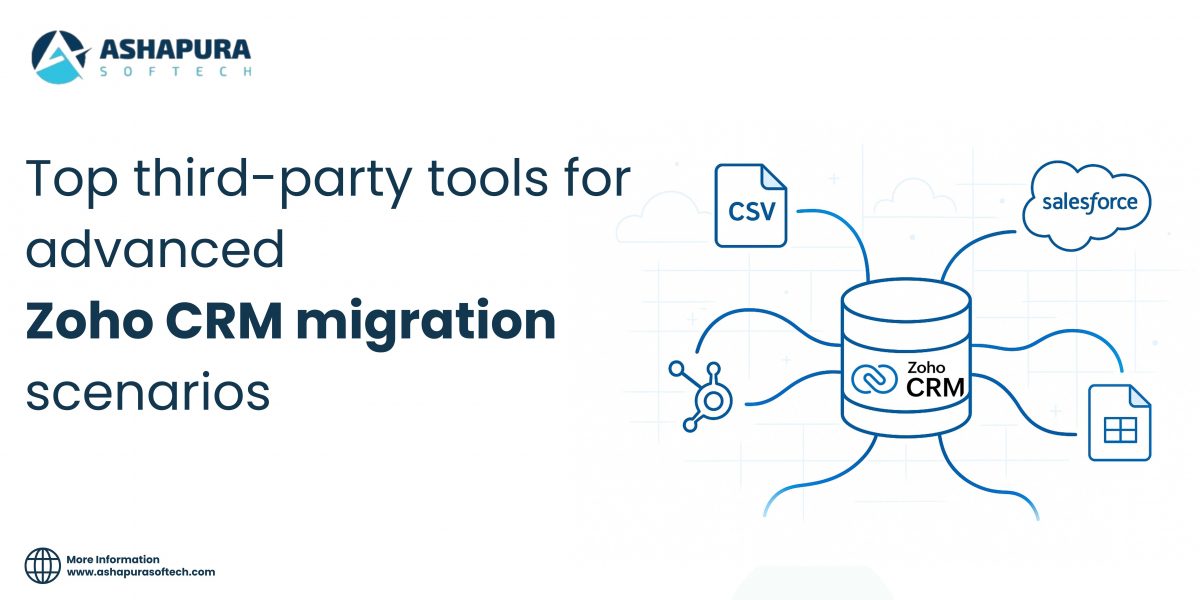
Top Third-Party Tools for Advanced Zoho CRM Migration Scenarios

Introductions

Migrating to Zoho CRM is one of the most impactful decisions a growing business can make. From streamlining operations and automating workflows to centralizing customer data and improving sales visibility, the platform offers advantages that can transform how your teams work. But as your business evolves, so does the complexity of your data ecosystem. This is where many organizations begin to struggle. What starts as a simple import quickly becomes a multi-layered challenge—especially in advanced Zoho CRM migration scenarios that go far beyond what Zoho’s built-in tools can handle.

A modern business rarely relies on a single system. Most companies switching to Zoho CRM are migrating from Salesforce, HubSpot, Pipedrive, Insightly, Microsoft Dynamics, or even legacy CRMs built years ago. Others need to combine multiple data sources, such as SQL databases, Excel files, cloud applications, ERP systems, and historical archives. With such diverse data formats and structures, a seamless Zoho CRM migration becomes more than just uploading CSV files—it becomes a strategic project that requires precision, planning, and the right technical tools.

Here’s the truth many teams discover too late:

Achieving a clean, accurate, and secure Zoho CRM migration requires advanced third-party tools—not just manual imports.

Without the right tools, businesses risk serious issues like incomplete data, broken lookup relationships, mismatched fields, API errors, workflow failures, lost attachments, duplicate records, and significant downtime that disrupts operations.

In this comprehensive guide, we break down the top third-party tools for Zoho CRM migration. You’ll discover how each tool works, where it performs best, what limitations to watch out for, and how to choose the right one based on your data complexity, industry requirements, and internal resources. We also include real-world use cases, comparison insights, a step-by-step migration framework, common mistakes to avoid, and answers to the most frequently asked migration questions.

What Is Zoho CRM Migration?

Zoho CRM migration refers to the process of transferring your customer data—such as contacts, accounts, leads, deals, activities, workflows, custom fields, custom modules, and lookup relationships—from an existing CRM or database into Zoho CRM. The goal is to centralize all sales and customer information into a unified platform without losing accuracy, historical context, or relational data integrity.

While small businesses can often handle simple imports manually, most mid-size and enterprise-level Zoho CRM migration projects require a structured, multi-phase strategy. This is because migrating large or complex datasets involves far more than just uploading CSV files. Companies typically need to conduct in-depth data audits, prepare transformation rules, validate relationships, rebuild custom modules, and use third-party tools to ensure nothing breaks during the transition.

Zoho CRM migrations become especially complex when the existing system contains:

  • Multiple years of sales, marketing, or support history
  • Multi-module relational data (e.g. Accounts → Contacts → Deals → Related Lists)
  • Custom fields, conditional fields, and fully custom modules
  • Advanced workflow logic, automation rules, and blueprint processes
  • High-volume datasets that exceed Zoho’s native import limits
  • Export files from legacy or sunset systems (Lotus Notes, SugarCRM, spreadsheets, ERPs, SQL, etc.)

Explore the full process in our A Complete Guide to Zoho Migration Services: Process, Benefits, and Best Practices

Why More Businesses Are Choosing Zoho CRM Migration in 2025

As digital transformation accelerates, more organizations are prioritizing scalable, automated, and cost-effective CRM systems. In 2025, Zoho CRM migration continues to surge as businesses look for better flexibility, stronger automation, and deeper analytics without the high price tag of platforms like Salesforce, HubSpot, or Dynamics 365. Zoho’s newest upgrades—spanning AI, workflows, integrations, and performance—make it a top choice for companies seeking both innovation and affordability.

1. AI-Powered Automation with Zia

One of the biggest drivers behind the rise in Zoho CRM migration is the expanded intelligence of Zia, Zoho’s AI assistant. In 2025, Zia offers predictive lead scoring, anomaly detection, conversation insights, and automated task recommendations. This helps sales teams reduce manual work, prioritize the right deals, and forecast performance with greater accuracy. Businesses migrating to Zoho CRM can leverage AI insights immediately—without relying on expensive add-ons or developer-heavy implementations.

2. Advanced Workflow Orchestration

Zoho’s 2025 workflow engine now supports sophisticated, multi-step automation across sales, marketing, support, finance, and operations. Companies migrating from legacy or limited CRMs gain the ability to automate cross-functional processes, create dependency-based workflows, and implement blueprint-driven sales cycles. This reduces operational complexity and helps teams work more efficiently without custom code.

3. Improved APIs for Real-Time Sync

A major upgrade influencing Zoho CRM migration decisions is Zoho’s enhanced API framework. With higher rate limits, better throttling, and more consistent response times, businesses can achieve reliable, bi-directional sync with ERPs, marketing platforms, eCommerce systems, and databases. For organizations requiring continuous data flow during migration, these API improvements significantly reduce downtime and integration errors.

4. Unified Zoho Ecosystem for End-to-End Operations

Zoho CRM sits at the center of a broader ecosystem of 50+ business apps, including Zoho Books, Zoho Desk, Zoho Analytics, Zoho Projects, and Zoho Campaigns. Companies migrating to Zoho CRM gain an all-in-one platform that reduces tech stack fragmentation, cuts costs, and improves overall data visibility.

Simple vs. Advanced Zoho CRM Migration Scenarios

Not every organization requires a full-scale or highly complex CRM transition. Understanding the difference between simple and advanced Zoho CRM migration scenarios helps determine whether your business can rely on Zoho’s native tools—or whether you need expert assistance or third-party data migration solutions.

Simple Zoho CRM Migration Scenarios

Simple Zoho CRM migration use cases typically apply to smaller businesses or teams with limited historical data and minimal customization. These migrations focus on transferring basic records and require little to no data restructuring.

Common examples of simple migration tasks include:

  • Importing standard CRM records such as leads, contacts, and accounts
  • Uploading structured CSV files using Zoho’s native data import tool
  • Performing basic field mapping with default Zoho modules
  • Migrating data without lookup fields, related lists, or complex relationships
  • Limited or no workflow automation, blueprints, or custom processes
  • No custom modules or advanced field dependencies

Advanced Zoho CRM Migration Scenarios 

1. Cross-CRM Migration (Salesforce, HubSpot, Dynamics, Pipedrive → Zoho CRM)

Migrating from enterprise CRMs such as Salesforce or Dynamics requires more than exporting and importing data. Teams must move multi-object structures, recreate custom fields, migrate historical activities, rebuild deal pipelines, and preserve related lists. To maintain reporting accuracy, these elements must be faithfully reconstructed inside Zoho CRM. This ensures a seamless transition with no loss of context or data relationships.

2. Multi-Database or Multi-Source Data Consolidation

Many organizations operate across SQL databases, ERP platforms, legacy systems, or scattered spreadsheets. These sources must be merged, cleaned, deduplicated, normalized, and validated before entering Zoho CRM. This prevents issues like mismatched fields, duplicates, and broken lookups—common pitfalls in complex CRM data migration processes.

3. Custom Module & Relationship Reconstruction

Custom modules, parent-child relationships, dependency fields, and multi-level lookups are standard in modern CRMs. Advanced Zoho CRM migration must replicate these structures so the new environment reflects how teams actually work, ensuring seamless adoption after go-live.

4. Workflow, Blueprint & Automation Rebuilding

Workflows, triggers, blueprints, and automated processes do not transfer automatically from other CRMs. Each automation rule must be recreated within Zoho to maintain operational continuity and ensure teams experience no disruption.

5. High-Volume Data Migration & API-Based Incremental Sync

Enterprises often migrate hundreds of thousands—or millions—of records. High-volume projects require API-based incremental sync to update data in real time during the transition. This is crucial for businesses that cannot afford system downtime while teams remain active in the legacy CRM.

Why Use Third-Party Tools for Zoho CRM Migration?

Migrating to a new CRM is rarely simple—especially when your business manages years of customer interactions, multi-module relationships, and data stored across several platforms. While Zoho offers built-in import tools, these features are designed mainly for simple CSV uploads. As soon as your migration involves complex structures, large datasets, or data from multiple systems, using third-party Zoho CRM migration tools becomes not just helpful—but essential.

These advanced platforms eliminate the limitations of manual imports and ensure your Zoho CRM migration is accurate, secure, and efficient. Below are the key reasons businesses rely on professional tools for medium to enterprise-level CRM migration in 2025.

1. Automated Field Mapping & Schema Matching

Modern migration tools use AI-assisted field mapping to automatically detect and align fields between systems such as Salesforce, HubSpot, Dynamics 365, Pipedrive, and Zoho CRM. This reduces human error and speeds up migrations—especially when dealing with custom modules or large datasets.

2. Accurate Lookup & Relationship Reconstruction

Advanced migrations often involve parent-child relationships, custom objects, and multi-module data structures. Third-party platforms ensure relationships remain intact, preserving sales history, deal associations, activity logs, and reporting accuracy. This is critical for maintaining full CRM usability after the migration.

3. Incremental & Real-Time Sync for Zero Downtime

Businesses that cannot pause sales operations rely on incremental syncing. Third-party tools support real-time or scheduled updates, allowing teams to continue using their legacy CRM until the final cutover.

4. Data Transformation, Cleansing & Validation

CRM data is rarely “migration-ready.” Tools like Zoho DataPrep, Skyvia, Hevo, and Talend help cleanse, normalize, and validate data before import. This prevents duplicates, inconsistent formats, missing values, and mismatched fields—issues that can break workflows inside Zoho CRM.

5. Multi-Source Data Integration Across CRMs & Databases

Most modern businesses store customer data in multiple places, including SQL databases, ERP systems, spreadsheets, cloud apps, and older CRM platforms. Migration tools consolidate everything into one structured pipeline to ensure a smooth transition into Zoho CRM.

6. Error Logging, Versioning & Rollbacks

Enterprise migrations demand accountability. Third-party tools provide detailed error logs, retry options, rollback features, and monitoring dashboards—essential for regulated industries or large-scale migrations.

7. Enhanced Security for Compliance-Focused Organizations

Encrypted pipelines, role-based access, and audit trails help businesses remain compliant with standards like GDPR, HIPAA, and SOC 2. This level of data control is often beyond what native Zoho tools offer.

Top Third-Party Tools for Advanced Zoho CRM Migration

1. Skyvia — Best Cloud-to-Cloud Zoho CRM Migration Tool

Skyvia continues to dominate the cloud integration market in 2025, offering one of the most seamless data migration solutions for businesses moving between SaaS CRMs. Known for its no-code interface and powerful automation engine, Skyvia excels at handling direct CRM-to-CRM migration without requiring advanced developer involvement.

Why Skyvia Leads in Zoho CRM Cloud Migration

Skyvia’s architecture is built specifically for cloud-to-cloud data movement, making it incredibly efficient for organizations shifting from Salesforce, HubSpot, or Pipedrive into Zoho CRM. Instead of relying on scripts or complex ETL pipelines, Skyvia uses automated connectors to extract, map, cleanse, and transfer data.

Key Features
  • No-code data migration interface
  • Automated field mapping with relationship preservation
  • Cloud data syncing and scheduled pipelines
  • Robust deduplication and data cleansing tools
  • Secure API-based execution
  • Support for large datasets and multiple CRM objects

2. Talend — Best for Enterprise ETL & Complex Transformations

Talend stands out as one of the most powerful enterprise ETL platforms for complex Zoho CRM migrations involving large-scale, multi-system, and heavily customized environments. Unlike cloud-only tools, Talend supports hybrid infrastructure, making it ideal for organizations with on-premise CRMs, legacy ERPs, SQL databases, and custom data warehouses.

Why Talend Is Perfect for Complex Zoho CRM Migration

Talend allows businesses to extract data from practically any source—SAP, Oracle, MySQL, PostgreSQL, Microsoft Dynamics, legacy CRM systems—and transform it with deep logic before loading it into Zoho CRM.

Key Features
  • Advanced ELT/ETL capabilities
  • Real-time and batch data pipelines
  • Custom transformation logic using Java components
  • Built-in data quality and validation frameworks
  • Data standardization and cleansing at scale
  • Support for master data management (MDM)

3. Data2CRM — Best Automated Migration Tool for Standard CRMs

Data2CRM focuses on automated CRM-to-CRM data migration, making it highly effective for businesses with standard CRM structures and minimal customization. Its strength lies in its simplicity—users simply choose the source CRM, the target Zoho CRM account, and Data2CRM handles the mapping, transfer, and validation automatically.

Why Data2CRM Works Well for Zoho CRM

Data2CRM eliminates the need for manual CSV exports, scripts, or API handling. The platform’s prebuilt templates accelerate migration from popular CRMs.

Key Features
  • Pre-configured CRM mapping templates
  • Fully automated migration workflow
  • Support for standard CRM entities (Contacts, Deals, Accounts)
  • Quick setup and minimal technical requirements
  • Affordable pricing for SMBs

4. Hevo Data — Best Real-Time Data Pipeline for Zoho CRM Migration

Hevo Data is preferred by data engineering teams and high-volume organizations needing real-time ingestion rather than one-time migration. With zero-maintenance pipelines and automated schema detection, Hevo ensures that data continues flowing into Zoho CRM without disruption.

Why Hevo Excels for Zoho CRM Migration

Hevo supports more than 150 data sources and offers real-time syncing, making it ideal for businesses that operate continuously and cannot afford downtime.

Key Features
  • Real-time streaming pipelines
  • Automated schema mapping
  • AI-powered data cleaning and transformation
  • Fault-tolerant infrastructure
  • Support for large, complex datasets

5. Workato — Best Automation-Driven Zoho CRM Migration Tool

Workato combines data integration with enterprise workflow automation, making it unique among Zoho CRM migration tools. It not only migrates your CRM data but also helps build automated workflows before and after the migration.

Why Workato Is Great for Zoho CRM

Workato allows businesses to automate complex sequences involving data transformation, enrichment, validation, and syncing. For organizations that want more than data transfer, Workato enables automation of lead routing, onboarding flows, pipeline triggers, and post-migration workflows.

Key Features
  • Multi-step workflow builder
  • Enterprise-grade security and encryption
  • Automated data validation
  • Post-migration automation and optimization
  • AI-driven workflow suggestions

How to Choose the Best Zoho CRM Migration Tool

Selecting the right Zoho CRM migration tool is crucial for ensuring a smooth, accurate, and secure transition from your current platform. The ideal tool depends on several factors, including the structure of your existing CRM, the complexity of your data, and your organization’s internal capabilities.

Key Factors to Consider
  • Data Volume: Large datasets require tools with high-performance pipelines, real-time syncing, and API-efficient processing.
  • Complexity of Relationships: If you rely on multi-level relationships (Accounts → Contacts → Deals → Activities), choose a tool with strong mapping and relationship preservation.
  • Source CRM or System: The migration path—from Salesforce, HubSpot, SAP, or a custom database—significantly influences which tool is best suited.
  • Compliance Requirements: Industries with strict data governance need encrypted pipelines and audit-friendly workflows.
  • Budget & Licensing: Some tools offer enterprise-grade features while others are optimized for SMBs with simpler needs.
  • In-House Skill Level: No-code platforms work best for non-technical teams, while ETL tools fit data engineering environments.
Recommendations Based on Common Migration Scenarios

1. Salesforce → Zoho CRM

Best tools: Skyvia or Data2CRM

Both platforms offer cloud-friendly connectors, automated field mapping, and pre-built templates tailored to Salesforce objects. They minimize manual work and reduce mapping errors, making them perfect for mid-sized businesses.

2. ERP / Database → Zoho CRM

Best tools: Talend or AWS Glue

These tools are built for large, complex, and heavily customized datasets. They handle deep transformations, cleansing, and relational mapping before pushing data into Zoho CRM.

3. Large-Scale Ongoing Sync

Best tool: Hevo

Hevo’s real-time ingestion pipelines are ideal for organizations that need continuous updates while migration occurs. This prevents downtime and ensures both systems remain synchronized during the transition.

4. Migration + Workflow Automation

Best tool: Workato

Workato excels when the migration is only part of a larger digital transformation effort. After moving to Zoho CRM, Workato can automate lead routing, data validation, enrichment processes, and cross-system integrations.

Step-by-Step Process for a Successful Zoho CRM Migration

1. Establish Clear Migration Goals and Scope
The first step in any CRM migration is defining the purpose behind the transition. Organizations should take time to outline what they aim to achieve—whether it’s improving sales visibility, consolidating data sources, upgrading outdated systems, or leveraging automation. Clear objectives help determine the scope of the migration, including which modules need to be moved, how much historical data to carry over, and which integrations are essential. By identifying these early, the team can avoid unnecessary complexities later and maintain focus on what truly matters.

2. Conduct a Thorough Audit of Existing Data
Before any data is transferred, it is crucial to audit the existing CRM or data source. This step involves evaluating the volume, structure, quality, and relevance of current information. Organizations often discover duplicate entries, incomplete records, outdated contacts, or fields that no longer serve a purpose. Understanding the current state of data enables teams to decide what should be migrated and what should be archived or removed. A detailed audit also reveals potential inconsistencies that could cause errors during the import phase.

3. Clean and Prepare the Data for Migration
Data cleansing is one of the most important phases in the migration process. Once unnecessary or inaccurate data has been identified, the next step is to correct, standardize, or eliminate it. Format inconsistencies—such as phone numbers, dates, capitalization, or naming conventions—should be resolved to ensure seamless mapping into Zoho CRM fields. Removing duplicates, merging records, and filling in missing information help improve data integrity and prevent issues later. Clean, organized data ensures a more accurate and efficient migration.

4. Map Existing Fields to Zoho CRM Structure
Field mapping involves aligning the data fields from the old system with those available in Zoho CRM. Since every CRM platform has its own structure, customizations, and naming conventions, careful mapping ensures that information is transferred accurately and stored in the right location. At this stage, teams may need to create custom fields in Zoho CRM to accommodate unique data points. Proper field mapping prevents misplaced information, maintains relational accuracy, and supports future reporting and automation workflows.

5. Configure Zoho CRM According to Business Needs
Before importing data, it is essential to set up Zoho CRM to reflect the organization’s processes. This includes defining roles and permissions, customizing modules, building sales pipelines, and setting up dashboards or automation rules. Configuring the system beforehand ensures that once the data is migrated, it lands in a functional and ready-to-use environment. Teams may also integrate relevant applications—such as email platforms, marketing tools, or accounting software—to create a unified ecosystem.

6. Test the Migration with a Pilot Import
A pilot migration acts as a safety check before performing a full data transfer. This involves selecting a small batch of sample data and importing it into Zoho CRM. The pilot test helps identify mapping issues, formatting errors, workflow mismatches, or missing fields. Reviewing this sample ensures that data appears accurately in modules such as Leads, Contacts, Accounts, and Deals. Any inconsistencies discovered can be corrected before the final migration, significantly reducing the risk of large-scale errors.

7. Execute the Full Migration Carefully
After confirming that the pilot import is successful, the complete data migration can begin. This process should be executed gradually and systematically, especially when handling large volumes of information. Teams should monitor the process closely, validating data transfer success and ensuring that relationships between modules remain intact. Depending on the size of the migration, the process may take hours or even days. Proper communication with internal teams ensures minimal disruption to daily operations.

8. Validate and Reconcile the Migrated Data
Once the full migration is complete, thorough validation is necessary. This involves checking data accuracy, completeness, and consistency throughout the system. Teams should compare pre-migration data with the information in Zoho CRM to confirm that nothing is missing or improperly mapped. Reports, custom fields, and pipeline stages must be inspected to ensure they function as intended. Reconciliation ensures confidence in the new CRM and prevents issues that could impact customer relationships or sales workflows.

9. Train Users and Support Adoption
A successful CRM migration is not only about data transfer—it also requires effective user adoption. Training sessions should be conducted to familiarize team members with Zoho CRM’s interface, modules, features, and best practices. Providing documentation, tutorials, or role-based training helps users adapt quickly. Encouraging feedback during the learning stage can help refine workflows and ensure that the system meets team needs.

10. Optimize and Monitor Post-Migration Performance
The final step involves continuous monitoring and optimization of Zoho CRM. After users begin working with the system, organizations may discover opportunities for improvement, such as enhanced automation, refined reports, or additional integrations. Regular system audits, workflow adjustments, and performance reviews help maximize the value of Zoho CRM and ensure long-term success. Ongoing support and refinement keep the CRM aligned with evolving business goals.

Common Zoho CRM Migration Mistakes to Avoid

1. Importing Modules in the Wrong Order

Importing CRM modules in an incorrect sequence is one of the most common migration mistakes. Zoho CRM maintains relationships between records—such as Accounts, Contacts, and Deals—so importing them out of order can break these dependencies. When relationships fail to import properly, lookups become mismatched, activity history may become disconnected, and teams often need to perform lengthy manual fixes. Following the correct module import hierarchy ensures a smooth and accurate data transfer.

2. Ignoring Duplicate Data Before Migration

Many organizations move forward with a migration without cleaning their existing data. Duplicate records—especially leads, contacts, and accounts—cause confusion, reduce sales efficiency, and distort reporting accuracy. If duplicates are not removed beforehand, they tend to multiply during migration, making cleanup even harder later. Deduplicating data before import ensures cleaner CRM insights and a more productive environment for your sales and support teams.

3. Incorrect Lookup Field Mapping

Lookup fields connect related records, such as linking a Contact to its parent Account. When mapping fields from your old system to Zoho CRM, incorrect lookup mapping can break these relationships entirely. This results in lost connections, missing historical interactions, and inaccurate organizational structures. Spending time on precise mapping—and testing it—helps maintain data integrity throughout the migration.

4. Skipping Pre-Migration Testing

A pilot or test migration is essential, yet many teams skip this step to save time. Unfortunately, this often leads to unexpected formatting issues, incompatible fields, and broken workflows during the final import. Running a pre-migration test with a small dataset allows you to detect problems early, refine your mapping, and avoid large-scale data errors. A short test phase can save hours—or even days—of post-migration cleanup.

5. Overlooking Workflow and Automation Mapping

A frequent misconception during CRM migration is that workflows, rules, and automations will transfer automatically. Zoho CRM does not migrate automation logic from other systems. Failing to recreate workflows, assignment rules, email alerts, and blueprints leads to major process disruptions after go-live. Reviewing and rebuilding your automation framework in Zoho CRM ensures your business processes continue operating smoothly.

Advanced Tips to Improve Zoho CRM Migration Success

1. Use Incremental Sync to Reduce Downtime

A full one-time migration can interrupt daily operations, especially for teams dependent on real-time customer data. Incremental sync solves this by transferring information in controlled batches instead of all at once. This approach keeps both systems active during the transition and minimizes downtime for sales, support, and operations. With incremental sync, teams can continue working while data quietly updates in the background, creating a smoother and less disruptive migration experience.

2. Respect Zoho CRM API Limits During High-Volume Imports

Large-scale migrations rely heavily on API calls, and exceeding Zoho CRM’s daily or minute-based limits can cause delays or failed imports. Planning data transfers around these API thresholds helps maintain a continuous migration flow. Techniques like throttling requests, scheduling imports during off-peak hours, or dividing datasets into smaller chunks ensure a more reliable and efficient data migration process.

3. Leverage AI-Powered Data Cleansing Tools

AI-driven cleansing tools can dramatically improve pre-migration data quality. These tools identify duplicates, correct formatting inconsistencies, detect incomplete fields, and validate relationships far more accurately than manual reviews. Using AI ensures the migrated data is clean, standardized, and reliable. Cleaner data leads to better reporting, smoother workflows, and faster user adoption once Zoho CRM goes live.

4. Build Post-Migration Automation Before Go-Live

Many businesses wait until after migration to rebuild workflows and automations, which delays onboarding and disrupts processes. Instead, prepare Zoho CRM automation—blueprints, assignment rules, email alerts, and scoring rules—before the final migration. When users first log in, they gain access to a fully functional environment, reducing confusion and enabling faster operational continuity.

5. Validate Custom Modules and Blueprints Early

Custom modules and blueprints often hold unique business logic, yet they are frequently overlooked during planning. Validating these custom components early ensures the correct fields, layouts, and workflow structures are in place before data import. Early validation prevents data misalignment, broken processes, and user frustration. This step also ensures that complex business workflows, especially sales or onboarding blueprints, function correctly from day one.

FAQs

1. What is the best tool for Zoho CRM migration?

There is no single “best” tool—your choice depends on data volume, migration complexity, and required integrations. Popular and reliable solutions include Skyvia, Talend, and Hevo Data, all of which support automated data mapping, incremental sync, and cross-platform migration. For highly customized setups, tools with advanced transformation and lookup capabilities tend to perform best.

2. How long does a Zoho CRM migration take?

The timeline can vary significantly. A simple migration may take 2–3 days, while complex migrations involving custom modules, large datasets, or multiple integrations can take 4–6 weeks. Factors such as data cleanliness, field mapping accuracy, and workflow rebuilding also influence overall duration.

3. Can I migrate from Salesforce to Zoho CRM?

Yes, migrating from Salesforce to Zoho CRM is entirely possible. Tools such as Skyvia, Data2CRM, and Talend help automate field mapping, relationships, and modular transfers. Businesses typically migrate Leads, Contacts, Accounts, Deals, Activities, and custom fields with minimal disruption.

4. What data cannot be migrated automatically?

While most core modules can be moved, certain components need to be built manually within Zoho CRM. These include workflow rules, email templates, process automations, blueprints, and assignment rules. This is because CRM automation logic varies between platforms, requiring manual recreation to ensure proper functionality.

5. Can I migrate custom modules to Zoho CRM?

Yes, custom modules can be migrated as long as your migration tool supports custom field mapping and lookup relationship mapping. Before migrating custom modules, it’s important to validate field structures, data types, and dependencies to ensure data integrity once transferred.

Conclusion

Zoho CRM can transform the way your business manages customers—but its true value depends on how clean, accurate, and well-structured your data is from day one. Leveraging the right third-party migration tools and a strategic approach ensures faster execution, stronger data integrity, fewer errors, and minimal operational downtime. Whether you’re transitioning from Salesforce, HubSpot, ERP systems, legacy CRMs, or multiple disconnected databases, a well-planned migration makes your Zoho CRM environment secure, scalable, and future-ready. For a smooth, reliable, and expertly managed migration, Ashapura Softech is your trusted partner. Our team delivers end-to-end Zoho CRM migration, implementation, and long-term optimization tailored to your business needs. Contact us at [email protected] and start your seamless Zoho CRM transformation today.


Categories
CRM

AI in Healthcare CRM: Key Insights for Modern Providers

Introduction

In today’s fast-evolving digital health landscape, AI in healthcare CRM (Customer Relationship Management) is transforming how providers connect with patients, manage medical data, and deliver personalized care experiences. As hospitals, clinics, and health systems adapt to rising patient expectations, AI-powered healthcare CRM solutions are becoming essential for improving efficiency, automation, and data-driven decision-making across every stage of the patient journey.

Unlike traditional CRM systems, artificial intelligence in healthcare CRM combines predictive analytics, machine learning, and real-time data insights to help healthcare organizations anticipate patient needs, personalize outreach, and optimize care coordination. By integrating AI automation into daily operations, providers can streamline administrative tasks — such as appointment scheduling, follow-ups, and billing — and dedicate more time to delivering high-quality, patient-centered care.

For modern healthcare providers, AI CRM software functions as an intelligent ecosystem rather than a standalone tool. It connects Electronic Health Records (EHR), patient engagement platforms, and healthcare marketing automation systems into one seamless interface. This unified, data-driven approach empowers organizations to improve patient satisfaction, boost retention rates, and enhance clinical outcomes — all while maintaining strict compliance with HIPAA and data-security standards.

In this comprehensive guide, you’ll discover the key benefits, use cases, and future trends of AI in healthcare CRM. We’ll explore how custom AI CRM development is reshaping hospital workflows, how predictive insights improve population health management, and how next-generation healthcare technology is setting new standards for efficiency in 2025. Whether you’re a healthcare provider, administrator, or IT leader, understanding how to leverage AI CRM tools effectively is critical for staying competitive, compliant, and patient-centric in the era of intelligent healthcare.

Top Benefits of AI-Powered Healthcare CRM Solutions

1. Enhanced Patient Engagement and Personalization

AI-enabled CRMs leverage machine learning algorithms to analyze patient preferences, medical histories, and communication patterns. This allows healthcare organizations to create personalized outreach strategies, automate appointment reminders, and design care plans tailored to each individual. Patients benefit from proactive health alerts, AI chatbots, and personalized content, leading to higher satisfaction, trust, and long-term retention. For providers, this means stronger patient relationships, better treatment adherence, and measurable improvements in overall care experience.

2. Streamlined Administrative Workflows and Productivity

AI CRM software automates time-consuming administrative tasks — from appointment scheduling and billing to follow-up reminders — freeing clinical staff to focus on high-value patient care. By integrating with Electronic Health Records (EHR) and telemedicine platforms, these systems ensure data accuracy, reduce human error, and accelerate decision-making. Hospitals adopting AI workflow automation report up to 30% improvement in staff productivity and a significant reduction in manual workloads.

3. Predictive Analytics for Better Clinical and Business Outcomes

Through predictive analytics, AI-powered healthcare CRMs identify patient trends, forecast readmission risks, and anticipate appointment cancellations. These insights enable providers to launch data-driven preventive care campaigns and optimize resource allocation. For leadership teams, this intelligence translates into improved clinical outcomes, enhanced population health management, and stronger financial performance. Predictive analytics also support better workforce planning and more accurate revenue forecasting.

4. Improved Compliance and Data Security

Data privacy is paramount in healthcare, and AI healthcare CRM systems are built with HIPAA-compliant frameworks and AI-driven anomaly detection. These systems automatically identify suspicious login patterns, prevent unauthorized access, and protect sensitive patient data in real time. By embedding machine learning for cybersecurity, organizations strengthen trust and transparency — two pillars of Google’s E-E-A-T and healthcare credibility.

5. Higher ROI and Long-Term Scalability

Investing in AI-powered healthcare CRM software delivers measurable ROI by cutting costs, optimizing resource utilization, and improving patient retention. Over time, these CRMs evolve using machine learning, becoming more accurate and predictive as they process new data. They integrate seamlessly with healthcare marketing automation, virtual care, and telehealth technologies, ensuring a future-ready infrastructure that scales with your organization’s growth and changing patient needs.

How AI CRM Enhances Patient Engagement and Retention 

1. Personalized Patient Communication at Scale

Modern AI CRM platforms analyze patient demographics, health histories, and behavioral data to deliver tailored messages across multiple touchpoints — email, SMS, mobile apps, and patient portals. Using natural language processing (NLP) and AI-driven segmentation, healthcare marketers can automatically send the right message to the right patient at the right time — whether it’s a medication reminder, preventive screening alert, or wellness tip. This data-backed personalization enhances patient trust and engagement, making care feel both human and proactive.

2. Predictive Engagement and Retention Analytics

AI-driven CRMs use predictive analytics to identify patients at risk of disengagement or missed appointments. By analyzing appointment patterns, response times, and health indicators, the system proactively triggers re-engagement workflows — such as automated follow-ups, telehealth reminders, or loyalty programs. This data-driven engagement strategy helps reduce patient churn, improve adherence to care plans, and increase lifetime value for healthcare organizations.

3. Real-Time Feedback and Continuous Improvement

Integrating AI CRM tools with patient satisfaction surveys, chatbots, and social listening platforms enables healthcare providers to capture feedback instantly. Sentiment analysis algorithms process this data to identify satisfaction levels and pinpoint service gaps in real time. These insights empower teams to respond quickly, resolve issues before they escalate, and continuously improve the patient experience — an essential step for delivering value-based care and building E-E-A-T trust.

4. Integration With EHR and Telehealth Platforms

AI-powered CRM systems integrate seamlessly with EHR software and telemedicine tools, providing a unified view of patient interactions across online and offline channels. This holistic approach ensures that every provider — from front-office staff to clinicians — has access to the same accurate patient data, supporting coordinated care and consistent engagement across the continuum.

5. Building Long-Term Patient Loyalty Through Automation

AI-driven marketing automation keeps patients connected even after treatment. Automated wellness campaigns, follow-up reminders, and satisfaction surveys nurture ongoing engagement — transforming one-time visitors into loyal advocates. With advanced AI analytics, providers can measure campaign performance, monitor engagement rates, and fine-tune strategies for continuous growth.

Custom AI CRM Development for Hospitals and Clinics

1. Healthcare Providers Need Custom AI CRM Solutions

Each healthcare organization operates within unique workflows, compliance frameworks, and data ecosystems. A custom AI CRM for hospitals and clinics integrates these variables into one centralized, intelligent platform — managing patient data, appointments, billing, and communication efficiently. By leveraging AI automation, providers can reduce administrative burden, improve care coordination, and focus more on patient outcomes. AI-driven insights also help identify trends, forecast patient needs, and optimize scheduling and follow-ups.

2. Capabilities of a Custom AI Healthcare CRM

A robust AI-powered healthcare CRM integrates clinical, financial, and operational systems to maximize efficiency and deliver exceptional patient experiences,  Key features include:

  • Predictive Care Analytics to anticipate patient risks and improve treatment outcomes.
  • Automated workflows for scheduling, billing, and follow-ups.
  • EHR, telemedicine, and IoT integration for unified data access.
  • HIPAA-compliant security frameworks for enhanced data privacy.
  • Omnichannel communication tools for seamless patient engagement.
  • Performance dashboards with actionable insights for decision-makers.

3. Security, Compliance, and Scalability

Healthcare data security is non-negotiable. Custom AI CRM systems are built to comply with HIPAA, GDPR, and HL7 interoperability standards, ensuring patient data protection and transparency across platforms. Modern solutions leverage cloud-native infrastructure (AWS, Azure, or Google Cloud for Healthcare) to provide scalability for multi-site hospital networks, clinics, and outpatient facilities. Cloud integration also enhances uptime, disaster recovery, and cross-department data accessibility — key for maintaining continuity of care.

Integrating AI CRM with EHR and Data Security Systems

1. How AI CRM Integration Enhances Clinical Efficiency

Modern AI healthcare CRM platforms synchronize patient data across EHR databases, telehealth portals, and billing systems in real time. This interoperability eliminates manual data entry, reduces duplication, and ensures that physicians, administrators, and care coordinators all access the same accurate information. Through machine learning and predictive algorithms, integrated systems can automatically flag abnormal results, identify patients due for preventive screenings, and trigger personalized outreach campaigns.

2. AI in Healthcare Data Security and Compliance Automation

As digital transformation accelerates, AI in healthcare data security has become a top priority. Next-generation CRMs use AI-driven compliance automation to continuously monitor system activity, detect anomalies, and prevent unauthorized access before breaches occur. Built-in HIPAA, GDPR, and HL7 interoperability frameworks ensure that sensitive health information remains protected across integrated environments. Automated audit trails, role-based access controls, and real-time encryption updates strengthen transparency and maintain trust — critical pillars of EEAT (Experience, Expertise, Authority, and Trustworthiness) for healthcare providers. Cloud-native architectures (AWS, Azure, Google Cloud for Healthcare) further enhance resilience by providing secure, scalable infrastructure that supports continuous uptime and regulatory compliance.

3. The Future of EHR-CRM Integration in Digital Health

Looking ahead, AI CRM integration with EHR will evolve beyond simple synchronization into intelligent orchestration. Expect to see real-time analytics dashboards, voice-enabled clinician tools, and AI-based workflow assistants that proactively guide care decisions. These innovations will empower healthcare organizations to deliver unified, personalized, and secure patient experiences — bridging the gap between operational efficiency and empathetic care.

Challenges and Future Trends in AI-Driven Healthcare CRMs

Key Challenges of AI Adoption in Healthcare CRM

1. Data Fragmentation and Integration Complexity

Many healthcare organizations operate across disconnected EHRs, legacy billing software, and siloed data warehouses. Integrating these systems into a unified AI healthcare CRM remains a top hurdle. Without clean, interoperable data, even the most advanced AI models struggle to deliver accurate predictions.

2. Compliance, Privacy, and Ethical AI Governance

As patient data flows through cloud-based CRMs, maintaining HIPAA, GDPR, and HL7 compliance is mission-critical. Hospitals must balance innovation with privacy, ensuring transparent use of AI algorithms. Ethical AI governance frameworks — including bias mitigation and explainable AI (XAI) — are becoming standard expectations from regulators and patients alike.

3. Workforce Readiness and Change Management

While AI promises automation and insights, true transformation requires human alignment. Clinical and administrative teams need training to interpret AI-driven analytics and integrate them into daily workflows. Lack of staff readiness often slows adoption or limits system potential.

Future Trends in AI Healthcare CRM for 2025 and Beyond

1. Generative AI for Personalized Care Journeys

Generative AI tools will help providers craft tailored patient communication, automate follow-up messages, and even summarize complex medical data in human-readable language. This ensures consistent, empathetic engagement across all touchpoints.

2. Voice and Chat-Enabled CRM Interfaces

AI-powered voice assistants and chatbots integrated into CRMs will streamline scheduling, intake, and triage. Natural language processing (NLP) allows staff to retrieve records or update charts through simple voice commands — improving workflow speed and accessibility.

3. Predictive + Prescriptive Analytics Fusion

Next-generation CRMs will combine predictive analytics (what will happen) with prescriptive intelligence (what should happen). These insights help providers design proactive interventions, reduce hospital readmissions, and improve population health outcomes.

4. Blockchain-Backed Data Integrity

Emerging blockchain integration ensures immutable audit trails for patient records — boosting data trust and enabling secure data sharing between hospitals, insurers, and research institutions.

5. AI-Native Interoperability Standards

New interoperability models using FHIR 2.0 and AI-ready APIs will allow CRMs to seamlessly exchange structured and unstructured healthcare data, improving cross-platform collaboration.

FAQ

1. What is AI Healthcare CRM and how does it improve patient management?
An AI healthcare CRM uses artificial intelligence to automate communication, predict patient needs, and streamline data across systems. Hospitals and clinics use it to enhance engagement, reduce administrative work, and deliver personalized, efficient care.

2. Why is custom AI CRM development important for healthcare providers?
Custom AI CRM development allows healthcare providers to design tailored solutions that fit unique workflows, compliance needs, and patient engagement goals. It ensures seamless integration with EHR systems, predictive analytics, and telehealth platforms for maximum ROI.

3. How does AI CRM for hospitals enhance efficiency and care quality?
An AI CRM for hospitals improves operational efficiency through automation, predictive scheduling, and smart data insights. It connects departments, reduces manual errors, and helps staff deliver faster, more coordinated patient care experiences.

4. What are the benefits of using healthcare CRM software powered by AI?
Healthcare CRM software powered by AI helps providers automate repetitive tasks, analyze patient behavior, and improve communication. It delivers actionable insights that increase satisfaction, retention, and operational performance while ensuring compliance and security.

5. How can clinics and hospitals get started with AI healthcare CRM solutions?
Clinics and hospitals can start by assessing their workflow gaps and partnering with experts in AI healthcare CRM or custom AI CRM development. Scalable, compliant CRM platforms can be customized to enhance patient engagement and data-driven decision-making.

Conclusion

AI in healthcare CRM is revolutionizing how hospitals and clinics manage patient relationships, automate workflows, and deliver personalized, data-driven care. With advanced predictive analytics, machine learning, and automation, custom AI CRM development enables healthcare providers to boost efficiency, maintain compliance, and enhance patient engagement. At Ashapura Softech, we specialize in designing scalable, secure, and intelligent AI healthcare CRM solutions tailored for hospitals, clinics, and healthcare startups. Contact us at [email protected] to schedule your free consultation and start transforming your digital health strategy today.


Categories
Salesforce Health Cloud

AI-Powered Patient Engagement in Health Cloud: Transforming Healthcare Outcomes

Introduction

AI-powered patient engagement is rapidly transforming the healthcare industry by revolutionizing how healthcare providers interact with their patients. Today, AI in Health Cloud is not just a trend—it’s a cutting-edge solution that empowers healthcare professionals to deliver personalized care, leverage predictive analytics, and implement proactive healthcare strategies. By integrating AI with cloud technologies, healthcare providers can engage patients more effectively, enhance health outcomes, and streamline operational processes across various digital platforms.

Engaged patients are more likely to follow treatment plans, attend appointments, and sustain healthier lifestyles. This level of engagement is crucial, as studies show that patient engagement is linked to improved treatment adherence and better long-term health results. For example, a 2025 report revealed that 80% of hospitals are already leveraging AI and cloud-based platforms to optimize patient engagement, reduce costs, and improve healthcare delivery. With AI-powered solutions, healthcare organizations can ensure a more connected and personalized experience for patients, resulting in higher satisfaction and more efficient care.

As AI technology continues to advance, its integration into healthcare systems is expected to grow exponentially. The role of AI in Health Cloud will further evolve, providing healthcare professionals with deeper insights into patient behavior, predicting health risks, and offering tailored interventions. This dynamic shift toward AI-driven healthcare is not only enhancing patient experiences but also offering hospitals and clinics the tools needed to improve their clinical workflows and operational efficiency.

In this blog post, we’ll explore how AI-powered solutions within Health Cloud are revolutionizing patient engagement, improving healthcare outcomes, and driving the future of digital healthcare.

What Is Health Cloud and How Does AI Fit In?

Understanding Health Cloud

Health Cloud is a next-generation, cloud-based healthcare platform designed to unify patient data, streamline provider workflows, and improve patient engagement. Built for healthcare digital transformation, Health Cloud acts as a centralized hub for healthcare data management, allowing organizations to securely collect, store, and analyze patient information across diverse systems.

It connects data from Electronic Health Records (EHRs), wearable devices, remote monitoring systems, and telehealth platforms—offering a complete 360-degree view of each patient. By consolidating data from multiple sources, Health Cloud empowers healthcare providers to make more informed, timely decisions and deliver personalized, coordinated care at scale.

Key features of Health Cloud include:

  • Comprehensive patient data management for better insights and outcomes
  • HIPAA-compliant cloud storage ensuring privacy and security
  • Healthcare CRM tools that support patient engagement and care coordination
  • Integration with AI-powered analytics for smarter decision-making

The Role of AI in Health Cloud

Artificial Intelligence (AI) is revolutionizing how modern Health Cloud platforms manage, interpret, and act on healthcare data. In 2025, the integration of AI technologies such as machine learning (ML), predictive analytics, and natural language processing (NLP) is redefining how providers deliver care, optimize operations, and enhance patient engagement.

By embedding these intelligent systems into Health Cloud, healthcare organizations can transform vast volumes of clinical and patient data into real-time, data-driven insights that improve decision-making and patient outcomes. Rather than acting as a passive data repository, AI-powered Health Cloud solutions now serve as dynamic decision-support engines that help clinicians predict, prevent, and personalize care.

How AI Enhances Health Cloud Capabilities
  • Identify early health risks: Machine learning algorithms detect subtle patterns in patient data to flag early signs of disease progression, supporting faster, more targeted interventions.
  • Predict hospital readmissions: Predictive analytics models evaluate risk factors, medication adherence, and social determinants of health (SDOH) to reduce readmission rates and improve continuity of care.
  • Automate administrative workflows: AI automates time-consuming tasks like appointment scheduling, billing, insurance verification, and patient follow-ups—allowing staff to focus more on clinical care.
  • Enable clinical decision support: NLP tools extract valuable insights from unstructured EHR notes, lab results, and patient communications to support accurate diagnoses and treatment planning.
Why AI in Health Cloud Matters for Modern Healthcare

As healthcare shifts toward value-based care and digital transformation, AI-powered Health Cloud systems help organizations stay competitive, compliant, and patient-centric. Providers can use real-time analytics, AI-driven automation, and cloud scalability to deliver care that is personalized, efficient, and secure.

According to recent industry data, more than 70% of healthcare leaders are prioritizing AI integration into their cloud infrastructures to enhance population health management, reduce costs, and increase patient satisfaction. This rapid adoption underscores AI’s pivotal role in shaping the future of intelligent healthcare ecosystems.

AI-Powered Patient Engagement: What It Means for Healthcare Providers

Transforming Patient Engagement with AI

AI-powered patient engagement is redefining how U.S. healthcare providers connect, communicate, and care for patients. No longer limited to traditional outreach or post-visit follow-ups, engagement today is real-time, predictive, and highly personalized.

According to a 2025 report by the American Hospital Association, more than 78% of U.S. healthcare organizations have adopted some form of AI-driven engagement technology, such as chatbots, virtual health assistants, or predictive care algorithms. This shift is enabling health systems to reduce administrative burden, increase patient adherence, and boost overall satisfaction.

Engaged patients are more likely to follow treatment plans, manage chronic conditions effectively, and participate actively in preventive care programs. With AI in Health Cloud, providers can now monitor patient progress, detect potential issues early, and maintain seamless communication across multiple digital touchpoints—whether through mobile health apps, patient portals, SMS, or telehealth consultations.

Benefits of AI-Powered Patient Engagement

1. Predictive Healthcare Engagement

AI in Health Cloud applies predictive analytics to forecast patient behaviors and medical risks. By analyzing EHR data, wearable device metrics, and historical patterns, providers can identify patients likely to miss follow-ups or face potential readmissions. This insight allows for early intervention, improving outcomes and reducing the high costs associated with preventable hospital stays.

2. Personalized Patient Experience with AI

Machine learning models analyze demographics, health histories, and communication preferences to deliver hyper-personalized care experiences. For example, a diabetic patient might receive tailored meal planning tips and real-time glucose monitoring alerts—delivered through their preferred channel (SMS, app, or email). This personalized approach builds trust, enhances engagement, and drives long-term patient loyalty—key metrics for value-based care programs in the U.S.

3. Omnichannel Patient Communication

AI-driven omnichannel engagement ensures consistent and contextual communication across multiple touchpoints—email, patient portals, chatbots, and telehealth platforms. Providers can automate appointment reminders, deliver post-care education, and enable two-way messaging without compromising compliance or security.

Key AI Technologies Enabling Patient Engagement

1. Predictive Analytics in Health Cloud

AI-powered predictive analytics in Health Cloud allow healthcare providers to forecast patient behaviors, preferences, and potential health risks. By analyzing data from patient records, lifestyle patterns, and clinical metrics, AI can help predict hospital readmissions, medication adherence, and disease progression. For example, AI-based algorithms have helped reduce readmission rates in hospitals by up to 25%.

2. Healthcare Automation with AI

Routine tasks such as appointment scheduling, reminders, and follow-up messages can be automated with AI. This not only saves time for healthcare staff but also ensures that patients receive timely communication, reducing no-show rates and improving engagement. Automation allows healthcare providers to focus on more complex, personalized patient care while ensuring a streamlined experience.

3. Telehealth Integration for Patient Engagement

AI plays a crucial role in telehealth integration, especially as remote care becomes more prevalent. AI can triage patient needs, recommend care pathways, and provide real-time insights during virtual consultations. By improving the quality of telehealth interactions, AI enables providers to deliver continuous care and maintain patient engagement, even when patients are not physically in the office. This is especially important for patients in rural or underserved areas who may have limited access to in-person care.

Salesforce Health Cloud: A Leading AI-Powered Platform for Patient Engagement

Salesforce Health Cloud stands as one of the most advanced AI-powered healthcare CRM platforms in 2025, enabling U.S. healthcare providers to deliver personalized, connected, and compliant patient experiences. Built on the trusted Salesforce Customer 360 architecture, Health Cloud consolidates clinical data, patient communications, and operational workflows into a unified interface — helping care teams work smarter and faster.

Key features include:

  • Comprehensive patient profiles that integrate EHR, telehealth, and wearable data.
  • AI-driven insights that personalize engagement and predict care needs.
  • Omnichannel communication tools for consistent patient interactions.
  • HIPAA-compliant data storage ensures privacy and regulatory compliance.

With the introduction of Salesforce Einstein GPT for Health, Health Cloud users can now generate real-time AI recommendations, automate outreach campaigns, and tailor communication to each patient’s health journey — all within a secure, compliant ecosystem.

How Salesforce Health Cloud Uses AI to Transform Patient Engagement

AI capabilities include:

  • Predictive Care Insights: AI models analyze EHR and behavioral data to forecast patient needs and recommend preventive care measures.
  • Next Best Action Recommendations: AI suggests the most effective outreach or intervention for each patient, increasing adherence and satisfaction.
  • Automated Patient Journeys: Machine learning automates engagement campaigns, appointment reminders, and care plan updates.
  • AI Chatbots and Virtual Assistants: Enhance patient communication via secure, 24/7 support — accessible through web portals, SMS, or telehealth platforms.

These innovations enable U.S. healthcare organizations to reduce manual workload, improve coordination, and deliver consistent patient experiences that align with value-based care models.

EHR Integration with AI

EHR integration is a cornerstone of the Salesforce Health Cloud ecosystem. By syncing seamlessly with major EHR systems — such as Epic, Cerner, and Allscripts — Health Cloud allows real-time access to comprehensive patient data across clinical and administrative systems.

AI-enhanced EHR integration enables:

  • Streamlined workflows and reduced data silos.
  • Automated updates to patient records through voice recognition and NLP.
  • Continuous monitoring of clinical trends for early intervention.

A 2025 HIMSS Analytics study found that healthcare organizations using Salesforce Health Cloud with AI-driven EHR integration improved care coordination by 27% and reduced redundant data entry by 35%.

AI Healthcare CRM and Patient Relationship Management

Key CRM benefits powered by AI include:

  • Patient segmentation: Grouping patients based on demographics, risk levels, or engagement behavior for targeted outreach.
  • Automated communication workflows: Personalized messaging via email, mobile, or app notifications.
  • Sentiment analysis: Understanding patient satisfaction and emotional tone through NLP-powered feedback systems.

By combining AI-driven CRM analytics with patient data from EHRs and other systems, Health Cloud provides healthcare providers with a 360-degree view of every patient, allowing for smarter engagement and better health outcomes.

The Future of AI-Powered Patient Engagement in Health Cloud

1. Emerging Trends in AI Healthcare

The future of AI-powered patient engagement in Health Cloud is accelerating the digital transformation of healthcare. With advancements in predictive analytics, machine learning, and precision medicine, AI is reshaping how care is delivered across every patient touchpoint.

In the coming years, AI in healthcare will be even more deeply integrated into remote patient monitoring, telehealth platforms, and real-time clinical decision support systems. These technologies will make care more data-driven, proactive, and personalized, empowering providers to predict risks, prevent complications, and deliver tailored care at scale.

Healthcare organizations using AI healthcare platforms like Salesforce Health Cloud are already seeing measurable improvements in patient engagement, data interoperability, and clinical efficiency. As AI algorithms evolve, they will continue to bridge gaps between data silos, enabling seamless collaboration across care teams and improving patient outcomes.

2. Impact on Healthcare Providers

For healthcare providers, the integration of AI in Health Cloud delivers transformative operational benefits. AI-driven automation helps streamline workflows, reduce administrative burdens, and enhance overall care delivery efficiency.

By analyzing patient data and using predictive care analytics, AI systems can identify at-risk patients, optimize resource allocation, and improve the accuracy of clinical decisions. This allows clinicians to spend more time on meaningful patient interactions, rather than administrative tasks.

According to Deloitte’s 2025 AI in Healthcare Report, organizations that have implemented AI-powered healthcare solutions have achieved an average 15% boost in operational efficiency and a 12% increase in patient satisfaction. These improvements underscore AI’s growing role in making healthcare more connected, efficient, and outcomes-driven.

Overcoming Challenges in AI-Powered Patient Engagement

1. Addressing AI Adoption Challenges

Implementing AI-powered patient engagement in Health Cloud can be complex for healthcare organizations. Common challenges include high initial costs, data integration issues, and staff hesitation toward digital transformation. Successful AI adoption in healthcare requires clear communication, leadership alignment, and phased integration strategies. Comprehensive AI training for healthcare staff and early stakeholder involvement help ensure smoother implementation, better user confidence, and measurable results.

2. Balancing Automation and the Human Touch

While AI in healthcare enhances efficiency through automation and predictive analytics, it should complement—not replace—the human element. Providers must balance healthcare automation with empathy and personal connection to maintain trust and patient satisfaction. AI systems should support clinicians in delivering compassionate, data-driven care by handling routine tasks while allowing professionals to focus on relationship building and personalized treatment.

AI in Health Cloud for Healthcare Providers

1. Increased Operational Efficiency

Integrating AI in Health Cloud enables healthcare providers to automate routine administrative tasks such as appointment scheduling, patient reminders, and follow-up messages. This AI-powered healthcare automation minimizes manual work, improves workflow accuracy, and reduces staff burnout. As a result, care teams can dedicate more time to delivering personalized and high-quality patient care.

2. Improved Patient Outcomes

Through predictive analytics in healthcare, AI identifies at-risk patients earlier and supports proactive interventions. Providers can monitor health trends, predict potential complications, and customize treatment plans—improving patient engagement and outcomes for individuals with chronic diseases or post-acute conditions.

3. Cost Reduction in Healthcare

By streamlining operations and reducing hospital readmissions, AI in Health Cloud helps lower operational costs. Automated data management and smarter decision-making reduce unnecessary procedures, optimize resource utilization, and make healthcare delivery more affordable and sustainable.

Enhancing Patient Experience with AI

1. Personalized Care Plans

The integration of AI in Health Cloud allows healthcare providers to deliver highly personalized care experiences. By analyzing electronic health records (EHRs), lifestyle patterns, and patient preferences, AI-powered patient engagement tools create tailored care plans that address each individual’s unique health needs. This data-driven personalization leads to stronger treatment adherence, improved outcomes, and higher patient satisfaction across all stages of the care journey.

2. Automated Patient Communication

Through AI automation in healthcare, providers can communicate with patients more effectively and efficiently. Automated reminders, personalized follow-ups, and real-time health updates ensure patients receive timely, relevant information—whether through email, text, or telehealth platforms. This consistent and proactive communication enhances engagement, builds trust, and ensures every patient feels supported between visits.

FAQs

1. What is Health Cloud and how does it use AI?
Health Cloud is a cloud-based healthcare platform that centralizes patient data, care coordination, and communication. When integrated with AI, it enables predictive insights, automation, and personalized engagement for improved outcomes.

2. How does AI improve patient engagement in healthcare?
AI-powered patient engagement uses predictive analytics, chatbots, and automation to deliver real-time, personalized communication that keeps patients informed, proactive, and satisfied.

3. Is AI in Health Cloud secure and HIPAA-compliant?
Yes. Leading AI healthcare platforms comply with HIPAA and employ encryption, authentication, and access control to safeguard sensitive patient information.

4. Can AI replace healthcare providers?
No. AI in healthcare supports providers by automating routine tasks and providing insights, but the human touch—empathy, communication, and clinical judgment—remains irreplaceable.

Conclusion

AI-powered patient engagement within Health Cloud is reshaping modern healthcare—making it smarter, faster, and more personalized. By uniting predictive analytics, automation, and real-time insights, healthcare providers can improve outcomes while strengthening patient trust and satisfaction. At Ashapura Softech, we empower healthcare organizations to harness the full potential of AI in Health Cloud—from workflow automation to personalized patient experiences—all while maintaining HIPAA-compliant data security. Ready to elevate patient engagement with AI? Contact us at [email protected] and start building a more connected, data-driven healthcare future today.


Categories
Salesforce Health Cloud

Why Providers Trust Salesforce Health Cloud for Digital Care

Introduction

In today’s rapidly changing healthcare landscape, digital transformation is no longer optional—it’s a necessity. Hospitals and health systems are under growing pressure to deliver personalized, seamless, and secure patient experiences while managing interoperability, compliance, and rising operational demands. According to the 2025 Deloitte Health Insights Report, 94% of healthcare executives identify trust and data security as top priorities in their digital transformation strategies.

This increasing focus on connected, compliant, and patient-centered care has led many organizations to embrace Salesforce Health Cloud—a leading healthcare cloud platform purpose-built to help modern providers unify data, teams, and technology.

Why Salesforce Health Cloud Leads the Digital Care Transformation

Built as a patient-centric healthcare platform, Salesforce Health Cloud connects care teams and patients across every point of care through a single, secure environment. It enables real-time visibility into patient journeys, helping providers streamline workflows, close care gaps, and strengthen patient trust at every interaction.

Unlike generic CRMs, Salesforce Health Cloud functions as a trusted healthcare CRM designed for clinical, operational, and compliance excellence. It seamlessly integrates FHIR/HL7 connectivity with existing EHR systems, maintaining HIPAA and GDPR healthcare data security across every touchpoint.

The platform’s built-in AI for healthcare analytics transforms raw data into actionable insights, helping providers identify at-risk populations, predict patient needs, and support proactive care coordination. For example, a care team using Health Cloud can automatically flag high-risk patients for follow-up, reducing readmissions and improving long-term outcomes.

As a comprehensive digital care solution for providers, Salesforce Health Cloud also supports telehealth and remote patient monitoring—allowing patients to stay connected and engaged from home while maintaining secure communication with their providers.

“Technology should make care more human, not less. With Salesforce Health Cloud, technology and empathy work together to deliver smarter, more connected care.”

Building Trust Through Connection and Compliance

In healthcare, trust is the true foundation of innovation. Salesforce Health Cloud provides a HIPAA-compliant cloud platform built on Salesforce’s enterprise-grade security. It enables collaboration without compromising data integrity—ensuring that sensitive health information is protected while remaining accessible to authorized care teams.

Beyond compliance, Salesforce acts as a trusted healthcare cloud vendor—a partner that deeply understands clinical workflows, regulatory pressures, and the human element of care delivery. By combining data interoperability, security, and personalized engagement, Salesforce Health Cloud helps organizations deliver care that’s not only efficient but compassionate and trustworthy.

Key Benefits of Salesforce Health Cloud for Providers

Healthcare organizations today operate in an environment defined by complexity—fragmented systems, clinician burnout, data silos, and ever-growing compliance demands. Leaders are seeking more than incremental change; they need trusted digital solutions that simplify the chaos, empower care teams, and restore focus to what matters most: patient outcomes.

That’s where Salesforce Health Cloud steps in. This powerful healthcare cloud platform unites people, processes, and technology in one intelligent, secure environment—driving measurable transformation at every level of care.

1. Unified Patient Data for Smarter, Faster Decisions

At the core of Salesforce Health Cloud lies a 360-degree patient view, giving care teams a single source of truth. It integrates data from EHRs, wearable devices, scheduling tools, and remote patient monitoring platforms, offering real-time visibility into every aspect of the patient journey.

With this unified view, clinicians can make faster, more informed decisions—reducing administrative time and improving patient satisfaction. Using FHIR/HL7 integration, organizations can seamlessly connect Salesforce with existing EHR systems, ensuring data interoperability without additional complexity or disruption.

“We spend less time hunting for data and more time caring for people. That’s the difference Salesforce Health Cloud makes.”

2. Streamlined Care Coordination and Team Collaboration

For many providers, fragmented communication between clinicians, case managers, and administrative teams remains one of the biggest barriers to quality care. Salesforce Health Cloud functions as a robust care coordination platform, breaking down silos and connecting every member of the care team in real time.

Shared dashboards, AI-driven alerts, and automated task tracking help teams stay aligned—from scheduling follow-ups to monitoring high-risk patients. When everyone operates from the same data, collaboration becomes effortless, and the patient experience feels more cohesive and trustworthy.

“Salesforce Health Cloud makes collaboration seamless—everyone’s on the same page, and the patient feels it.”

3. Personalized and Predictive Patient Engagement

Patients today expect the same level of personalization they experience in retail or finance—and Salesforce Health Cloud delivers that sophistication. As a patient engagement platform, it helps providers design individualized care journeys through secure portals, automated appointment reminders, and educational resources.

By leveraging AI for healthcare analytics, providers can segment patients by condition, risk level, or engagement preference, delivering timely and meaningful communication. These personalized touchpoints strengthen patient trust, encourage adherence, and support preventive care.

For example, a cardiology team might use Health Cloud insights to identify at-risk patients who missed a follow-up, automatically triggering an outreach campaign that re-engages them before complications arise.

4. Intelligent Automation and AI-Driven Clinical Insights

Artificial intelligence (AI) is redefining the way care is delivered—and Salesforce is leading that shift. With Einstein AI, Health Cloud analyzes clinical, operational, and behavioral data to deliver predictive insights and automate routine workflows.

This intelligent automation reduces administrative burden, identifies care gaps early, and supports proactive care coordination. By alerting clinicians to potential complications or missed follow-ups, Health Cloud turns reactive treatment into proactive, data-informed intervention. This improves outcomes while freeing clinicians to focus on meaningful patient interactions—where empathy and expertise meet.

5. Security, Compliance, and Global Trust Built In

In healthcare, trust isn’t optional—it’s essential. With growing cyber threats and evolving regulations, providers need confidence that their data is secure. Salesforce Health Cloud offers a HIPAA-compliant cloud platform designed to meet GDPR and global data protection standards.

The platform features advanced audit trails, encryption, and granular access controls that safeguard patient information while maintaining transparency and accessibility. Its architecture aligns with healthcare’s strictest security frameworks, empowering organizations to innovate confidently without compromising compliance.

Salesforce’s long-standing reputation as a trusted healthcare cloud vendor gives healthcare leaders the assurance that their technology partner understands the complexity of healthcare delivery, regulatory oversight, and the sacred responsibility of patient trust.

How Salesforce Health Cloud Empowers Modern Care Teams

Modern healthcare isn’t just about managing data—it’s about empowering people to deliver better, more connected care. Across hospitals, integrated delivery networks, and outpatient clinics, care teams are redefining what “digital-first” really means. And leading that shift is Salesforce Health Cloud—a trusted healthcare cloud platform that transforms how providers, payers, and patients collaborate across the continuum of care.

By uniting clinical, operational, and engagement data in a single secure environment, Salesforce Health Cloud gives every team member—from front-line clinicians to executive leaders—the clarity and confidence to make faster, data-driven decisions.

1. Empowering Clinicians: From Data Overload to Data Empowerment

Clinicians are often overwhelmed by fragmented systems and administrative tasks that drain time away from patients. Salesforce Health Cloud addresses this pain point head-on. By consolidating EHR data, scheduling information, and care plans into intuitive dashboards, the platform allows clinicians to focus on what truly matters—quality patient care.

AI-driven insights surface key patient updates, care gaps, and high-risk alerts in real time. Instead of spending hours navigating multiple systems, clinicians get a 360-degree patient view that supports clinical accuracy and faster decision-making. The result? Reduced burnout, improved outcomes, and stronger trust between providers and patients.

2. Empowering Care Coordinators: Seamless Collaboration, Smarter Workflows

Care coordinators sit at the intersection of communication, care continuity, and patient engagement. Yet many still rely on disconnected systems that make collaboration difficult. Salesforce Health Cloud acts as an intelligent care coordination platform, ensuring that every stakeholder—from specialists to primary care teams—stays aligned.

Automated workflows help coordinators manage referrals, follow-ups, and discharge plans with ease. Predictive analytics identify high-risk patients, enabling early intervention and personalized outreach. With unified case management tools, coordinators can close gaps in care while keeping patients actively engaged in their recovery.

3. Empowering Executives and IT Leaders: Insight, Governance, and Strategy

For CIOs, CMOs, and digital transformation leaders, Salesforce Health Cloud operates as a comprehensive healthcare digital transformation platform—offering strategic visibility into system-wide performance, patient outcomes, and financial metrics.

Executives gain access to dynamic dashboards that track KPIs such as patient satisfaction, care efficiency, and revenue performance. AI for healthcare analytics translates complex datasets into actionable intelligence, supporting data-driven planning and value-based care strategies.

Equally important, the platform delivers robust data governance and interoperability management, ensuring alignment with compliance standards like HIPAA, GDPR, and FHIR/HL7. This gives technology leaders full control over security and scalability while maintaining patient trust.

4. Empowering Patients: Connected, Compassionate Care Experiences

Ultimately, Salesforce Health Cloud empowers the people at the heart of every care journey—patients. As a patient engagement platform, it provides self-service access, personalized portals, and secure two-way communication that make healthcare more accessible and transparent.

Through built-in tools for telehealth and remote patient monitoring, patients can stay connected to care teams from home, track their progress, and receive timely reminders for medication or appointments. By unifying engagement and clinical data, providers can deliver proactive outreach and personalized education that fosters stronger relationships and better health outcomes.

5. The Human Impact of Digital Empowerment

Salesforce Health Cloud transforms healthcare by making technology truly human. As a patient-centric healthcare platform, it bridges the gap between data and compassion—empowering clinicians to deliver connected, personalized care while reducing burnout. Care coordinators gain real-time visibility to close gaps, executives drive data-informed strategies with confidence, and patients experience seamless, secure, and supportive care journeys.

By uniting trust, data, and outcomes, Salesforce Health Cloud stands as more than a healthcare cloud platform—it’s a catalyst for meaningful healthcare digital transformation, helping organizations operate smarter, collaborate better, and ultimately, care more deeply.

FAQs

1. Why do healthcare providers trust Salesforce Health Cloud?

Providers trust it because it combines security, interoperability, and patient-centric design. With built-in compliance for HIPAA, GDPR, and FHIR/HL7 integrations, it creates a connected care ecosystem where data drives better decisions and patients feel genuinely cared for.

2. How does Salesforce Health Cloud support digital transformation?

It serves as a healthcare digital transformation platform, helping CIOs and CMOs unify data, automate workflows, and scale telehealth or remote patient monitoring solutions—all while maintaining compliance and operational visibility.

3. Can Salesforce Health Cloud improve patient engagement?

Yes! As a patient engagement platform, it personalizes every touchpoint—from appointment reminders to educational content—empowering patients to participate actively in their care. AI-driven analytics tailor communication to each patient’s needs and preferences.

4. Is Salesforce Health Cloud secure and compliant for healthcare data?

Absolutely. It’s a HIPAA-compliant cloud platform with global security certifications. Organizations benefit from data encryption, role-based access, and continuous monitoring—building trust through transparency.

5. What makes Salesforce Health Cloud different from other healthcare CRMs?

Unlike traditional CRMs, it’s designed specifically for healthcare—combining clinical data integration, predictive analytics, and care coordination in one place. It’s not just about managing relationships; it’s about managing outcomes.

Conclusion

In today’s healthcare environment, where every interaction matters, Salesforce Health Cloud stands out as the trusted partner providers rely on to deliver secure, connected, and compassionate care. From unifying patient data and improving care coordination to enabling AI-powered analytics and maintaining HIPAA-compliant cloud security, it’s more than a platform—it’s the foundation for digital trust in healthcare. By transforming how clinicians, coordinators, and executives work together, Salesforce Health Cloud empowers organizations to achieve what matters most: better outcomes, stronger patient relationships, and a future where technology amplifies empathy. Ready to transform your healthcare organization with Salesforce Health Cloud? Contact us with the experts at [email protected] to start your digital care journey today.


Categories
Salesforce Health Cloud

Salesforce Health Cloud: Step-by-Step Implementation Guide

Introduction

The healthcare landscape is transforming rapidly, driven by patient demand for personalized, connected care and the growing need for data-driven decision-making. Traditional systems like Electronic Health Records (EHRs) capture vital clinical data but often fall short of enabling interoperability, automation, and real-time collaboration across care teams.

To meet these modern challenges, organizations require more than an EHR—they need a connected platform for healthcare that delivers a 360-degree view of patients, streamlines workflows, and maintains strict compliance with HIPAA, GDPR, and HITRUST standards.

That’s where Salesforce Health Cloud comes in. As a purpose-built Healthcare CRM, Health Cloud unifies data from EHR systems, claims platforms, and patient engagement tools into one secure ecosystem. It empowers healthcare providers, payers, and life sciences companies to enhance patient experiences, reduce administrative burdens, and make intelligent, analytics-driven decisions.

In this step-by-step guide, we’ll walk through the complete Salesforce Health Cloud implementation process—from strategic planning and EHR integration to automation, analytics, and ongoing optimization.

Whether you’re a hospital network aiming to boost care coordination, a healthcare payer looking to streamline prior authorizations, or a life sciences organization focused on clinical collaboration, this guide will help you design a connected, patient-centric ecosystem that improves outcomes and ensures compliance.

What Is Salesforce Health Cloud?

Salesforce Health Cloud is a secure, cloud-based Healthcare CRM designed to connect healthcare providers, payers, and life sciences organizations across the entire care continuum. It goes beyond a traditional CRM by integrating both clinical and non-clinical data from multiple systems—such as Electronic Health Records (EHRs), claims management platforms, and patient engagement apps—to deliver a 360-degree unified view of each patient.

Built on the trusted Salesforce Customer 360 foundation, Health Cloud combines CRM capabilities with healthcare data models, intelligent automation, and advanced analytics. This enables healthcare organizations to deliver personalized, connected care, streamline administrative tasks, and improve coordination among care teams.

Unlike standalone EHR systems, Health Cloud is a connected platform for healthcare that supports EHR integration using standards like HL7 FHIR, ensuring interoperability and compliance with HIPAA, GDPR, and HITRUST frameworks.

Whether used as patient management software or member management software, Salesforce Health Cloud helps organizations enhance patient engagement, optimize workflows, and make data-driven decisions that lead to better outcomes and operational efficiency.

Key Benefits of Salesforce Health Cloud for Healthcare & Life Sciences

Salesforce Health Cloud delivers measurable value across the healthcare and life sciences ecosystem by unifying data, empowering collaboration, and enabling compliance-driven innovation.

  • Unified View of Patients: Gain a 360-degree view of patients by combining clinical, non-clinical, and behavioral data from EHR systems, claims platforms, and patient engagement tools—all in one connected platform for healthcare.
  • Connected Experiences: Enable care teams, healthcare providers, and members to collaborate in real time for more personalized, connected care from anywhere.
  • Automation & Efficiency: Use intelligent automation to streamline prior authorizations, automate document intake, and simplify referral and case management.
  • Data-Driven Insights: Turn data into action with healthcare analytics that identify risk factors, track population health trends, and support predictive care.
  • Security & Compliance: Protect sensitive patient information with HIPAA, GDPR, HITRUST, and HL7 FHIR-compliant frameworks that ensure secure patient data management.
  • Scalability: Easily scale Health Cloud across multi-facility health systems, payer networks, or public health agencies to meet organizational growth.
Who Uses Salesforce Health Cloud?
  • Healthcare Providers use Health Cloud for care coordination, patient communication, and seamless EHR integration to deliver connected care anywhere.
  • Healthcare Payers rely on it for member management software, automated prior authorizations, and enhanced engagement strategies.
  • Public Health Agencies use the platform to manage population health programs and coordinate multi-agency initiatives.
  • Life Sciences & Pharma Organizations leverage the Salesforce Life Sciences Cloud to manage clinical trial relationships and strengthen collaboration with healthcare professionals.

Core Features and Capabilities of Salesforce Health Cloud

Salesforce Health Cloud is more than just a Healthcare CRM — it’s a powerful, connected ecosystem that unites patient data, care coordination, automation, and analytics on a single, secure platform. Designed specifically for healthcare providers, payers, public health agencies, and life sciences organizations, Health Cloud helps teams deliver personalized, compliant, and data-driven care experiences at scale.

Below are the core features and capabilities that make Salesforce Health Cloud a leading choice for modern healthcare transformation.

1. Unified 360-Degree View of Patients

At the heart of Salesforce Health Cloud is its ability to provide a 360-degree unified view of patients. This feature consolidates clinical, non-clinical, behavioral, and social determinants of health data into a single, centralized profile. By integrating data from Electronic Health Records (EHRs), claims systems, and patient engagement platforms, care teams gain full visibility into every aspect of the patient journey — from diagnosis and treatment plans to follow-up care. This connected platform for healthcare empowers clinicians and administrators to collaborate efficiently, reduce data silos, and ensure personalized, connected care across every touchpoint.

2. Seamless EHR Integration and Interoperability

A major advantage of Salesforce Health Cloud is its ability to integrate seamlessly with existing EHR systems using open standards like HL7 FHIR. This ensures true interoperability — allowing data to flow securely across different care settings and applications.

Through EHR integration, healthcare organizations can synchronize key patient data such as medical history, lab results, medications, and care plans directly within Health Cloud. This eliminates duplication, reduces errors, and improves coordination among physicians, payers, and care teams. Additionally, Health Cloud’s flexible API architecture supports integration with third-party healthcare solutions, IoT devices, and population health systems.

3. Automation and Intelligent Workflows

Salesforce Health Cloud includes powerful automation tools to simplify complex healthcare operations. Using Salesforce Flow, Einstein AI, and intelligent document automation, healthcare organizations can:

  • Automate document intake and eliminate manual data entry
  • Streamline prior authorizations for healthcare payers
  • Simplify referral management and care coordination
  • Trigger personalized alerts for at-risk patients

These automation features not only reduce administrative burden but also enhance productivity, accuracy, and timeliness — critical in high-volume clinical environments.

4. Healthcare Analytics and Predictive Insights

Data is only valuable when it drives action. Health Cloud leverages Salesforce Analytics and Tableau CRM for Healthcare to turn raw data into actionable intelligence. Healthcare teams can use these analytics to identify population health trends, predict patient risks, and measure outcomes in real time. With built-in dashboards and AI-powered recommendations, decision-makers can focus on proactive care management instead of reactive intervention. This analytics-driven approach supports evidence-based care, cost reduction, and continuous improvement across health systems.

5. Security, Compliance, and Trust

In healthcare, data security is non-negotiable. Salesforce Health Cloud is HIPAA-compliant and certified under GDPR, HITRUST, and FedRAMP frameworks to protect and secure patient data across every layer of the platform. It uses advanced encryption, multi-factor authentication, and audit trails to ensure that sensitive information remains safe — even when shared across organizations or accessed remotely. Health Cloud also adheres to interoperability standards like HL7 FHIR, enabling compliant data exchange between EHR systems and third-party applications without compromising privacy.

6. Scalability and Customization

Every healthcare organization has unique workflows and requirements. Salesforce Health Cloud is designed for scalability — allowing hospitals, payers, and life sciences companies to tailor the platform to their specific needs. Whether deploying across a multi-facility health system, integrating with existing CRMs, or extending functionality using the Salesforce AppExchange, Health Cloud offers endless flexibility. Its modular structure ensures long-term adaptability as organizations grow or as compliance requirements evolve.

Step-by-Step Salesforce Health Cloud Implementation Guide

Implementing Salesforce Health Cloud is a strategic process that requires careful planning, system alignment, and change management. Whether you’re a healthcare provider, payer, or life sciences organization, successful Health Cloud implementation ensures your teams can deliver personalized, connected, and compliant care experiences across every patient touchpoint.

This detailed guide outlines each phase of the Salesforce Health Cloud implementation process—from defining goals to optimizing analytics—so your organization can maximize value, achieve ROI, and enhance care delivery.

Step 1: Define Strategic Goals and Use Cases

Before implementation begins, it’s crucial to establish your healthcare digital transformation goals and identify the core use cases Health Cloud will support.

Ask key questions like:

  • Are we improving patient engagement or member management?
  • Do we need to streamline prior authorizations or automate document workflows?
  • How will this platform enhance data-driven decision-making across teams?

Clearly defining goals ensures your implementation aligns with measurable outcomes.

For example:

  • Hospitals may prioritize care coordination and EHR integration
  • Payers may focus on member management software and authorization automation
  • Life sciences companies may seek better clinical trial collaboration

Step 2: Assess Data Sources and Plan EHR Integration

A successful Health Cloud implementation depends on seamless EHR integration and data migration. Start by auditing your current systems—EHRs, billing, claims, and patient apps—to identify integration points and data gaps.

Using HL7 FHIR and Salesforce APIs, Health Cloud can securely connect to major EHR platforms such as Epic, Cerner, or Allscripts. This enables real-time data synchronization and a 360-degree unified view of patients, reducing silos and improving care collaboration. Ensure that you cleanse, normalize, and validate your data before migration to ensure accuracy and compliance with HIPAA, GDPR, and HITRUST frameworks.

Step 3: Configure and Customize Salesforce Health Cloud

Once your goals and data strategy are clear, begin configuring your Health Cloud environment. Salesforce provides flexible configuration tools that allow healthcare organizations to tailor functionality without complex code.

Key configuration tasks include:

  • Setting up patient and member profiles
  • Creating custom care plans and journey maps
  • Defining data-sharing rules for secure patient data
  • Enabling Einstein AI for predictive insights
Step 4: Automate Workflows and Streamline Processes

Automation is a key driver of efficiency in healthcare. Salesforce Health Cloud offers advanced workflow tools that simplify repetitive tasks and improve care team productivity.

Examples of automation in healthcare include:

  • Automate document intake to reduce manual data entry
  • Streamline prior authorizations for healthcare payers
  • Automate referral management and follow-up notifications
  • Trigger real-time alerts for critical patient updates
Step 5: Integrate Analytics for Data-Driven Care

The future of healthcare is data-driven. Once your workflows are automated, it’s time to embed healthcare analytics into your Health Cloud environment. Using Salesforce Tableau CRM for Healthcare, organizations can track patient engagement, identify high-risk populations, and measure care outcomes. Predictive analytics models powered by Einstein AI can help anticipate readmissions, optimize resource allocation, and improve population health management. For healthcare payers, analytics provide insights into member satisfaction, claims trends, and network performance. For providers, it supports proactive care coordination and quality improvement initiatives.

Step 6: Train Teams and Drive Adoption

Even the most advanced platform will fail without proper user adoption. Training is a critical step in ensuring the success of your Health Cloud implementation.

Develop a comprehensive change management strategy that includes:

  • Hands-on training sessions for care coordinators, payers, and support staff
  • Role-based dashboards and guided tutorials within Health Cloud
  • Regular feedback loops to monitor adoption and address challenges
Step 7: Measure Success and Optimize Continuously

Implementation is not the end — it’s the beginning of continuous optimization.

Key performance indicators (KPIs) that align with your original goals:

  • Reduced administrative hours through automation
  • Improved patient engagement scores
  • Faster authorization and claims processing
  • Better population health metrics

Best Practices for Salesforce Health Cloud Implementation

To maximize ROI and ensure smooth adoption, follow these proven best practices:

  • Start with a Pilot Project: Begin with a small-scale rollout in one department or care team. This allows you to test workflows, data integrations, and automation before scaling across your organization.
  • Ensure Data Accuracy: Before migration, cleanse and standardize your data. Accurate and unified records help maintain a 360-degree view of patients and improve analytics outcomes.
  • Engage Compliance Officers Early: Collaborate with compliance teams to align your implementation with HIPAA, GDPR, and HITRUST standards for secure patient data management.
  • Partner with Certified Experts: Work with Salesforce implementation consultants to accelerate setup, optimize EHR integration, and validate configurations.
  • Integrate Analytics from Day One: Use Salesforce Tableau for Healthcare Analytics to gain real-time visibility into performance, engagement, and outcomes.
  • Promote User Adoption: Train users with Salesforce Trailhead modules and incentivize adoption through measurable metrics and feedback loops.

Common Challenges & Solutions in Salesforce Health Cloud Implementation

Implementing Salesforce Health Cloud can transform how healthcare providers, payers, and life sciences organizations operate — but only if executed strategically. Like any major healthcare CRM initiative, the journey isn’t without challenges. From EHR integration complexities to user adoption hurdles, understanding potential pitfalls helps organizations plan ahead and ensure long-term success.

Below are the most common challenges in Health Cloud implementation and practical solutions to overcome them.

1. Challenge: Complex EHR Integration

Problem:
One of the biggest barriers to success is integrating Salesforce Health Cloud with existing EHR systems like Epic, Cerner, or Allscripts. Many healthcare organizations struggle with data silos, duplicate records, and inconsistent information between platforms.

Solution:
Invest in robust EHR integration planning early. Salesforce supports HL7 FHIR and APIs for secure data exchange. Work closely with certified Salesforce partners to build seamless data bridges that synchronize clinical and non-clinical information.

Implement a data validation layer to ensure only accurate, compliant records enter Health Cloud. The result? A 360-degree unified view of patients, enabling connected care from anywhere.

2. Challenge: Data Security & Compliance Risks

Problem:
Healthcare organizations handle highly sensitive information — and even minor misconfigurations can expose vulnerabilities. Compliance with HIPAA, GDPR, and HITRUST is non-negotiable.

Solution:
Implement a data governance framework that enforces access control, encryption, and audit logging within Salesforce. Use Salesforce Shield for monitoring and data encryption at rest and in transit.

Align your configuration with HIPAA Security Rule guidelines and ensure all data exchanges comply with HL7 FHIR standards. Regular audits and staff training are critical for maintaining secure patient data.

3. Challenge: Data Migration and Quality Issues

Problem:
Migrating legacy data from multiple sources can cause inconsistencies, duplication, and corruption, especially when dealing with complex EHRs or claims systems.

Solution:
Perform a thorough data audit before migration. Clean, standardize, and de-duplicate records to ensure reliability.
Use Salesforce’s Data Loader or third-party ETL tools to automate the migration while preserving data integrity.

Start with a pilot migration, test thoroughly, and validate with clinical and IT stakeholders. The cleaner your data, the more accurate your analytics, care coordination, and patient insights.

4. Challenge: Low User Adoption and Change Resistance

Problem:
Even the most powerful system fails if users don’t embrace it. Clinicians and staff are often resistant to new tools due to training gaps or workflow disruption.

Solution:
Create a structured change management plan with stakeholder engagement from the start. Conduct role-based training sessions tailored to different user groups — from care coordinators to payer analysts.

Use Salesforce Trailhead and guided onboarding flows to make adoption simple and rewarding. Highlight early wins such as time savings, better communication, or fewer manual tasks to encourage continued engagement.

5. Challenge: Limited Analytics and Visibility

Problem:
Without integrated analytics, healthcare organizations struggle to measure ROI or patient outcomes effectively. Disconnected systems make it difficult to track engagement, operational efficiency, or population health.

Solution:
Integrate Salesforce Tableau CRM and Einstein Analytics from the start. Use dashboards to visualize KPIs such as patient satisfaction, claim turnaround time, or care plan completion rates.

Analytics empower healthcare providers and payers to make data-driven decisions that improve outcomes and resource utilization

6. Challenge: Scaling Across Departments or Networks

Problem:
Expanding Health Cloud across multiple facilities or payer networks can expose performance bottlenecks or inconsistent adoption.

Solution:
Use modular scaling — start with one department (e.g., cardiology or claims), then expand. Establish standardized data models, automation templates, and governance policies to maintain consistency as you scale.

Partner with certified Salesforce Health Cloud consultants for deployment planning, testing, and optimization across multi-facility networks.

7. Challenge: Lack of Continuous Optimization

Problem:
After go-live, many organizations fail to monitor performance or optimize workflows, leading to stagnant adoption and underutilization of features.

Solution:
Schedule regular Health Cloud performance reviews. Use feedback loops to refine workflows, update automation, and integrate new analytics dashboards. Continuous optimization ensures your platform evolves with your organization’s changing needs — and remains compliant with new healthcare regulations.

FAQs

1. Is Salesforce Health Cloud HIPAA compliant?
Yes. Salesforce Health Cloud is designed to be HIPAA compliant, HITRUST certified, and supports GDPR and HL7 FHIR standards for secure, interoperable data exchange.

2. Can Health Cloud integrate with existing EHR systems?
Absolutely. It supports EHR integration through HL7 FHIR, APIs, and integration platforms like MuleSoft, enabling seamless data flow between EHR and CRM.

3. How does Health Cloud help healthcare payers?
It serves as member management software for payers—streamlining prior authorizations, claims processing, and member communication workflows.

4. What’s the difference between Health Cloud and Life Sciences Cloud?
Health Cloud focuses on patient and member engagement, while Life Sciences Cloud addresses clinical trials, provider relationships, and pharma compliance workflows.

5. Can small healthcare practices use Salesforce Health Cloud?
Yes. Health Cloud scales easily—ideal for both enterprise systems and smaller practices that need a secure, flexible healthcare CRM.

Conclusion

Implementing Salesforce Health Cloud is more than a technology upgrade—it’s a strategic transformation toward a connected, compliant, and patient-centric healthcare ecosystem. By integrating EHR systems, enabling healthcare analytics, and automating workflows, organizations can deliver personalized, connected care from anywhere while maintaining HIPAA, GDPR, and HITRUST compliance. Whether you’re a healthcare provider, payer, or life sciences leader, Salesforce Health Cloud empowers your teams with a 360-degree unified view of patients, better collaboration, and secure, data-driven decisions. At Ashapura Softech, we specialize in Salesforce Health Cloud implementation, EHR integration, and healthcare CRM optimization. Ready to transform your healthcare organization? Contact us today at [email protected] to schedule a free consultation and discover how we can help you build a connected platform for healthcare that delivers measurable outcomes.


Categories
Zoho CRM

Top Benefits of Zoho CRM Development for Small Businesses in the USA

Introduction

Running a small business in the USA comes with unique challenges. From managing leads and customer communications to overseeing daily operations, small business owners and startup founders often juggle multiple tasks at once. Many rely on spreadsheets, emails, and disconnected tools to track prospects and sales, which can lead to missed opportunities, inefficient workflows, and frustrated teams.

This is where Zoho CRM development for small businesses in the USA becomes a game-changer. Unlike off-the-shelf CRM software, custom Zoho CRM solutions are tailored to meet the specific needs of your business, whether you’re in retail, real estate, education, professional services, or a tech startup. By implementing a customized Zoho CRM system, small businesses can centralize customer data, automate repetitive tasks, and gain real-time insights into sales and marketing performance.

Investing in Zoho CRM development allows businesses to streamline lead management, track customer interactions efficiently, and enhance team collaboration. With features like workflow automation, custom dashboards, and seamless integration with popular tools like QuickBooks, Shopify, and Mailchimp, Zoho CRM helps small businesses not only save time but also improve customer experience and retention.

Moreover, a tailored Zoho CRM ensures scalability, meaning your system can grow with your business—adding users, automating complex processes, and adapting to new sales strategies without disrupting daily operations. For small businesses looking to compete in the competitive U.S. market, the ROI from Zoho CRM customization can be substantial, including increased conversions, higher revenue, and more informed decision-making.

In this article, we’ll explore the top benefits of Zoho CRM development for small businesses in the USA, industry-specific use cases, and actionable insights on how implementing a custom CRM can transform your business operations and accelerate growth.

Why Small Businesses in the USA Need a Custom CRM

Small businesses in the USA often face challenges that slow growth and reduce operational efficiency. Many rely on manual processes, like tracking leads and customer interactions in spreadsheets or emails, which can be time-consuming and prone to errors. These inefficiencies can lead to missed opportunities, delayed follow-ups, and ultimately, lost revenue.

Decision-makers also face limited visibility into team performance, sales pipelines, and customer trends. Without accurate, real-time insights, strategic decisions can become guesswork rather than data-driven actions. While several off-the-shelf CRMs exist, they often fail to meet the specific needs of small businesses, leaving workflows disjointed and teams frustrated.

This is where Zoho CRM customization becomes essential. By tailoring workflows, dashboards, and modules to your unique business requirements, a custom Zoho CRM streamlines operations, enhances productivity, and ensures that your CRM grows with your business.

Common Challenges for SMBs
  • Lead Management Issues: Leads scattered across spreadsheets or emails often result in missed opportunities.
  • Collaboration Gaps: Teams working in silos struggle to stay aligned, affecting productivity and customer experience.
  • Reporting Inefficiencies: Without accurate reports, decision-making becomes reactive rather than strategic.

Investing in custom Zoho CRM development addresses these challenges by centralizing data, automating repetitive tasks, and providing real-time reporting. For small businesses in the USA, a tailored CRM not only boosts sales efficiency and customer retention but also provides measurable ROI, enabling smarter business growth.

What is Zoho CRM Development?

For small businesses in the USA, Zoho CRM development goes far beyond simply installing software. It involves customizing and optimizing the CRM to fit your business’s unique workflows, sales processes, and operational needs. Instead of a generic, one-size-fits-all solution, custom Zoho CRM development creates a system that aligns perfectly with your goals, team structure, and industry requirements.

A well-developed Zoho CRM allows businesses to centralize customer data, track leads and opportunities in real time, and automate repetitive tasks like follow-ups, email reminders, and reporting. This not only saves valuable time but also reduces human error, ensuring your team can focus on strategic initiatives rather than administrative work.

Key Features of Custom Zoho CRM
  • Workflow Automation: Automatically assign leads, send reminders, and trigger alerts for important tasks.
  • Custom Dashboards & Reports: Visualize KPIs, track team performance, and make informed decisions with real-time insights.
  • Third-Party Integrations: Seamlessly connect Zoho CRM with tools like QuickBooks, Shopify, and Mailchimp to unify your operations.
  • Scalability: Add new users, modules, and automation rules as your business grows without disrupting workflows.

Unlike off-the-shelf CRMs, custom Zoho CRM development ensures that your system works exactly the way your business works. Whether you’re a startup in tech, a real estate agency, or a professional service provider, a tailored CRM supports efficiency, collaboration, and growth.

Investing in Zoho CRM customization not only streamlines daily operations but also enhances customer experience, team productivity, and decision-making, helping small businesses in the USA compete effectively in a fast-paced market.

Top Benefits of Zoho CRM Development for Small Businesses

Small businesses in the USA face unique challenges when it comes to managing sales, marketing, and customer relationships. Many SMBs rely on fragmented systems, spreadsheets, and manual processes, which can lead to lost leads, inefficient workflows, and missed growth opportunities. This is where Zoho CRM development for small businesses proves transformative. A customized Zoho CRM system helps streamline operations, automate tasks, and provide actionable insights, ensuring that your business operates efficiently while scaling effectively.

Here are the top benefits of Zoho CRM development for small businesses, backed by real-world applications and actionable insights.

1. Streamlined Sales and Lead Management

One of the most immediate benefits of custom Zoho CRM development is the ability to streamline sales and lead management. Small business teams often struggle with scattered leads across emails, spreadsheets, or multiple systems, which can result in missed opportunities.

With a custom Zoho CRM system, all leads are captured, tracked, and scored automatically, ensuring timely follow-ups. Sales teams can easily see which leads are hot, which require nurturing, and which are ready to convert. Automated notifications and reminders prevent leads from slipping through the cracks, improving conversion rates and overall revenue.

2. Improved Customer Experience

A key differentiator for small businesses is the quality of customer experience. A custom Zoho CRM centralizes all customer data, including previous interactions, preferences, and transaction history, allowing your team to provide personalized service.

By understanding customer behavior and engagement patterns, businesses can tailor communication, resolve issues faster, and maintain consistent follow-ups. This leads to higher customer satisfaction, loyalty, and repeat business, which is crucial for SMB growth.

3. Enhanced Team Collaboration and Productivity

Small business teams often face collaboration challenges, especially when information is scattered across different tools. Zoho CRM development helps centralize data, tasks, and communication within a single platform, ensuring all team members have access to the same information in real time.

Custom dashboards allow managers to track team performance, assign tasks efficiently, and monitor workflow progress. By automating repetitive tasks such as reminders, follow-ups, and notifications, teams can focus on strategic activities instead of administrative work.

Benefits:

  • Reduced duplication of effort
  • Increased accountability
  • Improved cross-team collaboration
4. Data-Driven Decision Making

Decision-making in small businesses can often be reactive, relying on intuition rather than data. A custom Zoho CRM provides powerful reporting and analytics capabilities, offering insights into sales performance, customer behavior, and marketing effectiveness.

Custom dashboards allow business owners to visualize key metrics in real time. Predictive analytics helps forecast sales, identify trends, and detect potential bottlenecks, enabling smarter, data-driven decisions that directly impact growth.

5. Seamless Integration with Business Tools

Small businesses typically use multiple tools for accounting, marketing, and e-commerce. A custom Zoho CRM integrates seamlessly with popular platforms like QuickBooks, Shopify, Mailchimp, and Slack, creating a unified workflow.

This integration eliminates manual data entry, reduces errors, and provides a holistic view of business operations. Sales, marketing, and finance teams can work in sync, improving efficiency and decision-making across the organization.

6. Scalability for Growing Businesses

As small businesses expand, their systems need to scale. Custom Zoho CRM development ensures your CRM grows with your business. Adding new users, automating complex workflows, or creating new modules is seamless, minimizing disruption to operations.

Scalability also means that as your team or client base grows, your CRM continues to deliver value without requiring frequent overhauls or expensive upgrades. This adaptability ensures that your business is always ready to seize new opportunities.

7. Industry-Specific Use Cases

Custom Zoho CRM development benefits SMBs across various industries by adapting to their unique needs:

  • Retail & eCommerce: Manage inventory, segment customers, automate promotions, and track orders.
  • Real Estate: Track leads, manage property listings, and automate agent follow-ups.
  • Education & Training: Automate student enrollment, manage courses, and track engagement.
  • Professional Services & Startups: Streamline client onboarding, monitor project progress, and track invoices.
8. ROI and Cost Efficiency

Investing in Zoho CRM customization delivers measurable ROI for small businesses. By automating repetitive tasks, improving lead management, and enhancing customer experience, businesses save time and increase revenue. Compared to off-the-shelf CRMs, Zoho CRM provides affordable customization options that fit small business budgets without compromising functionality.

Industry Use Cases for U.S. Small Businesses

Zoho CRM development is versatile and can be customized to meet the specific needs of small businesses across a variety of industries in the USA. By tailoring workflows, dashboards, and automation, SMBs can improve efficiency, boost customer engagement, and drive growth.

1. Retail & eCommerce

For small retailers and online stores, a custom Zoho CRM helps manage inventory, customer segmentation, and order tracking. Integration with platforms like Shopify or Mailchimp allows for automated marketing campaigns and personalized promotions, increasing customer retention and sales.

2. Real Estate

Real estate SMBs benefit from Zoho CRM by automating lead tracking, property management, and agent assignments. Automated follow-ups ensure that no property inquiry is missed, improving conversion rates and enhancing client satisfaction.

3. Education & Training

Schools, coaching centers, and training institutes can streamline student enrollment, track attendance, and manage course schedules using Zoho CRM. Automated reminders and follow-ups improve communication with students and parents, boosting engagement and enrollment numbers.

4. Professional Services & Startups

Service-based SMBs and startups can leverage Zoho CRM to manage client onboarding, track project milestones, and monitor team performance. Custom dashboards provide insights into revenue, project timelines, and client satisfaction, supporting informed business decisions.

ROI & Cost Benefits of Zoho CRM Development

Investing in custom Zoho CRM development for small businesses in the USA delivers measurable ROI, helping teams save time, increase revenue, and improve customer relationships. For small and medium-sized businesses (SMBs), a well-implemented CRM can transform operations, making everyday workflows more efficient and strategic.

1. Time Savings

Manual tasks like lead follow-ups, data entry, and report generation can consume hours each week. With automated workflows in Zoho CRM, small business teams can focus on high-value activities, such as nurturing leads, closing deals, and improving customer service. Automating repetitive processes not only increases productivity but also reduces errors and ensures that no opportunities slip through the cracks.

2. Revenue Growth

A customized Zoho CRM enhances lead management and sales tracking, enabling businesses to follow up with prospects at the right time. Automated reminders, lead scoring, and pipeline tracking increase conversion rates, resulting in higher revenue. By centralizing sales data, decision-makers can identify trends, optimize strategies, and capitalize on growth opportunities more effectively.

3. Customer Retention

Personalized communications foster loyalty and long-term relationships. With Zoho CRM, SMBs can track customer preferences, purchase history, and engagement patterns to deliver tailored experiences. Happy, engaged customers are more likely to return, boosting lifetime value and overall profitability.

4. Cost Consideration

Zoho CRM offers SMB-friendly pricing, making it an affordable alternative to enterprise solutions like Salesforce or HubSpot without compromising on customization potential. The platform’s scalability ensures that as your business grows, your CRM adapts, minimizing the need for expensive software changes or upgrades.

How to Choose a Zoho CRM Development Partner

Selecting the right partner for Zoho CRM development is crucial for small businesses in the USA. A skilled development partner ensures smooth implementation, effective customization, and ongoing support—maximizing the ROI from your CRM investment.

1. Look for Certified Expertise

Always choose a partner with Zoho certification and proven experience in CRM customization. Certified developers understand the platform’s capabilities, best practices, and advanced features, enabling them to tailor the system to your unique business processes.

2. Industry Experience Matters

A partner familiar with your industry—whether it’s retail, real estate, education, or professional services—can design workflows that align with your specific needs. Industry-specific knowledge ensures that your CRM addresses common pain points like lead management, customer segmentation, and reporting inefficiencies.

3. Prioritize Customization and Scalability

Your business evolves, and so should your CRM. Look for a partner who can implement custom modules, dashboards, and integrations with tools like QuickBooks, Shopify, or Mailchimp. Scalability ensures your CRM grows with your business without costly overhauls.

4. Support and Training

Post-implementation support is critical. A reliable partner provides training, troubleshooting, and ongoing updates, empowering your team to fully leverage the CRM’s features.

5. Cost Transparency and ROI Focus

Finally, choose a partner who offers transparent pricing and demonstrates how their services deliver measurable ROI, from time savings to increased revenue and customer retention.

FAQs

1. What is the cost of Zoho CRM for SMBs in the USA?
Zoho CRM offers flexible, SMB-friendly pricing depending on your plan and customization needs. Small businesses in the USA can choose from free, standard, professional, or enterprise plans, and add custom modules or integrations based on requirements, making it cost-effective without sacrificing functionality.

2. Can Zoho CRM be customized for my industry?
Yes! Zoho CRM is fully customizable for different industries, including retail, real estate, education, professional services, and startups. Custom modules, dashboards, and automated workflows ensure the CRM fits your unique business processes and enhances efficiency.

3. How long does Zoho CRM implementation take?
Implementation varies by complexity. For most SMBs in the USA, custom Zoho CRM implementation takes 4–12 weeks, including planning, configuration, testing, and training, ensuring a smooth transition and minimal disruption to operations.

4. What integrations does Zoho CRM support?
Zoho CRM supports seamless integration with popular tools like QuickBooks, Shopify, Mailchimp, Slack, and other accounting, marketing, or eCommerce platforms, creating a unified system that improves workflow and data accuracy.

5. How does Zoho CRM improve sales and productivity?
By automating workflows, tracking leads, and providing real-time insights, Zoho CRM reduces manual tasks, streamlines operations, and improves team collaboration, helping SMBs in the USA boost sales and maximize revenue efficiently.

Conclusion

Custom Zoho CRM development empowers small businesses in the USA to streamline sales, automate workflows, and enhance customer engagement. By implementing tailored dashboards, workflow automation, and seamless integrations with tools like QuickBooks, Shopify, and Mailchimp, SMBs can improve efficiency, boost revenue, and achieve measurable ROI. Partnering with Ashapura Softech ensures expert Zoho CRM customization, industry-specific solutions, and ongoing support. Take the next step to transform your CRM into a growth-driving tool—contact us today at [email protected] and elevate your business operations.