Categories
Salesforce

Salesforce CPQ + Agentforce for Custom Furniture Retail: A 120K-Contact Migration Case Study

Custom furniture retail has a math problem most CRM templates are not built for, and it is exactly the problem Salesforce CPQ exists to solve. Every order is a unique combination of dimensions, fabric grade, finish, and lead time. Every customer expects a delivery date they can plan a renovation around. Standard CRM quoting assumes a fixed catalog with a handful of SKUs – custom furniture doesn’t work that way, and treating it like it does is where most of these projects go wrong.

The retailer in this case study was running the entire process through spreadsheets stitched together with HubSpot. Quotes took roughly 45 minutes to build by hand, and configuration mistakes – a fabric grade paired with a dimension it wasn’t rated for – surfaced often enough that post-confirmation rework had become routine, not exceptional. There was no live connection to the Odoo ERP running production, so delivery commitments were educated guesses.

On the B2B side, interior designers, architects, and hospitality procurement teams sat in a spreadsheet disconnected from consumer order history, so the same designer could appear as two unrelated contacts depending on the channel they used.

Ashapura Softech replaced HubSpot, a bespoke order-management tool, and the spreadsheet layer with a unified Salesforce platform: Salesforce CPQ at the core of quoting, an Agentforce agent embedded in that workflow for design consultation and production-timeline checks, and Data Cloud turning room-planner behavior into Marketing Cloud-ready segments.

A note on timing, for anyone planning a similar project: Salesforce moved Salesforce CPQ to End-of-Sale status in March 2025 and has since concentrated product investment in Revenue Cloud Advanced (also marketed as Agentforce Revenue Management), which runs natively on Salesforce’s core object model rather than as a managed package on top of it.

This implementation was scoped on CPQ. Existing CPQ orgs still get support and renewals, and Salesforce hasn’t published an end-of-support date — but a retailer scoping a new build today should put Revenue Cloud Advanced on the table first. More on this trade-off below.

Key stats: 120K+ contacts migrated · 85K+ custom orders unified · 78% faster quote build time · B2B trade accounts unified · zero data loss

Salesforce CPQ configuration for custom furniture retail quoting
Salesforce CPQ replaced spreadsheet quoting for a custom furniture retailer.

Why Spreadsheet Quoting Fails Custom Furniture Retailers

Custom furniture catalogs – where a single sofa might have twelve dimension options, six fabric grades, four finish selections, and three lead-time tiers – make spreadsheet quoting genuinely dangerous. A spreadsheet has no way to enforce that an oversized frame can only pair with certain fabric grades. Nothing catches an invalid combination until the order reaches the warehouse floor, by which point the cost of rework – including the trust cost – falls entirely on the retailer.

This isn’t unique to one retailer. Industry research on quote-to-cash workflows consistently finds reps lose a large share of their week to exactly this kind of overhead rather than selling – one 2026 analysis of quote-to-cash automation put actual selling time at roughly 28–30% of a rep’s week, with the rest absorbed by manual quote-building, price checking, and approvals. Custom, made-to-order categories like furniture tend to sit at the worse end of that range.

Symptoms specific to this retailer:

  1. Custom quotes built manually – 45-minute average per quote, frequent configuration errors requiring post-confirmation rework.
  2. No visibility into production status – reps emailed the warehouse separately; delivery commitments were guesses.
  3. B2B trade accounts in isolation – designers/architects tracked separately, fragmenting relationship visibility.
  4. Marketing without room-planner insights – no tracking of inspiration-board or planner activity; every promo email went to the full list.

What Was Built with Salesforce CPQ: The Four Pillars

Pillar 1 – Sales Cloud + CPQ + Agentforce Design Consultation. Each configurable furniture line was modeled as a CPQ bundle: a parent product with child options grouped into features (e.g., “Fabric Grade,” “Finish”), using Min/Max selection limits so a rep can’t leave a required choice blank or pick two mutually exclusive finishes. Two rule types do the enforcement work spreadsheets couldn’t: product/configuration rules that block invalid combinations, and pricing rules that calculate upgrade costs the instant an option is selected.

An Agentforce agent embedded in the quote workflow – scoped to defined topics and actions, not open-ended org access – draws on Data Cloud’s unified customer profile to recommend complementary pieces, surface wish-list/room-inspiration saves, check live Odoo production timelines, and flag configs pushing into longer lead-time tiers before the quote goes out. Einstein Lead Scoring ranks inbound B2B trade inquiries by conversion probability.

Pillar 2 – Adobe Commerce + Data Cloud (Room Inspiration Tracking). Storefront behavioral events (board saves, wish lists, planner sessions, abandoned designs) stream into Data Cloud in real time, building behavioral segments Marketing Cloud uses for personalized journeys – abandoned-design re-engagement emails, price-drop alerts, style-matched suggestions – with English/Spanish delivery based on language preference.

Pillar 3 – Service Cloud Omnichannel (Damage Claims + Assembly Support). WhatsApp, email, and SMS route into one queue. Damage claims via WhatsApp (with photos) auto-route to the claims team, pre-linked to the order, SLA clock starting at submission. Delivery tracking surfaces inside the case. Dashboards show open claims by product line and resolution time.

Pillar 4 – B2B Trade Pipeline + Channel Engine. Designers/architects/hospitality accounts managed with full firm hierarchies. Trade pipeline runs on Sales Cloud + Salesforce CPQ. Channel Engine syncs Amazon Home and Wayfair orders near-real-time. Odoo manufacturing schedules surface inside trade opportunity records.

“Our reps were spending 45 minutes building a single custom quote in a spreadsheet — and still getting dimensions or lead times wrong. Now the same quote takes under 10 minutes, and Agentforce checks the production schedule from Odoo in real time so we can actually commit to a delivery date.” – VP of Sales, Home Furnishings & Interior Décor Retailer

The Migration Challenge: 120K Contacts, 85K Custom Orders, No Shortcuts

Scope: 120K contacts, 85K custom orders, 200K+ email activities, 40K support tickets.

1. BOM-to-CPQ Bundle Mapping – Catalog First, Always. The Salesforce CPQ catalog (bundles, option groups, rules) had to be fully built before any historical order import, since it’s the schema everything maps to.

2. Salesforce CPQ Price Engine Recalculation – Batch Control at Scale. CPQ recalculates pricing on every quote-line save — fine for one live quote at a time. Bulk-importing 85,000 multi-line orders is a different problem: if every inserted line triggers the same recalculation logic, a single import job can burn through a Salesforce org’s daily API limit before it finishes. The fix: disable the calculation engine during initial import, then re-enable it and recalculate in controlled daily batches of 1,000–2,000 orders over several weeks, with each batch verified before the next.

3. HubSpot Email Activity Migration – Two-Pass Python Script. Salesforce’s bulk loader can’t import email body content alongside header records in one pass. A custom two-pass script first imported headers/timestamps/relationships, then attached body content while preserving original send dates.

Key lessons:

  • Build CPQ bundles before importing any historical order data – no shortcuts.
  • An Agentforce agent referencing room-planner behavior turns generic suggestions into contextual design guidance.
  • Data Cloud behavioral segments outperform standard list-based segmentation because interest is demonstrated through design behavior, not purchase history alone.
  • B2B trade accounts should never sit in a separate, disconnected pipeline.

What Changed After Go-Live

  • Quote time: 45 minutes → under 10 minutes
  • Delivery commitments: backed by live Odoo ERP data via Agentforce
  • B2B trade accounts: unified pipeline with full order history and hierarchies
  • Damage claims: tracked end-to-end from WhatsApp submission to resolution
  • Marketing: segmented by room style and engagement, not full-list blasts
  • AOV: Agentforce’s complementary-piece recommendations naturally surface upsells

Should You Build This on CPQ or Revenue Cloud Advanced in 2026?

Worth answering directly. Salesforce put legacy Salesforce CPQ into End-of-Sale on March 27, 2025: no new licenses, no further feature investment, roadmap moved to Revenue Cloud Advanced. CPQ isn’t shut off – existing customers keep support and renewals – but new capability, including deeper native Agentforce integration, is landing on Revenue Cloud Advanced, not the CPQ managed package.

The distinction is mechanical, not just commercial. Legacy Salesforce CPQ is a managed package sitting on top of core Salesforce objects – part of why it needs calculation-engine workarounds at high volume. Revenue Cloud Advanced runs on Salesforce’s core-native object model – the same Quote, Order, and Contract objects Agentforce agents are built to read/write natively.

For this retailer, Salesforce CPQ was the right call when scoped, and remains fully supported. For a retailer starting a comparable build now, our honest read: evaluate Revenue Cloud Advanced first, especially if deep Agentforce automation is part of the roadmap. If your catalog is well understood and you need a proven data model fast, CPQ is still defensible – just know every customization is something you’ll eventually carry into a migration.

FAQs

How does Salesforce CPQ handle custom furniture configurations?
Via bundles with option groups (dimensions, fabric, finish, lead time) governed by configuration rules that block invalid combos and pricing rules that auto-calculate upgrade costs.

What is Agentforce and how does it help home furnishings sales teams?
An AI agent embedded in the Salesforce CPQ quote screen, grounded in Data Cloud, that recommends complementary pieces, surfaces saved inspiration/wish-list items, checks live Odoo timelines, and flags long lead-time configs.

How does Data Cloud integrate with Adobe Commerce for room-planner tracking?
Real-time event streaming captures board saves, wish lists, planner sessions, and abandoned designs, which Data Cloud turns into behavioral segments for Marketing Cloud journeys.

How do you migrate complex custom order/BOM data into Salesforce CPQ?
Build the full catalog first (bundles, options, Min/Max features, rules), then import and map orders; disable the price engine during import and recalculate in controlled daily batches to stay within API limits.

How does Service Cloud manage delivery damage claims?
Omnichannel routing auto-links WhatsApp photo claims to the order, starts the SLA clock at submission, surfaces delivery tracking in the case, and gives dashboards by product line.

Is Salesforce CPQ still the right choice for a furniture retailer starting a project in 2026?
CPQ went End-of-Sale in March 2025; Salesforce’s investment has shifted to Revenue Cloud Advanced, which is core-native and integrates natively with Agentforce. New builds should evaluate Revenue Cloud Advanced first. Existing CPQ orgs don’t need to migrate immediately but should plan customizations with that eventual move in mind.

Conclusion

Custom furniture retail is one of the most demanding Salesforce use cases because every order is essentially unique. Salesforce CPQ handles that complexity when configured correctly. Agentforce turns it from a quoting tool into a design consultation system – referencing room-inspiration behavior, checking live production data, and surfacing complementary pieces at the moment a rep is building a quote.

Categories
Salesforce

The AI-Driven Future of Quote-to-Cash in Salesforce CPQ

Introduction

If 2024 was the year AI went mainstream in sales, then 2025 is the year it becomes mission-critical. Artificial intelligence now drives everything from personalized customer engagement to revenue forecasting, and one of the most exciting areas of transformation is the quote-to-cash (QTC) process, particularly within Salesforce CPQ.

Quote-to-cash represents the entire revenue journey, encompassing product configuration, accurate pricing, quote generation, contract management, customer billing, and ensuring renewals. It’s the bridge between a salesperson’s promise and the company’s realized revenue. But for years, this bridge has been weighed down by inefficiencies — manual data entry, inconsistent pricing models, approval delays, and disconnected systems that slow deals down.

That’s changing fast. With Salesforce Revenue Cloud, Einstein GPT, and generative AI converging, Salesforce CPQ is evolving from a static quoting tool into an intelligent growth engine. Today’s AI-enhanced CPQ systems can predict customer needs, recommend optimal pricing, automate complex configurations, and generate quotes in seconds — all within the Salesforce ecosystem.

For sales leaders, RevOps teams, and CFOs, this evolution means faster sales cycles, more accurate revenue forecasting, and higher profitability. As we enter 2025, AI-driven quote-to-cash automation isn’t just a competitive advantage — it’s becoming a sales necessity.

In this article, we’ll explore how AI is redefining Salesforce CPQ, driving smarter, faster, and more connected sales processes than ever before.

What is Salesforce CPQ?

Salesforce CPQ (Configure, Price, Quote) is a powerful tool designed to help sales teams generate accurate and timely quotes, all while streamlining the entire quote-to-cash (QTC) process. As part of Salesforce’s Revenue Cloud, CPQ connects the dots between sales, finance, and operations, creating a seamless experience across departments and empowering organizations to close deals faster.

In practical terms, Salesforce CPQ helps sales teams:

  • Configure complex products and bundles without risk of errors or missed specifications.
  • Apply accurate pricing and discount rules to ensure pricing consistency and prevent margin leakage.
  • Generate polished, branded quotes within minutes, saving valuable time.
  • Route approvals automatically to the appropriate stakeholders, reducing manual work and bottlenecks.

When fully integrated with Salesforce CRM and Salesforce Billing, CPQ serves as the backbone of an efficient, connected quote-to-cash process. This level of integration ensures that teams are always on the same page, reducing friction and accelerating revenue collection.

The Traditional Quote-to-Cash Challenges
  • Fragmented data: Pricing, customer, and product data are often siloed across different systems, leading to inaccuracies and delays.
  • Manual approval processes: Quotes often get stuck waiting for review, which can introduce delays in closing deals.
  • Configuration errors: With complex products and custom configurations, mistakes in the configuration process are more common than you might think.
  • Inconsistent pricing: Sales reps manually adjust pricing, which can lead to errors and inconsistent discounting practices. This can result in missed opportunities or margin erosion.

These inefficiencies not only prolong the sales cycle but also frustrate both sales teams and customers. The complexity of managing each step in the QTC process manually increases the chances of errors and missed revenue opportunities.

Why 2025 is the Year of AI-Powered Transformation in Salesforce CPQ

The shift toward AI-powered automation has already begun, but 2025 is the year that AI-driven CPQ systems will revolutionize the way sales teams operate. With the integration of Salesforce Einstein GPT, Copilot, and the continuous enhancements within Revenue Cloud, AI is now playing a pivotal role in transforming everything from guided selling to dynamic pricing and predictive analytics.

AI-enabled Salesforce CPQ allows sales teams to move from a reactive approach to a proactive one. Rather than waiting for customer inquiries or manually calculating pricing and discounts, AI can:

  • Anticipate customer needs and suggest the best configurations and pricing.
  • Tailor offers in real-time, using historical deal data to maximize the chance of closing deals successfully.
  • Close deals faster by automating manual tasks, allowing sales reps to focus on higher-value activities like relationship building.
  • Maintain pricing integrity and compliance by automatically enforcing discounting policies and best practices.

The Role of AI in Modernizing Salesforce CPQ

AI’s impact on Salesforce CPQ isn’t just about automating repetitive tasks—it’s about augmenting human decision-making and transforming the entire sales process. Modern CPQ systems are leveraging predictive intelligence, natural language processing, and real-time analytics to create a smarter, more adaptive workflow. This doesn’t just make sales teams more efficient; it makes them more effective.

Predictive Intelligence for Smarter Configuration

AI plays a crucial role in helping sales reps configure products that perfectly match customer needs. Gone are the days of manually sifting through endless SKUs or product bundles. With AI-powered guided selling, Salesforce CPQ recommends the best product configurations based on:

  • Customer history and usage data, enabling hyper-targeted recommendations.
  • Deal stage and industry specifics, tailoring solutions to each customer’s unique context.
  • Previously successful configurations, ensuring consistency and success in future deals.

With the help of Salesforce Einstein GPT, even new sales reps can quickly become experts. They can ask natural language questions, such as:
“What’s the best product bundle for a mid-market manufacturing client?” and get instant, tailored recommendations based on real-time data.

This guided selling approach eliminates the guesswork, allowing sales reps to confidently offer solutions that are more likely to close — no matter their experience level.

Dynamic and Intelligent Pricing: Maximizing Profitability

One of the most powerful areas where AI-driven CPQ shines is in dynamic pricing. Traditional pricing models often rely on static, manually set rules—including discount rates, margins, and pricing tiers.

However, AI and machine learning change the game by:

  • Predicting optimal price points based on historical deal data and market trends.
  • Recommending discounts that maximize the probability of a deal closing while safeguarding profit margins.
  • Adjusting pricing dynamically based on real-time market and customer behavior data.
Automated Quote Generation and Approval Workflows

With AI-powered automation, creating and approving quotes is faster and more efficient. Sales reps no longer need to toggle between spreadsheets, templates, or pricing documents. Instead, they can simply enter commands like:

“Generate a quote for ACME Corp for the Pro Subscription with a 3-year term and a 10% early payment discount.”

Within seconds, Salesforce CPQ generates a compliant, branded quote and automatically routes it for approval. AI goes further by scanning quotes for any anomalies, ensuring they align with company policies and pricing rules. This reduces errors and accelerates the process, allowing sales teams to close deals more quickly.

Data-Driven Insights Across the Quote-to-Cash Cycle

Beyond automation, AI in Salesforce CPQ learns from every interaction. Over time, it collects and analyzes vast amounts of QTC data, providing valuable insights that can significantly improve sales performance.

These insights include:

  • Which discount strategies yield the highest conversion rates?
  • Which products are most commonly bundled together?
  • Which deals are at risk based on the quote-to-signature lag time?

By leveraging these insights, RevOps leaders can make data-driven decisions to optimize pricing, refine sales strategies, and accurately forecast revenue. This continuous learning process ensures that every deal is smarter and more aligned with organizational goals.

The Impact of Generative AI on the Quote-to-Cash Lifecycle

Generative AI, powered by technologies like Salesforce Einstein GPT, is revolutionizing how organizations manage their quote-to-cash (QTC) process. It’s no longer just about automation — it’s about personalization, intelligence, and collaboration. Within Salesforce CPQ, generative AI enables teams to create dynamic, tailored sales experiences at scale while reducing administrative overhead.

Automating Content Creation with Einstein GPT

For most sales teams, creating polished, personalized proposals can be a time-consuming process. Traditionally, reps spent hours crafting quote summaries, ROI statements, and follow-up messages. Generative AI changes this dynamic entirely.

With tools like Einstein GPT and Salesforce Copilot, teams can now:

  • Auto-generate proposals and quotes directly from deal data, ensuring consistency and accuracy.
  • Personalize messaging based on industry, company size, and customer tone preferences.
  • Create branded executive summaries and ROI reports instantly within Salesforce.
  • Generate follow-up emails or cover letters that match your brand’s voice automatically after every interaction.

Imagine completing a discovery call and receiving a fully formatted, customer-ready proposal in your inbox — tailored to the prospect’s needs, value drivers, and decision-making style. That’s not futuristic; that’s what AI content automation delivers today. Generative AI helps sales teams maintain a human touch at scale, turning routine documentation into a powerful storytelling tool.

Enhancing Collaboration Across Teams

The quote-to-cash lifecycle touches multiple departments — sales, finance, legal, and operations — each working with different systems and priorities. AI bridges these gaps by offering real-time insights and automated communication across teams.

For example:

  • Finance teams receive instant alerts if deals include non-standard payment terms.
  • Legal departments are notified automatically if contracts deviate from approved templates.
  • Sales reps can collaborate with AI-powered chatbots to resolve blockers, update terms, or clarify pricing changes — all without waiting for manual responses.
From Reactive to Proactive Sales Execution

Generative AI also empowers organizations to move from reactive quoting to proactive sales execution. Instead of waiting for renewal triggers or customer inquiries, AI identifies and prioritizes the next best actions for sales reps.

It can surface insights such as:

  • Which accounts are most likely to expand based on historical buying patterns.
  • Which customers may be at churn risk based on engagement data.
  • When to initiate renewal or upsell conversations to maximize customer lifetime value.

By combining predictive analytics with conversational AI, Salesforce CPQ allows sales teams to act strategically — often before customers even realize their need. This shift from reactive to predictive selling redefines how modern B2B organizations drive revenue and build customer loyalty.

Real-World Use Cases of AI-Enhanced Salesforce CPQ

AI in Salesforce CPQ isn’t just a buzzword — it’s delivering measurable business impact across industries. From global SaaS enterprises to manufacturing and professional services, companies are already seeing how AI-driven quote-to-cash automation can accelerate deal cycles, improve pricing accuracy, and unlock higher profit margins.

Use Case 1: Predictive Pricing for a Global SaaS Enterprise

A leading B2B SaaS company faced challenges with inconsistent discounting and unpredictable deal margins. By integrating AI-driven pricing models into its Salesforce CPQ, the organization began analyzing thousands of past deals to identify the most effective pricing patterns.

Using predictive analytics and machine learning, Salesforce CPQ was able to:

  • Recommend optimized price points for each customer segment.
  • Suggest ideal discount thresholds to maximize deal win rates.
  • Automatically flag quotes that risked margin erosion.
Use Case 2: Automated Quote Generation for a Manufacturing Leader

A global manufacturing firm struggled with complex product configurations and long quoting cycles. With Salesforce Revenue Cloud and Einstein GPT, the company automated its quote generation process using AI-driven templates and guided workflows.

Now, sales reps can simply enter basic parameters — such as quantity, configuration type, and delivery terms — and let AI handle the rest.

Salesforce CPQ instantly generates:

  • Accurate, compliant quotes tailored to each product combination.
  • Personalized proposal documents consistent with corporate branding.
  • Automated approval routing based on deal value and regional policy.

The transformation was dramatic: Quote turnaround time dropped by 60%, quote accuracy improved to 99.8%, and customer satisfaction surged. This is a perfect example of how AI-powered Salesforce CPQ automation can streamline even the most complex B2B quoting environments.

Use Case 3: Guided Selling in Professional Services

A professional services firm implemented AI-enhanced guided selling to help its consultants identify the best service bundles and upsell opportunities. Salesforce CPQ, equipped with Einstein GPT recommendations, analyzed customer data, industry trends, and engagement history to suggest next-best offers.

For instance, when a client requested a basic consulting engagement, the system automatically proposed add-on support services that matched the client’s size, growth stage, and budget.

This approach resulted in:

  • 20% increase in average deal size,
  • Higher customer retention rates, and
  • A more proactive, insights-driven sales culture.

Implementation Roadmap: How to Prepare Your Organization for AI-Powered CPQ

Successfully implementing an AI-powered Salesforce CPQ solution requires more than just deploying technology; it’s about aligning people, processes, and data to drive real transformation. With the right strategy, your organization can unlock the full potential of AI-driven automation and transform your quote-to-cash (QTC) cycle. Here’s a practical roadmap to guide your implementation journey:

1. Assess Current Processes and Identify Gaps

Before diving into Salesforce CPQ or Revenue Cloud, take stock of your current QTC processes. Are you struggling with manual quote generation? Is pricing inconsistent across teams? Use these insights to identify key areas where AI can provide the most value. This will guide your decision-making on which features — such as dynamic pricing, guided selling, or quote automation — to prioritize.

2. Clean and Integrate Your Data

AI thrives on high-quality data. For Salesforce CPQ to work optimally, your product catalog, pricing models, customer records, and contract data must be accurate and well-integrated. Work with your IT and data teams to consolidate data into a central repository, ensuring that your AI models can operate with clean, real-time information.

3. Train and Enable Your Sales Team

Even the best AI tools are only as effective as the people using them. Provide your sales teams with comprehensive training on the new Salesforce CPQ features, such as AI-guided selling and automated quote generation. Equip them with the skills to leverage AI for smarter pricing and faster quote approvals. This ensures that your teams not only adopt the technology but also maximize its potential.

4. Monitor, Optimize, and Iterate

Once your AI-powered Salesforce CPQ is live, the work doesn’t stop. Use real-time analytics to monitor the system’s performance and gather feedback from sales, finance, and legal teams. Over time, AI will learn from data, improving its recommendations and predictions. Continuously optimize your processes to align with evolving business needs and customer demands.

Measuring the ROI of AI in Quote-to-Cash Automation

Implementing AI-powered Salesforce CPQ offers clear benefits, but how do you measure its ROI? As businesses embrace AI-driven quote-to-cash automation, it’s essential to track performance and identify key metrics that showcase the value of the investment. Here’s how to assess the return on AI in your QTC cycle.

1. Faster Quote-to-Cash Cycle

One of the most immediate benefits of Salesforce CPQ with AI is the reduction in deal cycle time. By automating quote generation, approvals, and pricing adjustments, your sales team can move deals through the pipeline much faster. Track the average time from quote creation to cash collection before and after implementing AI-powered automation to measure improvements in deal velocity.

2. Improved Pricing Accuracy and Margin Protection

AI ensures that every quote is not only accurate but also profitable. Predictive pricing models help your sales teams apply the best pricing strategies, reduce discounting errors, and protect margins. Measuring improvements in deal profitability and quote accuracy after AI adoption will show how AI helps optimize your pricing strategies.

3. Increased Win Rates and Deal Sizes

AI’s ability to deliver personalized recommendations through guided selling and dynamic pricing can directly impact your win rates and average deal sizes. Track changes in conversion rates and average deal size to gauge how AI is influencing sales outcomes and driving revenue growth.

4. Enhanced Customer Experience and Retention

Finally, AI-powered Salesforce CPQ enhances the customer experience by providing faster, more accurate quotes and personalized offers. Track customer satisfaction metrics and renewal rates to assess the long-term impact of AI on customer loyalty.

The Future of AI in Quote-to-Cash

As we look toward the future, AI-powered Salesforce CPQ is poised to continue transforming the quote-to-cash (QTC) process, unlocking even more advanced capabilities. In the coming years, we’ll see AI play an even bigger role in predictive analytics, hyper-personalized sales strategies, and full automation across the QTC lifecycle.

1. Hyper-Personalization at Scale

AI will enable deeper levels of personalized pricing, crafting offers that are not just tailored to industries but to individual accounts and customer needs, boosting engagement and conversions.

2. Advanced Predictive Capabilities

Beyond pricing, AI will anticipate customer behavior more accurately, identifying cross-sell and upsell opportunities before they arise. This predictive power will help sales teams proactively engage customers, improving retention and maximizing lifetime value.

3. Complete Revenue Cycle Automation

Looking ahead, AI will automate every stage of the quote-to-cash cycle, from contract negotiation to billing and renewals, reducing human error and friction while accelerating revenue collection. The future of AI in CPQ is all about smarter, faster, and more profitable sales processes.

FAQs

1. What is AI-driven CPQ in Salesforce?
AI-driven CPQ uses machine learning and generative AI to automate configuration, pricing, and quoting within Salesforce. It enhances accuracy, speeds up deal cycles, and provides predictive insights for better decision-making.

2. How does AI improve quote accuracy and pricing optimization?
AI analyzes historical deals, win rates, and product data to recommend optimal pricing and configurations — reducing human error and ensuring profitability.

3. Is AI in CPQ suitable for small and mid-sized businesses?
Yes. Salesforce offers modular AI capabilities that scale with business size. Even smaller teams can benefit from guided selling and automated quote generation.

4. How secure is customer data when using AI-driven tools?
Salesforce adheres to enterprise-grade data protection standards, including encryption, audit trails, and ethical AI principles. Users maintain full control over data usage and visibility.

5. What’s the difference between Salesforce CPQ and Salesforce Revenue Cloud?
Salesforce CPQ focuses on configuration, pricing, and quoting. Revenue Cloud combines CPQ with billing, subscription management, and partner revenue — creating a unified quote-to-cash platform.

Conclusion

The future of AI in Salesforce CPQ is undeniably transformative. With predictive pricing, automated workflows, and personalized sales strategies, AI is reshaping the quote-to-cash cycle to drive faster deals, improved profitability, and enhanced customer experiences. Embrace this evolution to stay ahead of the competition in 2025 and beyond. At Ashapura Softech, we specialize in helping businesses like yours unlock the full potential of Salesforce CPQ and AI-driven automation. Ready to revolutionize your sales process and drive measurable growth? Contact us at [email protected] for a consultation and start your journey towards smarter, faster, and more profitable sales cycles.


Categories
Salesforce

Salesforce CPQ: Features Every Business Needs for Higher ROI

Introduction

In the age of digital transformation, sales teams are under more pressure than ever to deliver faster, more accurate, and highly personalized buying experiences. Customers expect tailored quotes instantly, pricing that reflects their unique needs, and a seamless journey from the first interaction to contract signing. For many organizations, achieving this level of efficiency and precision requires going beyond spreadsheets, manual approvals, and disconnected systems. This is where Configure, Price, Quote (CPQ) software comes in.

CPQ software is designed to automate and simplify the quoting process. It helps businesses configure complex product offerings, apply accurate pricing logic, and generate professional proposals within minutes. Among the many CPQ solutions available today, Salesforce CPQ has emerged as the industry leader. Unlike standalone systems, Salesforce CPQ is built directly on the Salesforce platform, which means it works hand-in-hand with customer relationship management (CRM software) to provide a seamless sales experience.

The benefits of adopting Salesforce CPQ go far beyond efficiency. It reduces quoting errors, ensures compliance with pricing rules, and frees up sales reps to focus on closing deals instead of fixing spreadsheets. According to Salesforce, organizations using CPQ have reported shortening their sales cycle by up to one-third, improving quote accuracy by more than 95%, and increasing deal size by leveraging guided selling and intelligent upselling features.

In this article, we will explore the essential features of Salesforce CPQ that drive revenue growth and measurable ROI. We’ll look at its seamless integration with CRM software, its advanced pricing rules, implementation best practices, and why it’s especially powerful for enterprises managing complex sales cycles. By the end, you’ll understand how Salesforce CPQ enables businesses not only to sell smarter but also to achieve higher profitability in competitive markets.

What is Salesforce CPQ and How It Fits Into CRM Software

Salesforce CPQ, short for Configure, Price, Quote, is a sales tool that enables companies to generate highly accurate quotes quickly. Unlike manual methods that often involve spreadsheets, email chains, or disjointed systems, Salesforce CPQ automates the entire process of selecting products, applying pricing rules, discounting, and generating proposals. This ensures every quote sent to a customer is both error-free and aligned with company policies.

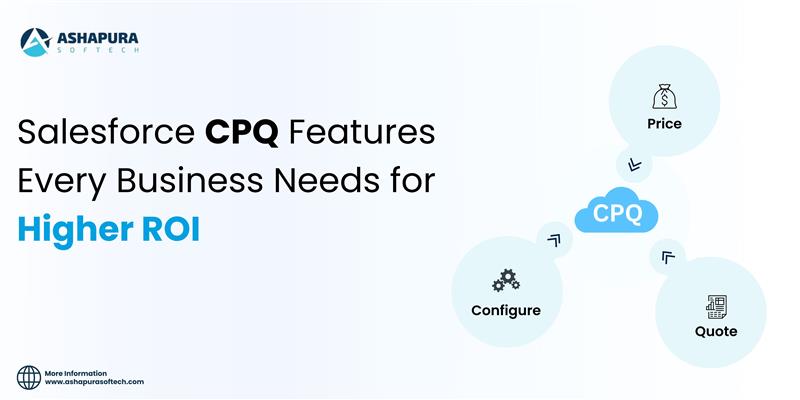
At its foundation, Salesforce CPQ addresses three core challenges that sales teams face:

  1. Configuration: Selecting the right mix of products or services, especially when bundles or add-ons are involved.
  2. Pricing: Applying discounts, promotions, and margin rules without manual guesswork.
  3. Quoting: Generating a polished, branded quote document quickly for customers.

Because it is built natively on the Salesforce platform, Salesforce CPQ integrates seamlessly with other CRM software, giving organizations a unified sales ecosystem. This alignment provides several key advantages:

  • Single source of customer truth: Customer data stored in Salesforce CRM is instantly accessible in CPQ. This ensures reps quote based on the most accurate, up-to-date account and opportunity details.
  • End-to-end visibility: From the moment a lead enters the system to the final contract, every step is tracked within one platform. No more juggling between disconnected tools.
  • Improved collaboration: Finance, sales, and operations teams can all access the same data, streamlining approvals and reducing bottlenecks.
  • Predictive insights: CRM data combined with CPQ automation enables accurate forecasting of revenue, margin, and pipeline health.

According to SalesforceBen, the combination of CRM and CPQ transforms sales teams from order-takers into trusted advisors. Instead of wasting time on administrative work, sales reps can focus on understanding customer needs and offering the best solutions, guided by intelligent product recommendations. major benefit of this CRM-CPQ synergy is scalability. Whether a small business is managing a handful of deals or an enterprise is handling thousands of quotes across multiple regions, Salesforce CPQ can scale effortlessly. Features like multi-currency support, contract renewals, and advanced approval workflows make it equally valuable for startups and global corporations.

Ultimately, Salesforce CPQ is not just a quoting tool—it’s a strategic extension of CRM that empowers companies to deliver better customer experiences, shorten sales cycles, and maximize ROI. By bridging the gap between customer data and sales execution, it ensures every quote is not only accurate but also optimized for profitability.

Best CPQ Features for ROI

One of the biggest reasons companies invest in Salesforce CPQ is its ability to directly improve return on investment (ROI). By automating manual tasks, reducing errors, and providing intelligent selling tools, Salesforce CPQ helps businesses accelerate sales cycles while increasing deal sizes. Let’s explore the key CPQ features that deliver the highest ROI.

1. Guided Selling

Guided selling is a standout feature of Salesforce CPQ that ensures sales reps recommend the right products and services to customers. Instead of relying on memory or flipping through product catalogs, reps are guided through a step-by-step process that suggests options based on customer needs.

This not only reduces mistakes but also encourages upselling and cross-selling opportunities, leading to larger deal values. For example, a rep selling a SaaS subscription may be prompted to include premium support or additional storage options—enhancing customer satisfaction and increasing revenue.

2. Automation of Quotes and Approvals

Manual approval processes can delay deals, especially in enterprises with strict compliance rules. Salesforce CPQ automates approval workflows, ensuring quotes meet business policies while minimizing bottlenecks. Discounts, for instance, can trigger auto-approvals if they fall within pre-set limits, while larger exceptions automatically route to managers.

The impact on ROI is clear: fewer delays, reduced admin overhead, and faster quote-to-cash cycles. Companies adopting automated approval workflows often report significant improvements in deal closure rates.

3. Contract Renewals & Subscription Management

For subscription-based businesses, renewals are a critical driver of long-term ROI. Salesforce CPQ simplifies contract renewals by automatically generating renewal opportunities, pricing them correctly, and flagging upcoming expirations.

This ensures reps never miss a renewal deadline and can proactively engage customers with upsell or cross-sell options. The result? Stronger customer retention and increased lifetime value.

4. Bundling and Advanced Pricing Rules

One of Salesforce CPQ’s most ROI-driven features is its ability to handle complex pricing scenarios. Businesses can create product bundles, apply discounts, or set tier-based pricing automatically. This eliminates human error while building trust with customers who receive consistent and transparent pricing.

Advanced pricing rules also allow companies to experiment with value-based pricing strategies. For instance, a manufacturing company can set bundle discounts for volume purchases, encouraging customers to buy more while still protecting margins.

5. Mobile and Global Scalability

Modern sales don’t happen only at desks—reps are often on the go, negotiating deals in real-time. Salesforce CPQ offers mobile access and supports multi-currency and multilingual quoting. For enterprises operating globally, this ensures consistency across regions while maintaining flexibility in local pricing strategies.

By enabling reps to generate quotes anytime, anywhere, companies reduce delays and keep deals moving forward, which directly impacts revenue growth.

Why These Features Matter for ROI

Each of these Salesforce CPQ features contributes to higher ROI in unique ways:

  • Guided selling → larger deal sizes through upselling/cross-selling.
  • Automation → faster deal cycles and reduced administrative costs.
  • Renewals → improved retention and lifetime value.
  • Advanced pricing → accuracy, transparency, and margin protection.
  • Scalability → efficiency across mobile, regional, and enterprise-level sales.

According to DealHub, organizations that leverage these features effectively see measurable improvements in sales productivity, quote accuracy, and revenue growth. For businesses seeking the highest ROI, prioritizing these features during CPQ implementation is critical.

Salesforce CPQ Implementation Guide

Implementing Salesforce CPQ is not just a technical project—it’s a strategic initiative that can reshape the way your sales organization operates. A successful implementation requires careful planning, alignment between business and IT teams, and a focus on adoption. Here’s a practical guide to help businesses ensure a smooth CPQ rollout.

1. Define Goals and Requirements

Before starting implementation, companies must clearly outline their objectives. Do you want to shorten sales cycles, increase deal size, or improve pricing accuracy? Documenting requirements such as discount rules, approval workflows, and contract processes helps tailor CPQ to your business model.

2. Prepare Clean Data

Since Salesforce CPQ relies heavily on product catalogs, pricing data, and customer records, poor data quality can derail the project. Ensure product SKUs, pricing tiers, and customer account details are standardized before migrating into CPQ. This prevents errors and improves system reliability from day one.

3. Configure Workflows and Automations

One of the biggest ROI drivers of Salesforce CPQ is its automation capability. During implementation, set up workflows for approvals, discount thresholds, and contract renewals. This reduces manual effort and speeds up deal cycles. It’s also wise to design guided selling flows early so reps can start leveraging intelligent product recommendations.

4. Focus on Training and Adoption

Even the most advanced CPQ system will fail if sales teams don’t use it effectively. Invest in hands-on training, role-based user guides, and ongoing support. Encourage early adoption by showing how CPQ reduces admin work and helps reps close more deals.

5. Measure and Optimize

After go-live, track KPIs such as quote turnaround time, discount compliance, and win rates. Use these insights to fine-tune workflows, pricing rules, and approval paths. Continuous optimization ensures Salesforce CPQ keeps delivering ROI long after implementation.

Enterprise Salesforce CPQ for Large Organizations

Large enterprises face unique challenges in managing complex sales processes, global pricing structures, and multi-layer approval workflows. For these organizations, Salesforce CPQ (Configure, Price, Quote) becomes more than just a sales tool—it’s a critical enabler of scalability and revenue growth.

Why Enterprises Need Salesforce CPQ

In enterprise sales, deals often involve thousands of SKUs, intricate contract terms, and multiple decision-makers. Without automation, sales teams risk delays, pricing errors, and revenue leakage. Salesforce CPQ addresses these challenges by standardizing quoting processes, automating approvals, and ensuring compliance across global teams.

Enterprises can also benefit from consistency at scale. Whether a sales rep is in New York, London, or Singapore, CPQ ensures they follow the same pricing logic and approval paths, creating seamless customer experiences worldwide.

Integration with ERP and CRM Systems

A major advantage of Salesforce CPQ in large organizations is its ability to integrate with ERP (Enterprise Resource Planning) and CRM systems. Enterprises often use ERP for inventory, billing, and supply chain management. By connecting CPQ with ERP, businesses achieve real-time synchronization of product availability, pricing, and financial data.

This integration ensures that quotes generated in Salesforce CPQ reflect accurate stock levels, contract terms, and billing rules, reducing costly discrepancies between sales promises and operational realities.

Scaling Benefits for Global Teams

Enterprises operating across multiple regions must adapt to different currencies, languages, and compliance regulations. Salesforce CPQ supports multi-currency, multilingual quoting, and tax automation, ensuring that local markets are supported without sacrificing global consistency.

For sales leaders, this provides greater visibility into pipeline health and revenue forecasts across regions, enabling smarter strategic decisions.

Case Study Example

Consider a global manufacturing company selling industrial equipment across 30 countries. Before CPQ, their quoting process relied on spreadsheets, leading to long delays and frequent errors. After implementing Salesforce CPQ with ERP integration, they reduced quote turnaround time by 40%, improved pricing accuracy, and increased upsell opportunities.

Such results are not isolated. According to Gartner, enterprises adopting CPQ report faster sales cycles, improved compliance, and measurable ROI within the first 18 months of implementation.

The Enterprise ROI Impact

For large organizations, Salesforce CPQ is not just a convenience—it’s a growth accelerator. By unifying pricing strategies, streamlining approvals, and integrating with ERP and CRM systems, enterprises gain efficiency, accuracy, and scalability. This combination leads to higher revenue, stronger customer trust, and a competitive edge in global markets.

Salesforce CPQ Integration for Seamless Workflows

One of the greatest strengths of Salesforce CPQ lies in its ability to integrate seamlessly with other business systems. For enterprises, quoting does not exist in isolation—it connects with CRM, ERP, billing, e-signature tools, and customer service platforms. When Salesforce CPQ is integrated into this broader ecosystem, businesses achieve faster deal cycles, higher accuracy, and streamlined operations from lead to cash.

Integration with CRM Software

Because Salesforce CPQ is native to the Salesforce platform, it works hand-in-hand with Sales Cloud and Service Cloud. This integration ensures that all customer data—from lead generation to contract renewal—flows into one unified system. Sales reps can pull customer history, pricing agreements, and contract details directly into CPQ without toggling between tools.

This eliminates silos and enables a 360-degree view of the customer, strengthening both sales performance and customer experience.

Integration with ERP and Billing Systems

For enterprises, ERP systems handle critical functions like inventory, order management, and financial reporting. By connecting Salesforce CPQ with ERP platforms (such as SAP or Oracle), quotes automatically reflect real-time product availability, accurate costs, and tax compliance.

Similarly, integration with Salesforce Billing ensures that once a quote is approved, invoicing, payments, and revenue recognition are automated. This reduces manual errors and accelerates the entire order-to-cash process.

E-Signature and Contract Management Tools

Quoting is just the beginning—closing a deal often requires contract approvals and signatures. Salesforce CPQ integrates with DocuSign, Adobe Sign, and Salesforce CLM (Contract Lifecycle Management) to enable faster contract generation and approval workflows. This reduces bottlenecks and ensures deals close faster while maintaining compliance.

Boosting ROI Through Seamless Workflows

Integration is not just about convenience—it’s about measurable ROI. Businesses that connect Salesforce CPQ with CRM, ERP, and billing systems report:

  • Shorter sales cycles due to reduced manual processes.
  • Improved accuracy in pricing, billing, and inventory.
  • Higher customer satisfaction through error-free, consistent experiences.
  • Increased sales productivity as reps spend more time selling instead of managing admin tasks.

According to Forrester, organizations that integrate CPQ into their digital sales ecosystem see 20–30% improvements in sales efficiency and reduced revenue leakage.

Measuring Salesforce CPQ ROI

Every business considering Salesforce CPQ wants to know the same thing: what’s the return on investment (ROI)? While CPQ clearly simplifies quoting and pricing, its real value lies in how much it accelerates revenue growth, improves efficiency, and reduces costs. Measuring ROI requires identifying the right KPIs and tracking results over time.

Key KPIs to Track Salesforce CPQ ROI

1. Quote-to-Cash Cycle Time
One of the clearest indicators of CPQ impact is how fast deals move from initial quote to closed revenue. Businesses that automate quoting and approvals with Salesforce CPQ typically reduce cycle times by 20–40%, leading to faster cash flow.

2. Quote Accuracy
Pricing errors, missed discounts, and misconfigured products often erode margins. With CPQ, companies can achieve 95%+ accuracy rates in quotes, reducing revenue leakage and customer dissatisfaction.

3. Sales Productivity
Salesforce CPQ enables reps to spend less time on manual quoting and more time engaging customers. Studies from Forrester show sales teams using CPQ tools experience a 10–20% boost in productivity.

4. Win Rate & Deal Size
By guiding reps with upsell and cross-sell recommendations, CPQ increases both win rates and average deal value. For example, companies often see a 5–10% increase in deal size after implementation.

Post-Implementation Benchmarks

Measuring ROI doesn’t stop after go-live. Enterprises should establish before-and-after benchmarks:

  • Average time to generate quotes (pre- vs. post-CPQ).
  • Frequency of pricing errors.
  • Approval turnaround time.
  • Customer satisfaction scores.
  • Margin improvements per deal.

Financial ROI Considerations

Beyond productivity, CPQ delivers direct financial ROI by:

  • Reducing revenue leakage (preventing unapproved discounts).
  • Enabling faster billing and revenue recognition through integration with Salesforce Billing.
  • Lowering operational costs by reducing reliance on spreadsheets and manual processes.

Conclusion

Salesforce CPQ is more than a quoting tool—it’s a growth engine that streamlines sales, improves accuracy, and delivers measurable ROI across organizations of every size. From guided selling to ERP integration, the right CPQ features empower businesses to close deals faster, reduce revenue leakage, and scale with confidence. If your goal is higher efficiency and profitability, now is the time to explore Salesforce CPQ. Connect with our experts at Ashapura Softech to start your CPQ journey today. Contact us at [email protected] and unlock your path to scalable ROI.