Categories
Custom Software

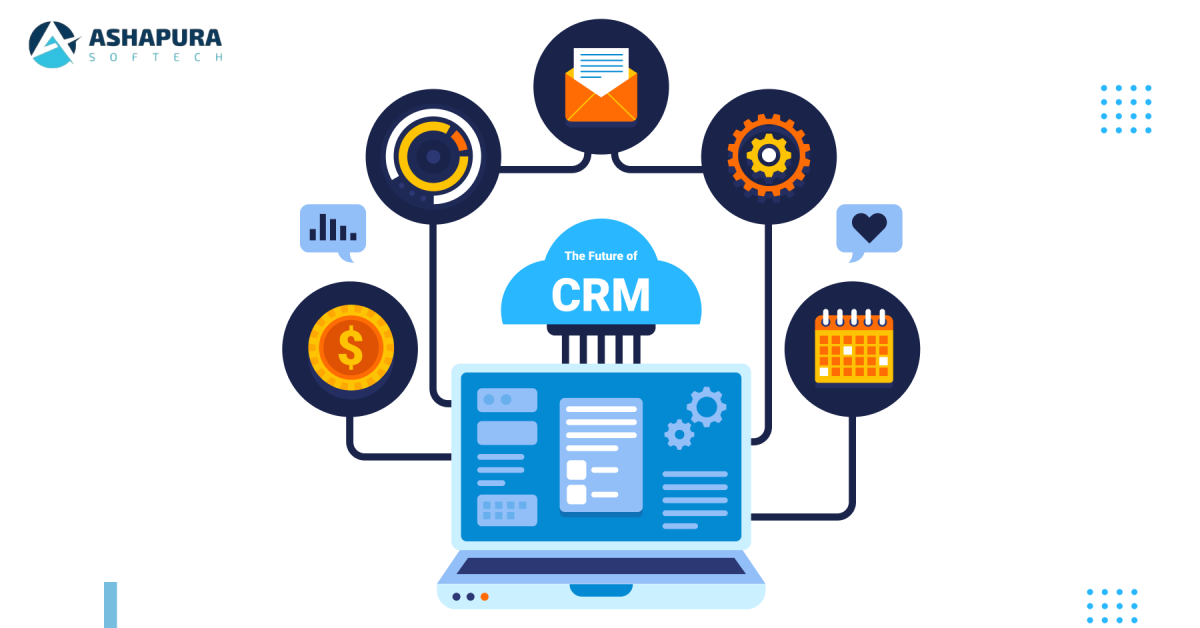
The Future of CRM: Trends and Innovations in Zoho CRM Development

Introduction

Customer relationships must be carefully tended to as never before in this fast-paced and highly competitive marketplace of today. Firms, therefore, will require the resources to manage and analyze customer interactions, smooth out workflows, and maximize profitability. Among all the other CRM solutions that are available today, Zoho CRM is the strongest, most flexible, and scalable business solution option for any size company.

Zoho CRM is purely working toward creating a future trend and innovation with advancement in CRM technology. In the article that follows, we discuss how the latest trends and innovations in Zoho CRM development have built a future for CRM involving AI integration, automation, mobile-first strategies, data analytics, CRM integration, and personalization. These innovations are remolding the way businesses relate to customers and run their services.

1. Evolution of Customer Relationship Management

Customer relationship management, or CRM, has undergone tremendous transformation over the last few years. Gone are the days when it was just an ordinary depository of customer information. Instead, it has evolved into a whole business management platform that encompasses marketing, sales, service, analytics, and more in one place. All these transformations have helped organizations use CRM as a tool to derive actionable insights, free up repetitive tasks, and connect with customers across all touchpoints.

Ever since its launch, Zoho CRM has been at the front of innovation with its new offerings and features empowering businesses to use customer data in strategic growth. Starting from lead generation to post-sales service, the CRM systems like Zoho CRM are fast becoming a backbone for successful operations of a business.

AI-Powered Features of Zoho CRM:
  • Lead Scoring : Zia ranks the leads with respect to their conversion likelihood through AI, therefore allowing time on the most promising opportunities for the sales team.
  • Sales Forecasting : From historical data and past trends, Zia shows what would be the future trend of sales, therefore giving enough information that a business needs to make the right decision.
  • Sentiment Analysis : This feature analyzes the emails, chats, and messages to determine the sentiment of the customers. It makes sales and support teams become better friends with response due to it.

AI will continue to lead future CRM systems as firms seek ways of automating routine processes in more intelligent means, data analysis, and developing a customized experience for their customers.

2. Development and Customization of CRM Software

With diverse business workflows and requirements, customisability and flexibility have been the focal points of CRM software development. In this context, Zoho CRM enables organizations to tailor it to their need created with respect to customizable modules, workflows, and dashboards. This is critical to those businesses that are mandated to change very quickly in response to changing market circumstances or shifting customer requirements.

Customization Capability of Zoho CRM
  • Custom Modules : Information that pertains specifically to an organization can be tracked with the help of custom modules such as industry-specific information.
  • Automating Workflows : With it, an email sender might be automated along with updates of records or assignments of tasks to the team member based on pre-defined triggers.
  • Customer-Facing Dashboards : There are options that users have to create customer-facing dashboards that can report the relevant data for real-time views into key metrics.

This ability to customize allows firms to use Zoho CRM centrally for every activity that has anything to do with customers and thus enables the CRM system to evolve in accordance with the needs of a company.

3. Mobile-First CRM Systems: The Future of Business Operations

The most important trend shaping the future of customer relationship management would be going mobile-first about solutions for CRM. Sales teams and customer support agents are perpetually on the move, and access to such crucial information at one’s fingertips using mobiles is no more a luxury but a necessity.

That replicates all the functionalities of Zoho CRM to the desktop version so customers can interact with customers, monitor sales pipelines, and access data at any time from any location.

Zoho CRM: Mobile First-Features
  • Real-time Notifications : Update instantly on new leads, new deals, and customer interactions so that no opportunity falls through the crack.
  • Geo-Tracking : Track on-ground agents in real time while optimizing routes to ensure that the sales teams do things in the most efficient way possible.
  • Offline Access : Whatever is the case, the work continues and the data syncs itself when online again.

Against the fast-evolving mobile technology, the CRM software like Zoho CRM will prove of paramount importance for the organizations in order to stay connected and responsive towards any change in scenario.

4.Importance of CRM Integration

A CRM system cannot work in isolation in the modern integrated business world. Information is flowing between different departments of an organization only when there is integration with other software and platforms. A great opportunity to integrate third-party applications like ERP systems, email marketing, e-commerce, and many more can easily be integrated through Zoho CRM.

Best Zoho CRM Integrations:
  • Zoho Books and Zoho Inventory : This integration allows businesses to merge under a transaction and level of stock management because it ultimately provides all-around business-oriented insights into the operations.
  • G Suite and Office 365 : Zoho CRM seamlessly integrates with popular applications such as e-mail or calendar, which can eliminate any communication or scheduling barriers.
  • Mailchimp and Campaigns : With the close integration of an email marketing tool, businesses can start campaigns directly from the CRM and track engagement and ROI in real time.

Tomorrow, CRM will be building this kind of a hybrid ecosystem where data flows freely between systems, enhancing collaborations, informing better decision-making, and delivering more personalized experiences for customers.

5. Data-Driven Insights and Advanced Analytics

Data is the lifeblood of any CRM system, and the future of CRM software will be heavily focused on enhancing data analytics capabilities. Zoho CRM’s analytics and reporting features are designed to provide businesses with deep insights into their customer behavior, sales performance, and operational efficiency.

Analytics Features in Zoho CRM:
  • Custom Reports : Users can create custom reports to analyze specific metrics, such as sales performance, lead conversion rates, and customer satisfaction.
  • Dashboards : Real-time dashboards provide a visual representation of key business metrics, allowing users to make informed decisions quickly.
  • Predictive Analytics : By analyzing historical data, Zoho CRM can predict trends and help businesses identify potential growth opportunities or areas that need improvement.

As businesses collect more customer data, the ability to extract actionable insights will be crucial. CRM systems like Zoho will continue to evolve their analytics capabilities, helping companies turn raw data into valuable business intelligence.

6. Personalization: The Way to Customer Loyalty

As customers have become more aware and demanding, personalization experiences have to be the way of doing business. Not a choice but a must, to establish long-term customer relationships and loyalty. Segment your audience, design tailored workflows that work for them, and respond accordingly based on their preferences, behaviors, and history using the personalization features in Zoho CRM.

Personalization Features in Zoho CRM
  • Customer segmentation : Businesses might segment their customers based on geographics, purchase history, or involvement levels so that the communications they are making are of relevance in terms of time and have maximum impact.
  • Automated emails : Flows for sending personalized automated emails to customers with regard to abandoned carts or follow-up queries can be initiated based on automated triggers.
  • Behavioral tracking : Use of cross-channel tracking for customers helps businesses understand their needs and preferences in much depth, thereby enabling marketing with much precision.

Indeed, one of the key differentiators in future CRM systems will be personalization. Therefore, businesses that make use of it will have a competitive edge in providing exceptional customer experiences.

7. Security and Data Privacy in CRM Systems

As more data is collected through CRM systems, the importance of data security and privacy is paramount. Businesses must ensure that their CRM systems comply with data protection regulations such as GDPR and CCPA, and that customer data is stored and processed securely.

Zoho CRM takes data security seriously, offering features such as data encryption, multi-factor authentication, and audit logs to ensure that customer data is protected at all times.

Security Features in Zoho CRM:
  • Encryption : All customer data is encrypted, both at rest and in transit, to protect against unauthorized access.
  • Role-Based Permissions : Zoho CRM allows administrators to control who has access to specific data, ensuring that sensitive information is only available to authorized personnel.
  • Audit Trails : Detailed logs track every action within the CRM, allowing businesses to monitor access and changes to customer data.

As data privacy concerns continue to grow, businesses must prioritize security in their CRM software development, ensuring that customer trust is maintained.

8. The Future of CRM: What to Expect

The future of CRM is exciting. The CRM system will evolve more in integrating emerging technologies such as AI, IoT, and blockchain to offer businesses even more potent means of handling relationships with customers.

Future Rationale for CRM Much of the future rests on the automation of these systems as well as an interface that is more intuitive. They will be less cluttered and accessible with seamless integrations that cross-cut all business functions. Thus, businesses that embrace such innovations are better placed to meet changing customer needs, streamline operations, and achieve long-term growth.

Conclusion

The future of CRM is colorful and bright: as far as the game setter in this direction, Zoho CRM is the one, focusing on its new capabilities and features. From AI-powered automation to mobile-first solutions, CRM integration, and advanced analytics, Zoho CRM is rewriting the rules on how businesses relate with customers, and also how their operations are run. At Ashapura Softech, we specialize in developing CRM applications on Zoho. Whatever is your need-be it customized solutions and smooth integrations or the powerful analytics capability within Zoho-we are here to take you through every step to get the best out of your powerful platform. Better CRM approach? Contact us Ashapura Softech today at [email protected] to get tailor-made solutions for extraordinary results and improved customer experience. Let’s help you be ahead of the game with ever-changing technology in the CRM world.
Categories
Zoho CRM

Custom Dashboards in Zoho CRM: Tailoring Insights to Fit Your Business Needs

Introduction

In the modern business environment, data is the new oil; the prospect of monitoring, analyzing, and using this data makes the difference for any organization. Business users of CRM systems need access to information in real-time, serviced by dashboards specifically tailored to their needs to enable them to make well-informed decisions. Zoho CRM is one of the strongest and most flexible CRM platforms currently in the market, with custom dashboards that drive real business insights to businesses.

This article takes it to a whole new level as it features the ways of customizing dashboards in Zoho CRM to meet specific business needs that aid your data-driven decisions. Its contents will specify features, benefits, and best practices in creating dashboards while providing a roadmap on how to further optimize your Zoho CRM system if your need is to upscale CRM services to reach higher heights of effectiveness in your customer relationship management work.

What is Zoho CRM?

Zoho CRM is a web-based application aimed at assisting businesses to manage their customer interactions, sales, and marketing activities. It is specifically designed for companies of any size and is adept at offering powerful tools for lead generation, sales forecasting, and reporting. There is also a feature of a custom dashboard that allows businesses to mirror and draw data in specific ways. With Zoho CRM dashboards, one can utilize real-time critical insights. Performance against targets can be tracked, and decisions can be made in the shortest time possible. Raw data gets transformed into intuitive visual representations easy to interpret and act on.

What are Custom Dashboards?

Custom dashboards in Zoho CRM present the flexibility of user selection based on KPIs, metrics, and reports in one view. If you are tracking your sales, marketing, or customer support activities, these dashboards give you all the important data that matters to your business.

Every user can personalize their dashboards so that the information provided is both relevant and useful for them and addresses the details of their job functions.

Benefits of Custom Dashboards in Zoho CRM

a) Improved Decision Making

Custom dashboards furnish actual-time information in meaningful and actionable format to the decision-makers. Whether you are in sales, marketing, or customer care, you can track key performance metrics like revenue forecasting, lead conversion, or customer satisfaction score to take the right decision on the fly.

b) Instant Data Visualization

The data thus presented visually is much easier to understand than raw numbers. In Zoho CRM, immediate visualization of data is allowed through custom dashboards, and users can easily identify trends, spot anomalies, and respond in due course.

c) Role-Based Insights

Not every member of the team needs the same kind of information, so Zoho CRM offers the functionality to create role-based customized dashboards that present only what is relevant to each team member. So, the sales teams can track their performance against the quotas, and marketing tracks the campaign effectiveness and customer engagement metrics.

d) Better Collaboration

With custom dashboards, all teams access the same real-time data, which boosts better collaboration across departments, ensuring that everyone uses the same insights as the basis of their work.

e) Interoperability Custom

layouts ensure that all teams have access to real-time data. This ensures better collaboration in different departments as everyone works with one set of goals in mind and, therefore, similar insights. Every business is unique and a reflection of it can be seen in the Zoho CRM dashboards. You may opt for custom layouts of your dashboards and include the charts, graphs, lists, and KPIs most suitable for you. This ensures you view everything at a glance.

Zoho CRM Dashboards Key Features

a) Wide Variety of Widgets

Zoho CRM enables the insertion of multiple widgets from its arsenal, including bar charts, pie charts, line graphs, and even tabular views, onto your customized dashboard. This allows you to see the information in whatever format you think is most conducive to interpretation.

b) Drag-and-Drop Functionality

Custom dashboards in Zoho CRM are very easy to create. A drag-and-drop feature is built in, so you can easily customize and reorder widgets as fits your needs.

c) Refresh Data in Real Time

Custom dashboards in Zoho CRM pull data in real time, so you’re always assured of current information. This would be very helpful to organizations that have to respond quickly to change anywhere in the marketplace or with their internal operations.

d) Multiple Data Sources

However, integrating Zoho CRM with third-party applications as well as internal systems ensures your customized dashboard can display data coming from several sources. It can include sales data, website analytics, or even feedback from customers; you can bring everything together into one view.

e) Automated Reports and Notifications

Dashboards can also be set to automatically create reports, send scheduled reports to team members, or simply throw up a notice when some of the KPIs are below or above the targets. This automation saves manual efforts and also ensures timely actions.

Building Your Custom Dashboards

Building custom dashboards in Zoho CRM is very easy. Here’s a step-by-step guide to help you set up your dashboard:

Step 1: Define Your Objectives

Before assembling a dashboard, ask yourself what you are trying to achieve. Do you want to track sales performance? Monitor customer engagement? Determine your goals so that you could select the right metrics for display.

Step 2: Select Relevant Metrics and KPIs

Once you have identified your goals, start by selecting the most important metrics and KPIs that support your goals. For instance, if you are looking for better performance in sales, metrics will include total revenue, conversion rate, and lead response time among others.

Step 3: Add Widgets to the Dashboard

You can include multiple widgets in your dashboard. Depending on the type of data you need to present, you can pick from a pie chart, bar graph, line graph, or a list. Simply drag and drop those widgets into place.

Step 4: Organize and Personalize Layout

Arrange your widgets in a very readable fashion on your dashboard. Size and position every widget to create a layout of preference. Personalize color schemes, labels, and titles of your widgets.

Test and Refine

After designing your custom dashboard, you would always review it against the set standards, making sure that the information is clear and actionable. Then ask the team members who are really going to use the dashboard for feedback and make necessary adjustments.

Best Practices for Custom Dashboards in Zoho CRM

a) Keep It Simple

To avoid this cluttered dashboard from overwhelming you, focus on only those metrics most important to your business. For large-scale operations, it is even possible to have a few dashboards related to various sides—sales, marketing, or customer support.

b) Make Data Actionable

Choose metrics that can be acted on. For example, if a KPI is not performing well, then it should call for immediate action. Choose non-vanity metrics so that your business will grow.

c) Watch Continuously

You are to constantly update and refresh your dashboards so that you keep track of the changing dynamics of your business. Create alerts so that once there is considerable deviation from the desired performance, then you get alerted.

d) Leverage Real-Time Data

You will have real-time data from Zoho CRM that you can use to respond rapidly to new trends and changes in the market, thus putting your team one step ahead.

Custom Dashboards for Different Team

a) Sales Teams

Customized dashboards for sales teams track lead response time, win rates, and pipeline value. Moreover, the clear visibility enables them to prioritize high-value leads and close deals faster.

b) Marketing Teams

Customized dashboards would allow marketing teams to present metrics like campaign performance, website traffic, and customer engagement. Such insights bring optimization to the marketer’s strategy and allow them to improve ROI on the marketing campaigns.

C) Customer Support Teams

Custom dashboards are quite handy for recording customer satisfaction, resolution time of tickets, and customer feedback. This enables support teams to increase the level of service delivery while, at the same time, improving overall customer satisfaction.

Conclusion

Custom dashboards in Zoho CRM provide businesses with the ability to transform complex data into meaningful, actionable insights. Whether you are tracking sales, marketing, or customer service metrics, these dashboards give your team the information they need in real time to make better decisions and drive business growth. The flexibility, ease of use, and role-based customization offered by Zoho CRM make it a must-have tool for businesses looking to gain a competitive edge in today’s data-driven world. By tailoring your dashboards to meet your specific business needs, you ensure that your team stays focused on the metrics that matter most. At Ashapura Softech, we specialize in helping businesses like yours harness the full power of Zoho CRM. Whether you’re looking to set up custom dashboards, optimize your CRM workflows, or streamline your operations, our team of experts is here to assist. Contact us today at [email protected] and let’s start transforming your CRM experience!

Categories
CRM

Integrating AI into Custom CRM: Transforming Customer Relationships

Introduction

Customer expectations are at an all-time high in the world of hyper-connectivity today. What was previously a battleground for competing only on prices and product quality has evolved into a customer experience battlefield. Companies cannot afford to miss this cue, using cutting-edge technologies such as Artificial Intelligence in their Customer Relationship Management (CRM) systems. Applied to customized CRM software, AI can dramatically change the way a company communicates with its customers-through higher engagement, better personalization, and greater efficiency.

In this blog, we explore how adding AI to custom CRM systems will change the rules of the game for customer relationships, business growth, and competitive edges. We will also discuss the role of CRM software development services and how collaboration with a trustworthy CRM software development agency can assist businesses in tailoring solutions to their specifications.

Rise of AI in CRM

Artificial Intelligence is spreading fast with a huge momentum in most industries. CRM is not an exception. AI-based CRMs are no longer a luxury, but a business imperative for the organizations needed to keep pace with the rapidly changing landscape of customer interaction. Be it automation of mundane tasks or delivering personalized customer experiences, AI brings unparalleled benefits.

Why AI is Revolutionizing CRM

Personalization at Scale: AI can read through massive data collections and identify patterns that can deliver highly tailored customer experiences, hence ensuring that businesses are ready to cater to individual preferences of its customers for better engagement and satisfaction.

Predictive Analytics: This AI-powered custom CRM system shall predict customer behavior including purchase intent, product preference, and churn risk and allow taking proactive measures in advance.

Automation and Efficiency: AI-driven automation of routine activities like data entry, lead scoring, and email responses frees the human resources for strategic activities, hence improving productivity.

Primary AI-Powered Features for Custom CRM Software

AI-powered chatbots and virtual assistants are now very much a part of custom CRM systems. They can provide 24/7 customer support help to resolve frequent questions, and interact in real-time with customers. Other than significantly reducing response time, they produce immediate resolution for the more engaging customer experience.

AI-Driven Lead Scoring While tradition-based CRMs rely on manual entry and judgment to assign lead scores, AI analyzes this information to understand a customer’s behavior patterns and prioritize leads depending on their conversion capability, thus allowing sales teams to concentrate efforts on best-qualified leads while improving conversion rates.

Predictive customer insights AI algorithms can analyze the customer data in terms of trends and future behavior to enable a business to make the right decisions. They can tell prospects for upselling or cross-selling as well as design customized marketing programs. Predictive analytics even help a business retain their customers by identifying those who might churn based on high scores before it is too late.

Customer feedback is critical to any business, but sorting through volumes of data has proven to be a daunting task. AI-powered sentiment analysis automatically assesses what customers say through emails, social media posts, and reviews to determine whether they are happy or dissatisfied.

AI recommendation engines assist in the delivery of personalized suggestions for a product or service by a business after learning the patterns of individual customer behavior and preferences. As such engines are known to enhance the customer experience by delivering relevant recommendations, the possibilities of repeat purchases and long-term loyalty further increase.

Benefits of Implementing AI with Customized CRM Software

AI will also be personalizing the interactions, automating responses, and even predicting customer needs, so that every touch point with a customer feels impactful and engaging and leads to stronger customer relationships and to higher overall satisfaction levels.

AI automatically deals with repetitive tasks, which increases efficiency and productivity. It saves time too because without artificial intelligence, the team has to manually enter data, increasing the time to do high-value work. This generally increases efficiency and enables the business to respond more promptly to the queries of a customer.

AI Power helps businesses make much better, better-informed decisions with the use of a custom CRM bringing insights and predictive analytics in real time. Whether an organization is identifying trends, following customer behaviors, or trying to find better marketing strategy values, this is something AI helps equip decision-makers with to drive growth.

Cost Reduction Customers are cut with the help of AI-based solutions such as chatbots for customer care, doing away with the need for huge teams of customer care personnel. AI can further hone in on tasks and help in using resources more effectively, saving businesses costs.

Custom CRM Software Development: Why Custom?

While there are so many pre-developed CRM solutions, businesses usually require a system that fits their specific needs. This is where the development of customized CRM software takes place. A custom-built CRM ensures that all business requirements are met without any unnecessary features or limitations that prevail in generic systems of CRM systems.

Benefits of Customized CRM

These would be tailored solutions: a custom CRM system is created to match the differentiated needs of the business. In this way, the CRM can harmoniously fit your workflow and deliver better customer experiences for you.

Scalability: A customized CRM system is pretty easy to scale. You’d be able to grow your business without the weight that pre-built solutions can create.

Integrations with Other Systems: Custom CRMs can be easily integrated with other enterprise-level systems, such as ERP, marketing automation, or e-commerce platforms.

Data Ownership: In a custom CRM, you are in control of your data and thus can better protect and comply with whatever regulations apply to your business.

Role of a CRM Software Development Agency

The success of your custom CRM project depends on the right agency with which you choose to develop your CRM software. A seasoned agency like Ashapura Softech can enable businesses in designing, developing, and finally implementing an AI-driven custom CRM system that helps them achieve their target.

How Can a CRM Software Development Agency Help?

Knowing Business Requirements: A valued agency spends time understanding what you want to achieve in business through which customer relationship strategies and builds a tailored CRM solution.

AI Integration Expertise: An experienced CRM software development agency is knowledgeable about the integration of AI to a CRM system and ensures that the full potential of the AI-driven tools and features can be exploited by businesses.

Seamless Implementation: The agency ensures that the CRM system is implemented from development to deployment without a glitch, hence impacting the operations with minimum disruptions.

After deployment, the agency will provide support and maintenance services to make sure that your CRM system is kept up-to-date and fully functional.

Challenges of AI integration in CRM

Although there are advantages of AI in custom CRM, challenges are also involved. For instance, features that may be simple are reasonably complex to implement when AI is used, and there is a need to ensure that a business should have the appropriate technical infrastructure for it or should have the right expertize, especially in the areas concerned with data security and privacy since, often, customer data forms the root subject matter, and proper care needs to be taken to handle such data responsibly. A trusted relationship with an agency developing CRM software would help overcome the various challenges and ensure smooth success when using AI.

Conclusion

The integration of AI in personal CRM software is transforming the way businesses go about customer relationships, offering personalized experiences as well as improved efficiency in tasks and predictive insights. Businesses are thus better placed to improve customers’ satisfaction as well as make efficiency in their operations and grow their revenues. We at Ashapura Softech have expertise in the development of custom CRM software empowered with the power of AI. so as to help businesses unlock their maximum potential. Our CRM development services are customized in meeting unique business needs, hence you remain ahead of others in today’s aggressive marketplace. Now, with us, comes the real customer relationship revolution. This is because we are ready to revolutionize customer relationships using AI-powered CRM solutions. To know more about how we can help your business succeed, contact us today at [email protected].


Categories
CRM

How Custom CRM Boosts Customer Engagement: Real-Life Success Stories

In today’s hypercompetitive marketplace, engagement has become the foundation on which business success depends. An engaged customer is more likely to be loyal, buy more from you again and again, and become your brand ambassador. This is now possible through increasing dependence on custom CRM systems tailored to meet your specific needs. Not only does a custom CRM streamline interactions with customers, but it also allows for the tracking of customer preferences, behavior, and feedback in real time. We will go through this article in which we will talk about how customized CRM is changing the face of customer engagements and successful case studies; then we will discuss why businesses need to spend some money on development services on the CRM.

Introduction

A personalized CRM implementation is not a different product from a standard one. It is the same platform, set up around how your business actually sells and serves rather than around how the vendor assumed you would work. That difference is where most of the value sits, and it is also where most CRM projects quietly fail.

The businesses below did not buy better software than their competitors. They spent the time to make the software match the work. Here is what that looked like in practice, and what changed once the system stopped fighting the team.

Engaging customers is not a buzzword-it is the heart of contemporary marketing and customer retention strategies. However, inconsistency in engagement often plagues businesses at more than one touchpoint with their customers. CRM is the answer. Though CRM can be used as a data-driven tool for managing customers, when developed to suit specific business needs, it helps in maximizing the quality of a customer’s interaction, boosts efficiency, and drives engagement.

We delve into how businesses are creating meaningful connections with their customers by using a custom CRM. At the same time, we look into stories of success cases about businesses that transformed customer-engagement processes with the help of a powerful custom-built CRM solution.

Role of CRM in Modern Businesses

In the digital age, customers expect much from their companies: personalized interactions and quick responses to their needs. CRMs help businesses honor exactly what they expect by handling customers’ data, monitoring interactions, and automating workflows. The game-changer arises when the CRMs are made specialized for a business’s unique procedures.

A customized CRM system can offer a 360-degree view of a customer and automate tasks like follow-up emails and customer segmentation.

Along with integration of other products, such as marketing automation software, sales, and customer service platforms.

Analyzing customers’ behavior for forecasting future trends and needs.

Benefits of Custom CRM Development

Custom development of CRM lets the business tailor the workflow and ways in which it manages its customer engagement. Some of the key benefits are as follows:

  • Personalized Customer Engagement: Custom-built CRMs let businesses tailor their communication according to the specific preference of a given individual customer about his purchase history and feedback.
  • Improving the Sales Process: Custom CRMs can optimize the sales funnel by giving real-time insights about behaviors from customers as well as automating all the important aspects of the sales process.
  • Scalable: Off-the-shelf CRM solutions can be limiting. Custom CRMs are scalable, so you can just expand them when your customer base grows.
  • Data Integration: Custom CRMs allow for integration with other business systems, creating a unified platform for sales, marketing, and customer support teams.

Standard CRM setup vs a personalized CRM implementation

Both start from the same software. What separates them is how much of your own process goes into the configuration before anyone logs in.

Standard CRM setupPersonalized CRM implementation
Starting pointVendor default objects and stagesYour actual sales and service process, mapped first
FieldsWhatever ships out of the boxOnly the fields your team will really fill in
AdoptionTeam works around the toolTool follows the steps the team already takes
ReportingGeneric dashboardsReports built on the numbers leadership already asks for
Time to valueLive faster, useful laterSlower to launch, useful from day one
Best suited toSmall teams with simple pipelinesBusinesses whose process does not fit a template

Neither column is wrong. A small team with a straightforward pipeline is often better served by a standard setup and an early launch. The moment your process has exceptions the template does not cover, a personalized CRM implementation stops being a luxury and starts being the reason people use the system at all.

How Custom CRM Engages Customers

Custom CRMs engage customers in the following ways impactful for businesses:

  • Seamless Communication: channels such as email, phone, or even through social media, Custom CRMs keep track of customer interactions on every channel so no engagement opportunity is missed.
  • Targeted Marketing Campaigns: With customers’ data analysis, a custom CRM allows businesses to perform market campaign actions close to the heart of individual customer preferences.
  • Real-Time Customer Feedback: By using a customized CRM, firms can gather real-time feedback, allowing them to respond promptly to customer issues, create loyalty, and increase customer satisfaction.
  • Customer Journey Mapping: A custom CRM maps the entire customer journey, which enables firms to trace the needs of every customer from the initiation to the end of his or her contact with the firm.

Real-Life Success Stories of Custom CRM Implementation

E-commerce Retailer Revolutionizing Customer Support

The popular online retailer has been facing issues with the management of incoming customer complaints and support queries for a long time. The CRM tool they were using did not assist them in prioritizing urgent issues or monitoring resolution times. A custom CRM service was developed by a CRM software development agency to integrate with their support ticketing system. It helped them in the following ways:

The response time decreased by 40% as tickets automatically got tagged by type.

Higher customer satisfaction rates were also achieved through quicker resolutions.

Maintain a complete history of previous concerns and purchases to have personalized customer contact.

This helped the company retain better customers but saved them extensive operational costs.

Healthcare Organization: Innovating in Patient Experience

This midsize healthcare group needed to update its patient relationship management system. They wanted an in-house CRM that would document the history of patients and automate the scheduling of appointments and their reminders for the scheduled date. The in-house-built custom CRM solution helped them to:

It increased appointment adherence by 30% through automatic reminders.

Patient satisfaction improved because of personal treatment plans based on historical data.

Through integration with the medical record, the CRM improved coordination within the organization.

This redesign led to better patient outcomes and higher levels of engagement.

Financial Services Firm Improving Client Retention

A financial services firm had extremely poor client retention rates. The off-the-shelf CRM they had was unable to fulfill all the needs that their high-net-worth clients have. Investing in a custom CRM software development service helped them:

Communicate better with clients through the use of personalized financial reports.

Handled to increase client retention by up to 25% by tailoring investment strategies to the client.

Implemented smooth internal processes that let the advisors spend less time on administrative work and more time interacting with their clients.

This saw a clear increase in client trust and loyalty.

Custom CRMs Features

  • Customized Dashboards: Customized dashboards that give up-to-date information on KPIs.
  • Advanced Analytics: Predictive analytics for the prediction of customer behavior or utilization of past experiences to control the customers’ experience.
  • Multi-Channel Integration: Integration of multiple channels such as social media, and email, among others.
  • Automation Tools: Automating tasks such as customer segmentation, email follow-ups, and sales tracking to improve productivity.
  • Mobile Access: It should have mobile-friendly platforms so that team members can access the information on customers at any time from anywhere.

CRM Development Company/CRM Software Development Agency

Developing a customized CRM is one thing, and developing it with a CRM software development agency can prove to be another altogether. An agency will be able to ensure you get a customized CRM solution for the following reasons:

Will meet your specific business goals.

Will prove flexible and scalable as well to adapt to the future growth of your business.

Ensure seamless integration with other applications

Ensure the development firm will continue to provide support for future versions and innovations

Choose a development firm, like Ashapura Softech, which will offer the best strategic partners to develop a CRM that fits your business needs to increase interactions and improve business performance.

Choosing the Best CRM Application Development Company

The following should be sought when an ideal CRM software development company is being searched:

  • Experience in the industry: A firm that understands the industry challenge.
  • Customization Capabilities: A group that can design, develop, and maintain a CRM that fits your exact business needs.
  • Integration Expertise: Ability to integrate CRM systems with other business applications.
  • Support and Maintenance: Ongoing support to deal with any updates to the software or any problems that may arise.

Challenges to Overcome When Implementing a Custom CRM

While custom CRM has the upper hand in many aspects, there are challenges to be faced:

  • Development Cost: Custom CRMs are costlier compared to their off-the-shelf version, but often the ROI justifies the cost incurred.
  • Time Taken to Implement: The time for developing and implementing a custom CRM will take longer, and companies must understand that the time frame involved will be greater.
  • Training Employees: Some time and effort are expected to train employees effectively to use the new CRM system.

However, the proper CRM software development services would work to reduce these challenges, and subsequently, the long-term benefits will weigh out the initial investment.

Frequently Asked Questions

What does a personalized CRM implementation actually mean?
Configuring the CRM around your existing process instead of changing your process to fit the software. That covers custom objects and fields, automation matched to real steps, permissions that reflect how your teams are structured, and reports built on the metrics you already track.

Is a personalized implementation the same as a custom built CRM?
No. A custom built CRM is software written from scratch. A personalized implementation takes an existing platform such as Salesforce or Zoho and shapes it to your business. It is cheaper, faster and easier to support, and for most businesses it is the right answer.

How long does a personalized CRM implementation take?
It depends on how many processes and how many integrations. A single sales team on one platform is usually a matter of weeks. A multi department rollout with connected finance and support systems takes longer, because most of the time goes on agreeing how the work should run, not on the configuration itself.

Why do these projects fail?
Two reasons, repeatedly. Configuring the system before anyone has agreed what the process is, and asking users to fill in fields nobody reports on. Both produce a CRM that people avoid.

Can an existing CRM be personalized after it is already live?
Yes, and it is common. Most of the work is auditing what is genuinely being used, removing what is not, and rebuilding the parts the team has been working around.

Conclusion

Custom CRM systems are no longer an optional extra for businesses looking to increase customer engagement and satisfaction. By getting the right services in CRM software development, businesses can make their processes, allow for a personalized customer experience, and generally ensure increased revenue growth. Some particularly great examples of success stories that we have looked into, with regard to changing power by custom CRM solutions designed to the needs of an industry. Are you ready to take your customer engagement to the next level? Call Ashapura Softech. We work with our team of experts to develop solutions that go beyond meeting present needs but grow along with a business. Want a customized CRM for your business? Contact us now at [email protected]!

Categories
Salesforce

 Salesforce AppExchange: Must-Have Apps to Enhance Your Salesforce Experience

Salesforce has been one of the most dominating tools in business technology, from simple customer relationships to managing the full organizational workflow. In real innovation, though, there are the AppExchange Apps. Each one of these apps is designed to further tailor the experience you have with Salesforce by giving you more features and capabilities for your CRM platform. Whether it’s turbocharging your sales team’s productivity, improving customer service, or even automating complex business processes, there’s an app for that. This article discusses some of the indispensable apps out of the box on Salesforce AppExchange that should help redefine your overall experience with Salesforce itself.

Why Use AppExchange Given by Salesforce?

How well have you known AppExchange for Salesforce?

The Salesforce AppExchange is the world’s largest business app marketplace that features thousands of apps and components, which in turn extend the feature set provided by Salesforce itself. These apps are designed to help the SFDC integrate easily and also give you the extra tools or features that your business might require.

     Benefits of Using Salesforce AppExchange

  • Customization and Flexibility: You may use AppExchange apps to customize SFDC as per your business needs without going for mammoth coding or development work.
  • More Productive: Most regular tasks are automated, so time is available for the team to most strategically engage.
  • Best Customer Experience: Through apps, very valuable insights about customer behavior can be derived and have more effective interactions with customers.
  • Scalability: As your business grows, so do the AppExchange apps. Your Salesforce environment will remain efficient and effective.

Must-Have Apps on Salesforce AppExchange

Conga Composer

Overview of Conga Composer

The concept of Conga Composer is a solution for the creation of documents and distribution of robust, data-driven documents right from the Salesforce platform. Whether it is the preparation of invoices, whether it is the preparation of proposals, or making reports, all these tasks can be easily performed while consulting great convenience.

Key Features

  • Customizable Templates: Create and design the document templates as required, using your existing logos and formats.
  • Data Integration: Your documents will be auto-populated from data dynamically flowing in from Salesforce records.
  • Delivery Modes: Choose delivery modes such as email, e-signature, cloud storage capabilities

Benefits

Conga Composer automates the document creation process using Conga, reducing errors and pains from inconsistency. This automates how documents are generated and delivered to the store.

Document Sign for Salesforce

Overview of Document Sign

DocuSign is the world’s electronic signature solution designed to be fully integrated with Salesforce to allow you to prepare, send, sign, and manage documents inside your Salesforce environment.

Key Features

  • Electronic Signature Integration: Send and sign docs fast and easy right from inside Salesforce. Move that deal to close.
  • Workflow Automation: Automate the workflows associated with your agreements so the right documents get to the right people at the right time.
  • Compliance and Security: Security and Compliance is a trusted e-signature solution that meets the strictest security and legal requirements.

    Benefits

  • This speeds up transactions related to business and the determination of contract stipulations since you can manage your contracts efficiently, without using paper, with speed.
  • Closing deals soon enough will improve customer experience through the use of DocuSign and Salesforce.

Tableau CRM

Overview of Tableau

Tableau CRM, formerly known as Einstein Analytics, is a powerful analytics platform that provides actionable insights through advanced data visualization and business intelligence tools.

Key Features 

  • Data Integration: Brings together information from varied sources to visualize business data from one vantage point.
  • Advanced Analytics: Employs predictive and prescriptive analytics to influence business decisions.
  • Interactive Dashboards: Develop interactive dashboards having dynamic functionalities that fuel data exploration in real-time.

Benefits

Tableau CRM will put relevant data and business acumen into the hands of Field Service leaders to make smarter business decisions, stay ahead of customers’ needs and the market trend on time, and hence sustain a competitive lead through predictive analytics.

Field Service Lightning

Overview of Field Service Lightning

Field Service Lightning is an end-to-end field service management solution built on the Salesforce platform, enabling companies to deliver faster, smarter, and more personalized onsite service to customers.

Key Features

  • Scheduling and Dispatch: Optimize scheduling and dispatch of service appointments to ensure that the right technician gets the right job.
  • Mobile Workforce Management: Automatically link field technicians with customer data, work orders, and more through mobile applications.
  • Service Analytics: Obtain visibility into your service performance and across your customer base through powerful analytics and reporting tools.

Benefits

That takes your field service to the next level. Cut the cost up and cut the cost down, while increasing customer satisfaction at the same time. Arm your technicians to serve effectively and efficiently, on time, with tools, the process, and a better understanding of how to service.

Pardot

Overview of Pardot

Pardot is a leading B2B marketing automation platform that helps you engage with your audience, generate more leads, and drive sales.

Key Features

  • Lead Generation: Attract and manage leads through targeted marketing campaigns and automated workflows. 
  • Email Marketing: Design and send high-performing, engaging email marketing campaigns.
  • Marketing Analytics: Run, monitor, and optimize the performance of your marketing processes to know what works for you and what doesn’t. 

Benefits

Pardot enables you to automate and optimize your marketing efforts, ensuring that you reach the right audience with the right message at the right time. By leveraging Pardot’s analytics and insights, you can refine your marketing strategies and improve ROI.

How to Select the Right AppExchange Apps

Assess Your Business Needs

Before exploring AppExchange, it’s essential to understand your business needs and goals. Identify the areas where you need additional functionality or support, and prioritize the apps that address those needs.

Evaluate App Reviews and Ratings

AppExchange provides the details of each app and also the reviews and ratings of other users. Take time to go through the reviews and consider the like experiences from other businesses.

Consider Integration with Other Apps and Providers

Do they seamlessly work with your existing Salesforce environment or other business applications that you might have? Finally, do not forget to look into the support and training provided by the vendor.

Conclusion

You will find it hosting various apps of the Salesforce AppExchange kind that help enrich the experience in Salesforce and support the impetus for your business. It is here that you can generate documents, automate marketing, and also do various other tasks for smooth operation for maximum productivity and great customer experience. You learn more, and you shall indeed find many such powerful applications on the Salesforce AppExchange. If you are looking for an expert to pick up and implement the correct applications, Ashapura Softech is there to help. Our lead team of proficient Salesforce consultants will guide you in reaping the utmost value out of your Salesforce investment. Ready to elevate your business? Contact us today Ashapura Softech at [email protected] for tailored solutions today.

Categories
Salesforce

 Top 5 Salesforce Services to Boost Your Marketing Strategy

In this highly rapidly evolving digital arena of the present age, the services of Salesforce in businesses have turned into an asset to tune and innovate marketing strategies. With the help of such state-of-the-art tools and platforms offered by Salesforce, organizations can engage with customers, market to customers in a personal way, and drive superior sales results. This in-depth guide takes you through the top five Salesforce services, redefining your marketing strategy by bringing you closer to your audience and delivering phenomenal growth.

Why Choose Salesforce Services for Marketing?

These are Salesforce services that help businesses direct all the processes from customer relationship management to problem-oriented marketing campaigns in one place, in the cloud. When you combine data-based knowledge with one-to-one marketing, your company tempts fate: this will be your key to pervasive outreach, thus weaving this into the lives of your audience. With the choice of Salesforce services, organizations can better analyze customer behavior, predict future trends, and develop focused solutions around marketing.

Salesforce Marketing Cloud

Overview of Salesforce Marketing Cloud

This suite offered by Salesforce Marketing Cloud takes the lead in being able to bind and manage all of your marketing channels together. It is a cloud-based platform designed to drive customer journeys, campaign management, and data integration across many different touchpoints. Its flexibility and ability to scale qualify it for any size business looking to ramp up its marketing operations.

Key Features of Salesforce Marketing Cloud

  • Journey Builder: Design customer journeys that dynamically respond to your customers at each step of their journey so you can always provide a relevant and interesting experience.
  • Email Studio: Fast content creation, execution, and insights for email marketing campaigns. Leverage advanced segmentation tools to create message relevance for all audiences.
  • Social Studio: Manage all social media marketing activities from a single place. Track brand mentions, conduct conversations with customers, and carry out social media performance analyses simultaneously on various channels.
  • Advertising Studio: Connect your digital advertising to the Salesforce ecosystem. Personalize ads to your audience. Track performance and campaign effectiveness.

Benefits Of Using Salesforce Marketing Cloud

Salesforce Marketing Cloud enables the business to engage with one voice on every device. It provides deep insights into customer preferences and behaviors and, therefore, delivers the intelligence one needs to drive strategic decisions. This service will let you ensure your marketing goes not only far-reaching but also hones in on the target group, enlarging customer engagement and conversion rates.

Salesforce Sales Cloud

Overview of Salesforce Sales Cloud

As the name suggests, mainly Salesforce Sales Cloud is meant for sales purposes, but this is indeed a boon for the marketing team too. Being this feature provides full visibility about one’s customer, the marketer can match up the strategies with the sales plan thereby maintaining an integrated style of customer approach.

Key Concepts of Salesforce Sales Cloud

  • Lead Management: Keep an excellent track record in capturing leads. Deepen the actions, nurture the prospects, and ultimately turn into loyal customers.
  • Opportunity Management: Attain visibility to your sales pipeline to concentrate on high-potential opportunities and expedite closure time.
  • Sales Forecasting: Be able to accurately forecast sales trends and outcomes. The said insights will support you in adjusting marketing strategies and allocating resources effectively.

Benefits of Using Salesforce Sales Cloud

Salesforce Sales Cloud closes the loop between sales and marketing by having them be on the same page with shared goals. Within this very data and insight that is housed within the Sales Cloud, marketers can be empowered to design campaigns within the parameters of what the sales team wants and should be targeted around improved customer satisfaction and growing revenues.

Salesforce Service Cloud

Summary of Salesforce Service Cloud

It allows customer service operations, and for marketers, this is obligatory to engage. You would like to involve customer service in your marketing for the purpose of relevance and personalizing your outreach with content.

Key Features of Salesforce Service Cloud

  • Case Management: Handle and solve customer problems in a very timely manner. Insight from customer interactions can be applied to improve marketing messaging and strategies.
  • Knowledge Base: Let customers help themselves. Using the collected data, pinpoint the commonest pain points and tailor your marketing in response to these.
  • Omni-Channel Support: Offer the same high level of customer service irrespective of channel. Integrate customer service data and marketing campaigns to garner a holistic approach toward customer engagement.

Benefits of Using Salesforce Service Cloud

Salesforce Service Cloud can address the needs of customers proactively by aligning customer service data with marketing strategies, hence improving customer satisfaction and loyalty. This, in turn, boosts brand reputation and drives sales.

Salesforce Commerce Cloud

Overview of Salesforce Commerce Cloud

Salesforce Commerce Cloud is a one-stop, integrated platform for e-shopping experiences such as marketing, selling, and servicing in the life of retail and e-commerce businesses. In the cloud, this solution streamlines operations involved in marketing, selling, and customer service delivery.

Key Features of Salesforce Commerce Cloud

  • Personalization: Easily deliver condensed shopping experiences in print custom to the customers’ wishes and behavior. Easily design targeted marketing campaigns using insights from data in a jiffy.
  • Order management: Streamline order processing and fulfillment. Ensure that your marketing efforts align with inventory levels and customer demand.
  • AI-Powered Insights: Leverage artificial intelligence to gain insights into customer behavior, sales trends, and product performance.

Benefits of Using Salesforce Commerce Cloud

Salesforce Commerce Cloud helps a Business to create unified, engaging shopping Experiences. Commerce Cloud unites marketing, sales, and service operations so that businesses can pervasive and direct-to-the-point customer experience across all touchpoints.

Salesforce Analytics Cloud

Salesforce Analytics Cloud, a.k.a. Tableau CRM, facilitates organizations in the analysis of data from every channel to develop active and intelligent data. It benefits marketers in comprehending customer behavior, gauging the impact of campaigns, and optimizing marketing methods.

Key Salesforce Analytics Cloud Features

  • Data Visualization: Create agile, self-describing dashboards to discover the meaning and trends behind large amounts of data. Discover and visualize trends and patterns based on marketing decisions.
  • Predictive Analytics: Leverage machine learning algorithms to determine future results. Optimize marketing decisions using data-driven predictions.
  • Mobile Accessibility: Tap into insights from anywhere. Make on-the-spot informed decisions from your mobile device.

Benefits of Using Salesforce Analytics Cloud

Using the Salesforce Analytics Cloud, the marketer is seamlessly positioned to make a marketing-driven decision with all assurance that the marketing efforts are guided by the business goals. Analytics of customer behavior and preferences enable businesses to produce campaigns with targeting features that will resonate with their market, allowing them to engage that particular class of their audience.

Conclusion

The Salesforce services are potent and flexible, with a plethora of tools that can boost your marketing strategy. Combining data-driven insights, personalized customer journeys, and cross-channel efforts will provide maximum engagement and sales results. Indeed, never before have both small-scale businesses and large organizations had operational flexibility levels that would allow them to adjust to market dynamics, which are ever on the move in concert with the shifting expectations of their customers. For more information on how Ashapura Softech can help you leverage Salesforce services to boost your marketing strategy, contact us today. Reach out to Ashapura Softech today at [email protected] and let’s create something amazing together.

Categories
ERP System

ERP Development: Guide to ERP Systems, Solutions, and Implementation

Introduction

Modern businesses cannot work without an Enterprise Resource Planning system, wherein the prime objectives become ‘integration’ and ‘smoothening of operations. The Development of ERP software is a highly intricate yet gratifying job that helps leverage the efficiency and productivity of any company to a large extent. We will talk about how to develop ERP software in steps, the latest technologies engaged in the development process, and the benefits of implementing ERP software solutions in any firm in this all-inclusive coverage. Whether one is considering the development services for ERP software or even understanding the role of an ERP software developer, this guide helps a lot in that. 

ERP Software

ERP software is one package of interconnective applications designed to manage a firm’s integral processes, such as finance, HR, manufacturing, supply chain, services, and procurement, among others. The systems ease the flow of information among all business functions within the boundaries of an organization and manage outer boundary connections with outside stakeholders.

Benefits of ERP Software

Enterprises can gain several advantages by implementing ERP software solutions, which include:

  • Improved Efficiency: Concerning that, ERP systems reduce time and effort in performing day-to-day activities by automating and developing integration between business processes. 
  • Improved Reporting: Advanced reporting tools offered by the ERP system aid a business in making informed decisions based on real-time data. 
  • Data Security: This solution has powerful security features that protect sensitive business data from any unauthorized access.
  • Scalability: An ERP system can also scale up quite easily with the growth of a business by the addition of new processes, users, and departments.

Guide to ERP Software Development

Needs Assessment and Requirement Gathering

Any process related to ERP software development needs to start with a detailed needs assessment. This includes the specific requirements of the business, key processes that need integration, and the goals of the implementation. The phase more often comprises the following activities:

  • Stakeholder Interviews: This includes engaging with various stakeholders to garner their input and understand their needs.
  • Process Mapping: Documenting the as-is process to highlight areas of improvement.
  • Gap Analysis: Comparing the current process with the desired process to point out the gaps that the ERP system should fill.

Planning and Design

After the requirement gathering, the plan and design of the ERP system came into the picture. This phase involves:

  • Right ERP Software Selection: Selection of the best ERP solution for the business needs from either a custom-built system or off-the-shelf product.
  • ERC System Architecture Design: The architecture of the ERP system to be designed shall include detailed specifications for databases, application servers, and user interfaces.
  • Module Selection: It means which modules need to be implemented as part of the ERP system; for example, some of them can be finance, human resources, inventory management, etc.

Development and Customization

Once the design is in place, it is followed by the development phase, comprising the following activities:

  • Coding: Writing of code for the ERP system in proper programming languages and frameworks.
  • Customization: Tailoring the ERP software according to the particular business needs—unique features and functionalities.
  • Integration: The ERP system is integrated with other prevalent software and hardware seamlessly.

Testing

Testing is a critical phase in ERP software development. It ensures that the system is functioning correctly and meets the requirements specified. This phase includes:

  • Unit Testing: This involves testing the unit components of the ERP system for functionality. 
  • Integration Testing:  Testing the integration points to ensure that different modules work together seamlessly. 
  • User Acceptance Testing (UAT): Engaging the end-user to test the system in real-world scenarios, and then giving feedback.

Deployment and Implementation

After the testing is successfully done, the ERP system is ready to implement. It involves the following activities:

  • Data Migration: The existing data is transferred to the new system of the ERP.
  • System Configuration: Setting up the ERP system according to the business requirements.
  • Training: Training is given to the end-users so that they get comfortable with the new system.
  • Go-Live: The ERP system gets launched officially and is transitioned from old processes to new ones.

Maintenance and Support

An ERP system requires a lot of maintenance and support after deployment for its smooth running. This would entail the following:

  • Regular Updates: The ERP software is supposed to be updated regularly so that the latest features and security patches are added.
  • Technical Support: Technical support should be provided to end-users against problems they encounter regarding the working of an ERP system.
  • Performance Monitoring: It is important to periodically monitor the performance of an ERP system so that problems are identified and resolved in time.

Technologies used in the development of ERP Software

Developing ERP systems requires various technologies, such as:

  • Programming Languages: Common languages used in developing an Enterprise Resource Planning system are Java, C#, Python, and JavaScript.
  • Databases: The type of databases used in ERP systems are relational. Thus, MySQL, Oracle, and SQL Server are extensively employed.
  • Cloud Computing: Almost all the recent ERP solutions use cloud computing because of their associated advantages, such as scalability, flexibility, and lesser cost on infrastructure.
  • Artificial Intelligence: New AI technologies are being integrated into ERP systems to increase capabilities related to predictive analytics and automation.
  • Internet of Things: IoT devices may be integrated with ERP systems to provide real-time data, thereby enhancing decision-making.

How to Choose the Right ERP Software Development Services

You must choose the right ERP software development services, as it forms the bedrock of your ERP implementation. While selecting a service provider, these are some criteria that you must consider:

  • Experience: The provider needs to have past experience in developing and implementing ERP solutions.
  • Experience: Ensure that the vendor has experience in the technologies and industry areas your business deals with.
  • Customization: Select a vendor who will tailor-make an ERP system to suit your individual business needs.
  • Support: Engage with a vendor who can give you end-to-end support and maintenance services post-product deployment.

Role of the ERP Software Developers

ERP software developers play a vital role in the development and implementation of ERP systems. Their responsibilities include:

  • Requirement Analysis: incorporation of activities related to working with stakeholders for gathering and analyzing requirements.
  • System Design: The architecture and modules of the ERP system will be designed in this phase.
  • Coding and Customization: This is the stage where the code is written, and the ERP software is customized according to specific business requirements.
  • Testing and Debugging: Testing the system for proper functioning and debugging errors.
  • Deployment and Training: Deployment of the ERP system and training of end-users.

Conclusion

ERP software development is a complex yet rewarding endeavor that can transform the way businesses operate. By following a structured development process and leveraging the right technologies, organizations can create ERP solutions that drive efficiency, enhance collaboration, and support growth. Whether you’re looking for custom ERP software development services or exploring off-the-shelf ERP software solutions, understanding the steps involved and the technologies available will help you achieve a successful implementation. Ready to transform your business with a customized ERP solution? Contact Ashapura Softech today for expert ERP development services tailored to your unique needs! Email us at [email protected] to get started.

Categories
Salesforce

Master Salesforce Integrations: A Comprehensive Guide

Introduction

In today’s fast-moving business world, multiple-tool integration is the key to attaining smooth, seamless operations and increasing productivity. One of the most popular customer relationship management systems is Salesforce, very rich in functionality and with huge integration potential. We are going to discover how the integration of Salesforce with other tools is going to revolutionize your business processes in terms of providing seamless operational experiences.

Understanding Salesforce Integrations

What is Salesforce Integration?

Salesforce integration is the process of aligning Salesforce CRM with other software applications to make data flow smoothly, improve operational efficiency, and also deliver one single view of the customer. This can be achieved through multiple methods, which include APIs, middleware solutions, or native integration tools.

Benefits of Integrating Salesforce

  1. Better Management of Data: This integration ensures consistency of data across different platforms. It limits manual data entry and associated errors.
  2. Improved Customer Experience: Due to a single view of all the activities of the customer, personalized and effective customer service can be offered.
  3. Increased Productivity: Automation of workflows and systems in sharing data facilitates operational smoothness; this allows employees more time to deal with strategic activities.
  4. Better Decision Making: Access to consolidated data from different sources enables better analysis for informed decision-making.

Key Tools to Integrate with Salesforce

Marketing Automation Tools

  • HubSpot: Since this will help you develop your marketing to a great extent, the integration of HubSpot with Salesforce is very important. It allows for a smooth flow between the marketing and sales teams regarding leads, hence ensuring that they are well taken care of and passed on to the sales team effectively.
  • Marketo: The robust marketing automation features of Marketo and the CRM capabilities of Salesforce combine to give a forceful tool for managing, analyzing, and optimizing marketing campaigns and lead behavior to improve marketing strategy.

Customer Support Tools

  • Zendesk: Integration of Zendesk with Salesforce will provide a 360-degree view of customer interactions, as it will connect support tickets with CRM data. It thus helps support teams present personalized and efficient service to customers.
  • ServiceNow: The integration of ServiceNow with Salesforce will ensure that customer service and IT service management are aligned as businesses create excellent experiences. With the integration of ServiceNow, businesses can efficiently manage incidents, problems, and changes while keeping the data of the customer in sync.

Collaboration Tools

  • Slack: Integrate Salesforce with Slack for easy team collaboration, as all information from Salesforce will be reflected in the Slack channels. This integration will support real-time communication by giving easy access to critical customer information.
  • Microsoft Teams: The Microsoft Teams integration with Salesforce brings CRM data into your collaboration environment so teams can view and update customer info without leaving Teams. It increases productivity, ensuring that everyone in the team is on the same page.

E-commerce Platforms

  • Shopify: Integrating Shopify with Salesforce helps e-commerce businesses manage their customer data, orders, and inventory more efficiently. This integration enables seamless data synchronization between the two platforms, ensuring a unified customer experience.
  •  Magento: Magento’s integration with Salesforce allows businesses to track and analyze customer behavior, manage sales and marketing activities, and provide personalized shopping experiences. This integration helps optimize e-commerce operations and drive sales growth.

Financial Tools

  • QuickBooks: Integrating QuickBooks with Salesforce streamlines accounting and financial management processes. This integration ensures that financial data is accurately synchronized, reducing manual data entry and errors.
  • Xero: Xero’s integration with Salesforce provides a comprehensive view of financial health, enabling businesses to manage their accounts, track expenses, and generate financial reports seamlessly.

Steps to Integrate Salesforce with Other Tools

Step 1: Identify the Needs for Integration

Identify the tools you want to integrate with the software and state what exactly is to be achieved concerning the integration. Be able to identify which data will be shared and which workflows are to be automated.

Step 2: Select Appropriate Integration Method

Based on technical experience and other requirements, select the proper way of integration

  • APIs: Integration with other tools through Salesforce APIs for real-time data exchange.
  • Middleware Solutions: Tools like MuleSoft or Zapier will make the integration process easier, with many built-in connectors.
  • Native Integrations: Integrations are natively provided by Salesforce or third-party tools that give native connectivity.

 Step 3: Configure Settings for Integration

Configure the setup through various settings options. These can include authentication, data mapping, and synchronization rules. Be sure to respect data privacy and security policies in your integration.

Step 4: Test the Integration

Thorough testing of the integration before going live may highlight issues for fix-up before finally going live. This includes data synchronization, workflow automation, and user access—all working as it should.

Step 5: Monitor and Optimize

Run the integration, but monitor the performance and make edits as needed. Gather user feedback and further optimize workflow and data accuracy levels.

Best Practices to Integrate with Success in Salesforce

  • Check the Quality of Your Data: The integration will only succeed if high-quality data is passed through. Poor quality data can lead to potential duplication, inaccuracies, and outdated information. Clean and update your data regularly.
  • Prioritize Security: Building strong security measures for the protection of sensitive customer data; ensuring all tools are integrated according to regulations for the protection of data, and having the best practices in authentication and authorization.
  • Train Your Team: Fully train your team on the use of the integrated tools. Ensure that they understand how the new workflows work and feel comfortable with access to and management of integrated data.

Common Challenges and How to Overcome Them

  • Use Analytics: Run analytics and reporting on how the integrated systems perform. Leverage those insights to make data-driven decisions that drive business process improvement.
  • Data Silos: Data silos occur when your data is locked in different systems that can’t give you a single view. Overcome this challenge by making sure proper data mapping and synchronization have been done between the integrated tools.
  • Integration Complexity: Hybrid integration can be quite challenging, especially with multiple systems. You can make things simpler by applying middleware solutions or seeking help from integration experts.
  • Performance Problems: The integration might further affect the performance of the system. Keep an eye on it and maintain the settings of the integration so that everything works smoothly but will not come at the cost of speed and reliability.

Real-World Examples of Salesforce Integrations

Example 1: Marketing Automation

A B2B company integrated Salesforce with HubSpot to streamline its marketing and sales processes. The integration allowed the marketing team to track lead behavior, nurture leads effectively, and seamlessly hand off qualified leads to the sales team. As a result, the company saw a significant increase in lead conversion rates and overall sales performance.

Example 2: Customer Support

An e-commerce company integrated Salesforce with Zendesk to provide a unified view of customer interactions. The integration enabled the support team to access customer information directly from Salesforce while handling support tickets in Zendesk. This seamless data flow improved response times and customer satisfaction.

Example 3: Financial Management

A small business integrated Salesforce with QuickBooks to streamline its financial management processes. The integration ensured that sales data from Salesforce was automatically synced with QuickBooks, reducing manual data entry and errors. This automation saved time and provided accurate financial reports for better decision-making.

Future Trends in Salesforce Integration

  • Artificial Intelligence and Machine Learning: Integrating Salesforce with AI and ML tools can enhance predictive analytics, automate routine tasks, and provide personalized customer experiences. AI-driven insights can help businesses make smarter decisions and improve operational efficiency.
  • Internet of Things (IoT): IoT integration with Salesforce can provide real-time data from connected devices, enabling businesses to monitor and manage assets, predict maintenance needs, and enhance customer service with proactive solutions.
  • Blockchain Technology: Blockchain integration with Salesforce can enhance data security, provide transparent and tamper-proof records, and streamline processes like supply chain management, contract execution, and identity verification.

Conclusion

In the case of proper integration with other tools, Salesforce can become a business game changer by giving better data management, customer experience, and productivity. Following the steps and best practices of integration outlined in this guide, you’ll head toward a smooth and effective integration driving business success. Ready to revolutionize your business operations? Contact Ashapura Softech today to learn how we can help you integrate Salesforce with your existing tools for a seamless and efficient workflow. Let’s make your business operations smoother and more effective together. Reach out to Ashapura Softech today at [email protected] and let’s create something amazing together.

Integrations like these usually need Apex, API and middleware skills your admins may not have. You can hire Salesforce developers for the build and keep ownership in-house afterwards.

Categories
Salesforce

10 Benefits of Salesforce Marketing Cloud for your Business

Introduction

Salesforce Marketing Cloud is a leading digital marketing platform that empowers businesses to engage customers through multiple channels, including email, social media, mobile apps, SMS, and websites. This not only enhances customer relationships but also fuels the growth of a business with data-based insights and personalized marketing strategies. This paper will consider ten of the most amazing benefits of using Salesforce Marketing Cloud and how one can leverage them effectively.

What is Salesforce Marketing Cloud?

Salesforce Marketing Cloud is a suite for digital marketing automation and analytics software offered by Salesforce, a global leader in CRM Solutions. At its core, this system assists marketers in creating and managing customer journeys, engaging audiences, and measuring marketing effectiveness. Within the suite, it comes with several advanced tools and functionalities: Email Studio, Social Studio, Mobile Studio, Advertising Studio, and many others.

 Key Features of Salesforce Marketing Cloud

  • Email Studio: Build and send personalized email campaigns.
  • Mobile Studio: Engage your customers over SMS and push notifications.
  • Social Studio: Run social media marketing and engagement
  • Advertising Studio: Build and manage ads.
  • Journey Builder: Design, then automate customer journeys
  • Interaction Studio: Real-time interaction management
  • Datorama: Marketing intelligence and analytics
  • Data Studio: Get easy and fast access to your data and audience insights
  • Einstein AI: Get AI-powered marketing recommendations.
  • Marketing Cloud Connect: Connect to Salesforce CRM for a continuous flow of all your customer data.

10 Amazing Benefits of Using Salesforce Marketing Cloud

  • Personalization of customer engagement END: The Salesforce Marketing Cloud can personalize the marketing activities of any business. Enterprises will be able to make very personalized content using data from sources, which will help to enchant their respective audiences when the level of engagement and satisfaction is improved.
  • Omnidirectional marketing automation: The advanced automation features, empower execution regarding email sending social posts, and ad campaign management. This automation saves time through appropriate consistency so that the teams use that time for other strategic activities.
  • Multi-channel Campaign Management: Using Salesforce Marketing Cloud, one can run any campaigns across any channel-all operated through one platform. Whether it’s email, mobile, social, or web, it can cue up campaigns to deliver constant experiences and engage customers everywhere.
  • Advanced Analytics and Reporting: It also offers deeply embedded analytics and reporting tools that provide actual insight into campaigns. With the ability to trace key metrics noticed in customer behavior, marketers can measure the ROI of marketing efforts by data-driven decisions.
  • Scalability and Flexibility: Scalable for every business size, big or small, it fits all business needs with the flexibility to grow and evolve your marketing strategies over time.
  • CRM integrated with Salesforce: Probably the most important advantage of using Salesforce Marketing Cloud is that it integrates well with Salesforce CRM into one, central view of every customer’s data, which enables concentrated and effective campaign execution.
  • Improved Customer Journey Mapping: Journey Builder in Marketing Cloud allows a business to chart and automate individual customer journeys. It visualizes the overall path of all customers so that all the important touchpoints can be easily identified, and interactions are appropriately optimized to improve the overall customer experience.
  • AI-Powered Marketing: It is Salesforce’s AI engine, plugged into Marketing Cloud, which enables predictive analytics under the Marketing Cloud and personalized hybrid recommendations. AI-driven insights can help marketers optimize campaigns and customer engagement.
  • Robust Data Management: The data management capabilities within the Data Studio of Marketing Cloud are very strong, hence able to empower businesses to access, organize, and analyze large volumes of customer data and ensure more accurate and effective marketing strategies.
  • Compliance and Security: Salesforce Marketing Cloud abides by the most stringent security practices and compliance regimes that protect customer data. This becomes, therefore, very important for businesses operating in regulated sectors like finance and health.

How to Use Salesforce Marketing Cloud

Setting Up Your Account: Choosing the correct plan for your business and configuration of user roles, plus setting up any first integrations, would be the first step to using Salesforce Marketing Cloud.

Build Customer Journeys: In the Journey Builder, build automated customer journeys. Define the steps in this journey and configure the triggers on multiple activities by customers. Then, personalize the content for all these different touchpoints.

Create and manage: Conceptualize and manage cross-channel campaigns in Email Studio, Social Studio, and Mobile Studio using Advertising Studio. Fine-tune your messaging. Schedule campaigns. Track real-time performance.

Bringing Your Data and Analytics to Work: Conceptualize and manage cross-channel campaigns in Email Studio, Social Studio, and Mobile Studio using Advertising Studio. Fine-tune your messaging. Schedule campaigns. Track real-time performance.

Bringing AI Recommendations to Work: Bring Insights to Life with Marketing Data in Datorama and Data Studio: Dashboards are instrumental in visualizing your most critical key metrics, so you can analyze trends and drive data-driven decisions that optimize your marketing efforts.

Compliance and Security: Salesforce Marketing Cloud abides by the most stringent security practices and compliance regimes that protect customer data. This becomes, therefore, very important for businesses operating in regulated sectors like finance and health.

Conclusion:

In conclusion, Salesforce Marketing Cloud is a powerful and versatile platform that offers numerous benefits for businesses looking to elevate their marketing efforts. From personalized customer experiences and multichannel campaign management to advanced analytics and automation, the platform provides the tools and insights needed to drive meaningful results. Ashapura Softech is here to help you harness the full potential of Salesforce Marketing Cloud. Whether you’re looking to implement the platform for the first time or optimize your existing setup, our team of experts is ready to assist you every step of the way. Contact us today at [email protected] to learn more about how we can support your marketing goals.