Last updated: 14 October 2026
Short answer
The Salesforce outage on 16 September 2026 started at 07:50 UTC (12:50 AM Pacific), on day two of Dreamforce, and disrupted logins, APIs and support case creation on hundreds of instances across all regions. Service was healthy again from 15:26 UTC, about seven and a half hours later, and Salesforce marked the incident resolved at 18:59 UTC. Salesforce has said requests stalled while waiting on an internal login service, but as of 14 October it has not published a full root cause. If you run Salesforce, the job now is to check that scheduled jobs, integrations and flows that failed that day were picked up again.
Most Salesforce teams found out about this one the hard way. Integration alerts started firing overnight in the US, users in Europe and Asia could not log in, and the usual escape route, opening a case with Salesforce Support, was broken too. By the time the US woke up, the fix was already rolling out, so plenty of people only saw the tail end and assumed it was over.
It wasn’t, at least not for every org. Salesforce itself reported that scheduled jobs were not running as expected for some customers even after access came back. That is the part of a Salesforce outage that quietly causes problems weeks later: a nightly sync that never ran, a renewal reminder that never went out, a batch job that stopped halfway.
This guide covers what happened, what is confirmed and what is not, a practical checklist for admins, how to check whether Salesforce is down right now, and what to put in place before the next one.
What happened during the Salesforce outage on 16 September 2026
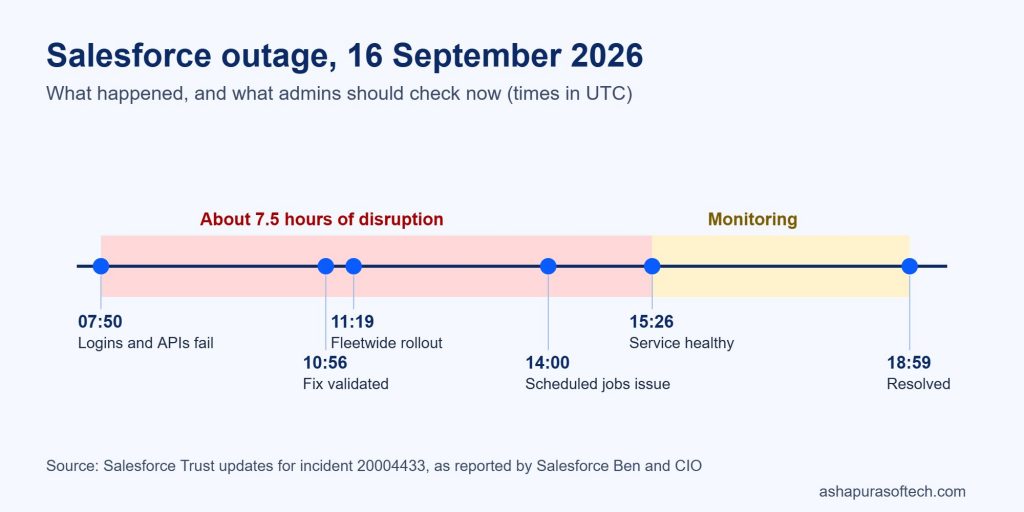
Salesforce tracked the incident on its Trust status site as incident 20004433. The timeline below is built from Salesforce’s status updates as reported by Salesforce Ben and CIO.
| Time (UTC) | Time (Pacific) | What Salesforce reported |
|---|---|---|
| 07:50 | 12:50 AM | Disruption begins. Logins, APIs and support case creation affected on multiple instances in all regions. |
| 09:10 | 2:10 AM | Requests are stalling while waiting on an internal login service, using up server resources. A rolling restart is tried on one instance. |
| 09:57 | 2:57 AM | Salesforce suspects an external dependency failure affecting its legacy login server and blocks an API endpoint. Its third-party infrastructure provider reports no issues. |
| 10:18 | 3:18 AM | A core system component is under increased load, limiting how many requests it can process. |
| 10:56 | 3:56 AM | A fix is validated on a test instance. |
| 11:19 | 4:19 AM | Fleetwide rollout of the fix begins, with a permanent code-level fix in parallel. |
| 11:41 | 4:41 AM | Rollout continues region by region. GovCloud is confirmed as not affected. |
| 14:00 | 7:00 AM | Some instances need manual restarts. Scheduled jobs are not running as expected for some customers. |
| 15:26 | 8:26 AM | Service healthy from this point, as Salesforce later confirmed. |
| 15:39 | 8:39 AM | Remaining impact narrowed to a subset of Hyperforce instances. |
| 18:59 | 11:59 AM | Incident marked resolved. |
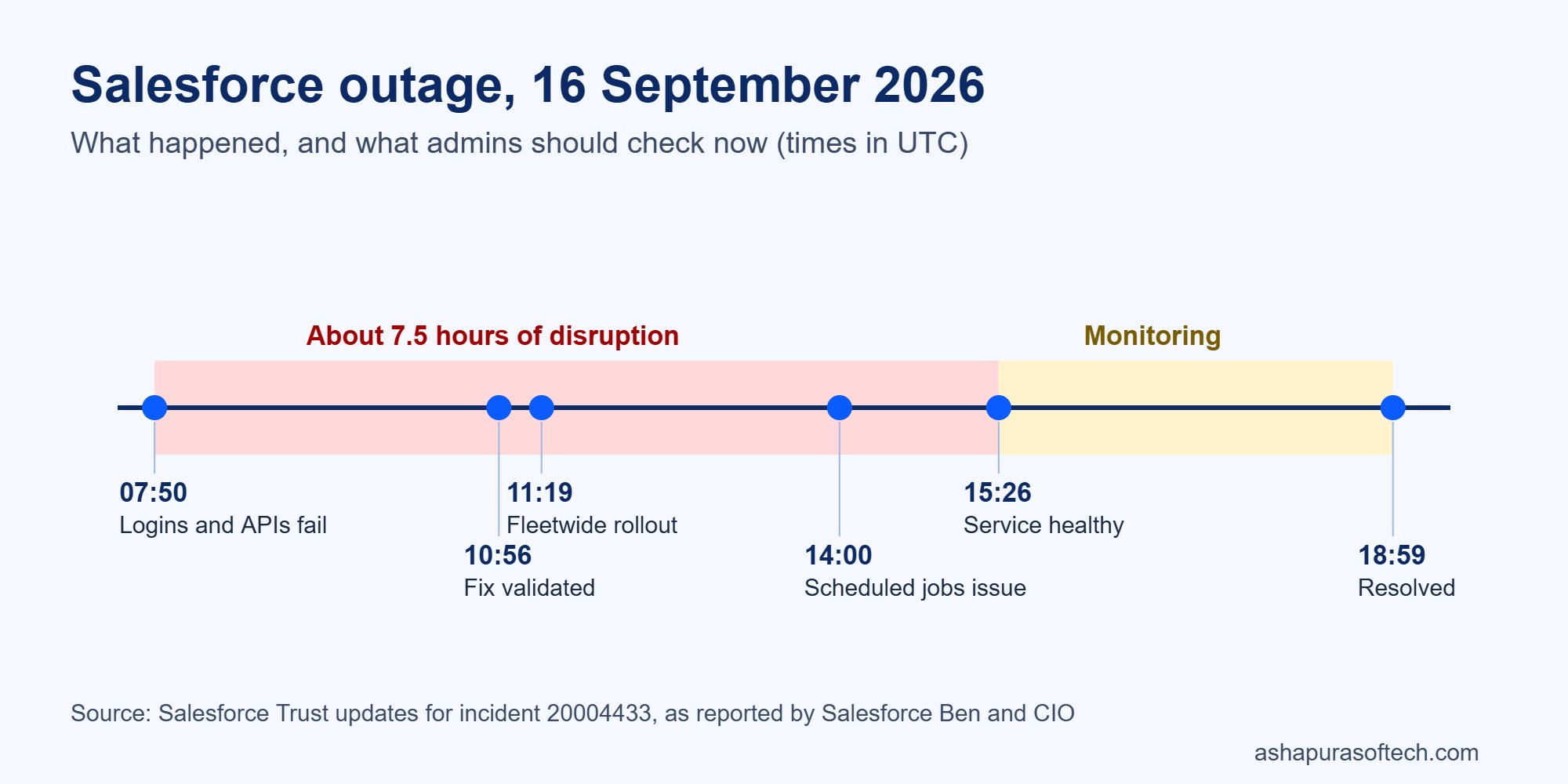
So the hard outage lasted about 7 hours 36 minutes, and the incident stayed open for roughly 11 hours while Salesforce confirmed every instance was stable.
How big was the outage?
Salesforce’s Trust site described “hundreds of instances” affected across all regions. Reports that track the Trust record say the list peaked above 1,000 instances during the incident, and was later trimmed to 912 of about 3,243 once Salesforce removed instances that had never been affected. Salesforce also said the impact was “narrower than initially understood”.
A few details matter for working out whether your org was hit:
- GovCloud was not affected, according to Salesforce’s updates.
- Hyperforce instances recovered last. The final stretch of the incident involved a subset of Hyperforce instances.
- It was an application problem, not a network one. Independent monitoring cited by CX Today saw HTTP 503 errors and timeouts with no network degradation.
- Well-known companies felt it. CX Today reported effects at PayPay, Sage (UK and Ireland support teams), Vonage and Veeva CRM users. In one case, web forms kept collecting leads but the data had to sync into Salesforce after recovery.
What caused the Salesforce outage?
Here is what Salesforce has said, and nothing more. Requests stalled while waiting for a response from an internal login service, and those stalled requests used up server resources. Early on, Salesforce suspected an external dependency affecting its legacy login server, but its third-party infrastructure provider reported no issues. Salesforce also pointed to increased load on a core system component.
Salesforce apologised and said it would establish “the technical trigger, the underlying cause, and preventive action”. As of 14 October 2026, we could not find a published root cause analysis on the Trust site or in Salesforce’s public statements. Until one appears, treat any detailed explanation you read online as a guess.
If your business depends on Salesforce, ask your account executive for the post-incident report. It is the only way to know whether the fix covers the kind of failure that hit your org.
A second incident a few days later: Data Cloud
Around 19 September, Data Cloud activations in the US-East-1 region were down for 13 hours 41 minutes. Salesforce said that problem came from a third-party cloud storage service and that it was preparing an alternate storage option. If you use Data Cloud (now Data 360) activations to feed marketing or ads, check that segments activated that week actually reached their destinations.
Not related: Chrome and Edge freezing
Around the same time, some users on Chrome and Edge 153 saw the Salesforce interface freeze. Salesforce linked that to an external Chromium update, separate from the outage. A Chrome fix was released first. If users still report freezing, check their browser version before assuming it is another outage.
Post-outage checklist for Salesforce admins
If your org was on an affected instance, logins working again does not mean everything caught up. Here is the order we would work through it. Most of it takes an afternoon.
1. Confirm your instance and the impact window
Find your instance on status.salesforce.com and note when it was affected. Use that window for every check below. Write it down; you will need it for your incident log and for any conversation with Salesforce.
2. Check scheduled Apex and scheduled jobs
Salesforce reported scheduled jobs not running as expected after access returned. Run this query in the Developer Console or Workbench and look for jobs whose last run is before the outage when they should have run during or after it:
SELECT CronJobDetail.Name, CronJobDetail.JobType, State, PreviousFireTime, NextFireTime
FROM CronTrigger
ORDER BY PreviousFireTime
Any job that missed its slot needs a manual run. Also check Setup, then Scheduled Jobs, for dashboard refreshes and reporting snapshots, which fail quietly.
3. Check batch and queueable Apex that failed or stopped
SELECT ApexClass.Name, JobType, Status, ExtendedStatus, NumberOfErrors, CreatedDate
FROM AsyncApexJob
WHERE CreatedDate >= 2026-09-16T07:00:00Z
AND CreatedDate <= 2026-09-17T00:00:00Z
AND Status IN ('Failed', 'Aborted')
Batch jobs that failed partway may have updated some records and not others. Re-run them only if the job is safe to run twice; otherwise fix the gap by hand or with a targeted job.
4. Review paused and failed flows
Go to Setup, then Paused and Failed Flow Interviews. Scheduled-triggered flows that did not run will not show up here, so compare them against what should have happened that day (for example, reminder emails or status updates).
5. Reconcile integrations
This is where most of the damage hides. For each integration (ERP, billing, marketing automation, support tools):
- Check the integration’s own error log for failed calls in the outage window.
- Look for duplicates. Retry logic often creates the same record twice when the first call actually succeeded.
- Look for gaps. Records created in the other system during the outage may never have reached Salesforce.
- Check the integration user’s Login History (Setup, then Login History) for failures, and make sure no one rotated credentials in a panic during the outage.
6. Check web-to-lead, web-to-case and inbound email
Forms and email-to-case are the front door for customers. Compare the number of leads and cases created that day against a normal day. If your form tool stores submissions, re-send the missing ones.
7. Confirm support cases you tried to log
Case creation on Salesforce Help was disrupted. If you opened a case with Salesforce during the outage, confirm it actually exists.
8. Write a short incident log
Record the impact window, what failed, what you fixed and what is still open. It takes 20 minutes and makes the next outage much easier, and it is the evidence you need if you raise the issue at renewal.
Free: CRM health-check template
30 checks across integrations, automation, data quality and permissions. A good way to find the weak spots an outage exposes before the next one.
How to check if Salesforce is down right now
When users say “Salesforce is down”, it is usually one of three things: a real Salesforce incident, a problem in your own org (a broken flow, a permission change, an expired integration credential), or a browser or network issue on the user’s side. Here is how to tell them apart quickly.
- Check Trust first. Open status.salesforce.com, search for your My Domain or instance name, and look for open incidents or maintenance.
- Subscribe to alerts. Trust lets you subscribe to notifications for your instance. Do it now, for your admin and one backup person, so you are not relying on users to tell you.
- Test from a second network and browser. If Salesforce works on mobile data but not in the office, the problem is probably local.
- Check scheduled maintenance. Release weekends (like the Winter ’27 upgrades) and planned maintenance can briefly limit access. Trust lists them in advance.
- Check your own recent changes. If only some users or one process is affected and Trust is green, look at recent deployments and Setup Audit Trail before blaming Salesforce.
Does Salesforce owe you credits for the outage?
We have not seen any report of Salesforce offering credits for this outage. Whether you are entitled to anything depends on what your contract says, so check your order form, your Master Subscription Agreement and your Success plan, and ask your account executive directly.
Even if there is nothing in the contract, an outage of this size is a fair point to raise at renewal, especially if you have your incident log and the business impact written down.
How to make your org less exposed next time
No customer can stop Salesforce from having an outage. What you can control is how much damage one does. These are the changes we would prioritise:
- Make integrations safe to retry. Use upserts with external ID fields instead of plain inserts, so a retried call updates the same record instead of creating a duplicate.
- Queue instead of failing. Put a message queue or middleware between Salesforce and critical systems, so data waits during an outage and flows in afterwards.
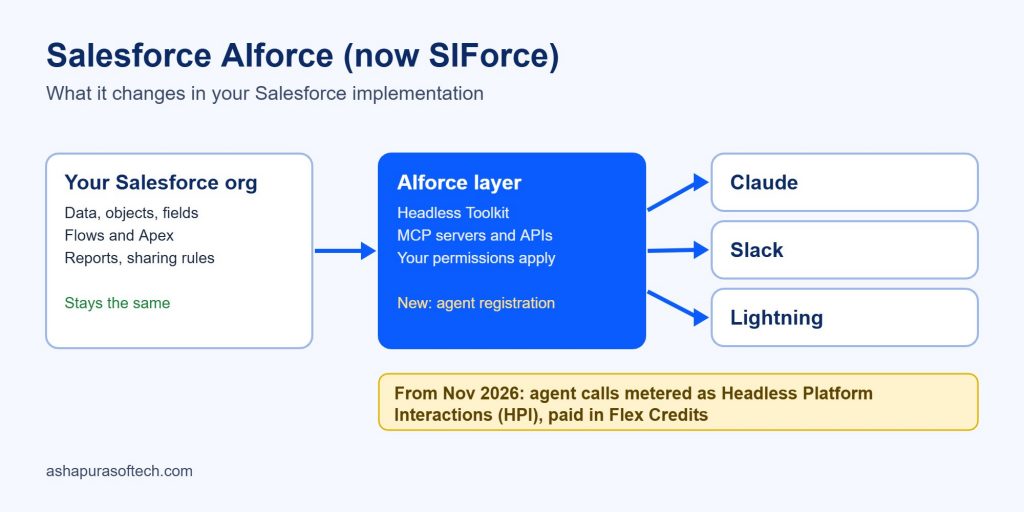
- Give integrations their own users. Integrations running on a named employee’s login are hard to monitor and break when that person leaves. Salesforce is also moving AI agents to their own registered identities from November; our guide to what AIforce changes in your implementation covers that.
- Monitor from outside Salesforce. A simple check that alerts you when logins or key API calls fail will tell you about the next outage before your users do.
- Agree a fallback for the front line. Decide in advance how sales and support will work if Salesforce is unavailable for half a day: which shared inbox or spreadsheet they use, and who enters the data afterwards.
- Write the runbook now. Turn the checklist above into a one-page document with names next to each step.
If you would rather have someone else watch your org, our Salesforce managed services team handles monitoring and post-incident clean-up, and our guide to Salesforce integration with other tools covers building integrations that survive this kind of failure.
Our take: the outage itself was fixed within a working morning in the US. The real cost for most companies will come from the quiet failures afterwards, such as a sync that skipped a night or a job that ran halfway. If you have not checked those yet, an hour spent on the checklist above is worth it.
Frequently asked questions
When was the Salesforce outage in September 2026?
It started on 16 September 2026 at 07:50 UTC (12:50 AM Pacific), during Dreamforce. Service was healthy from 15:26 UTC, and Salesforce marked the incident resolved at 18:59 UTC the same day.
What caused the Salesforce outage?
Salesforce said requests stalled while waiting on an internal login service, which used up server resources, and that a core system component was under increased load. It has not published a full root cause analysis as of 14 October 2026.
How many Salesforce instances were affected?
Salesforce described hundreds of instances in all regions. Reports tracking the Trust record put the final figure at 912 of about 3,243 instances. GovCloud was not affected.
Is Salesforce down today?
Check status.salesforce.com and search for your instance or My Domain. If Trust shows no incident, the problem is more likely in your org, your network or your browser.
Did Salesforce give credits for the outage?
No credits have been reported. Any entitlement depends on your contract and Success plan, so ask your account executive.
What should admins check after a Salesforce outage?
Scheduled jobs and scheduled flows, failed batch and queueable Apex, paused and failed flow interviews, integration errors, duplicates and gaps, web-to-lead and email-to-case volumes, and any support cases you tried to open during the outage.
How we put this guide together
The timeline and cause come from Salesforce’s Trust status updates for incident 20004433, as reported by Salesforce Ben, CIO and CX Today, cross-checked against each other. Where sources disagreed (for example on duration), we used the times Salesforce itself confirmed. The checklist reflects how we would approach recovery in a Salesforce org; the queries use standard Salesforce objects. We will update this page if Salesforce publishes a root cause analysis.