Last updated: 8 October 2026
Quick answer
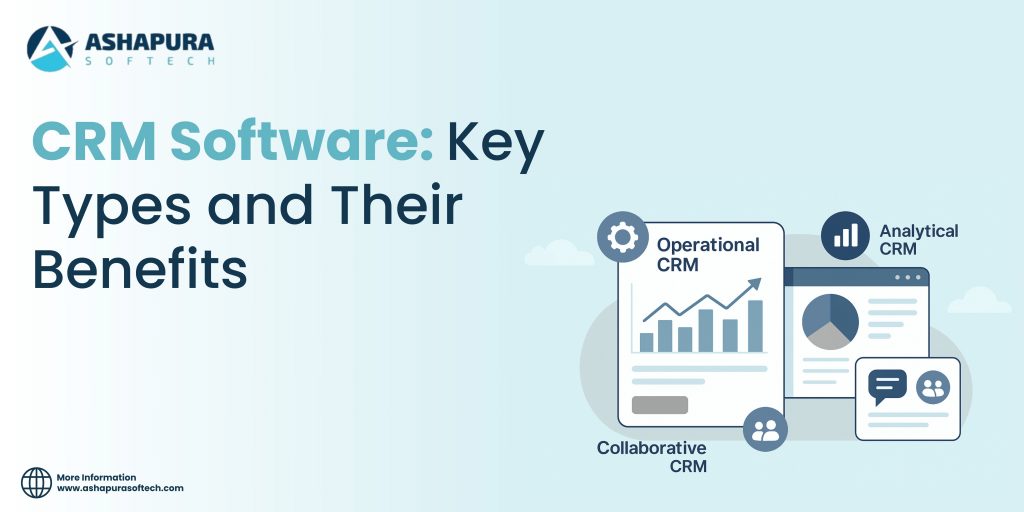
The three main types of CRM software are operational (automating sales, marketing and service work), analytical (turning customer data into reports and forecasts) and collaborative (sharing customer information across teams). CRMs are also grouped by how they are deployed, cloud or on-premise, and by who they are built for, general or industry-specific. Most businesses today buy one platform that combines all three types and choose it by fit, integrations and total cost.
“Which CRM should we buy?” is usually the wrong first question. A better one is “which type of CRM work do we actually need?” A ten-person sales team losing track of follow-ups needs something very different from a service desk that wants to predict churn. This guide explains the types of CRM software, what each one does, and a practical way to choose.
It is written for owners, sales leaders and operations managers at small and mid-size businesses. Our team implements Salesforce, Zoho and other CRMs for US companies, so the examples come from the platforms we work with every day.
The three core types of CRM
Most CRM guides, and most vendors, describe three core types. In practice they are three jobs a CRM does rather than three separate products, but the split is a useful way to see which features you need first.
1. Operational CRM
Operational CRM runs the day-to-day customer work. It is where leads are captured, deals move through a pipeline, campaigns are sent and service cases are logged. Typical features include:
- Sales automation: lead assignment, pipeline stages, task reminders, quotes and forecasts.
- Marketing automation: email campaigns, web forms that create leads, lead scoring and nurture sequences.
- Service automation: case management, routing, service-level timers and a customer portal or knowledge base.
This is where most small businesses start, because it removes the work that falls through the cracks first: missed follow-ups, duplicate calls and leads nobody owns.
2. Analytical CRM
Analytical CRM turns the data the operational side collects into answers. Which lead sources convert? Which customers are likely to stop buying? How accurate was last quarter’s forecast? Typical features include dashboards, sales and pipeline reports, customer segmentation, forecasting and, increasingly, AI predictions such as lead scores or churn risk.
Analytical features are only as good as the data behind them. If reps do not log activities or the same customer exists three times, the reports will be confidently wrong. That is why data quality usually has to be fixed before analytics pays off.
3. Collaborative CRM
Collaborative CRM makes sure every team sees the same customer. Sales can see open support cases before a renewal call, service can see what was promised in the deal, and marketing can stop emailing someone who just complained. Typical features include shared customer records, internal comments and mentions, partner or customer portals, and a single history of every email, call and chat.
It matters most once more than one team talks to the same customers, which happens sooner than most businesses expect.
A fourth type you will see: strategic CRM
Some guides add strategic CRM, which focuses on long-term relationships and customer lifetime value rather than individual transactions. In practice it is less a software category than a way of using the other three: tracking loyalty, account health and expansion over years instead of quarters.
| Type | Main job | Typical features | Who uses it most |
|---|---|---|---|
| Operational | Run daily sales, marketing and service work | Pipelines, automation, campaigns, case management | Sales reps, marketers, service agents |
| Analytical | Turn customer data into decisions | Dashboards, forecasts, segmentation, AI scoring | Managers, owners, analysts |
| Collaborative | Give every team one view of the customer | Shared records, activity history, portals | Sales, service and marketing together |
| Strategic | Grow long-term customer value | Account health, loyalty and lifetime-value tracking | Leadership, account managers |
Other ways CRM software is classified
By deployment: cloud vs on-premise
Cloud CRM is hosted by the vendor and paid for monthly or annually per user. There is no server to maintain, updates arrive automatically and the system works anywhere with a browser. Salesforce, Zoho CRM and HubSpot are all cloud CRMs, and this is the default choice for most small and mid-size businesses today.
On-premise CRM is installed on your own servers. It gives full control over where data lives and how deeply the system can be changed, but you take on hardware, security patches and upgrades. It mainly suits organisations with strict data-residency rules or heavy custom requirements. Some open-source platforms, such as Odoo, can be run either way.
By audience: general vs industry-specific
General CRMs are designed to fit most businesses and are adapted through configuration. Industry CRMs come with the data model and workflows of one sector already built in, for example patient and care-plan records in healthcare, or property and listing records in real estate. Large platforms often offer both: Salesforce, for instance, sells industry editions such as Health Cloud and Financial Services Cloud on top of its core CRM.
An industry edition saves configuration time when your processes match the template closely. When they do not, a general CRM configured to your process is often simpler and cheaper.
By scope: standalone vs all-in-one suite
A standalone CRM does customer management and connects to other tools for accounting, support or marketing. An all-in-one suite, such as Zoho One or the wider Salesforce platform, bundles those functions so data is shared natively. Suites reduce integration work; standalone tools let you pick the best product for each job.
How to choose the right type of CRM
Rather than comparing feature lists, work through these five questions with the people who will use the system.
- What problem are you fixing first? Lost follow-ups and messy pipelines point to operational features. “We cannot tell what is working” points to analytics. “Teams keep contradicting each other” points to collaboration.
- Who will use it every day? A CRM is only useful if people keep it up to date. Check how quickly a rep can log a call on a phone and how much training each role needs.
- What does it need to connect to? List email, calendar, accounting, your website forms, telephony and any online store. Native integrations are cheaper and more reliable than custom ones.
- What will it cost in year one? Add licences, add-ons, setup and migration, and your own team’s time. Our guide to Zoho CRM implementation cost and timeline shows how those lines add up for a typical US team.
- Can you test it with your own data? Use the free trial with a sample of real contacts and deals. A demo built on the vendor’s sample data hides the problems you will actually face.
Common mistakes when picking a CRM type
- Buying analytics before the basics. Dashboards built on incomplete data mislead. Get reps logging activity consistently first.
- Choosing an industry edition for one feature. If only one screen matches your industry, configuring a general CRM is usually cheaper than adopting an entire industry data model.
- Ignoring who owns the system. Every CRM needs one internal owner for fields, reports and user requests, or it slowly fills with clutter.
- Migrating every old record. Bring over the customers and open deals you need, cleaned, and archive the rest. A CRM health check is a quick way to see what is worth keeping.
Where Salesforce and Zoho fit
Both Salesforce and Zoho CRM are cloud, all-in-one CRMs that cover operational, analytical and collaborative work. Salesforce suits organisations that need deep customisation, industry editions and a large app ecosystem, and it usually needs more configuration and a larger budget. Zoho CRM suits small and mid-size businesses that want strong core features at a lower licence cost, especially if they already use other Zoho apps.
If you are weighing either platform, our teams handle Salesforce CRM development and Zoho CRM development, and we also build custom CRM software when an off-the-shelf product is not the right fit.
Not sure which type of CRM your team needs? Book a free 30-minute consultation and we will help you map your process to the right platform.
Frequently asked questions
What are the main types of CRM software?
There are three main types: operational CRM, which automates sales, marketing and service work; analytical CRM, which turns customer data into reports and forecasts; and collaborative CRM, which shares customer information across teams and channels. Many guides add a fourth, strategic CRM, which focuses on long-term customer relationships. Most modern CRM platforms combine all of these in one product.
Which type of CRM is best for a small business?
Most small businesses start with an operational CRM that covers the sales pipeline, contact history and basic automation, because that is where time is lost first. Analytical and collaborative features matter more once there are several teams or a few years of data to learn from.
Is Salesforce or Zoho an operational, analytical or collaborative CRM?
Both are all-in-one platforms. Salesforce and Zoho CRM each provide operational features such as pipelines and workflow automation, analytical features such as reports and dashboards, and collaborative features such as shared records and team communication. The difference is in depth, pricing and how much configuration each needs.
What is the difference between cloud and on-premise CRM?
A cloud CRM is hosted by the vendor and paid for by subscription, so there is no server to run and updates arrive automatically. An on-premise CRM is installed on your own servers, which gives more control over data and customisation but adds hardware, maintenance and upgrade work.
How do I choose the right type of CRM?
Start from the problem you need to fix, list who will use the system daily, check which tools it must connect to, compare the full first-year cost rather than the licence alone, and test the shortlisted products with your own data before you commit.
About the author
Ankur Pandey is Marketing Manager at Ashapura Softech Inc., where he works with the Salesforce and Zoho delivery teams on CRM guides for US businesses.