Categories
Salesforce Sales Cloud

5 Ways to Boost Salesforce Sales Cloud ROI in 2025

Introduction

Salesforce Sales Cloud is one of the most powerful CRM solutions designed to streamline sales processes, enhance customer engagement, and drive business growth. It provides organizations with tools for lead management, opportunity tracking, sales forecasting, workflow automation, and advanced analytics, helping teams close deals faster and maximize revenue potential.

As we move into 2025, businesses face a more competitive, technology-driven landscape where customer expectations are higher than ever. Merely implementing Salesforce Sales Cloud is no longer enough to guarantee success—optimizing ROI (Return on Investment) has become a strategic priority. Companies must leverage emerging technologies like AI (Artificial Intelligence) and advanced automation to unlock Salesforce’s full potential, enhance productivity, and deliver superior customer experiences.

Artificial Intelligence is transforming how businesses use CRM platforms. Predictive analytics, automated sales processes, personalized customer interactions, and real-time data insights are reshaping the way organizations engage with prospects and close deals. Automation further eliminates repetitive tasks, ensuring sales teams focus on revenue-generating activities rather than administrative work. When implemented effectively, these innovations can significantly increase profitability and accelerate ROI.

This guide outlines five proven strategies to maximize the return on Salesforce Sales Cloud investments in 2025. From expert consulting services and AI-driven automation to working with the right Salesforce partners and hiring specialists to refine your system, these methods are designed to help businesses achieve measurable results. Whether you are a growing enterprise or a large organization, these approaches will ensure your Salesforce platform remains a powerful driver of growth and efficiency in a rapidly evolving digital economy.

1. Leverage Salesforce Consulting Services 

Salesforce Sales Cloud is a powerful platform, but its full potential is often underutilized without expert guidance. Many businesses invest in the platform but fail to achieve the desired ROI because they lack the right strategy for implementation, customization, and optimization. This is where Salesforce Consulting Services plays a vital role.

Professional consultants help align your Salesforce Sales Cloud setup with your unique business needs. They start by conducting a comprehensive system audit to evaluate current usage, identify performance gaps, and uncover missed opportunities for automation and AI integration. This ensures that every aspect of Sales Cloud, from lead tracking to pipeline forecasting, is designed to drive maximum efficiency and revenue growth.

Working with certified Salesforce Partners gives businesses access to best practices, advanced features, and proven methodologies. These experts bring years of experience across industries, allowing them to recommend data-driven strategies that optimize workflows, streamline reporting, and improve decision-making.

Additionally, consulting services provide ongoing support to ensure continuous improvement. As business needs evolve, consultants fine-tune configurations, integrate new Salesforce features, and guide user adoption to ensure sustainable ROI growth. Whether it’s personalizing customer journeys or refining sales processes, expert consulting can transform Salesforce Sales Cloud from a basic CRM into a revenue-generating engine.

2. Optimize Salesforce Setup for Better Performance

Implementing Salesforce Sales Cloud is just the first step; optimizing the platform for peak performance is what truly drives ROI. Many businesses use only a fraction of Salesforce’s capabilities, leaving untapped potential that could improve sales efficiency, forecasting accuracy, and customer engagement. Salesforce optimization focuses on refining configurations, streamlining workflows, and leveraging advanced features to maximize business value.

A well-optimized Salesforce setup begins with data integrity. Clean, accurate, and well-structured data is the foundation for effective reporting and AI-driven insights. Businesses should establish data validation rules, duplicate management processes, and regular audits to ensure system reliability.

Next, workflow automation plays a critical role. By automating repetitive tasks—such as lead assignment, email follow-ups, and approval processes—sales teams can focus on high-value activities that directly impact revenue. Additionally, optimizing dashboards and reports ensures that decision-makers have access to real-time, actionable insights.

Integrating Salesforce with marketing automation tools, ERP systems, and AI-powered applications further enhances performance. Predictive lead scoring, personalized campaigns, and automated sales pipelines can significantly boost productivity and ROI.

Finally, regular performance reviews and system audits ensure that Salesforce remains aligned with evolving business goals. Businesses should continuously evaluate user adoption rates, feature utilization, and process efficiency to maintain a competitive edge.

3. Automate Processes with AI to Maximize ROI

Automation and Artificial Intelligence (AI) are revolutionizing how businesses use Salesforce Sales Cloud to drive higher ROI. Manual processes consume valuable time and often lead to errors, missed opportunities, and inefficiencies. By integrating AI-driven automation, companies can streamline workflows, enhance customer engagement, and make smarter sales decisions faster.

Why AI and Automation Matter in 2025

AI tools within Salesforce, such as Einstein AI, bring predictive insights and intelligent recommendations that help sales teams prioritize high-value leads and forecast revenue more accurately. Automation ensures that repetitive, time-consuming tasks—like sending follow-up emails, updating records, or assigning leads—are handled seamlessly, freeing up sales teams to focus on strategic actions that drive revenue growth.

Key Benefits of AI-Powered Automation
  • Predictive Lead Scoring – Automatically identify high-potential leads based on behavioral patterns and past data.
  • Smart Forecasting – Use AI to predict sales trends, allowing for better decision-making and resource allocation.
  • Personalized Customer Journeys – Deliver targeted communications based on customer preferences and engagement history.
  • Faster Sales Cycles – Automate routine tasks such as approvals, follow-ups, and scheduling to accelerate deal closures.
  • Enhanced Data Insights – AI analyzes large datasets to uncover trends and opportunities that human analysis might miss.
Maximizing ROI with AI

Companies that adopt AI and automation within Salesforce see significant improvements in sales performance, customer satisfaction, and operational efficiency. By reducing manual effort and leveraging real-time insights, organizations can increase conversions while lowering operational costs—directly boosting ROI.

4. Work with the Best Salesforce Implementation Partner

Investing in Salesforce represents a strategic decision to enhance business performance, streamline operations, and improve customer engagement. However, the value of this investment depends largely on the quality of its implementation. Selecting the best Salesforce implementation partner to increase ROI ensures that the platform is aligned with organizational objectives, properly adopted by users, and capable of delivering measurable business outcomes.

Why Selecting the Right Partner Matters

Salesforce is a highly versatile platform, but its impact is determined by how well it is configured to support an organization’s unique requirements. A generic or poorly executed deployment may result in low user adoption, inefficiencies, and limited returns. Conversely, the right partner brings the expertise needed to design solutions that reflect business processes and strategic priorities. This alignment enables organizations to realize the full potential of Salesforce as a driver of efficiency, customer loyalty, and growth. Ultimately, the choice of partner directly influences the return on investment.

Qualities to Look for in Salesforce Partners

Organizations seeking the right implementation partner should evaluate both technical and strategic capabilities. Certified Salesforce professionals with proven experience across diverse industries demonstrate the expertise required for complex deployments. Strong consultative skills are equally important, as effective partners take time to understand organizational goals before proposing tailored solutions. In addition, scalability and adaptability are essential; an ideal partner supports not only the initial implementation but also future growth and innovation. Reviewing client references, case studies, and Salesforce certifications can provide further assurance of a partner’s ability to deliver results.

How Experts Enhance Adoption and ROI

A successful implementation extends beyond technology to encompass people and processes. Expert partners place significant emphasis on user training, change management, and ongoing support. This approach promotes widespread adoption, enabling employees to leverage Salesforce effectively in their daily work. Moreover, experienced partners apply best practices to configure automation, analytics, and integrations that optimize business performance. By enabling better decision-making and creating efficiencies, they directly contribute to measurable improvements in ROI. Over time, the continued guidance of an experienced partner ensures that Salesforce remains a strategic asset rather than a static tool.

5. Hire Salesforce Experts to Improve ROI

Maximizing the value of Salesforce requires more than an initial implementation. As organizations grow and evolve, their Salesforce environment must adapt to meet new challenges, technologies, and customer expectations. This is where the decision to hire Salesforce experts to improve ROI becomes crucial. Dedicated professionals provide the advanced expertise needed to keep Salesforce aligned with business goals, ensuring that it consistently drives measurable outcomes.

When to Hire Dedicated Salesforce Experts

Organizations should consider hiring Salesforce experts when they encounter limitations with their existing setup or when scaling business operations. For example, companies expanding into new markets, managing complex customer data, or adopting advanced automation often require skills beyond the scope of general IT teams. Hiring experts is also advisable during mergers, system integrations, or digital transformation initiatives where seamless Salesforce performance is essential. By bringing in dedicated professionals at these points, businesses can avoid disruptions while enhancing their return on investment.

Benefits of Hiring Salesforce Experts

1. Advanced Customization
Salesforce is a highly flexible platform, but realizing its full potential depends on tailoring it to fit unique business processes. Salesforce experts design custom applications, dashboards, and integrations that ensure the platform reflects the organization’s specific workflows, enabling employees to work more efficiently and effectively.

2. Process Optimization
Beyond technical customization, Salesforce experts analyze current workflows to identify inefficiencies and bottlenecks. By applying automation, optimizing lead routing, or refining customer service processes, they improve productivity while reducing costs. These optimizations directly contribute to stronger ROI.

3. Continuous Training & Updates
Salesforce releases regular updates with new features and functionalities. Without dedicated expertise, organizations risk underutilizing these improvements. Salesforce experts provide continuous training, ensuring that teams are not only aware of new capabilities but also equipped to use them strategically. This ongoing support fosters long-term adoption and value.

Example: Reducing Churn and Increasing Pipeline Value

Consider an organization struggling with high customer churn and inconsistent sales pipeline growth. By hiring Salesforce experts, the company was able to implement predictive analytics, automate customer engagement workflows, and design personalized dashboards for the sales team. The result was a 15% reduction in churn rates and a significant increase in pipeline value, clearly demonstrating the impact of expert intervention on ROI.

FAQs

1. What is Salesforce Sales Cloud, and how does it increase ROI?
Salesforce Sales Cloud is a leading CRM platform that helps businesses manage leads, track opportunities, and forecast sales. When optimized correctly, it boosts productivity and ensures a higher return on investment (ROI).

2. Why should I hire Salesforce experts to improve ROI instead of relying on in-house IT?
Hiring Salesforce experts ensures advanced customization, automation, and continuous system updates. Unlike general IT teams, certified experts maximize the platform’s potential and directly improve ROI.

3. What is the difference between a Salesforce implementation partner and Salesforce experts?
The best Salesforce implementation partner focuses on successful setup and deployment, while Salesforce experts provide ongoing optimization, training, and support. Together, they ensure long-term ROI growth.

4. How does AI automation in Salesforce Sales Cloud help maximize ROI in 2025?
AI-powered tools like Salesforce Einstein deliver predictive lead scoring, smart forecasting, and automated workflows. These innovations streamline sales processes and significantly increase ROI.

5. How can businesses measure the ROI of Salesforce Sales Cloud?
Companies can measure ROI by tracking conversion rates, pipeline growth, reduced churn, and improved sales efficiency. Regular audits by Salesforce experts provide deeper insights into long-term ROI.

Getting more out of Sales Cloud usually needs outside help at some point. The delivery models available, and what each costs you in response time, are compared in onshore, nearshore and offshore Salesforce consulting.

Conclusion

In 2025, maximizing Salesforce Sales Cloud ROI relies on five essentials: setting clear ROI goals, improving adoption with consulting, leveraging automation and AI, choosing the best implementation partner, and continuously optimizing through expert support. Businesses that embrace these strategies achieve higher adoption, faster sales cycles, smarter insights, and stronger revenue growth. Ready to unlock Salesforce ROI? Partner with Ashapura Softech today and contact us at [email protected], your trusted Salesforce consulting and implementation experts.
Categories
Salesforce

Salesforce CPQ: Features Every Business Needs for Higher ROI

Introduction

In the age of digital transformation, sales teams are under more pressure than ever to deliver faster, more accurate, and highly personalized buying experiences. Customers expect tailored quotes instantly, pricing that reflects their unique needs, and a seamless journey from the first interaction to contract signing. For many organizations, achieving this level of efficiency and precision requires going beyond spreadsheets, manual approvals, and disconnected systems. This is where Configure, Price, Quote (CPQ) software comes in.

CPQ software is designed to automate and simplify the quoting process. It helps businesses configure complex product offerings, apply accurate pricing logic, and generate professional proposals within minutes. Among the many CPQ solutions available today, Salesforce CPQ has emerged as the industry leader. Unlike standalone systems, Salesforce CPQ is built directly on the Salesforce platform, which means it works hand-in-hand with customer relationship management (CRM software) to provide a seamless sales experience.

The benefits of adopting Salesforce CPQ go far beyond efficiency. It reduces quoting errors, ensures compliance with pricing rules, and frees up sales reps to focus on closing deals instead of fixing spreadsheets. According to Salesforce, organizations using CPQ have reported shortening their sales cycle by up to one-third, improving quote accuracy by more than 95%, and increasing deal size by leveraging guided selling and intelligent upselling features.

In this article, we will explore the essential features of Salesforce CPQ that drive revenue growth and measurable ROI. We’ll look at its seamless integration with CRM software, its advanced pricing rules, implementation best practices, and why it’s especially powerful for enterprises managing complex sales cycles. By the end, you’ll understand how Salesforce CPQ enables businesses not only to sell smarter but also to achieve higher profitability in competitive markets.

What is Salesforce CPQ and How It Fits Into CRM Software

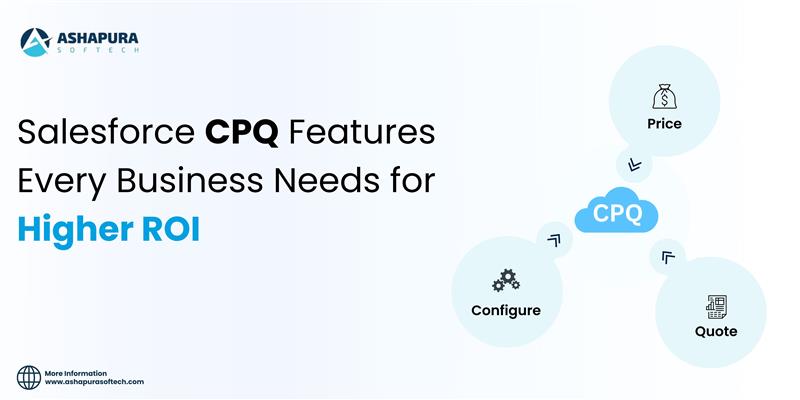
Salesforce CPQ, short for Configure, Price, Quote, is a sales tool that enables companies to generate highly accurate quotes quickly. Unlike manual methods that often involve spreadsheets, email chains, or disjointed systems, Salesforce CPQ automates the entire process of selecting products, applying pricing rules, discounting, and generating proposals. This ensures every quote sent to a customer is both error-free and aligned with company policies.

At its foundation, Salesforce CPQ addresses three core challenges that sales teams face:

  1. Configuration: Selecting the right mix of products or services, especially when bundles or add-ons are involved.
  2. Pricing: Applying discounts, promotions, and margin rules without manual guesswork.
  3. Quoting: Generating a polished, branded quote document quickly for customers.

Because it is built natively on the Salesforce platform, Salesforce CPQ integrates seamlessly with other CRM software, giving organizations a unified sales ecosystem. This alignment provides several key advantages:

  • Single source of customer truth: Customer data stored in Salesforce CRM is instantly accessible in CPQ. This ensures reps quote based on the most accurate, up-to-date account and opportunity details.
  • End-to-end visibility: From the moment a lead enters the system to the final contract, every step is tracked within one platform. No more juggling between disconnected tools.
  • Improved collaboration: Finance, sales, and operations teams can all access the same data, streamlining approvals and reducing bottlenecks.
  • Predictive insights: CRM data combined with CPQ automation enables accurate forecasting of revenue, margin, and pipeline health.

According to SalesforceBen, the combination of CRM and CPQ transforms sales teams from order-takers into trusted advisors. Instead of wasting time on administrative work, sales reps can focus on understanding customer needs and offering the best solutions, guided by intelligent product recommendations. major benefit of this CRM-CPQ synergy is scalability. Whether a small business is managing a handful of deals or an enterprise is handling thousands of quotes across multiple regions, Salesforce CPQ can scale effortlessly. Features like multi-currency support, contract renewals, and advanced approval workflows make it equally valuable for startups and global corporations.

Ultimately, Salesforce CPQ is not just a quoting tool—it’s a strategic extension of CRM that empowers companies to deliver better customer experiences, shorten sales cycles, and maximize ROI. By bridging the gap between customer data and sales execution, it ensures every quote is not only accurate but also optimized for profitability.

Best CPQ Features for ROI

One of the biggest reasons companies invest in Salesforce CPQ is its ability to directly improve return on investment (ROI). By automating manual tasks, reducing errors, and providing intelligent selling tools, Salesforce CPQ helps businesses accelerate sales cycles while increasing deal sizes. Let’s explore the key CPQ features that deliver the highest ROI.

1. Guided Selling

Guided selling is a standout feature of Salesforce CPQ that ensures sales reps recommend the right products and services to customers. Instead of relying on memory or flipping through product catalogs, reps are guided through a step-by-step process that suggests options based on customer needs.

This not only reduces mistakes but also encourages upselling and cross-selling opportunities, leading to larger deal values. For example, a rep selling a SaaS subscription may be prompted to include premium support or additional storage options—enhancing customer satisfaction and increasing revenue.

2. Automation of Quotes and Approvals

Manual approval processes can delay deals, especially in enterprises with strict compliance rules. Salesforce CPQ automates approval workflows, ensuring quotes meet business policies while minimizing bottlenecks. Discounts, for instance, can trigger auto-approvals if they fall within pre-set limits, while larger exceptions automatically route to managers.

The impact on ROI is clear: fewer delays, reduced admin overhead, and faster quote-to-cash cycles. Companies adopting automated approval workflows often report significant improvements in deal closure rates.

3. Contract Renewals & Subscription Management

For subscription-based businesses, renewals are a critical driver of long-term ROI. Salesforce CPQ simplifies contract renewals by automatically generating renewal opportunities, pricing them correctly, and flagging upcoming expirations.

This ensures reps never miss a renewal deadline and can proactively engage customers with upsell or cross-sell options. The result? Stronger customer retention and increased lifetime value.

4. Bundling and Advanced Pricing Rules

One of Salesforce CPQ’s most ROI-driven features is its ability to handle complex pricing scenarios. Businesses can create product bundles, apply discounts, or set tier-based pricing automatically. This eliminates human error while building trust with customers who receive consistent and transparent pricing.

Advanced pricing rules also allow companies to experiment with value-based pricing strategies. For instance, a manufacturing company can set bundle discounts for volume purchases, encouraging customers to buy more while still protecting margins.

5. Mobile and Global Scalability

Modern sales don’t happen only at desks—reps are often on the go, negotiating deals in real-time. Salesforce CPQ offers mobile access and supports multi-currency and multilingual quoting. For enterprises operating globally, this ensures consistency across regions while maintaining flexibility in local pricing strategies.

By enabling reps to generate quotes anytime, anywhere, companies reduce delays and keep deals moving forward, which directly impacts revenue growth.

Why These Features Matter for ROI

Each of these Salesforce CPQ features contributes to higher ROI in unique ways:

  • Guided selling → larger deal sizes through upselling/cross-selling.
  • Automation → faster deal cycles and reduced administrative costs.
  • Renewals → improved retention and lifetime value.
  • Advanced pricing → accuracy, transparency, and margin protection.
  • Scalability → efficiency across mobile, regional, and enterprise-level sales.

According to DealHub, organizations that leverage these features effectively see measurable improvements in sales productivity, quote accuracy, and revenue growth. For businesses seeking the highest ROI, prioritizing these features during CPQ implementation is critical.

Salesforce CPQ Implementation Guide

Implementing Salesforce CPQ is not just a technical project—it’s a strategic initiative that can reshape the way your sales organization operates. A successful implementation requires careful planning, alignment between business and IT teams, and a focus on adoption. Here’s a practical guide to help businesses ensure a smooth CPQ rollout.

1. Define Goals and Requirements

Before starting implementation, companies must clearly outline their objectives. Do you want to shorten sales cycles, increase deal size, or improve pricing accuracy? Documenting requirements such as discount rules, approval workflows, and contract processes helps tailor CPQ to your business model.

2. Prepare Clean Data

Since Salesforce CPQ relies heavily on product catalogs, pricing data, and customer records, poor data quality can derail the project. Ensure product SKUs, pricing tiers, and customer account details are standardized before migrating into CPQ. This prevents errors and improves system reliability from day one.

3. Configure Workflows and Automations

One of the biggest ROI drivers of Salesforce CPQ is its automation capability. During implementation, set up workflows for approvals, discount thresholds, and contract renewals. This reduces manual effort and speeds up deal cycles. It’s also wise to design guided selling flows early so reps can start leveraging intelligent product recommendations.

4. Focus on Training and Adoption

Even the most advanced CPQ system will fail if sales teams don’t use it effectively. Invest in hands-on training, role-based user guides, and ongoing support. Encourage early adoption by showing how CPQ reduces admin work and helps reps close more deals.

5. Measure and Optimize

After go-live, track KPIs such as quote turnaround time, discount compliance, and win rates. Use these insights to fine-tune workflows, pricing rules, and approval paths. Continuous optimization ensures Salesforce CPQ keeps delivering ROI long after implementation.

Enterprise Salesforce CPQ for Large Organizations

Large enterprises face unique challenges in managing complex sales processes, global pricing structures, and multi-layer approval workflows. For these organizations, Salesforce CPQ (Configure, Price, Quote) becomes more than just a sales tool—it’s a critical enabler of scalability and revenue growth.

Why Enterprises Need Salesforce CPQ

In enterprise sales, deals often involve thousands of SKUs, intricate contract terms, and multiple decision-makers. Without automation, sales teams risk delays, pricing errors, and revenue leakage. Salesforce CPQ addresses these challenges by standardizing quoting processes, automating approvals, and ensuring compliance across global teams.

Enterprises can also benefit from consistency at scale. Whether a sales rep is in New York, London, or Singapore, CPQ ensures they follow the same pricing logic and approval paths, creating seamless customer experiences worldwide.

Integration with ERP and CRM Systems

A major advantage of Salesforce CPQ in large organizations is its ability to integrate with ERP (Enterprise Resource Planning) and CRM systems. Enterprises often use ERP for inventory, billing, and supply chain management. By connecting CPQ with ERP, businesses achieve real-time synchronization of product availability, pricing, and financial data.

This integration ensures that quotes generated in Salesforce CPQ reflect accurate stock levels, contract terms, and billing rules, reducing costly discrepancies between sales promises and operational realities.

Scaling Benefits for Global Teams

Enterprises operating across multiple regions must adapt to different currencies, languages, and compliance regulations. Salesforce CPQ supports multi-currency, multilingual quoting, and tax automation, ensuring that local markets are supported without sacrificing global consistency.

For sales leaders, this provides greater visibility into pipeline health and revenue forecasts across regions, enabling smarter strategic decisions.

Case Study Example

Consider a global manufacturing company selling industrial equipment across 30 countries. Before CPQ, their quoting process relied on spreadsheets, leading to long delays and frequent errors. After implementing Salesforce CPQ with ERP integration, they reduced quote turnaround time by 40%, improved pricing accuracy, and increased upsell opportunities.

Such results are not isolated. According to Gartner, enterprises adopting CPQ report faster sales cycles, improved compliance, and measurable ROI within the first 18 months of implementation.

The Enterprise ROI Impact

For large organizations, Salesforce CPQ is not just a convenience—it’s a growth accelerator. By unifying pricing strategies, streamlining approvals, and integrating with ERP and CRM systems, enterprises gain efficiency, accuracy, and scalability. This combination leads to higher revenue, stronger customer trust, and a competitive edge in global markets.

Salesforce CPQ Integration for Seamless Workflows

One of the greatest strengths of Salesforce CPQ lies in its ability to integrate seamlessly with other business systems. For enterprises, quoting does not exist in isolation—it connects with CRM, ERP, billing, e-signature tools, and customer service platforms. When Salesforce CPQ is integrated into this broader ecosystem, businesses achieve faster deal cycles, higher accuracy, and streamlined operations from lead to cash.

Integration with CRM Software

Because Salesforce CPQ is native to the Salesforce platform, it works hand-in-hand with Sales Cloud and Service Cloud. This integration ensures that all customer data—from lead generation to contract renewal—flows into one unified system. Sales reps can pull customer history, pricing agreements, and contract details directly into CPQ without toggling between tools.

This eliminates silos and enables a 360-degree view of the customer, strengthening both sales performance and customer experience.

Integration with ERP and Billing Systems

For enterprises, ERP systems handle critical functions like inventory, order management, and financial reporting. By connecting Salesforce CPQ with ERP platforms (such as SAP or Oracle), quotes automatically reflect real-time product availability, accurate costs, and tax compliance.

Similarly, integration with Salesforce Billing ensures that once a quote is approved, invoicing, payments, and revenue recognition are automated. This reduces manual errors and accelerates the entire order-to-cash process.

E-Signature and Contract Management Tools

Quoting is just the beginning—closing a deal often requires contract approvals and signatures. Salesforce CPQ integrates with DocuSign, Adobe Sign, and Salesforce CLM (Contract Lifecycle Management) to enable faster contract generation and approval workflows. This reduces bottlenecks and ensures deals close faster while maintaining compliance.

Boosting ROI Through Seamless Workflows

Integration is not just about convenience—it’s about measurable ROI. Businesses that connect Salesforce CPQ with CRM, ERP, and billing systems report:

  • Shorter sales cycles due to reduced manual processes.
  • Improved accuracy in pricing, billing, and inventory.
  • Higher customer satisfaction through error-free, consistent experiences.
  • Increased sales productivity as reps spend more time selling instead of managing admin tasks.

According to Forrester, organizations that integrate CPQ into their digital sales ecosystem see 20–30% improvements in sales efficiency and reduced revenue leakage.

Measuring Salesforce CPQ ROI

Every business considering Salesforce CPQ wants to know the same thing: what’s the return on investment (ROI)? While CPQ clearly simplifies quoting and pricing, its real value lies in how much it accelerates revenue growth, improves efficiency, and reduces costs. Measuring ROI requires identifying the right KPIs and tracking results over time.

Key KPIs to Track Salesforce CPQ ROI

1. Quote-to-Cash Cycle Time
One of the clearest indicators of CPQ impact is how fast deals move from initial quote to closed revenue. Businesses that automate quoting and approvals with Salesforce CPQ typically reduce cycle times by 20–40%, leading to faster cash flow.

2. Quote Accuracy
Pricing errors, missed discounts, and misconfigured products often erode margins. With CPQ, companies can achieve 95%+ accuracy rates in quotes, reducing revenue leakage and customer dissatisfaction.

3. Sales Productivity
Salesforce CPQ enables reps to spend less time on manual quoting and more time engaging customers. Studies from Forrester show sales teams using CPQ tools experience a 10–20% boost in productivity.

4. Win Rate & Deal Size
By guiding reps with upsell and cross-sell recommendations, CPQ increases both win rates and average deal value. For example, companies often see a 5–10% increase in deal size after implementation.

Post-Implementation Benchmarks

Measuring ROI doesn’t stop after go-live. Enterprises should establish before-and-after benchmarks:

  • Average time to generate quotes (pre- vs. post-CPQ).
  • Frequency of pricing errors.
  • Approval turnaround time.
  • Customer satisfaction scores.
  • Margin improvements per deal.

Financial ROI Considerations

Beyond productivity, CPQ delivers direct financial ROI by:

  • Reducing revenue leakage (preventing unapproved discounts).
  • Enabling faster billing and revenue recognition through integration with Salesforce Billing.
  • Lowering operational costs by reducing reliance on spreadsheets and manual processes.

How to Measure ROI From Salesforce CPQ Optimization

ROI from CPQ optimization is a different question from ROI on CPQ itself. Optimization ROI shows up after the system is already live, when you go back and tighten pricing rules, discount guardrails, and quote templates that have drifted since the original rollout.

Track it in a few specific places rather than a single “quotes are faster” anecdote: reduced quote-to-close time, meaning the time from an opportunity being ready to quote to a signed order; fewer pricing errors that trigger re-quotes or credit memos; a higher win rate on quotes that go out within your target SLA; and rep time reclaimed from manual pricing lookups and approval chasing.

The practical move is to baseline these four numbers before an optimization project starts, then re-measure the same four 60 to 90 days after. That before-and-after comparison, not a vendor’s general benchmark, is what turns a CPQ optimization spend into a number leadership can actually defend. For the AI-specific side of this, see our guide to AI-driven quote-to-cash with Salesforce CPQ.

Conclusion

Salesforce CPQ is more than a quoting tool—it’s a growth engine that streamlines sales, improves accuracy, and delivers measurable ROI across organizations of every size. From guided selling to ERP integration, the right CPQ features empower businesses to close deals faster, reduce revenue leakage, and scale with confidence. If your goal is higher efficiency and profitability, now is the time to explore Salesforce CPQ. Connect with our experts at Ashapura Softech to start your CPQ journey today. Contact us at [email protected] and unlock your path to scalable ROI.

For scoping and delivery of the features described here, see our Salesforce CPQ implementation services.

Categories
Salesforce

Top 5 Ways AI Improves Salesforce Marketing Cloud Results

Introduction

In today’s digital-first world, your customers expect more than just generic messages—they want brands to understand their needs, anticipate their next move, and deliver personalized interactions across every channel. Meeting these expectations can feel overwhelming if you’re relying only on traditional marketing tools. What’s needed is a smarter, data-driven approach powered by artificial intelligence (AI).

This is where Salesforce Marketing Cloud shines. Recognized as one of the world’s leading CRM-powered marketing platforms,  Salesforce Marketing Cloud enables businesses to unify customer data, design intelligent journeys, and build long-term loyalty. But in 2025, the true differentiator isn’t just the platform itself—it’s how seamlessly AI integrates into Salesforce Marketing Cloud.

With Einstein AI, Salesforce’s built-in intelligence layer, marketers gain the ability to automate repetitive tasks, optimize campaigns in real time, predict customer behavior, and scale personalization like never before. What was once a manual, time-consuming process now becomes faster, smarter, and far more impactful.

For you as a marketer or business leader, this means campaigns that drive higher engagement, reduce churn, and deliver stronger ROI. Instead of asking whether to embrace AI in Salesforce, the real question is: How quickly can you leverage AI to transform your marketing performance?

In this guide, we’ll break down exactly that—why AI is a game-changer for Salesforce Marketing Cloud, the top five ways AI improves results, real-world success stories, and the future trends shaping 2025 and beyond. Whether you’re exploring Salesforce AI integration for the first time or fine-tuning existing workflows, this resource is built to give you clear strategies, practical insights, and a competitive edge.

Why AI is a Game-Changer for Salesforce Marketing Cloud

At its core, marketing success has always depended on three pillars, and those pillars are understanding the customer, engaging them effectively, and driving profitable outcomes. Traditionally, marketers relied on intuition, manual processes, and historical data to make decisions. While these approaches worked in the past, today’s digital landscape generates vast amounts of data in real time—far too much for humans to analyze manually. To stay competitive, organizations need smarter, faster, and more adaptive tools.

This is where Einstein AI, Salesforce’s native artificial intelligence layer, fundamentally changes what’s possible inside Salesforce Marketing Cloud. By blending predictive analytics, natural language processing, and machine learning, Salesforce AI integration converts Marketing Cloud into an intelligent, self-optimizing system. Instead of static campaigns, marketers now have access to dynamic, continuously learning customer journeys that improve with every interaction.

Key Benefits of AI in Salesforce Marketing Cloud

1. Personalization at Scale
Einstein AI allows marketers to deliver hyper-personalized content at the individual level. For instance, two customers may receive the same campaign, but the offers, images, and calls to action are dynamically adjusted based on each user’s browsing history, purchase intent, and predicted actions. This creates experiences that feel unique, even when reaching millions of contacts at once.

2. Smarter Engagement Across Channels
With AI email optimization in Salesforce, Einstein determines the optimal send time, subject lines, and message formats for each subscriber. Combined with push notifications and SMS, it ensures communication happens on the channel and at the moment the customer is most receptive—boosting engagement and reducing wasted effort.

3. Boosting ROI Through Automation
As the best CRM with AI automation, Salesforce Marketing Cloud eliminates repetitive, manual work such as segmentation, lead scoring, and campaign scheduling. This not only saves time but also ensures resources are focused on strategy, creativity, and growth. Businesses using Einstein AI consistently report improved marketing efficiency and reduced customer acquisition costs.

The proof is in the numbers. According to the Salesforce State of Marketing Report, companies leveraging Einstein AI achieved a 32% increase in engagement rates and a 26% improvement in ROI. These results highlight that AI-driven marketing automation is no longer optional—it’s mission-critical for brands that want to stay ahead in 2025 and beyond.

In short, AI doesn’t just make Salesforce Marketing Cloud more efficient—it makes it smarter, adaptive, and significantly more profitable. The following sections explore the top five ways AI is revolutionizing Salesforce Marketing Cloud, with strategies, real-world examples, and actionable steps your business can apply today.

Top 5 Ways AI Improves Salesforce Marketing Cloud Results

AI is not just a buzzword in 2025—it’s the driving force behind how businesses deliver smarter, faster, and more relevant customer experiences. For marketers using Salesforce Marketing Cloud, Einstein AI provides the intelligence layer that transforms campaigns from static workflows into adaptive, predictive systems. Below, we explore the five most powerful ways AI enhances Salesforce Marketing Cloud results, with practical insights and examples.

1. Advanced Personalization with Einstein AI

Personalization has long been the holy grail of marketing, yet most brands struggled to achieve it at scale. Before AI, personalization often meant inserting a customer’s name into an email or segmenting by simple demographics. Today, Einstein AI in Salesforce Marketing Cloud goes much deeper, delivering real-time, context-aware personalization.

  • Dynamic Content Delivery: Einstein analyzes customer behavior—click patterns, purchase history, browsing behavior, and even engagement recency—to insert personalized product recommendations, offers, or messaging into every communication. Whether it’s an email, SMS, or landing page, each interaction feels tailor-made.
  • Journey Personalization: Instead of placing customers on fixed journeys, Einstein adjusts experiences dynamically. A customer who engages heavily with SMS might get follow-ups via text, while another who prefers email gets optimized offers in their inbox. These AI Salesforce Marketing Cloud journeys reduce friction and increase conversions.

Example: A retail fashion brand uses Salesforce Marketing Cloud AI to show each returning customer items in their preferred style category while cross-selling accessories that pair with previous purchases. The result is higher basket value and stronger loyalty.

2. Predictive Analytics for Customer Behavior

In modern marketing, understanding customer intent is everything. While historical data tells you what happened, predictive analytics helps you anticipate what’s next. With Salesforce Einstein AI features, marketers gain access to predictive scoring and behavior models that turn raw data into actionable insights.

  • Churn Prediction: Einstein identifies customers who show early signs of disengagement, enabling retention campaigns before churn occurs. For example, if a subscription user misses multiple logins, Salesforce can trigger a re-engagement email or offer.
  • Product Affinity Models: Einstein predicts which products or services a customer is most likely to purchase next. This allows marketers to present the right product at the right time, driving upsells and cross-sells without guesswork.
  • Journey Forecasting: Instead of building “one-size-fits-all” funnels, marketers can now map AI-powered customer journeys that adapt in real time based on predicted outcomes.

Example: A streaming subscription platform uses marketing automation with AI Salesforce to flag users likely to cancel. The system automatically deploys targeted offers, such as discounts or extended trials, keeping subscribers engaged and reducing churn.

3. AI-Powered Marketing Automation

Automation is not new—but AI makes it smarter, adaptive, and more strategic. With marketing automation powered by AI Salesforce, campaigns respond to customer behavior in real time rather than following rigid, pre-set rules.

  • Lead Scoring & Prioritization: Einstein AI scores leads based on likelihood to convert, helping sales teams focus only on high-value opportunities. This dramatically shortens the sales cycle.
  • Cross-Channel Campaign Management: AI ensures that whether you’re sending an email, an SMS, or running a social ad, the messaging stays consistent and contextually relevant.
  • Task Automation: Time-consuming tasks like A/B testing, segmentation, and reporting are handled by Einstein AI, freeing marketers to focus on creativity and strategy.

Example: A B2B SaaS company uses the best CRM with AI automation to refine its lead pipeline. Low-quality leads are filtered out, while high-value prospects automatically receive customized nurture sequences—saving sales teams hundreds of hours.

4. Send-Time Optimization & AI Email Enhancements

Despite the rise of chatbots, social ads, and SMS, email remains the cornerstone of digital marketing. But timing and content quality often determine whether an email gets opened—or ignored. With AI email optimization in Salesforce, marketers gain granular control over both.

  • Individualized Send Times: Einstein analyzes when each subscriber typically opens emails, then schedules delivery at the exact time they are most likely to engage.
  • Content Optimization: Beyond timing, AI can optimize subject lines, calls-to-action, and even visual assets to maximize clicks.
  • Inbox Placement & Deliverability: By tracking engagement history, Einstein reduces the risk of messages being flagged as spam, ensuring campaigns land in the inbox.

Example: An e-commerce retailer uses Salesforce Marketing Cloud AI to send abandoned-cart reminders when each customer is most likely to open. Some receive reminders in the morning, others at night—boosting conversions without increasing email volume.

5. AI-Driven Content Creation & Testing

One of the biggest bottlenecks in marketing is content production—emails, landing pages, subject lines, and ads all demand constant updates. With Salesforce AI integration, generative AI tools now support marketers in brainstorming, creating, and testing content faster.

  • Subject Line Generation: Einstein suggests subject lines proven to resonate with your audience segment, improving open rates.
  • Copy & CTA Variants: Marketers can test multiple AI-generated versions of ad copy, CTAs, and email headers simultaneously.
  • Creative Insights: Einstein continuously analyzes performance, learning which formats and tones drive the strongest results across segments.

Example: A financial services company leverages AI Marketing Cloud to generate different subject lines for a credit card promotion. After rapid testing, Einstein identifies the winning variant, leading to a 15% higher click-through rate with no added cost.

Real-World Use Cases & ROI Impact

The value of AI in Salesforce Marketing Cloud isn’t just theory—it’s already reshaping outcomes across industries. By leveraging Einstein AI implementation services and Salesforce AI integration, businesses are driving tangible results in personalization, retention, and overall ROI.

Retail Success Story

A global apparel retailer adopted Einstein AI to personalize product recommendations across email and mobile campaigns. Instead of generic promotions, each shopper now sees dynamic offers aligned with their browsing and purchase history. Within just six months, the brand reported a 28% increase in repeat purchases and a 19% lift in average order value. This demonstrates how AI Salesforce Marketing Cloud can unlock loyalty and upsell opportunities at scale.

Financial Services Transformation

In the competitive banking sector, customer churn is a constant challenge. One leading bank integrated Salesforce Marketing Cloud AI predictive analytics to identify customers at risk of leaving. By proactively launching retention campaigns with tailored offers, the bank reduced attrition by 12% in the first year, while simultaneously improving cross-sell conversion rates.

Healthcare Innovation

A telehealth provider leveraged AI Salesforce Marketing Cloud journey mapping to guide patients toward preventive care appointments. By delivering timely nudges and reminders via email and SMS, patient engagement improved by 30%, strengthening both outcomes and trust in digital healthcare services.

ROI You Can Measure

According to the Salesforce Customer Success Index (2024), companies implementing Einstein AI report an average ROI of 3.1x within the first year. While Salesforce Marketing Cloud pricing may vary depending on edition and add-ons, the incremental revenue growth and operational savings delivered by AI capabilities typically outweigh subscription costs. For enterprises, investing in Salesforce AI integration is more than a technology upgrade—it’s a strategic necessity to stay competitive in today’s AI-driven economy.

Future Trends – The Next Evolution of AI in Marketing Cloud

While today’s Salesforce AI integration already delivers personalization and automation at scale, the next wave of innovation will be even more transformative. For marketers, staying ahead of these advancements will be critical to maximizing ROI and maintaining a competitive edge.

Agentforce & Conversational AI

Salesforce has recently introduced Agentforce, a generative AI-powered assistant built to enhance customer service and sales. For marketing teams, this unlocks conversational AI that can guide prospects from initial awareness to purchase—seamlessly handing off leads to sales or customer success teams when needed. This promises 24/7 engagement without expanding human resources.

Generative AI in Omni-Channel Campaigns

Tomorrow’s AI Marketing Cloud will take omni-channel personalization to a new level. Imagine campaigns where AI generates tailored content—emails, SMS, social ads, or even voice messages—delivered in real-time to match a customer’s mood, behavior, and platform of choice. This means marketers can move from campaign-driven strategies to customer-driven experiences.

AI for Data Privacy & Compliance

As data regulations expand globally, marketers face increasing compliance challenges. Future Einstein AI capabilities will help brands automate consent management, track data preferences, and ensure personalization remains ethical and compliant. This safeguards customer trust while still enabling effective targeting.

According to Gartner, by 2027, 60% of enterprise marketers will rely on AI-driven decision engines to manage omni-channel experiences—a clear signal that AI will become a central pillar of modern marketing strategy.

Example Future Use Case

Picture a workflow in Salesforce Marketing Cloud AI where Einstein not only predicts churn but also auto-generates personalized re-engagement campaigns across email, WhatsApp, and push notifications—without human intervention. This level of automation will enable businesses to scale hyper-personalization with minimal manual effort. For marketers, these innovations aren’t just futuristic—they’re the roadmap to staying competitive in an AI-first landscape.

FAQs

1. What is Einstein AI in Salesforce Marketing Cloud?

Einstein AI is Salesforce’s built-in artificial intelligence tool that powers Salesforce Marketing Cloud AI features. It uses machine learning to deliver personalized recommendations, predict customer behavior, and automate campaigns for better engagement and ROI.

2. How does AI improve email marketing in Salesforce?

AI improves email marketing in Salesforce Marketing Cloud through AI email optimization, send-time recommendations, subject line testing, and personalized content blocks. This leads to higher open rates, stronger engagement, and better conversion results.

3. Is Salesforce Marketing Cloud the best CRM with AI automation?

Yes. Salesforce Marketing Cloud, combined with Einstein AI, is considered the best CRM with AI automation. It offers predictive analytics, omni-channel personalization, and workflow automation, making it ideal for businesses that want scalable AI-driven marketing.

4. Which industries benefit most from AI in Salesforce Marketing Cloud?

Industries such as retail, e-commerce, finance, healthcare, and SaaS benefit most from AI Salesforce Marketing Cloud. These sectors rely heavily on personalization, customer retention, and predictive insights—all areas where AI excels.

5. How much does Salesforce Marketing Cloud cost with AI features?

Salesforce Marketing Cloud pricing depends on the edition, features, and level of Einstein AI implementation services. While costs vary, most companies achieve strong ROI through higher conversions, lower churn, and marketing automation savings.

Conclusion

The future of marketing is powered by intelligence, not intuition. With Salesforce Marketing Cloud AI, companies can achieve advanced personalization, predictive insights, and marketing automation with AI Salesforce to boost ROI and loyalty. As innovations like Einstein AI and Agentforce advance, early adopters will gain the competitive edge. Maximize results with the best CRM with AI automation. Contact us with Ashapura Softech at [email protected] for expert Einstein AI implementation and Salesforce AI integration services today.

Categories
Zoho CRM

Zoho CRM for Real Estate: Transform Your Business with Data-Driven Efficiency

Introduction

In today’s fast-paced property market, real estate professionals need more than traditional methods to stay competitive. A powerful real estate CRM like Zoho CRM for real estate helps agents manage leads, track properties, and build lasting client relationships with ease. By leveraging advanced CRM software, agencies can streamline operations, improve communication, and drive consistent business growth.

Zoho CRM provides a centralized platform designed for both independent agents and large real estate teams. With features like lead management, automated workflows, and property tracking, this real estate CRM software ensures agents can focus on selling rather than administrative tasks. Integrations with email, phone, marketing tools, and social media make it simple to maintain seamless communication across channels.

Real-time analytics and reporting empower teams to monitor sales pipelines, forecast revenue, and make data-driven decisions confidently. Mobile access allows agents to update listings, respond to client inquiries, and manage appointments on the go—keeping business moving efficiently anytime, anywhere.

For real estate agencies, collaboration features help teams share property details, assign tasks, and track progress in one system. By implementing Zoho CRM effectively, businesses can improve productivity, enhance customer satisfaction, and maximize ROI.

In a competitive market, using Zoho CRM real estate software is more than a tool—it’s a strategic advantage. By combining automation, analytics, and seamless communication, agents and agencies can transform their operations and grow their business sustainably.

What Is Zoho CRM?

Zoho CRM is a cloud-based CRM software designed to help businesses manage sales, marketing, and customer support all in one platform. For the real estate industry, Zoho CRM for real estate provides specialized tools that simplify complex processes, including tracking leads, managing property listings, and automating client communications.

With this real estate CRM, agents and agencies can centralize client and property data, ensuring no opportunity is missed. Automated reminders and follow-ups keep interactions timely, while customizable dashboards and reports provide real-time insights into sales pipelines, lead sources, and conversion rates. By using these data-driven insights, agents can make smarter decisions and improve overall efficiency.

The platform’s flexibility allows it to be tailored for solo agents or large teams alike. Integrations with email, phone systems, marketing platforms, and social media ensure a seamless workflow across all channels. Zoho CRM real estate software empowers professionals to focus on building meaningful client relationships while driving business growth.

Why Real Estate Professionals Choose Zoho CRM

The real estate market is highly competitive, and agents face multiple challenges. Managing multiple leads simultaneously requires quick responses and prioritization of high-potential clients. Tracking property listings, from new to sold, can be overwhelming if done manually. Maintaining effective communication across multiple channels is essential to build trust, and analyzing performance without analytics makes it hard to make informed decisions or forecast sales.

Zoho CRM for real estate solves these challenges by centralizing client and property information, automating repetitive tasks, integrating with other tools, and providing actionable analytics. Automated workflows and reminders save time, while real-time reports allow agents to monitor pipelines, optimize strategies, and increase conversions. Its seamless integration with email, marketing platforms, and social media ensures consistent and personalized client communication.

By addressing these pain points, Zoho CRM real estate software enhances productivity, improves client satisfaction, and drives business growth. Agents and agencies can now manage their operations more efficiently, make data-driven decisions, and maintain a competitive edge in the market.

Key Features of Zoho CRM for Real Estate

Zoho CRM for real estate agents offers a comprehensive set of tools designed to simplify daily operations, enhance client relationships, and drive business growth. Its features address the unique needs of real estate professionals, from lead management to analytics.

1. Lead Management

Efficient lead management is essential for converting prospects into clients. Zoho CRM for real estate agents allows you to capture leads from multiple channels, including webforms, social media, and emails. Leads can be automatically assigned to agents based on predefined rules, tracked through the sales pipeline, and prioritized according to potential value. This organized approach ensures no opportunity is missed while nurturing leads effectively.

2. Property Management

Managing multiple listings is effortless with Zoho CRM for property management. Store property details, photos, and videos in a centralized database, share listings with clients, and monitor property status from available to sold. This centralized system ensures accurate, up-to-date information for both agents and clients, reducing errors and saving time.

3. Client Communication

Building strong client relationships requires consistent communication. Zoho CRM real estate marketing tools enable integrated email, phone, and SMS messaging, personalized for each client. Automated follow-ups and reminders ensure timely interactions, improving client engagement and demonstrating professionalism.

4. Workflow Automation

Routine tasks can consume valuable time. With Zoho CRM, agents can schedule property viewings automatically, send welcome emails to new leads, and update client records after each interaction. Automation reduces human error and allows your team to focus on high-value activities, such as closing deals and nurturing relationships.

5. Analytics and Reporting

Data-driven insights empower smarter decisions. Zoho CRM provides customizable dashboards and reports on sales, lead conversion, and client engagement. Predictive analytics help forecast market trends and identify business opportunities, maximizing ROI for agents and agencies.

Benefits of Zoho CRM for Real Estate

Implementing Zoho CRM for real estate agents offers numerous advantages, helping agencies streamline operations, enhance client relationships, and increase revenue. Here are the key benefits:

1. Improved Lead Conversion

By organizing and tracking leads efficiently, Zoho CRM for real estate agents ensures no prospect is overlooked. Automated follow-ups and prioritized lead management help agents convert more leads into loyal clients, boosting sales performance.

2. Centralized Property Management

With Zoho CRM for property management, all property listings are stored in one place. Agents can quickly access property details, share accurate information with clients, and update listings in real time, reducing errors and improving client trust.

3. Enhanced Client Communication

Strong communication is critical in real estate. Zoho CRM real estate marketing tools allow agents to send personalized messages, integrate multiple channels, and automate reminders. This ensures timely, professional, and consistent interactions with clients, enhancing satisfaction and loyalty.

4. Time-Saving Automation

Workflow automation minimizes repetitive tasks, such as scheduling property viewings or updating client records. Agents can focus on high-value activities like closing deals and building relationships, increasing overall productivity and efficiency.

5. Data-Driven Insights

Zoho CRM provides actionable analytics and customizable reports, allowing agents to monitor performance, track conversion rates, and forecast sales. These insights enable informed decision-making and help agencies refine strategies to maximize ROI.

6. Scalable Solution for Growth

Whether you’re a solo agent or a large agency, Zoho CRM for real estate agents scales with your business. Its flexible platform supports team collaboration, integrates with other tools, and grows alongside your operations.

How to Get Started with Zoho CRM

Getting started with Zoho CRM for real estate agents is simple and intuitive. By following these steps, you can quickly set up the platform to streamline your business operations and enhance client relationships.

1. Sign Up

Begin by visiting the Zoho CRM website and selecting a plan that fits your business needs. Whether you’re a solo agent or part of a large agency, Zoho CRM offers flexible plans tailored to real estate professionals. Signing up is quick, and you can start exploring the platform immediately.

2. Customize Your CRM

Tailor Zoho CRM to match your business processes. Add custom fields, modules, and workflows specific to your real estate operations. For example, create property listing modules, lead categories, or client tracking fields to ensure the CRM aligns perfectly with your day-to-day activities.

3. Integrate with Other Tools

Enhance productivity by connecting Zoho CRM with other tools you use, such as email marketing platforms, property listing services, or social media accounts. Seamless integration ensures all your data is centralized, reducing manual work and improving efficiency.

4. Train Your Team

Provide training to ensure your team can use Zoho CRM effectively. Familiarize them with key features like lead management, automated workflows, and reporting dashboards. A well-trained team maximizes the CRM’s potential and boosts overall productivity.

5. Monitor and Optimize

Regularly review analytics, track performance, and adjust workflows to improve outcomes. Zoho CRM’s customizable dashboards allow you to make data-driven decisions, forecast sales, and optimize processes for better results.

Top Challenges in Real Estate and How Zoho CRM Solves Them

The real estate industry is fast-paced and highly competitive. Agents and agencies often face challenges that can slow growth or affect client satisfaction. Zoho CRM for real estate agents provides practical solutions to these common problems.

1. Managing Multiple Leads

Handling numerous leads at once can be overwhelming. With Zoho CRM lead management, agents can automatically capture leads from websites, social media, and emails. The system prioritizes high-value prospects and assigns them to the right agents, ensuring timely follow-ups and reducing missed opportunities.

2. Disorganized Property Listings

Keeping track of property details manually can be chaotic. Zoho CRM property management software centralizes all listings, including photos, videos, and status updates. Agents can easily share accurate information with clients, maintain consistency across the team, and save hours of administrative work.

3. Inefficient Communication

Communication is key in real estate, but juggling multiple channels can lead to missed messages. Zoho CRM real estate marketing tools allow agents to send personalized emails, SMS, and phone messages all from one platform. Automated follow-ups keep clients engaged and enhance professional relationships.

4. Manual Reporting & Analytics

Without proper data, it’s hard to track performance or forecast sales. Zoho CRM offers advanced dashboards and customizable reports, providing insights into lead conversion, property performance, and market trends. These analytics enable smarter, data-driven decisions.

Zoho CRM Integrations for Real Estate

1. Email Marketing Tools

Stay connected with clients and nurture leads effortlessly by integrating Mailchimp or Zoho Campaigns. These integrations allow you to send personalized email campaigns, track engagement, and automate follow-ups directly from your CRM.

2. Document Management

Manage contracts, property documents, and client files in one place. Zoho CRM integrates with Zoho Docs and Google Drive, so you can store, access, and share documents without switching platforms, saving time and reducing errors.

3. Accounting & Invoicing

Keep your finances organized by connecting Zoho CRM with Zoho Books or QuickBooks. Automate invoices, track payments, and sync client billing information to streamline accounting processes.

4. Property Listing Platforms

Get real-time updates and manage listings efficiently by integrating your CRM with MLS or other property listing platforms. This ensures your clients always receive accurate and up-to-date property information.

Best Practices for Using Zoho CRM in Real Estate

1. Customize Your Dashboard

Tailor your CRM dashboards to display what matters most—lead tracking, sales pipelines, and property listings. This gives agents quick access to critical information and helps them stay focused on high-priority tasks.

2. Segment Clients

Not all clients have the same needs. Use segmentation features within Zoho CRM real estate marketing tools to group clients by budget, location, or buying stage. This enables you to send personalized communication and improve engagement.

3. Automate Follow-Ups

Never miss an opportunity. Set reminders, automated emails, and notifications to nurture leads consistently. Automated follow-ups save time while ensuring prospects receive timely responses.

4. Train Your Team

Even the best CRM is only as effective as the people using it. Regular training helps your agents fully understand and utilize Zoho CRM features, boosting overall team productivity.

5. Maintain Clean Data

Accurate data is key to success. Regularly update and clean your client and property records to avoid duplicates or outdated information. This ensures your reports and analytics remain reliable.

ROI and Benefits of Zoho CRM in Numbers

One of the biggest advantages of using Zoho CRM for real estate agents is the ability to measure success with real numbers. By streamlining workflows and improving communication, real estate professionals see significant improvements in performance.

  • Faster Lead Response – Agencies report a 30–40% faster lead response time, allowing them to engage prospects before competitors do.
  • Higher Conversions – With better lead management, agents experience a 25–30% increase in lead-to-client conversions, turning more inquiries into closed deals.
  • Reduced Workload – Automation helps cut down repetitive tasks, leading to a 20% reduction in administrative workload so agents can focus on selling.
  • Stronger Client Retention – Personalized follow-ups and consistent communication improve client satisfaction, boosting overall retention rates.

Zoho CRM Mobile App for Real Estate Agents

1. Instant Access to Information

Agents can quickly access client details, property listings, and deal status anytime, ensuring they always have the right information at hand during client meetings or property visits.

2. Real-Time Updates

After a property showing, you can immediately update lead status, add notes, or schedule the next follow-up, keeping your CRM data accurate and up to date.

3. On-the-Go Communication

The app makes it easy to send follow-up emails, SMS, or calls directly from your phone. This ensures leads are nurtured without delay, improving response rates.

4. Team Collaboration

With real-time notifications and task updates, agents can collaborate with their teams seamlessly, even while working remotely or in the field.

Comparing Zoho CRM with Other Real Estate CRM Solutions

1. Affordability

Unlike many CRMs that come with hefty subscription fees, Zoho CRM offers flexible pricing plans, making it a cost-effective solution for solo agents as well as large agencies.

2. Customization

Every real estate business works differently. Zoho CRM allows you to customize dashboards, fields, and workflows, ensuring the platform adapts to your business processes—not the other way around.

3. Seamless Integrations

With native integration across the Zoho ecosystem (like Zoho Books, Zoho Campaigns, and Zoho Docs) and compatibility with third-party tools such as Google Workspace and MLS platforms, Zoho CRM ensures smooth workflow management.

4. Tailored for Real Estate

Unlike generic CRMs, Zoho CRM includes features specifically designed for real estate—lead management, property tracking, and client communication—making it a complete solution for the industry.

Conclusion

Embracing Zoho CRM can revolutionize your real estate business by simplifying operations, enhancing client relationships, and accelerating growth. With its powerful tools for lead management, property tracking, and workflow automation, it empowers real estate professionals to stay ahead in a highly competitive market. Let the experts at Ashapura Softech help you customize and implement the perfect solution for your business needs. Contact us today at [email protected] and start your journey toward smarter real estate management today.

Categories
Zoho CRM

How Zoho CRM and WhatsApp Integration Streamlines Customer Communication

Introduction

In today’s fast-paced digital era, customers expect instant and personalized communication. They no longer tolerate waiting hours or days for responses. Whether it’s a quick inquiry about a product, a service update, or a support issue, they want real-time answers—preferably on platforms they already use daily.

With over 2 billion active users, WhatsApp has emerged as the leading messaging app for both personal and business communication. Combining its global reach with Zoho CRM, a robust and versatile customer relationship management platform, delivers a powerful solution for modern businesses.

By integrating Zoho CRM with the WhatsApp Business API, companies can:

  • Centralize customer interactions in one unified dashboard.
  • Automate repetitive messaging workflows.
  • Respond faster to inquiries, improving sales conversion rates.
  • Deliver personalized service that boosts customer loyalty.

This guide will walk you through how the integration works, the key benefits, the setup process, and best practices to maximize results.

Whether you run an e-commerce store, a service-based company, or a global enterprise, this integration can help you streamline communication, enhance customer experience, and give your business a competitive edge.

To understand the WhatsApp Business API in depth, check the official WhatsApp Business API documentation.

Why WhatsApp and CRM Integration Is a Game-Changer

Before integrating WhatsApp with a CRM like Zoho, many businesses struggled with fragmented communication workflows. Teams often had to:

  • Switch between multiple tools to manage messaging and update CRM records.
  • Manually log important customer conversations, risking errors or missed details.
  • Lose opportunities for real-time engagement due to delayed responses.

How Zoho CRM And WhatsApp Integration Solves These Issues

By integrating Zoho CRM with the WhatsApp Business API, companies can:

  • Send and receive messages directly from within Zoho CRM.
  • Store complete WhatsApp chat histories automatically under each customer’s profile.
  • Automate follow-ups based on lead stages, deal progress, or support ticket updates.

The Real Impact on Business Performance

Industry research shows just how transformative this integration can be:

  • Businesses using WhatsApp for customer communication experience up to 40% higher response rates compared to email.
  • Real-time messaging capabilities can reduce the sales cycle length by 25%.
  • Centralizing chat history in CRM enhances team collaboration and accountability, ensuring no lead or support query falls through the cracks.

By merging the conversational convenience of WhatsApp with the data power of Zoho CRM, businesses can deliver faster responses, nurture stronger relationships, and close more deals.

Key Features of Zoho CRM and WhatsApp Integration

1. Unified Messaging & Contact Management

With Zoho CRM’s WhatsApp integration, all WhatsApp conversations are accessible directly inside your CRM. This creates a 360-degree customer view that combines chat history, call logs, emails, and deal records in one place. You can tag leads, add notes, and segment contacts for targeted campaigns without switching between tools.

Example:
A potential buyer sends an inquiry via WhatsApp. Zoho CRM instantly links the chat to their contact record, assigns it to the right sales rep, and triggers an automated welcome message.

2. Workflow Automation

Automate repetitive tasks by sending WhatsApp messages when:

  • A new lead is added.
  • A deal moves to the next pipeline stage.
  • A payment or order is confirmed.

Example:
When a deal is marked “Won,” Zoho automatically sends a thank-you WhatsApp message with next-step instructions.

3. AI-Enhanced Communication

Leverage AI-powered chatbots to qualify leads, answer FAQs, route queries to the correct team member, and even provide real-time translation for multilingual customers.

Example:
A bot greets a new lead, asks qualifying questions, updates their CRM profile with the responses, and then seamlessly transfers the conversation to a sales agent.

4. Multi-Agent & Team Collaboration

A shared WhatsApp inbox lets multiple agents respond simultaneously. Conversations can be assigned to team members, and multiple WhatsApp numbers can be managed for different departments or regions.

5. Analytics & Insights

Gain powerful insights by tracking response times, open rates, engagement, and sales conversions from WhatsApp campaigns. This data helps optimize messaging strategies and boost ROI.

For custom CRM automation solutions, visit our CRM software development page.

How to Set Up Zoho CRM and WhatsApp Integration

Integrating Zoho CRM with WhatsApp can transform how your business communicates with customers—bringing real-time conversations directly into your CRM system. Depending on your requirements, you can use Zoho’s native integration or opt for third-party tools that provide additional functionality.

1. Using Zoho’s Native Integration

Zoho offers a built-in connection with the WhatsApp Business API, making setup quick and straightforward:

  • Log in to your Zoho CRM account.
  • Navigate to Setup → Channels → Business Messaging.
  • Select WhatsApp as your preferred communication channel.
  • Connect your WhatsApp Business API account by following the prompts.
  • Add approved message templates for notifications, confirmations, and automated replies.
  • Assign phone numbers to specific agents or departments so incoming messages are routed correctly.

This method is ideal for businesses that want seamless integration without relying on third-party platforms. However, it requires that you already have a verified WhatsApp Business API account.

2. Using Third-Party Tools

If you require advanced features like bulk messaging, campaign analytics, or more customization, you may choose a third-party integration tool. Popular options include:

  • Twilio – Ideal for scalable, API-driven messaging.
  • Happilee – Focused on automated workflows and customer engagement.
  • WAPlus – Offers bulk messaging and contact segmentation.
  • ControlHippo – Provides multi-agent WhatsApp management with analytics.

When selecting a provider, make sure they:

  • Support the WhatsApp Business API.
  • Comply with WhatsApp’s messaging guidelines to avoid penalties or account suspension.

Real-World Use Cases of Zoho CRM and WhatsApp Integration

1. Lead Nurturing

Engage prospects immediately by sending personalized welcome messages as soon as they connect with your business. Share product brochures, explainer videos, and relevant links directly in the chat. You can also schedule automated reminders for limited-time offers to create urgency.

2. Customer Support

Provide 24/7 assistance using AI-powered chatbots to handle FAQs and simple requests instantly. Send order confirmations, shipping updates, and service notifications without manual intervention. Since the WhatsApp chat history is stored in Zoho CRM, support agents can view the entire customer history before responding, ensuring faster resolution times.

3. Appointment Scheduling

Simplify scheduling by sending booking confirmations directly through WhatsApp. Automate reminder messages 24 hours before an appointment to reduce no-shows. If customers need to reschedule, they can reply with a single message, and Zoho CRM will update the appointment in real time.

This approach improves customer convenience while helping businesses maintain accurate schedules without constant manual follow-ups.

When implemented strategically, Zoho CRM and WhatsApp integration can boost conversion rates, improve customer retention, and streamline operational workflows—making it a must-have for businesses that prioritize customer experience.

For a fully customized WhatsApp–Zoho CRM solution tailored to your business, visit our CRM software development page. 

Overcoming Common Challenges

1. 24-Hour Messaging Window

WhatsApp enforces a 24-hour customer care window, meaning you can freely send messages within 24 hours of the last customer reply. After this period, you must use pre-approved message templates through the WhatsApp Business API.

Solution:
Plan your communication workflows to keep conversations active. For instance, set automated reminders or follow-up messages before the 24-hour window expires to maintain engagement.

2. API vs. Regular App

WhatsApp CRM integration requires the WhatsApp Business API, not the standard mobile app. Many businesses initially start with the regular WhatsApp Business app but later need to migrate to the API for integration.

Solution:
Work with a certified WhatsApp API provider or a Zoho integration partner to handle the migration process, ensuring compliance with WhatsApp’s guidelines.

3. Credit Costs

Template-based messages sent through the WhatsApp Business API may incur per-message charges, depending on the recipient’s country and conversation type.

Solution:
Monitor your messaging costs using Zoho CRM reports and adjust automation rules to prioritize high-value conversations. Group updates and promotional content into fewer, more impactful messages to control expenses.

Measuring Success

  • First Response Time (FRT): The time taken to respond to a customer’s first message. Lower FRT typically correlates with higher customer satisfaction and improved retention.
  • Customer Satisfaction Score (CSAT): After each interaction, send a short survey via WhatsApp to gauge how satisfied customers are with your service.
  • Conversion Rate: Compare sales or lead conversion rates before and after integration to assess the direct impact on revenue and deal closures.

Use Zoho CRM’s built-in reporting tools to monitor these metrics and identify patterns over time. For deeper insight, integrate with Zoho Analytics for custom dashboards.

8. Best Practices for Zoho CRM and WhatsApp Integration

  • Get Opt-In Consent: Always secure explicit customer consent before sending messages to comply with WhatsApp Business API policies.
  • Personalize Messages: Use customer names and tailor offers to their interests or purchase history for higher engagement.
  • Segment Contacts: Organize your CRM data to create targeted campaigns for different audience groups.
  • Train Your Teams: Provide training on WhatsApp etiquette, data privacy, and compliance rules to maintain professionalism and trust.
  • Leverage Analytics: Regularly review metrics to refine message templates, optimize workflows, and enhance customer journeys.

For compliance guidelines, refer to the official WhatsApp Business API policies.

By combining data-driven measurement with these best practices, you can transform WhatsApp from just another communication tool into a strategic growth driver for your business.

FAQs

1: Do I need the WhatsApp Business API for Zoho CRM integration?
Yes. The integration requires the WhatsApp Business API, not the regular mobile app. This allows automation, multi-agent support, and CRM data syncing.

2: Can I send bulk messages through Zoho CRM using WhatsApp?
Yes, but only if you’re using a third-party integration tool that supports bulk messaging. Always ensure compliance with WhatsApp Business Policy.

3: Will my existing WhatsApp Business number work with the API?
In most cases, yes — but migration may be required. Work with an integration partner to ensure a smooth transition.

4: How can I measure success after integration?
Track First Response Time (FRT), Customer Satisfaction Score (CSAT), and conversion rates using Zoho CRM’s reporting features or Zoho Analytics.

5: Is it possible to automate follow-ups with this integration?
Absolutely. You can set automation rules in Zoho CRM to trigger personalized WhatsApp messages when certain events occur — such as a new lead, payment confirmation, or deal closure.

Conclusion

Integrating Zoho CRM with WhatsApp Business API is no longer a luxury — it’s a necessity for businesses that value real-time, personalized, and data-driven customer communication. From unified messaging and workflow automation to AI-powered chatbots and advanced analytics, this integration empowers your team to respond faster, close deals quickly, and deliver a more satisfying customer experience. By following the best practices outlined in this guide, you can maximize engagement, boost conversions, and maintain compliance with WhatsApp’s policies. Whether you use Zoho’s native integration or a third-party tool, the result is a streamlined process that keeps customers happy and your team efficient. If you’re ready to implement this solution for your business, our team at Ashapura Softech can help you set up, customize, and optimize your Zoho CRM and WhatsApp integration for maximum ROI. Contact us today at [email protected] to discuss your project and get a tailored integration plan.


If you want this built rather than explained, including Meta verification, template approval and the CRM automation, that is our Zoho CRM WhatsApp integration service.

Categories
Salesforce

Optimizing Salesforce Implementation with Real-Time Customer Data Analytics

Introduction

In an increasingly data-driven world, leveraging real-time customer insights is no longer optional—it’s a competitive advantage. While Salesforce is widely recognized as a leading CRM platform for managing sales, marketing, and service workflows, its true power is unlocked when integrated with real-time data analytics.

Implementing Salesforce without real-time data may result in missed opportunities or delayed reactions to customer needs. On the other hand, real-time analytics enhances your Salesforce implementation by providing up-to-the-minute insights into customer behavior, engagement patterns, and buying signals. This enables teams to act swiftly—whether it’s personalizing a sales pitch, resolving a service issue proactively, or launching timely marketing campaigns.

With real-time dashboards and automated data flows, decision-makers gain a 360-degree view of the customer journey. Marketing teams can optimize campaign performance on the fly, while sales teams can prioritize high-value leads with greater accuracy. Additionally, service teams can identify issues before they escalate, improving customer satisfaction and loyalty.

To effectively combine Salesforce and real-time analytics, organizations should focus on integration platforms and tools that support seamless data syncing—such as MuleSoft or Tableau (both Salesforce-owned). These tools help bridge the gap between raw data and actionable insights.

What Is Salesforce Implementation and Why Real-Time Analytics Matters

Salesforce CRM implementation is the strategic process of deploying and customizing Salesforce to meet a company’s unique operational goals. This process includes gathering business requirements, configuring the system, migrating data, integrating third-party applications, training users, and providing ongoing support. When done effectively, Salesforce CRM implementation empowers organizations to streamline sales, service, and marketing processes—driving productivity and return on investment.

However, choosing the right Salesforce implementation services is critical. Many businesses struggle when implementations focus only on setup, overlooking the importance of data-driven decision-making. Without meaningful insights, even the most well-designed CRM system can fall short of delivering long-term value.

That’s where real-time customer data analytics comes in. By integrating live analytics into your Salesforce environment, your teams gain instant visibility into customer behavior, engagement patterns, and key performance metrics. This allows for faster, more personalized responses across departments, whether it’s prioritizing high-value leads, optimizing campaigns on the fly, or proactively resolving service issues.

In short, a successful Salesforce CRM implementation goes beyond basic configuration. It’s about creating a dynamic ecosystem that adapts to user needs and customer behaviors in real time.

Why Real-Time Data Matters in Salesforce Implementation

In today’s fast-paced business environment, reacting to customer needs in real time is no longer optional—it’s expected. Traditional CRM systems often depend on outdated or historical data, leading to delayed decision-making and missed opportunities. This is where real-time analytics becomes essential, especially during a Salesforce implementation.

By integrating real-time data insights, companies can transform their CRM into a proactive engine for customer engagement. Through effective Salesforce analytics integration, you gain the ability to monitor live customer interactions, buying signals, and service requests as they happen—empowering teams to act immediately.

Here’s how real-time data enhances your data-driven Salesforce strategy:

  • Predictive analytics and automation: Real-time data feeds intelligent automation tools, helping forecast outcomes and trigger relevant workflows instantly.
  • Customer journey alignment: Sales, marketing, and service teams stay on the same page with synchronized visibility into the customer lifecycle.
  • Smarter segmentation and lead scoring: Dynamic data updates allow for more accurate lead qualification and targeted messaging.
  • Instant sales opportunity detection: Teams can identify and engage high-value prospects at the exact moment of interest.

Whether you’re launching Salesforce for the first time or optimizing an existing setup, leveraging expert Salesforce implementation services with a focus on real-time analytics ensures your CRM investment delivers maximum value and measurable outcomes.

Key Benefits of Combining Salesforce with Real-Time Analytics

Incorporating real-time analytics into your Salesforce environment brings transformative benefits that help businesses stay agile and customer-focused. Leveraging Salesforce data analytics enables teams to move beyond static reports and historical trends, delivering insights that drive immediate action and long-term growth.

Here are the key advantages of combining Salesforce with real-time analytics for effective CRM optimization:

Faster Decision-Making
Real-time dashboards and automated alerts enable managers and sales representatives to make informed, timely decisions. Instead of waiting for end-of-day reports, teams can respond instantly to shifting customer needs or market changes.

Improved Personalization
Access to live customer behavior data means campaigns and product recommendations can be tailored precisely to each user’s current preferences and actions. This level of personalization enhances engagement and boosts conversion rates.

Predictive Sales & Marketing
By analyzing real-time patterns, your Salesforce platform can anticipate what customers are likely to want next. This predictive capability allows sales and marketing teams to proactively reach out with relevant offers or messages, increasing success rates.

Enhanced Customer Experience (CX)
Real-time analytics helps identify potential issues before they escalate, enabling customer service teams to intervene quickly. Proactive problem-solving creates smoother, more satisfying experiences for your customers.

Performance Monitoring
Instant access to key performance indicators allows teams to fine-tune campaigns and workflows on the fly, maximizing impact and driving continuous improvement.

Integrating real-time customer insights with Salesforce transforms your CRM from a passive data repository into a dynamic tool for growth and customer-centricity.

Salesforce Tools for Real-Time Analytics

Salesforce Customer Data Platform (CDP) / Data Cloud

The Salesforce Customer Data Platform, also known as Salesforce Data Cloud, is a powerful solution for unifying customer information from multiple sources. It creates a single, dynamic customer profile updated in real time. This 360° view empowers marketing, sales, and service teams to deliver more personalized and timely interactions across all touchpoints.

Tableau CRM (formerly Einstein Analytics)

Tableau CRM is one of the most advanced Salesforce analytics tools, designed to provide predictive insights, customizable dashboards, and automation capabilities—all directly within your Salesforce environment. It enables users to analyze data on the fly, discover patterns, and make smarter decisions without switching platforms.

Marketing Cloud Intelligence 

Marketing Cloud Intelligence connects data from all marketing platforms and gives marketers real-time insights into campaign performance, engagement metrics, and ROI. This tool helps marketing teams act quickly, optimize spend, and maximize results through unified data visibility.

Unified Power of Salesforce Analytics Tools

When integrated, these Salesforce analytics tools enable organizations to capture, process, and act on real-time data seamlessly. From personalized campaigns to predictive sales insights and proactive service, businesses can fully optimize their Salesforce customer data platform to drive growth and elevate the customer experience.

Best Practices for Implementing Real-Time Analytics in Salesforce

Implementing real-time analytics within your Salesforce environment requires more than just plugging in tools—it demands a thoughtful, strategic approach. To ensure long-term success and ROI, follow these best practices grounded in a solid Salesforce implementation strategy.

Plan from the start

Real-time analytics should not be an afterthought. Include data integration and reporting objectives in the initial implementation roadmap. define what success looks like, which KPIs matter most, and how your teams will use the data.

Choose scalable tools

All analytics tools are not created equal. select platforms that integrate natively with Salesforce, such as Tableau CRM or Marketing Cloud Intelligence. These tools are built for growth, allowing you to scale your analytics without needing major reconfiguration later.

Ensure data quality

Real-time insights are only as valuable as the data feeding them. Invest in data hygiene processes, governance frameworks, and automated validation to maintain clean, consistent, and accessible datasets across systems.

Train users to act on insights

Empower your teams with training that goes beyond reading dashboards. Help them interpret trends, respond to alerts, and align actions with business objectives.

When executed well, Salesforce analytics integration enhances visibility, speeds decision-making, and transforms CRM into a dynamic, intelligent platform.

Step-by-Step Guide to Integrate

Integrating real-time analytics into your Salesforce ecosystem doesn’t just enhance visibility—it transforms how your teams make decisions. A strong Salesforce implementation strategy should prioritize data-driven workflows from the start. Here’s a practical, step-by-step guide to help you embed real-time analytics into your CRM:

Define Your Business Objectives

Start by identifying your key goals. whether it’s increasing your conversion rate, improving Net Promoter Score (NPS), or boosting retention, setting clear KPIs ensures your analytics efforts stay aligned with strategic outcomes.

Select the Right Tools

Choose analytics tools that fit your Salesforce environment. Consider native tools like Tableau CRM, Data Cloud, or integrate with platforms such as Google Analytics, Segment, or Mixpanel for broader data coverage.

Map Data Sources

Integrate data from websites, email marketing, customer service platforms, and external databases. This step ensures real-time tracking across every customer touchpoint.

Configure Real-Time Dashboards

Use Salesforce analytics integration tools like Tableau CRM or the Salesforce Customer Data Platform to build real-time dashboards. Visualizing KPIs helps teams stay on track and proactive.

Train Teams

Ensure users know how to read dashboards, interpret alerts, and act quickly. Without training, even the best analytics setup may go underutilized.

Monitor and Optimize Continuously

Analytics isn’t a one-time setup. Review your dashboards regularly, gather feedback from users, and tweak configurations to meet evolving business needs.

Choosing the Right Salesforce Consulting Partner in the USA, UK, Spain & Europe

Selecting the right Salesforce consulting partner is crucial to the success of your CRM implementation or optimization project. whether you’re based in the USA, UK, Spain, or elsewhere in Europe, choosing a partner that understands your local market and business challenges can significantly improve project outcomes.

When evaluating Salesforce consulting companies in Europe or globally, consider the following key criteria:

  • Salesforce certifications and partner status
  • Industry-specific expertise
  • Proven track record with real-world case studies
  • Scalability and post-implementation support
  • Cultural fit and clear communication

Working with regional experts has added advantages. For instance, Salesforce consulting services in the USA often focus on scaling and enterprise-level agility, while Salesforce partners in the UK and Spain may offer deep regulatory and multilingual expertise and especially valuable for financial services, healthcare, and public sector clients.

One trusted consulting provider serving businesses across these regions is Ashapura Softech. With a proven track record in delivering tailored Salesforce solutions, Ashapura Softech combines deep platform knowledge with localized strategy to ensure measurable results.

Whether you’re launching Salesforce for the first time or optimizing a complex multi-cloud environment, choosing a reliable partner like Ashapura Softech can drive digital transformation with speed, confidence, and real impact.

FAQs

1. How does real-time analytics improve Salesforce CRM performance?

A: Real-time analytics empowers Salesforce users to make faster, data-driven decisions. By analyzing customer interactions as they happen, sales, marketing, and support teams can respond immediately—improving conversion rates, lead scoring, and customer satisfaction.

2. What industries benefit most from Salesforce analytics integration?

A: Industries like SaaS, Healthcare, Financial Services, and Manufacturing see strong ROI from real-time Salesforce analytics. These sectors rely heavily on timely data to manage customer journeys, compliance, and operational efficiency.

3. Can I use third-party analytics tools with Salesforce?

A: Yes. While native tools like Tableau CRM and Marketing Cloud Intelligence are powerful, you can also integrate third-party platforms like Google Analytics, Mixpanel, and Segment for broader insights—depending on your architecture and strategy.

4. What is the Salesforce Customer Data Platform (CDP)?

A: Now called Salesforce Data Cloud, the CDP unifies customer data from multiple sources into a single real-time view. This enables personalized, omnichannel engagement and better data-driven decisions across your organization.

5. Why partner with a certified Salesforce consulting company?

A: Certified Salesforce consultants bring specialized expertise, faster implementation, and scalable solutions. Trusted partners like Ashapura Softech deliver region-specific support in the USA, UK, Spain, and Europe, ensuring localized compliance and performance.

Who builds it matters as much as what gets built. We compare onshore, nearshore and offshore delivery, and what each costs in response time, in Salesforce consulting for US enterprises.

Conclusion

In a data-driven world, real-time analytics is no longer a luxury—it’s a necessity. When integrated with Salesforce, it transforms your CRM into a powerful, intelligent platform that drives growth, sharpens decision-making, and puts your customer at the center of every move. Whether you’re aiming to boost conversions, personalize experiences, or accelerate your sales cycle, real-time insights make it possible. Don’t let your CRM operate in the dark. Harness the full potential of Salesforce Data Cloud, Tableau CRM, and more—paired with expert guidance tailored to your industry. Ready to future-proof your Salesforce strategy? Contact us for our certified consultants at [email protected] and take your CRM to the next level.

Categories
eCommerce

Start Your E-commerce Business in 2025: A Complete Checklist

Introduction

The global e-commerce industry is experiencing unprecedented momentum in 2025 — and it’s only accelerating. From AI-driven personalization to same-day delivery expectations, the e-commerce landscape has transformed into a dynamic, hyper-competitive arena that favors speed, innovation, and digital-first thinking. According to recent data from Statista, worldwide retail e-commerce sales are projected to surpass $6.5 trillion this year, signaling massive opportunities for both new and seasoned entrepreneurs.

In response to this surge, more consumers are turning to online shopping as their default mode of purchasing—not just for convenience, but for personalization, speed, and niche product access. This shift is no longer just a temporary pandemic-induced trend; it’s a new global norm. And for businesses still operating offline or relying solely on third-party marketplaces, 2025 is a make-or-break year.

Whether you’re a solo entrepreneur, a local retailer shifting online, or a visionary startup founder with a groundbreaking product idea, starting your own e-commerce business in 2025 is not only doable—it’s potentially transformative. Thanks to low-barrier tools, user-friendly platforms, and scalable technology, launching a digital storefront is faster and more affordable than ever before.

However, building a profitable e-commerce brand takes more than just launching a website. You need a clear strategy, the right platform, legal and financial groundwork, marketing foresight, and an optimized launch plan. This comprehensive checklist will walk you through every critical step—from validating your idea to scaling your store after launch.

If you’re serious about starting an online store that thrives in 2025 and beyond, this guide is designed to equip you with the insights and tools needed for long-term success.

Explore our e-commerce development services to see how Ashapura Softech can bring your vision to life.

Why Start an E-commerce Business in 2025?

If you’ve ever considered launching an online business, there’s no better time than 2025. The global e-commerce landscape is evolving rapidly, with transformative technologies, consumer behaviors, and market opportunities converging to create an ideal environment for entrepreneurs.

  • AI & Automation Are Driving Smarter Operations: Artificial intelligence is no longer reserved for tech giants—it’s now a built-in feature in most e-commerce tools. According to Shopify’s 2025 Ecommerce Trends Report, AI plays a central role in improving product recommendations, optimizing ad targeting, automating customer service with chatbots, and managing inventory in real time. This allows small businesses to operate more efficiently and compete with larger brands.
  • Omnichannel Shopping Is the New Standard: Modern consumers expect a seamless experience whether they shop on mobile, desktop, social media, or in-store. In 2025, omnichannel selling is no longer optional. It’s essential for visibility, trust, and revenue growth. Platforms like Shopify, WooCommerce, and BigCommerce offer built-in omnichannel integrations—making it easier than ever to unify your customer experience.
  • Mobile Commerce Is Dominating: More than 70% of global e-commerce sales now happen on mobile devices. That figure is expected to grow even further this year. If your business isn’t mobile-optimized, you’re missing out on the majority of potential customers. Speed, mobile UX, and simple checkout processes are now baseline expectations.
  • Rising Demand for Niche & Purpose-Driven Products: From eco-conscious shoppers to consumers seeking artisan or local goods, 2025 customers crave personalization and purpose. Subscription boxes, handmade items, ethical products, and custom bundles are all high-growth segments you can tap into with the right e-commerce strategy.
  • A Global Opportunity Awaits: E-commerce penetration continues to rise across North America, the UK, and Europe — fueled by improved logistics, digital payment adoption, and social commerce. Entrepreneurs have a rare chance to enter or expand into global markets with relatively low upfront investment.

Step-by-Step Checklist to Start an E-commerce Business

Step 1: Validate Your Business Idea

  • Identify Profitable Niches: The first and perhaps most important step in launching a successful e-commerce business in 2025 is validating your business idea. Before investing time or money into product development, it’s crucial to confirm that there’s genuine demand for what you plan to sell.
  • Identifying profitable niches: Look for industries or product categories with growing interest but relatively low competition. Ask yourself: What customer problems can I solve? What gaps exist in the current market? Trending categories in 2025 include eco-friendly products, health and wellness, home automation, and pet supplies.
  • Use Tools: Use platforms like Google Trends to track search interest over time and identify seasonal demand. Tools like Ubersuggest, SEMrush, or Ahrefs can help you analyze keyword volume and competitor performance.
  • Customer Feedback: Leverage platforms like Reddit, Quora, and niche forums to uncover authentic customer feedback, identify common pain points, and discover what products or features people are actively seeking in your target market or industry.

Validating your concept early on helps you avoid costly mistakes and build a business grounded in real customer needs, not just assumptions.

Step 2: Choose the Right Business Model

  • B2C (Business-to-Consumer): Sell directly to individual customers. Ideal for branded product lines or curated stores.
  • B2B (Business-to-Business): Sell in bulk to other businesses. Best for wholesalers or manufacturers.
  • Dropshipping: You sell, but a third party handles inventory and shipping. Low upfront investment but lower control.
  • White Label/Private Label: Customize generic products with your branding. Great for building brand equity without manufacturing from scratch.

To make the best decision, consider your budget, supply chain access, fulfillment capacity, and target audience. For example, dropshipping is great for testing ideas with minimal risk, while private labeling helps build brand value over time.

Step 3: Legal Setup & Domain

Before you launch your online store, it’s essential to establish a solid legal and digital foundation. Proper setup ensures compliance, protects your brand, and builds credibility with customers.

  • Registering your business. Choose the legal structure that best suits your needs—whether it’s a sole proprietorship, LLC, or corporation. An LLC is a popular choice for e-commerce startups due to its liability protection and tax flexibility.
  • Get a Tax ID: Apply for a Tax Identification Number (TIN or EIN) through your local tax authority. This is required for payment processing, opening a business bank account, and filing taxes properly.
  • Secure Your Domain: Your digital address, using trusted registrars like Namecheap. Aim for a domain that reflects your brand, is easy to remember, and ideally includes your main keyword.
  • Trademark Your Brand: Trademarking your business name and logo to prevent others from copying or infringing on your brand identity.

Step 4: Create a Business Plan (Topic-wise)

A solid e-commerce business plan provides the structure needed to launch and grow your online store. Here’s what to include:

  • Target Audience: Identify who your ideal customers are, their pain points, and how your products solve their problems. Define key demographics, buying behaviors, and preferences.
  • Product Offering: Detail what you’re selling and why it stands out. Highlight your unique selling proposition (USP), product features, and market fit.
  • Marketing Strategy: Search engine optimization (SEO), Paid advertising (Google Ads, Meta Ads), Email campaigns, Influencer and social media marketing
  • Logistics & Fulfillment: Specify how orders will be processed, packaged, and shipped. Decide between in-house fulfillment, dropshipping, or third-party logistics (3PL) providers.
  • Financial Forecast: Estimate your startup costs, pricing model, expected revenue, and profit margins. Set short-term and long-term financial goals.

Step 5: Choose the Right Platform

Choosing the right e-commerce platform is a foundational decision that will directly affect your store’s performance, flexibility, and growth potential. In 2025, several top platforms cater to different business needs, making it essential to align your choice with your goals and resources.

Shopify is ideal for beginners and businesses looking to launch quickly, especially those using dropshipping. WooCommerce, a plugin for WordPress, offers greater customization and control for content-heavy or blog-driven stores. Magento serves large enterprises with development teams, while BigCommerce provides robust features for mid-to-large businesses without the complexity of custom coding.

Key Factors to Consider

When choosing a platform, consider:

  • Ease of Use: Do you need something beginner-friendly or developer-focused?
  • Customization: Will you require full design control?
  • Budget: Some platforms charge monthly fees; others are open-source but need hosting.
  • Scalability: Will it grow with your business?
  • Integrations: Does it support your preferred payment gateways, email tools, or shipping providers?

Step 6: Estimate Your Startup Costs

Understanding your ecommerce startup costs is essential for budgeting, forecasting, and planning for profitability. In 2025, starting an online store is more affordable than ever but it still requires smart financial planning.

Website & Platform Costs

  • Ecommerce Platform Fees: Shopify, WooCommerce, or BigCommerce may charge monthly or annual fees.
  • Design & Development: DIY builders can save costs, but hiring professionals ensures a high-converting site.

Product & Inventory Costs

  • Product Sourcing: Varies by business model (e.g., dropshipping has lower upfront costs than holding inventory).
  • Packaging & Branding: Custom packaging adds to the customer experience but increases costs.

Marketing & Advertising

  • Initial Marketing Budget: Allocate funds for SEO, Google Ads, Meta Ads, or influencer campaigns.
  • Tools & Subscriptions: Email platforms (like Mailchimp), analytics tools, and social media schedulers.

Other Operational Costs

  • Domain & Hosting
  • Payment Processing Fees
  • Shipping & Fulfillment Costs
  • Customer Support Tools

Step 7: Hire the Right Development Partner

Even the most innovative ecommerce business ideas can struggle without a strong technical backbone. Choosing the right ecommerce development company is a strategic decision that influences everything from store performance to customer satisfaction.

Why Hiring a Development Partner Matters

While DIY platforms are tempting for small-scale sellers, businesses aiming for growth need robust, scalable solutions. A professional team ensures your website loads fast, performs well on mobile, and offers a seamless user experience — key factors in conversion and customer retention.

What a Good Development Partner Offers

  • Responsive, Mobile-Optimized Design
  • Scalable Architecture to grow with your traffic and product range
  • Secure Checkout & Data Protection
  • Third-party Integration with CRMs, payment gateways, shipping, inventory, and analytics tools
  • SEO Optimization and technical performance tuning
  • Post-launch Support and regular updates

Setting Up for Launch

Launching your e-commerce store is an exciting milestone, but ensuring everything is properly configured is crucial for a smooth customer experience. Begin by thoroughly testing your payment gateways (e.g., PayPal, Stripe, Apple Pay) to make sure transactions are processed securely and without friction.

Next, review your store’s mobile responsiveness across devices, as mobile users often make up over 70% of e-commerce traffic. Enable SSL certificates and install security plugins to safeguard customer data and build trust.

Configure tax rules and shipping zones accurately based on your target regions to avoid order issues post-launch. Upload essential legal documentation such as your refund policy, privacy policy, and terms of service — all of which are expected by consumers and required by law in many countries.

Before the big launch, go through a complete readiness review.

Common Mistakes First-Time E-commerce Owners Make

Starting an e-commerce business is exciting, but many new store owners fall into common traps that can stall growth or even lead to failure. Avoiding these ecommerce startup mistakes can save you time, money, and frustration.

Ignoring Data & Analytics

One of the biggest mistakes is neglecting website analytics. Tools like Google Analytics and heatmaps help you understand user behavior, identify bottlenecks, and make informed decisions.

Choosing the Wrong Platform

Selecting a platform that doesn’t align with your business needs can limit scalability, integrations, or user experience. Don’t base your decision solely on cost — evaluate long-term functionality.

Underestimating Marketing Efforts

Many founders think “build it and they will come” — but e-commerce requires consistent marketing. Without SEO, social media, email campaigns, and paid ads, your store won’t get noticed.

Poor Product Presentation

Low-quality product images, missing descriptions, or unclear pricing can drastically hurt trust and conversions.

Marketing Strategies to Boost Sales

Once your e-commerce store is live, driving traffic and converting visitors into customers becomes your next big challenge. A well-rounded e-commerce marketing strategy is essential to gain traction and boost revenue.

Search Engine Optimization (SEO)

Optimize your site structure, product pages, and blog content for high-volume keywords. Focus on meta tags, image alt texts, and page speed for better rankings.

Paid Advertising

Leverage platforms like Google Ads, Facebook, and Instagram to target specific demographics. Use retargeting ads to re-engage site visitors who didn’t convert.

Influencer & Affiliate Marketing

Partner with niche influencers or affiliate marketers who can promote your products to engaged audiences, driving both brand trust and traffic.

Email Marketing

Use tools like Mailchimp to create automated email flows — abandoned cart reminders, product recommendations, and promotions — to nurture leads and boost conversions.

Free & Paid Tools

Use analytics tools (Google Analytics, Hotjar), marketing platforms (Klaviyo, Mailchimp), and SEO tools (Ahrefs, SEMrush) to measure and improve performance.

FAQs

1. What is the best e-commerce platform for beginners in 2025?
For most beginners, Shopify remains the top choice due to its ease of use, built-in tools, and quick setup. WooCommerce is a great option for WordPress users who prefer more control and customization.

2. How much does it cost to start an e-commerce business in 2025?
Startup costs vary based on your business model. On average, expect to invest $500–$5,000 for essentials like website development, product sourcing, marketing, and platform subscriptions.

3. Do I need to register my e-commerce business legally?
Yes. You should register your business, get a Tax ID, and secure a domain name. This builds trust, ensures compliance, and enables you to open a business bank account.

4. How long does it take to launch an e-commerce store?
Depending on complexity, launching can take anywhere from 2 to 8 weeks. Factors include product readiness, platform choice, and development time.

5. Do I need a developer to build my online store?
Not always. Platforms like Shopify are DIY-friendly. However, hiring an ecommerce development company like Ashapura Softech ensures scalability, performance, and custom integrations.

Conclusion

Starting an e-commerce business in 2025 is more than just a smart move — it’s a timely opportunity. With digital tools, mobile-first consumers, and global demand at an all-time high, there’s never been a better moment to turn your idea into a thriving online store. By following this complete checklist — from validating your idea and choosing the right platform, to setting up legalities, creating a business plan, and executing a successful launch — you’re laying the groundwork for long-term success. And remember, every successful ecommerce brand starts with a single step: taking action. If you’re ready to build a secure, scalable, and sales-ready store, Ashapura Softech is here to help you every step of the way — from planning to post-launch growth. Contact us today at [email protected] to get expert guidance, customized e-commerce development, and a team that’s as invested in your success as you are.


Categories
Salesforce

Salesforce AI for Startups: Gain a Competitive Edge without Enterprise Budget

Introduction

In today’s fast-paced digital economy, artificial intelligence (AI) is no longer a futuristic concept reserved for billion-dollar enterprises. Startups and small businesses are increasingly tapping into AI’s potential to unlock new levels of growth, agility, and customer satisfaction. From predictive analytics to AI-powered chatbots, this technology is revolutionizing how lean teams operate and scale efficiently.

One of the most impactful tools driving this transformation is Salesforce AI, commonly known as Salesforce Einstein. Integrated deeply within the Salesforce CRM ecosystem, Einstein—and its latest innovation, Agentforce—offers startups the ability to automate daily tasks, derive intelligent insights, and personalize customer experiences at scale. What’s even more empowering? It delivers all this without the need for massive infrastructure or a large IT team.

With AI embedded directly into CRM workflows, startups can:

  • Prioritize leads using predictive scoring
  • Automate repetitive sales tasks
  • Deliver real-time customer support through Einstein Bots
  • Forecast trends using intelligent analytics
  • Personalize marketing with dynamic content recommendations

Whether you’re a B2B SaaS startup or a D2C brand, Salesforce AI provides the tools to grow smarter—not just faster. This article explores how startups can implement Salesforce AI solutions affordably, use real-time insights to outperform competitors, and build stronger customer relationships.

What is Salesforce Einstein?

Salesforce AI, branded as Salesforce Einstein, is an advanced set of artificial intelligence features embedded directly into the Salesforce CRM platform. Rather than requiring developers to build AI models from scratch, Einstein enables startups to harness the power of machine learning, natural language processing, and predictive analytics right out of the box.

Einstein acts as a virtual data scientist—analyzing your CRM data to identify trends, score leads, forecast sales outcomes, recommend next-best actions, and personalize customer interactions in real time. And with the emergence of Einstein GPT and Agentforce, startups now have access to generative AI tools that automate everything from email drafts to customer service responses.

Why It Matters for Startups

Startups typically operate with lean teams and limited resources. By leveraging Salesforce AI:

  • Sales reps can prioritize leads based on engagement potential using Einstein Lead Scoring
  • Marketing teams can automate campaign segmentation and content recommendations
  • Support agents can resolve issues faster with Einstein Bots and Agentforce’s smart suggestions
  • Founders and managers can make smarter decisions using AI-driven analytics dashboards

What makes Salesforce Einstein a game-changer is its native integration within the Salesforce ecosystem—no third-party tools, no complex coding. This enables startups to stay agile, reduce manual workloads, and scale smarter without investing in a large AI infrastructure.

Whether you’re building your first product or scaling up to reach new markets, Salesforce for startups levels the playing field by offering enterprise-grade intelligence at a startup-friendly cost.

Top AI-Powered Use Cases for Startups Using Salesforce

One of the biggest reasons startups turn to Salesforce AI is its real-world impact across marketing, sales, service, and operations. Instead of investing in multiple tools and complex data science resources, startups can access powerful AI features baked directly into their Salesforce CRM—with no additional integration or engineering required.

Let’s explore the most impactful AI-powered use cases that are helping startups scale faster and smarter.

1. Automating Lead Scoring and Qualification

Every startup struggles with lead prioritization. Salesforce Einstein solves this with predictive lead scoring, automatically ranking leads based on historical conversion data. Your sales team gets a clear picture of which prospects are most likely to convert—helping them focus on high-value opportunities and close deals faster. Einstein continuously learns from your data, so your scoring model improves as your pipeline grows.

2. Predictive Sales Forecasting

Forecasting used to be a guessing game for early-stage startups. With Einstein Forecasting, startups can now generate AI-driven revenue predictions that are far more accurate than spreadsheets or manual estimates. The system identifies trends, seasonality, and deal risks—giving founders and investors clearer insight into upcoming cash flow.

3. Smart Chatbots & AI-Powered Customer Support

Startups often have limited resources to handle customer inquiries. Einstein Bots allow you to automate common support queries on web and mobile channels. These bots can handle order tracking, FAQs, appointment scheduling, and more—freeing up your small support team for complex issues.

As your startup grows, these bots can evolve to handle more advanced conversations using natural language understanding (NLU).

4. AI Dashboards & Real-Time Analytics

Salesforce’s Einstein Analytics (now known as Tableau CRM) gives startups access to interactive, visual dashboards powered by AI. You can uncover trends in lead sources, customer behavior, churn risk, and campaign performance—all without writing a single SQL query.

This helps teams make real-time, data-informed decisions—whether it’s tweaking a marketing campaign or reallocating sales efforts.

5. Campaign Optimization and Customer Segmentation

Einstein automatically segments your contacts based on behavior, demographics, and interactions. You can then tailor marketing messages and campaigns to each audience—increasing engagement and conversions without extra manual work.

For example, Einstein can suggest the best send times for emails or identify customer segments with high lifetime value, allowing for hyper-personalized outreach.

Affordable CRM Solutions with Salesforce AI

For most startups, the thought of implementing Salesforce AI may feel intimidating—especially when working with limited capital. However, Salesforce has strategically introduced cost-effective CRM plans that make powerful AI tools accessible, even for bootstrapped or early-stage startups.

Let’s break down how startups can get started with AI-enhanced CRM without stretching their budget.

1. Salesforce Essentials & Starter Suite: Big Tools, Small Price

Salesforce offers a Starter Suite and Essentials Plan tailored specifically for small businesses and startups.

  • Starter Suite: Begins at $25/user/month, combining Sales, Service, and Marketing capabilities into one simplified platform. It’s perfect for startups that need an all-in-one CRM to manage customer relationships from Day 1.
  • Salesforce Essentials: Offers basic CRM functionalities at an affordable entry point. Though it doesn’t include full AI features, it can be easily upgraded as your team grows.

These editions are bundled with productivity tools like email integration, contact tracking, custom dashboards, and mobile access—providing real business value without enterprise complexity.

2. Bundling AI with Core CRM Tools

What makes Salesforce unique is its ability to integrate AI functionality directly within the CRM—without needing separate add-ons or complex integration. For example:

  • Einstein Activity Capture automatically logs emails and calendar events.
  • Einstein Lead & Opportunity Scoring is available in higher-tier plans but can be tested early through trials and startup programs.
  • Einstein GPT & Agentforce offer advanced generative AI capabilities to automate workflows, generate insights, and enhance customer interactions.

These AI features are embedded right into Salesforce workflows, helping small teams deliver big results—with no need to hire data scientists or developers.

3. AI CRM Software Pricing: Competitive and Scalable

Compared to standalone AI CRMs or tools like HubSpot, Freshsales, and Zoho, Salesforce holds its own by offering scalable plans and AI innovations under one roof.

While some platforms may appear cheaper on the surface, they often charge separately for automation, analytics, or integrations. Salesforce, on the other hand, delivers a robust, extensible platform from Day 1—with room to grow as your business scales.

4. Built for Growing Startups

Startups don’t need a million-dollar budget to benefit from Salesforce AI. With smart pricing, built-in scalability, and low learning curves, it’s now easier than ever to gain enterprise-level functionality at startup-friendly pricing.

Best AI CRM Tools for Startups in 2025

As startups look to scale in 2025, the demand for AI-powered CRM solutions continues to rise. These tools help streamline operations, improve customer experience, and make data-driven decisions in real time. Here’s a closer look at ten of the best AI CRM tools for startups, with a focus on affordability, functionality, and scalability.

1. Salesforce CRM – Best for Scalable AI-Powered Growth

Salesforce remains the top choice for AI-driven CRM, especially for startups planning to scale rapidly. With embedded tools like Einstein AI and the newly introduced Agentforce, Salesforce offers predictive lead scoring, AI forecasting, next-best-action suggestions, and chatbot capabilities. It starts at just $25/user/month with the Starter Suite, making it more accessible than ever.

2. HubSpot CRM – Great for Early-Stage Startups

HubSpot’s intuitive CRM offers basic AI capabilities like predictive lead scoring and smart content suggestions. The free version makes it ideal for startups in the idea or MVP phase. However, key AI features are locked behind higher-tier paid plans.

3. Zoho CRM – AI Assistant Zia for Budget-Conscious Startups

Zoho’s AI engine, Zia, provides lead prediction, deal insights, and workflow suggestions. It’s a solid choice for startups looking for an affordable yet customizable CRM, though its AI isn’t as advanced as Salesforce’s.

4. Freshsales – Built-in AI with Sales-Centric Features

Powered by Freddy AI, Freshsales is designed to optimize sales cycles with AI-assisted lead capture, email tracking, and behavior-based scoring. Pricing starts at $15/user/month, making it appealing for small teams.

5. Pipedrive – Lightweight CRM with Smart Contact Data

While Pipedrive’s AI tools are minimal compared to others, it’s perfect for sales-driven startups that want a clean, easy-to-use interface with simple automation tools.

6. Monday CRM, Copper, Insightly, Nimble, and Keap

These platforms offer various degrees of AI capabilities such as automated workflows, smart email suggestions, and social listening. However, many require add-ons or come with higher pricing tiers as your team scales.

Future of CRM: Salesforce Agentforce vs Microsoft Copilot vs Google Gemini

The CRM landscape is evolving faster than ever, thanks to the rise of agentic AI—intelligent systems that don’t just assist users but act autonomously to complete tasks. In 2025, three major players dominate this space: Salesforce Agentforce, Microsoft Copilot, and Google Gemini. Each brings powerful features to the table, but not all are equally suited for startups and small businesses.

1. Salesforce Agentforce: AI That Works For You

Launched as part of the Einstein 1 platform, Salesforce Agentforce is an evolution of CRM AI. Unlike earlier AI tools that simply offered predictions or suggestions, Agentforce can autonomously execute actions like sending emails, updating records, or escalating issues based on dynamic rules.

  • Native CRM integration—no external tool setup needed
  • Enterprise-grade trust layer—controls over AI behavior and data privacy
  • Unified AI models trained on CRM, service, marketing, and sales data

This means Agentforce can operate across departments, providing cohesive automation without added software complexity.

2. Microsoft Copilot: Productivity Powerhouse, Less CRM-Focused

Microsoft Copilot, embedded in tools like Teams, Outlook, and Dynamics 365, is geared more toward productivity enhancement. While it’s a strong AI assistant for emails, meeting summaries, and document drafting, its CRM automation is tightly tied to Dynamics 365, which may not be as startup-friendly in terms of pricing or flexibility.

3. Google Gemini: Versatile, But Still Emerging in CRM

Google Gemini 2.0 excels in natural language understanding and data retrieval, but its CRM capabilities are still developing. While it’s great for AI chat and search integrations, it lacks the robust CRM workflows, security, and automation that Salesforce and Microsoft provide out of the box.

Roadmap – How Startups Can Get Started with Salesforce AI

Salesforce AI is no longer just for the enterprise. Startups can now leverage its powerful features to scale faster, optimize customer journeys, and automate core functions—without hiring large teams or burning through capital. But like any tool, success depends on how you implement it.

Here’s a step-by-step roadmap for startups to get started with Salesforce AI the smart way:

Step 1: Choose the Right CRM Edition

Begin with Salesforce Starter Suite or Essentials if you’re early-stage. As your team grows and use cases expand, you can graduate to Sales Cloud Professional or Enterprise Edition, which includes Einstein AI features.

Step 2: Define Your Business Use Case

Before implementing AI, define your primary goals:

  • Want to boost lead conversions? Focus on Einstein Lead Scoring.
  • Need to streamline customer support? Use Einstein Bots.
  • Looking to optimize campaigns? Try Einstein Campaign Insights.

Step 3: Configure Salesforce Einstein Tools

Depending on your edition, enable and customize Einstein features such as:

  • Einstein Activity Capture (auto-logging emails, calendar sync)

  • Einstein Forecasting (predicting sales outcomes)

  • Einstein Next Best Action (smart recommendations for sales/service reps)

Step 4: Run Pilots & Measure Impact

Start with a small team or department. Monitor:

  • Lead-to-close rates
  • Customer response time
  • Agent productivity

Step 5: Scale Gradually with a Plan

Once results are promising, expand AI features across teams. Train users on what AI is doing and how it helps. Education is critical to get team buy-in and avoid resistance.

FAQs

Q1. Is Salesforce AI too complex for a small startup team?
No. Salesforce offers user-friendly tools and starter plans designed for small teams. Einstein AI tools are easy to set up and customize without coding.

Q2. What are the most useful AI features for startups?
Lead scoring, email insights, chatbots, forecasting, and personalized recommendations top the list.

Q3. Can I integrate Salesforce AI with tools like Slack or Gmail?
Yes, Salesforce integrates seamlessly with Slack, Gmail, marketing platforms, and more—making it easy to stay productive across your toolset.

Conclusion

Salesforce AI helps startups compete at an enterprise level—without the enterprise cost. With tools like Einstein for lead scoring, forecasting, and chatbot automation, even small teams can achieve smarter workflows and faster growth. Its affordable plans, like Salesforce Starter Suite, make it the perfect CRM for small businesses looking to scale intelligently. Whether you’re just starting out or preparing for your next growth phase, Salesforce offers the AI-driven support startups need to thrive. Partner with Ashapura Softech to implement Salesforce AI tailored to your business goals. Contact us at [email protected] for expert, budget-friendly solutions.


Categories
Software Development

Your Roadmap to Successful Fintech Software Development

Introduction

Fintech software is revolutionizing how financial services operate across the United States. From mobile banking and robo-advisors to digital wallets and blockchain-based payments, fintech development in the USA is reshaping how consumers and businesses interact with money. The increasing demand for digital banking software reflects a broader shift toward real-time, user-centric, and secure financial experiences.

In the U.S. market, where regulations are strict and consumer expectations are high, fintech developers must balance innovation with compliance. A successful fintech platform requires scalable architecture, intuitive UX design, and built-in features like KYC/AML tools and multi-factor authentication. Whether it’s building a peer-to-peer lending app or a next-gen investment platform, fintech software development demands deep technical expertise and regulatory understanding.

As financial institutions continue to digitize, fintech innovation will play a crucial role in modernizing the industry. According to Investopedia, trends like embedded finance and AI-driven personalization are set to dominate the future of banking. Moreover, a research overview by PMC highlights the strategic role of IT in enabling financial transformation.

With the right roadmap, fintech software development in the USA opens a gateway to scalable, secure, and impactful financial solutions.

Key Trends Shaping the Fintech Industry in 2025

As we move into 2025, the fintech industry in the USA is witnessing rapid transformation driven by technological innovation and consumer demand. Among the top fintech trends 2025 USA, AI in fintech US is playing a central role in reshaping user experiences through predictive analytics, fraud detection, and personalized financial services. AI-native banking solutions are becoming the norm, enabling smarter and faster decision-making.

Embedded finance US is another game-changer, allowing non-financial platforms to integrate financial services via open finance APIs. This trend supports seamless experiences, such as in-app payments or insurance offered at the point of sale.

The DeFi growth in USA is also noteworthy, as decentralized finance gains trust and traction. Blockchain technology is pushing the boundaries of peer-to-peer transactions and transparency.

Essential Features of a Successful Fintech App

To succeed in the competitive US market, a fintech app must be more than functional—it must be secure, user-friendly, and compliant. Key fintech app features USA include real-time payments, robust compliance mechanisms, and seamless user experience.

Security is paramount. Features like multi-layered security protocols, biometric authentication, and encryption protect sensitive financial data. Every secure KYC fintech app US must also integrate with government-backed databases and offer compliance with AML laws.

A winning design includes seamless UX/UI design that offers intuitive navigation and a smooth onboarding experience. Developers are increasingly adopting an API-first architecture, enabling fast integrations with payment gateways, banks, and third-party services.

A well-structured app also embeds RegTech and compliance-driven development practices, helping meet regulatory demands without sacrificing innovation. Learn more about best practices in Regulatory Technology (RegTech).

By focusing on these fundamentals, fintech companies in the USA can launch scalable, secure, and user-loved applications in 2025.

Types of Fintech Solutions You Can Build

The fintech landscape in the USA offers immense opportunities to build innovative financial solutions tailored to various user needs. A mobile banking app USA is one of the most in-demand products, enabling users to manage accounts, transfer funds, and access financial tools anytime. Another booming area is the P2P payment app US market, with platforms like Venmo and Cash App setting industry standards for real-time, peer-to-peer transactions.

Businesses are also investing in crypto wallet development US, allowing secure storage and management of digital assets, NFTs, and DeFi integrations. For investment management, robo-advisor platforms in USA are growing in popularity, providing algorithm-based investment strategies at scale. Additionally, credit scoring engines fintech US help lenders assess borrower risk using AI and alternative data models.

The Fintech Software Development Lifecycle

A successful fintech project in the USA follows a structured fintech development lifecycle USA—starting with discovery & market validation to align with user needs and regulations. Next comes fintech MVP development US, which prioritizes core features while maintaining agility. It’s essential to build an MVP with regulatory compliance baked in, ensuring early alignment with standards like KYC, AML, and PCI-DSS.

As the product matures, developers conduct fintech QA testing US, using continuous integration testing to ensure functionality, security, and performance. Each stage is critical for risk mitigation and market readiness.

Tech Stack for Fintech Development in 2025

Choosing the right fintech tech stack USA is vital for scalability and compliance. For frontend, many startups prefer React Native vs Swift/Kotlin for fintech apps, offering cross-platform flexibility or native performance depending on the use case.

Backend systems rely heavily on API-first microservices fintech US architecture, allowing modular integration with banks, payment gateways, and analytics tools. Leveraging cloud-native fintech tech stack powered by backend microservices on AWS/Azure/GCP enables high availability, automated scaling, and robust security — all essential for modern fintech solutions.

Together, the right solution types, lifecycle management, and tech stack decisions create a powerful foundation for fintech success in the U.S. market.

Compliance & Regulations to Know

Fintech companies in the USA must navigate a complex web of compliance frameworks. Fintech compliance USA begins with adhering to US KYC AML fintech standards, which are essential for fraud prevention and regulatory alignment. Additionally, PCI‑DSS fintech USA compliance ensures secure handling of cardholder data during digital transactions.

Companies must also consider GDPR/CCPA implications for US users, particularly if their platform collects data from global or California-based audiences. Furthermore, understanding OCC/FDIC guidance on bank‑fintech partnerships is critical for firms collaborating with traditional financial institutions.

How to Ensure Security in Fintech Applications

As threats grow, fintech security USA must remain a top priority. Protecting sensitive user data demands fintech encryption MFA US methods such as end‑to‑end encryption and multi‑factor authentication. Many companies also deploy tokenization fintech USA techniques to minimize data exposure during transactions.

Implementing privacy-enhancing technologies for financial data sharing is vital for maintaining trust and regulatory compliance in a data-driven ecosystem.

The Role of Cloud in Fintech Scalability

Modern fintech thrives on scalable infrastructure. Using cloud fintech architecture USA, startups can deploy quickly and securely. Platforms like AWS fintech scalability US and Azure fintech development US offer robust cloud solutions, enabling cloud-native deployment and auto-scaling Kubernetes clusters to manage traffic surges.

Top Challenges in Fintech Software Development

Despite its growth, fintech development faces hurdles. Major fintech development challenges USA include handling sensitive user data, ensuring performance, and achieving compliance. Developers must mitigate fintech security issues US while balancing speed with security and stability.

On top of this, fintech compliance barriers US arise from the need to stay up‑to‑date with federal/state regulations. These challenges are amplified by increased scrutiny on fintech partnerships.

Fintech UX Best Practices for 2025

  • AI‑based personalization
    Smart algorithms analyze user behavior to deliver customized dashboards, offers, and insights. This keeps users engaged and increases retention.
  • Frictionless onboarding
    Streamline sign-up using facial recognition, biometric authentication, and ID scanning. Reduce steps and eliminate friction to boost conversion rates.
  • Mobile-first fintech UX
    With mobile dominating usage, responsive design is non-negotiable. Focus on fast-loading interfaces, voice-friendly commands, and easy navigation.
  • Accessibility for diverse US demographics
    Design for inclusivity—support dark mode, screen readers, and offer multilingual content. Make sure everyone can access your app.

Cost to Develop a Fintech App in 2025

Fintech app cost USA overview

  • Basic app: $80,000 – $150,000
  • Advanced app (AI, blockchain, analytics): $200,000 – $350,000+

Key cost drivers: design, security, compliance, integrations

  • UX/UI design: Impacts user retention and engagement
  • Security: Encryption, MFA, fraud detection
  • Compliance: PCI-DSS, SOC 2, GDPR
  • Integrations: Banking APIs, payment gateways, KYC/AML systems

Fintech development pricing US – 2025 trends

  • Higher focus on mobile-first features
  • Increased investment in personalization & AI

Outsourcing vs in-house building

  • Outsource fintech development US: Cost-effective, faster delivery
  • In-house: More control, higher long-term costs

Outsourcing Fintech Development: Pros & Cons (USA Insights)

As demand for scalable and secure financial solutions rises, outsourcing fintech development USA is becoming a smart move for startups and enterprises alike. But is it always the right choice? Let’s weigh the pros and cons.

Pros of Outsourcing:

  • Cost efficiency: Outsourcing reduces the need for expensive in-house teams.

  • Access to global expertise: Tap into fintech specialists across top talent markets.

  • Speed to market: Offshore teams can deliver 24/7 development cycles.

Cons of Outsourcing:

  • Communication barriers: Time zone and language gaps may affect collaboration.

  • Data security concerns: Sharing financial data across borders requires strong compliance.

  • Quality risks: Poor vetting may lead to missed deadlines or buggy code.

Understanding the offshore fintech development pros and cons is crucial when choosing the right path. Some of the best outsourcing countries for fintech dev include India, Poland, and Ukraine—offering technical excellence and favorable pricing models.

When exploring options, it’s essential to know how to select a fintech development partner in 2025. Prioritize firms with U.S. financial regulation experience, a proven fintech portfolio, and transparent project communication.

Whether you outsource locally or offshore, choosing the right fintech development partner USA can accelerate innovation, ensure compliance, and reduce risk.

Future of Fintech: What’s Next for the USA?

The future fintech trends USA market is being shaped by disruptive technologies, shifting consumer behavior, and regulatory evolution. From quantum computing to digital currencies, 2025 and beyond will redefine financial services.

Key Innovations Driving the Future:

  • Quantum finance innovations
    Quantum computing is expected to transform high-frequency trading, risk analysis, and cryptographic security. Early research in quantum computing finance US is being explored by major institutions and fintech labs.
  • U.S. central bank digital currency (CBDC) plans
    The Federal Reserve is actively studying the potential of a CBDC in USA future. Digital dollars could increase financial inclusion, reduce transaction friction, and modernize payments.
  • Fintech for underbanked American consumers
    New apps and neobanks are focusing on fintech for underbanked American consumers, offering low-fee banking, credit access, and budgeting tools via mobile-first platforms.

FAQs

1. How long to build fintech MVP in USA?

Most basic fintech MVPs take 3 to 6 months, depending on features, design complexity, and compliance needs. Faster launches are possible with pre-built frameworks and experienced developers.

2. What does fintech compliance cost?

Fintech regulations questions US clients often ask include compliance costs. These vary based on the product, but typical ranges are $20,000–$100,000 for certifications, audits, KYC/AML integrations, and legal advisory.

3. Which cloud is best for fintech?

AWS, Microsoft Azure, and Google Cloud all offer fintech-specific compliance support (SOC 2, PCI-DSS). The best cloud for fintech depends on scalability, regulatory alignment, and integration needs.

Conclusion

Launching a successful fintech app USA requires more than just a great idea. You need a clear vision, secure architecture, and full compliance with U.S. regulations. By following the right roadmap fintech success US—from MVP planning to final deployment—you can create a product that users trust and love. Whether you’re looking to innovate in payments, banking, or wealth management, make sure your platform is scalable, user-friendly, and future-ready. Need expert support to launch your fintech product US-wide? Ashapura Softech specializes in custom fintech development for startups and enterprises. Contact us at [email protected] to start your journey.


Fintech Work We Have Actually Shipped

Three of our recent builds sit squarely in this space, and each one solved a different version of the same problem — a regulated financial workflow that had outgrown spreadsheets and email.

  • Credit repair platform — moving a client-management process off spreadsheets onto a platform that scales, with the dispute workflow and client portal built around how the business already worked.
  • Debt settlement agency platform — a purpose-built client management system for an agency handling negotiated settlements, where audit trail and document handling were the hard requirements.
  • US mortgage brokerage loan management — a loan management platform built for a brokerage, replacing a patchwork of tools with one system the whole team works in.

If you are planning something similar, the useful first conversation is usually not about technology. It is about which part of your current process is costing you the most, and whether software is genuinely the cheapest way to fix it. We are happy to have that conversation before anyone talks about scope. Our wider enterprise software development practice covers the build, and for teams who need engineers rather than a fixed project, the same people are available through offshore staffing.