Categories
Zoho

Top Zoho Apps to Boost Small Business Productivity

In today’s fast-paced business landscape, small business owners need tools that streamline operations, enhance productivity, and drive revenue. That’s where Zoho comes in—a powerhouse suite of cloud-based applications designed to simplify your workflows, boost collaboration, and improve customer relationships. Whether you’re managing customer data, automating workflows, engaging with website visitors, or building an online presence, Zoho’s suite of apps has you covered.

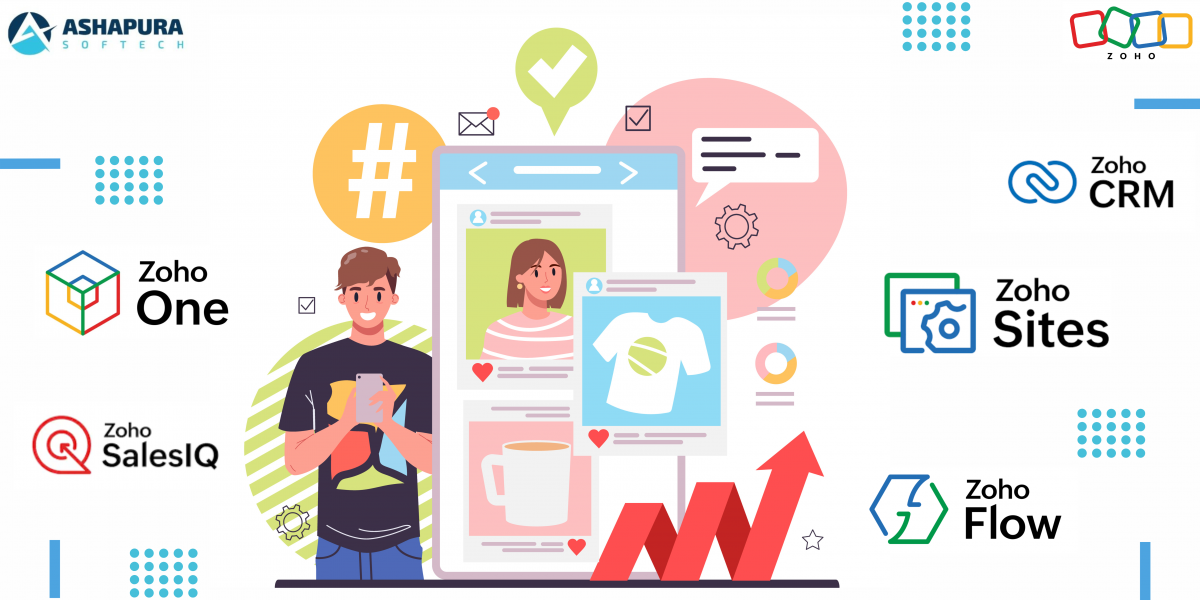
Let’s dive deep into the top Zoho apps—Zoho CRM, Zoho One, Zoho SalesIQ, Zoho Flow, and Zoho Sites—and explore how they can transform the way you run your business.

Why Small Business Owners Need Zoho Apps

If you’re juggling multiple responsibilities—marketing, sales, customer service, and operations—it’s easy to feel overwhelmed. Zoho offers an integrated ecosystem that centralizes everything, reducing time spent on redundant tasks and allowing you to focus on growth.

But don’t just take my word for it. Let’s break down the best Zoho applications and how they can supercharge your small business.


1. Zoho CRM – The Ultimate Customer Relationship Management Tool

What is Zoho CRM?

Zoho CRM is an advanced customer relationship management platform that helps businesses manage sales, marketing, and customer support in one place. If your business thrives on client interactions, this is a must-have tool.

Key Features:
  • Lead & Contact Management: Organize your leads and customers efficiently.
  • Automation & Workflows: Set up email sequences and automate tasks to save time.
  • AI-Powered Insights: Zoho’s AI assistant, Zia, provides predictive analytics for smarter decision-making.
  • Omnichannel Communication: Engage with customers via email, phone, social media, and live chat.
  • Pipeline Management: Visualize your sales process and move leads smoothly through the funnel.
How It Boosts Productivity:

Zoho CRM eliminates manual data entry, automates follow-ups, and provides real-time insights so you can focus on closing deals, not managing spreadsheets.


2. Zoho One – The All-in-One Business Operating System

What is Zoho One?

Think of Zoho One as an entire business ecosystem in one package. It offers 45+ integrated applications covering sales, marketing, finance, HR, and operations.

Key Features:
  • Sales & Marketing Automation: CRM, Campaigns, and Social media management.
  • Finance Management: Invoicing, accounting, and expenses tracking.
  • HR & Employee Management: Recruiting, payroll, and collaboration tools.
  • Collaboration & Productivity Tools: WorkDrive, Projects, and Meetings.
How It Boosts Productivity:

Zoho One eliminates the hassle of integrating multiple tools by providing everything under one login, reducing costs and increasing efficiency.


3. Zoho SalesIQ – Intelligent Live Chat & Visitor Tracking

What is Zoho SalesIQ?

Zoho SalesIQ helps businesses track website visitors in real-time and engage them through live chat and chatbots, converting them into paying customers.

Key Features:
  • Live Chat Support: Engage with website visitors instantly.
  • Visitor Tracking: See where your traffic comes from and what they’re interested in.
  • AI Chatbots: Automate responses with Zobot AI-powered chatbots.
  • CRM Integration: Automatically capture leads and store them in Zoho CRM.
How It Boosts Productivity:

Instead of waiting for visitors to fill out contact forms, your team can proactively engage them in real-time, reducing bounce rates and increasing conversion rates.


4. Zoho Flow – Seamless Automation Between Apps

What is Zoho Flow?

Zoho Flow is an automation tool that connects different applications and enables them to work together seamlessly.

Key Features:
  • No-Code Automation: Easily set up workflows without coding.
  • App Integrations: Connect Zoho CRM, Gmail, Slack, Trello, and 500+ apps.
  • Multi-Step Workflows: Create complex automations to handle repetitive tasks.
How It Boosts Productivity:

Zoho Flow eliminates manual data transfer and repetitive tasks, allowing your team to focus on what matters most.


5. Zoho Sites – The Easy Website Builder for Small Businesses

What is Zoho Sites?

Zoho Sites is a drag-and-drop website builder that allows businesses to create stunning, mobile-responsive websites without coding.

Key Features:
  • Drag-and-Drop Editor: No coding skills required.
  • SEO Tools: Optimize your website for search engines.
  • E-commerce Capabilities: Sell products online with ease.
  • Integration with Zoho Apps: Connect with Zoho CRM, Zoho Analytics, and Zoho SalesIQ.
How It Boosts Productivity:

Instead of spending hours designing a website from scratch, Zoho Sites provides a quick, user-friendly way to get your business online.

FAQs

1. Is Zoho suitable for startups and small businesses?

Yes! Zoho offers cost-effective solutions that scale as your business grows, making it an excellent choice for startups and small enterprises.

2. How secure is Zoho for handling customer data?

Zoho follows strict security protocols including encryption, GDPR compliance, and two-factor authentication to keep your data safe.

3. Can Zoho apps integrate with third-party tools?

Absolutely! Zoho integrates with 500+ third-party applications including Gmail, Slack, Trello, and more via Zoho Flow.

4. Do I need coding knowledge to use Zoho apps?

Nope! Most Zoho applications, including Zoho CRM, Zoho Sites, and Zoho Flow, feature no-code or low-code interfaces.

Conclusion

At the end of the day, productivity isn’t just about working harder—it’s about working smarter. Zoho’s suite of apps helps small business owners automate repetitive tasks, streamline operations, and focus on what really matters: growth. If you’re tired of feeling like you’re drowning in admin work, give Zoho a try. And if you need expert guidance on integrating Zoho into your business, reach out to Ashapura Softech—we’ll help you make the most of these tools. Contact us at [email protected] and let’s supercharge your productivity together.
 

Categories
Zoho ERP

How Zoho ERP is Changing the Way Businesses Manage Operations

Introduction

In today’s fast-paced business environment, managing operations efficiently is no longer optional—it’s a necessity. Enter Zoho ERP Solutions, a game-changer in enterprise resource planning. Businesses worldwide are embracing Zoho ERP Development to streamline workflows, automate processes, and optimize overall productivity. But how exactly is Zoho ERP revolutionizing business operations? Let’s dive in.


Why Zoho ERP is a Game-Changer

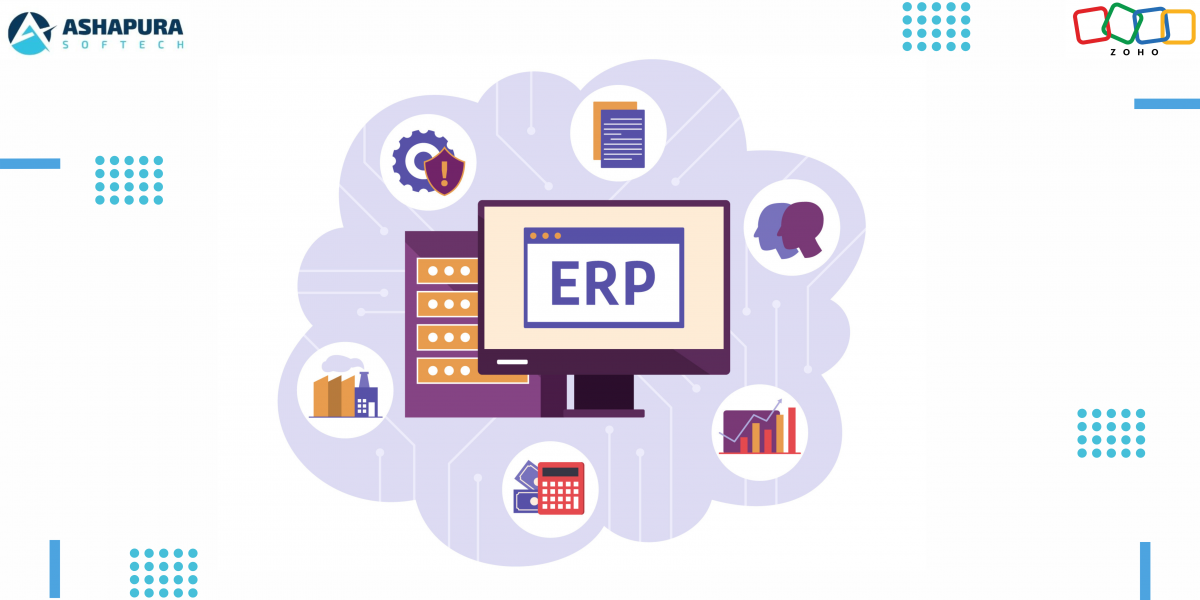
Zoho ERP is not just another ERP software—it’s a comprehensive, cloud-based system designed to tackle real business challenges. From finance to inventory management, from HR to customer relations, Zoho ERP integrates all critical functions under one umbrella.

1. Seamless Integration Across Departments

Unlike traditional ERP systems that operate in silos, Zoho ERP Solutions ensure seamless communication between different departments. For example, sales data automatically syncs with inventory and finance, reducing discrepancies and improving decision-making.

2. Customization for Every Business Size

Whether you’re a startup or a large enterprise, Zoho ERP is fully customizable. Businesses can tailor the system to match specific operational needs, making it an ideal choice for companies looking for flexibility.

3. Enhanced Automation for Greater Efficiency

Manual processes are a thing of the past. Zoho ERP automates tasks such as invoice generation, payroll management, and inventory tracking, ensuring smooth operations while minimizing human errors.


Key Features of Zoho ERP That Make It Stand Out

1. Real-Time Data & Analytics

Zoho ERP provides real-time insights into key business metrics, empowering companies to make data-driven decisions. With built-in analytics, businesses can track performance trends and identify areas for improvement.

2. Scalable Cloud-Based Platform

Unlike legacy ERP systems that require heavy infrastructure investments, Zoho ERP is cloud-based, ensuring seamless scalability. This means businesses can expand without worrying about system limitations.

3. AI-Powered Insights & Automation

Zoho’s AI capabilities help predict trends, suggest operational improvements, and automate repetitive tasks, enabling businesses to stay ahead of the competition.

4. User-Friendly Interface

One of the biggest barriers to ERP adoption is complexity. Zoho ERP, however, comes with an intuitive interface that reduces the learning curve, making it easier for employees to adapt.

5. Secure & Compliant System

Zoho ERP follows industry-standard security protocols, ensuring data protection and regulatory compliance across multiple industries.


How Businesses Are Benefiting from Zoho ERP

1. Manufacturing Industry

Manufacturers use Zoho ERP for production planning, inventory management, and supply chain optimization, reducing operational costs and improving efficiency.

2. Retail & E-Commerce

Retailers leverage Zoho ERP to manage stock levels, track sales, and automate order processing, ensuring a seamless customer experience.

3. Healthcare Sector

Hospitals and healthcare providers utilize Zoho ERP to manage patient records, streamline billing, and ensure regulatory compliance.

4. Financial Services

Banks and financial institutions use Zoho ERP to automate accounting, monitor transactions, and improve customer relationship management.


Common Challenges & How Zoho ERP Solves Them

ChallengeZoho ERP Solution
Data SilosCentralized database for real-time access
Manual ErrorsAI-powered automation to reduce mistakes
Compliance IssuesBuilt-in regulatory compliance tools
Costly IT MaintenanceCloud-based solution with minimal upkeep
Integration HasslesSeamless third-party integrations

Future of Zoho ERP in Business Operations

With the increasing adoption of AI and IoT, Zoho ERP is expected to become even more powerful. Future updates will likely focus on predictive analytics, deeper automation, and enhanced customization.


FAQs

1. Is Zoho ERP suitable for small businesses?

Yes! Zoho ERP is highly scalable, making it a great option for both small startups and large enterprises.

2. Can Zoho ERP integrate with third-party applications?

Absolutely! Zoho ERP supports integration with various third-party tools like Salesforce, QuickBooks, and more.

3. How long does it take to implement Zoho ERP?

Implementation time varies based on business needs, but with expert guidance from a Zoho ERP Development Agency like Ashapura Softech, deployment can be quick and efficient.

4. Is Zoho ERP secure?

Yes, Zoho ERP follows industry-leading security measures, ensuring data protection and compliance.

5. How can I get started with Zoho ERP?

Contact Ashapura Softech at [email protected] to get started with a tailored Zoho ERP implementation.


Conclusion

Zoho ERP is redefining how businesses manage operations, offering a scalable, automated, and integrated solution for enterprises across industries. Whether you’re a startup or a multinational corporation, investing in Zoho ERP can drive efficiency, reduce costs, and improve decision-making. Ready to transform your business with Zoho ERP? Contact us at [email protected] and let’s get started.

Categories
Zoho CRM

Maximizing Sales Efficiency: How Zoho CRM Transforms Your Sales Process

When revolutionizing sales efficiency is the goal, few tools are capable of coming anywhere near Zoho CRM. Whether it is seamless lead management or smart sales analytics, Zoho CRM is not just software – it’s a revolution. Let us take apart the manner in which this powerful tool can revolutionize your sales process and make it not just smooth but downright delightful.

Why Sales Efficiency Matters More Than Ever

Before jumping into Zoho CRM, let’s clarify something. Sales productivity is not simply selling faster—selling smarter. With today’s competitive business climate, losing time to manual follow-ups, unqualified prospects, or poor data is akin to money out the window.

The Sales Issues Most Businesses Experience
  • Disseminated Lead Data: Leads broken out among spreadsheets, emails, and sticky notes.
  • Ineffective Manual Tasks: Excessive time is spent keying data or booking meetings.
  • Lack of Visibility: Without analytics, you’re flying blind on forecasting.

How Zoho CRM Centralizes Your Sales World

One of the standout aspects of Zoho CRM is that it centralizes. You can visualize everything from your leads, customer data, and follow-up actions in a single dashboard. You no longer need to be a detective with fragmented data.

Centralized Lead Management

Zoho CRM’s lead management module is every salesman’s wish. It tracks the lead source, assigns priority scores, and even gives you next best action suggestions. Trust me, I once lost a big deal because I didn’t follow up at the right time. With Zoho’s reminder, that’s history now.

Automating Routine Work for Peak Productivity

If there is one thing that Zoho CRM does better than most others, it’s automation. Lead assignment to follow-up, Zoho CRM does the heavy lifting and you get your team to close deals.

Automated Lead Scoring

Zoho’s intelligent lead scoring allows you to focus your time on high-potential leads and not on ghost chases. The system identifies behaviors like email opens, form submissions, and visits to rank leads accurately.

Follow-Up Workflows

Create automated workflows to automatically act on lead status. For example, when a lead is a hot lead, Zoho CRM can automatically allocate it to the most appropriate salesperson.

Improved Forecasting and Sales Insights

Come on, let’s admit it—forecasting is guesswork without reliable data. Zoho CRM eliminates that guesswork with its advanced analytics and reporting features.

Customizable Dashboards

Every sales team has its own most critical metrics. With Zoho’s drag-and-drop customizable dashboards, you can chart pipeline stages, close rates, and average deal sizes—all in real time.

Predictive Sales Insights

Zoho’s AI, Zia, takes data analysis to the next level by making predictions of deal closure. It even flags possible chokepoints before they blow out of proportion.

Seamless Integration Across Platforms

Zoho CRM is not standalone. It works beautifully with third-party software like Google Workspace, Microsoft 365, and even social media websites. This means it is easy to stay informed without needing to switch platforms.

Mobile Sales Efficiency

Zoho’s mobile app ensures that sales effectiveness is not bound to a desk. Wherever you are meeting a customer or grabbing a cup of coffee, Zoho keeps you connected to your sales pipeline in real time.

A Personal Experience: Turning a Failing Deal Around

I had a deal once that was on the brink of falling apart. The lead had gone cold, and I couldn’t fathom why. Zoho CRM’s activity tracking indicated they had stopped opening emails after we had changed our subject lines. We changed our strategy, re-approached them, and closed the deal within a week.

FAQs

What is Zoho CRM?

Zoho CRM is a customer relationship management tool that allows organizations to automate lead handling, sales processes, and customer interaction.

Can Zoho CRM boost the conversion of leads?

Yes! Zoho CRM uses lead scoring, AI-driven insights, and automation to allow the sales team to focus on top-level leads and drive maximum conversions.

Is mobile access available in Zoho CRM?

Yes. The mobile app for Zoho CRM gives users easy access to follow-ups, leads, and deals on the road, keeping their sales reps busy wherever they happen to be.

Is Zoho CRM customizable?

Yes. Zoho CRM allows rich customization capabilities for workflows, automation rules, and dashboards to match the unique sales process of your business.

How does Ashapura Softech implement Zoho CRM?

Ashapura Softech offers full-cycle implementation of Zoho CRM, from installation to customized solutions and maintenance.

Conclusion

Zoho CRM is not just a software—it’s an incisor of sales transformation. With strong features and intelligent automation, it allows sales teams to do what they excel at: closing deals. Small business or enterprise, Zoho CRM has something for all. If you are ready to take your sales process to the next level, we at Ashapura Softech are ready to help. Contact us at [email protected] to start your journey towards unparalleled sales efficiency.

Categories
CRM Salesforce Zoho

Zoho vs Salesforce CRM: An Honest 2026 Comparison From a Partner of Both

Zoho vs Salesforce is one of the most common CRM decisions we help US businesses make, and as a certified partner for both platforms we have no reason to push you toward either. This guide compares Zoho CRM and Salesforce on pricing, features, AI, customisation, integrations and total cost, then tells you plainly which one fits which kind of business.

Zoho vs Salesforce at a glance

FactorZoho CRMSalesforce
Best fitSmall and mid-sized businesses, cost-conscious teamsMid-market and enterprise, complex or fast-scaling sales operations
Entry price (billed annually)Free for 3 users, paid plans from about $14 per user per monthFree for 2 users, paid plans from $25 per user per month
Top standard editionUltimate, about $52 per user per monthUnlimited $350, Agentforce 1 Sales $550 per user per month
AI assistantZia, included in higher editionsAgentforce and Einstein, often a paid add-on
EcosystemZoho One suite (Books, Desk, Campaigns, Analytics and more)AppExchange marketplace, Service, Marketing, Commerce and Data Cloud
CustomisationLow-code, Deluge scriptingLow-code Flow plus Apex and Lightning Web Components
Time to go liveUsually shorterUsually longer, depends on scope

Zoho CRM vs Salesforce pricing in 2026

Price is the first reason most businesses compare the two, so here are the published list prices per user per month, billed annually, at the time of writing.

Zoho CRM editionPriceSalesforce Sales Cloud editionPrice
Free (up to 3 users)$0Free (up to 2 users)$0
Standard$14Starter Suite$25
Professional$23Pro Suite$100
Enterprise$40Enterprise$175
Ultimate$52Unlimited$350
Agentforce 1 Sales$550

Both vendors change prices and bundles often, and monthly billing costs more than annual billing, so always confirm on the vendor’s own pricing page before you budget.

What the table does not show: licence price is rarely the biggest cost. Implementation, data migration, integrations, training and ongoing admin usually decide the real number. For a 20-user team on the Enterprise editions, the list-price gap alone is about $32,000 a year in Zoho’s favour, but a poorly set up system of either kind costs more than that in lost productivity. Our guide to the Salesforce editions explains what each tier actually unlocks.

Features compared

Sales automation and pipeline

Both platforms cover leads, contacts, deals, pipelines, workflows, email and forecasting. Salesforce goes deeper on complex processes: territory management, advanced forecasting, CPQ, approval chains and large sales teams with many layers. Zoho covers what most small and mid-sized teams need at a much lower price, with Blueprint for guided processes and Cadences for follow-up sequences.

AI: Zia vs Agentforce

Zoho’s Zia gives predictions, anomaly alerts, deal scoring and writing help inside the CRM, included in the higher editions. Salesforce has moved further toward AI agents with Agentforce, which can answer customers, qualify leads and take actions across Sales, Service and Marketing Cloud. Agentforce is more powerful, but it usually costs extra and needs clean data to work well. See our Agentforce use cases for what companies have put live.

Customisation and development

Zoho CRM is highly configurable with custom modules, fields and layouts, and Deluge scripting covers most custom logic. Salesforce offers the same low-code tools through Flow, plus Apex and Lightning Web Components for fully custom applications. If your process is unusual or your data model is complex, Salesforce gives developers more room.

Reporting and analytics

Zoho includes solid reports and dashboards, and Zoho Analytics adds deeper BI. Salesforce reports and dashboards are strong out of the box, with Tableau and Data Cloud for advanced analytics and unified customer profiles, at additional cost.

Integrations and ecosystem

Zoho’s strength is its own suite: Zoho One bundles more than 40 apps, including Books, Desk, Campaigns, Projects and People, that work together without connectors. Salesforce’s strength is AppExchange, the largest CRM app marketplace, plus native Service, Marketing, Commerce and Data Cloud products. Both connect to common tools; see how we approach Zoho integration with third-party apps.

Ease of use

Zoho is generally quicker to learn and faster to set up for small teams. Salesforce has a steeper learning curve and usually needs an admin or partner, especially once the org grows.

Salesforce vs Zoho CRM: which one should you choose?

Choose Zoho CRM if:

  • You are a small or mid-sized business and cost matters
  • You want CRM, accounting, support and marketing in one suite
  • Your sales process is fairly standard
  • You want to go live quickly with a small admin effort

Choose Salesforce if:

  • You have a large or fast-growing sales team with complex processes
  • You need enterprise features such as advanced forecasting, CPQ or territory management
  • You plan to use AI agents, or already run Service, Marketing or Commerce Cloud
  • You need deep custom development or a very large integration marketplace

Personal observations

Having worked with both platforms, one thing stands out: Salesforce feels like the Ferrari of CRMs, while Zoho CRM is more like a dependable Toyota Corolla. A small business owner once told us that Zoho fit like a glove, but when the company started scaling, Salesforce was the engine it needed. That is why we always ask where the business will be in three years, not only where it is today.

Switching between Zoho and Salesforce

Moves happen in both directions. Growing companies move from Zoho to Salesforce when their processes outgrow it, and some teams move from Salesforce to Zoho to cut licence costs. In either case, clean the data first, map fields and automations carefully, and run both systems side by side for a short period. Read how to prepare Salesforce data for a Zoho CRM migration and our complete guide to Zoho migration services.

How Ashapura Softech helps

Ashapura Softech is a certified partner for both Zoho and Salesforce, so our advice starts from your requirements, not a quota. We help with platform selection, setup, customisation, integration and migration through our Zoho development services, Zoho CRM development, Zoho migration services, Salesforce CRM development and Salesforce cloud services. If neither fits, we also build custom CRM software. Comparing more options? See Salesforce vs Odoo and the benefits of Zoho CRM development for US small businesses.

FAQs

Is Zoho cheaper than Salesforce?

Yes. Zoho CRM’s paid editions start at about $14 per user per month billed annually, compared with $25 for Salesforce Starter Suite, and the gap widens at higher tiers.

Is Zoho CRM good enough for large enterprises?

Some large companies run Zoho successfully, especially with Zoho One. Enterprises with complex processes, many teams or heavy AI and integration needs usually get more from Salesforce.

Which is easier to use, Zoho or Salesforce?

Zoho is usually easier to learn and set up. Salesforce has more depth, which brings a steeper learning curve and a greater need for an admin.

Can I migrate from Zoho CRM to Salesforce later?

Yes. Records, custom fields and most automations can be moved, but workflows usually need to be rebuilt in Salesforce Flow. Planning the data model early makes a later move much easier.

Does Zoho have AI like Salesforce Agentforce?

Zoho has Zia, which covers predictions, scoring and writing help. Agentforce goes further with autonomous agents that take actions, usually at extra cost.

Conclusion

In the Zoho vs Salesforce decision, there is no universal winner. Zoho CRM gives small and mid-sized businesses excellent value and a connected suite, while Salesforce gives growing and enterprise teams more depth, AI and room to scale. Match the platform to your processes, budget and growth plans, and talk to a partner who works with both before you commit.

Categories
Mobile App

Real Estate Mobile App Development: Insights & Practices

In the age of smartphones and smart decisions, real estate is not about flipping through endless flyers or touring properties aimlessly anymore. It’s about flipping through apps, comparing listings, and experiencing homes virtually. But how does one make a real estate mobile application that not only impresses its users but also converts those users? Let’s dive in.

Why Real Estate Mobile Apps Are a Game-Changer

We’ve all been there. Scrolling through our favorite real estate app, you dream up a house with an infinity pool when the intuitive interface makes you pause a bit longer than you had initially intended to. That is magic. Real estate apps arm the user to search and filter, not to mention the possibility of touring homes right from their couch. Of course, it’s not about mere convenience; it’s about bringing meaning connections between the buyers, sellers, and the agents.

According to a recent study, over 70% of real estate queries now come from mobile devices. And let’s be honest, the right app can make or break a deal. So, what goes into building a stellar real estate app?

Key Features of a Successful Real Estate App

Advanced Search Filters

Not all users are the same, and neither are their requirements. A robust app offers:

  • Filters by budget, location, property type, and many more.
  • Map-based search to find ideal neighborhoods.
  • Real-time property availability updates.

Imagine finding a 3-bedroom apartment near a school district with a view of a park. It’s just a tap away with advanced filters.

Virtual Tours and Augmented Reality (AR)

Nothing can beat a physical visit—or so it is said. With AR and virtual tours, users can:

  • Experience properties in 360° views.
  • Visualize renovation or furnishing options.
  • Save time by shortlisting properties remotely.

An app we developed at Ashapura Softech leveraged AR to increase engagement by 40% within three months. The results were nothing short of spectacular.

Integrated Communication Tools

Why make users switch apps to contact agents or sellers? Seamless in-app messaging or call features can:

  • Enhance communication.
  • Speed up decision-making.
  • Keep all interactions in one place for easy reference.

Push Notifications

Timely price drops, new listings, or scheduled visits keep users interested. But that’s not all; notifications need to be personalized, not spammy.

Secure Payment Gateways

In-app payments for deposits or consultations? Yes, please! Security and transparency are paramount, so investing in encrypted gateways is a no-brainer.

Development Insights: What You Need to Know

Choosing the Right Tech Stack

The base of your app is in its tech stack. For real estate apps, we recommend:

  • Frontend: React Native or Flutter for cross-platform compatibility.
  • Backend: Node.js or Python for seamless integrations.
  • Database: Firebase or PostgreSQL for real-time data handling.

Prioritizing User Experience (UX)

A cluttered interface can drive users away faster than a property with peeling paint. Prioritize:

  • Intuitive navigation.
  • Consistent color schemes and branding.
  • Quick load times.

Fun fact: Reducing app load time by even one second can boost user retention by 10%.

Scalability Matters

Your app’s success could mean millions of downloads. Plan for:

  • Scalable cloud infrastructure.
  • Modular code for easy updates.
  • Analytics tools for monitoring user behavior.

Best Practices for Real Estate App Development

Understand Your Audience

Research is key. Are you targeting millennials looking for starter homes or investors eyeing commercial properties? Tailor your app’s features accordingly.

Data Security

As sensitive information such as user profiles and payment details are involved, make sure that:

Test, Test, and Test Again

Functionality to usability, rigorous testing ensures:

  • Bug-free launches.
  • High user satisfaction.
  • Minimum negative feedback.

At Ashapura Softech, we follow a 5-stage testing process that includes beta testing with real users. It’s a game-changer.

Feedback Loops

Make sure users can give you feedback through:

  • App store reviews.
  • In-app surveys.
  • Regular updates based on user suggestions.

Personal Anecdote: Learning from the Field

We were approached by a real estate firm a few years ago. They could not retain their app users. Their app looked great but lacked intuitive search filters. By redesigning the app’s interface and adding predictive search, we were able to boost their user retention rate by 50% in six months. It’s amazing what a little user-focused design can achieve.

FAQs

How much does it cost to develop a real estate mobile app?

The cost varies based on features, design complexity, and platform. On average, expect to invest between $50,000 and $150,000.

What are the top challenges in real estate app development?

Common challenges include ensuring data accuracy, integrating multiple APIs, and maintaining user engagement.

How long does it take to develop a real estate app?

It takes about 6-12 months in development, which would be dependent on the scope of the project and team size.

Why choose Ashapura Softech for app development?

With a proven track record and expertise in cutting-edge technologies, Ashapura Softech is your go-to partner. Contact us at [email protected] for tailored solutions.

Conclusion

It is the coming together of innovation, user-centric design, and technical excellence that can make an app stand out in the real estate space. Ashapura Softech delivers apps that not only meet the demands of the market but exceed the expectations of users. Want your real estate app idea to come to life? Contact us at [email protected] to start building your vision today.

Categories
CRM

 Best Practices for CRM Integration: Boost Efficiency with Ease

CRM systems are the backbone of business operations in this day and age. However, that is where the magic is when your CRM actually gets to integrate with other business tools out there to create an ecosystem from which efficiency, streamlined processes, and enhanced customer experience would come forth. So let’s dive deep into best practices for integrating CRM with other business tools and unlocking its full potential.

Why CRM Integration Matters

But that’s not all-integrating your CRM into other business tools is about having one big workflow. Imagine a sales team that needs to work with three platforms for tracking leads, managing emails, and creating invoices. Sound familiar? Imagine a world where all these tools talk to each other with ease. That’s the power of integration.

Here’s the best part: businesses that actually integrate their CRMs with other tools have seen, on average, a 30% boost in productivity. Your CRM can really rock when integrated with marketing automation, project management software, accounting tools, and a lot more.

Best Ways to Integrate Your CRM

Selection of Right CRM System

Not all CRMs are created equal, and some are way more flexible than others when it comes to integrating with other tools. When choosing a CRM, make compatibility with your current tech stack a top priority. Salesforce, HubSpot, and Zoho CRM are good examples of CRMs that offer impressive integrations.

Pro Tip: Look for CRMs that have pre-built connectors to popular tools like Slack, QuickBooks, or Mailchimp. This reduces the amount of manual work required and quickens the pace of integration.

Map Out Your Business Needs

Before diving into the integration, define which tools you want to connect and why. Ask yourself:

  • Which processes can be automated?
  • What data needs to flow between the tools?
  • How will integration improve collaboration between teams?

This will help to avoid unnecessary complications by highlighting your needs and focusing your resources on what adds more value.

Make Use of APIs for Custom Integrations

APIs, or Application Programming Interfaces, are the unsung heroes of seamless integration. They let your CRM “talk” to other tools and share data without much hassle. Say, you can sync lead information from your website directly into your CRM using APIs, or have them automate data transfer from some accounting software.

Here’s a personal example: At Ashapura Softech, we once integrated Salesforce CRM with a client’s bespoke ERP system using custom APIs. The result? A 40% reduction in manual data entry and a 20% boost in operational efficiency.

Ensure Data Consistency and Accuracy

Data is king, but only if it’s accurate. During integration, inconsistencies in data formats-for example, date formats and naming conventions-can create chaos. Implement data validation rules to maintain uniformity.

Best Practice: Utilize a middleware tool such as Zapier or MuleSoft for handling data transformations. These platforms act as a bridge, ensuring data is synced correctly between systems.

Focus on Security and Compliance

Integrating tools means sharing data across platforms, which can increase security risks if not handled properly. Ensure all tools involved in the integration comply with regulations like GDPR or HIPAA (for healthcare businesses).

Actionable Tip: Use encryption and multi-factor authentication to secure your data during transfers. Additionally, regularly audit access permissions to prevent unauthorized access.

Train Your Team

After all, integration is only as good as the people who will use it. Provide your team with regular training sessions that familiarize them with the integrated system to ensure they’re using not just the tools but leveraging them to the fullest.

Fun Fact: A well-trained team is 25% more likely to identify process improvements post-integration.

Monitor and Optimize

Integration isn’t a set-it-and-forget-it process. Regularly monitor the performance of your integrated tools to ensure everything works as expected. Use analytics dashboards to track metrics such as lead response time, sales cycle length, and customer satisfaction.

Top Tools for CRM Integration

If you’re wondering which tools pair best with your CRM, here’s a quick guide:

  • Marketing Automation: HubSpot, Marketo, Pardot
  • Project Management: Asana, Trello, Monday.com
  • Accounting: QuickBooks, Xero, FreshBooks
  • Communication: Slack, Microsoft Teams, Zoom
  • E-Commerce: Shopify, WooCommerce, Magento

Common Challenges in CRM Integration (And How to Overcome Them)

Lack of Technical Expertise

Integration can be intimidating without the right skills. This is where experts like Ashapura Softech come in. We specialize in creating tailor-made CRM integrations to suit your unique business needs.

Resistance to Change

Employees might be resistant to the change of a new system. This can be diminished by bringing them into the process early and showing them the benefits.

Frequently Asked Questions

What are the advantages of integrating CRM with other business tools?

The integration of CRM enhances efficiency, eliminates data silos, enhances collaboration, and brings actionable insights throughout departments.

How much does CRM integration cost?

The cost depends on the complexity of the integration and the tools involved. Basic integrations can start from a few hundred dollars, while complex setups can run into the thousands.

Will Ashapura Softech be able to help with CRM integration?

Absolutely! We specialize in CRM solutions according to your business needs. Reach us at [email protected].

Conclusion

CRM integration is not just a technical upgrade; it’s a strategic move that can revolutionize how your business operates. By following best practices, addressing challenges proactively, and leveraging expert support, you can unlock unparalleled efficiency and growth. Ready to take your business to the next level? Contact us Ashapura Softech at [email protected] today for personalized CRM integration solutions.

Categories
Software Development

Sustainable Software Development: Greening Your Tech Solutions

In the software industry, innovation and progress are happening at an epic pace today. However, with every innovation comes consumption: energy, resources, and, bluntly, time. Sustainable software development is not a buzzword but rather a transformative approach that brings the creation of software into harmony with environmental stewardship. Let’s dive in and learn how you can make your tech solutions greener, smarter, and future-ready.

What is Sustainable Software Development?

At its core, sustainable software development refers to designing, building, and maintaining software in a way that minimizes environmental impact by optimizing energy consumption, reducing waste, and promoting long-term usability. The kicker is sustainable software isn’t just ecologically friendly; it’s about efficiency and cost savings by doing more with less to reduce carbon footprint.

Why should sustainability in software matter?

This cost to the environment is tremendous. Data centers alone consume nearly 1% of the world’s electricity, and this is just increasing. Let’s not even talk about e-waste or the outrageous energy costs of bad, unoptimized code.

Consider running an application that is a resource hog. Not only is it costlier to host and maintain, but it also wastes energy unnecessarily. Now imagine scaling that up to millions of users. The impact is immense. Sustainable software development isn’t just a feel-good thing; it’s being responsible and future-proofing your business.

Key Principles of Sustainable Software Development

Optimize Code Efficiency

Efficient code isn’t just faster—it uses less energy. Every redundant computation consumes more energy. Developers should:

  • Use algorithms that have lower time and space complexity.
  • Reduce redundant code execution.
  • Implement caching and optimized database queries.

Utilize Cloud Computing Wisely

Cloud providers like AWS and Azure offer tools to minimize your application’s carbon footprint. They usually run on renewable energy and scale solutions to ensure you use resources only when needed.

Prioritize Long-Term Maintainability

Write cleaner, easier-to-understand, and maintainable code. This reduces a lot of rewriting or update work, saving time and resources.

Use Green Hosting Solutions

Determine hosting providers that take sustainability seriously. Look at certifications such as ISO 14001 or providers powered on renewable energy.

Practical Strategies for Greening Your Tech Solutions

Embrace Agile and DevOps Practices

Faster delivery cycles, fewer wasteful efforts, continuous integration and continuous deployment-the mantra of Agile and DevOps do eliminate some unnecessary rework and waste in terms of energy consumed.

Opt for Energy-Efficient Programming Languages

Not all programming languages are equal. Programming languages like C and Rust use less energy compared to languages like JavaScript or Python. Check your tech stack from this energy-efficient standpoint while keeping the functionality intact.

Reduce Data Storage

Big data often means big waste. There is an efficient compression algorithm and archiving of infrequently accessed data that will cut down on the storage needed and associated energy use.

Monitor and Measure Energy Usage

There are tools available such as Green Software Foundation’s Carbon Aware SDK and AWS’s sustainability reports, which monitor your application’s energy usage. Awareness is the first step towards improvement.

Case Study: Real-Life Transformation

It costs them thousands of dollars in mushrooming server costs and poor performance, with which Ashapura Softech helped out at one leading e-commerce firm. So, we had to rewrite inefficient code and provide them scalable cloud solutions so they move to a greener hosting provider. And so, were able to cut their carbon footprint 30%, as well as costs, 25%. Sustainability: A Practical, Profitable Option -and not just an Ideal.

Common Misconceptions About Sustainable Software Development

  • It’s Too Costly: Initially, it looks like an investment, but the savings of energy, maintenance, and operational cost far outweigh it over time.
  • It’s Just About the Environment: Just about cutting carbon footprint. Sustainability also improves software quality, efficiency, and user satisfaction.
  • It’s Only for Large Enterprises: Any small startup can be green. Even simple steps like code optimization and green hosting make a big difference.

FAQs

Q1.How does sustainable software development add value?

Sustainable reduction of energy use, with cost savings, improved performance, and added value towards environmental conservation for businesses is clearly a win-win for any planet.

Q2.How does my business start?

To start small is to simply optimise your code, switching to a green hosting company or educating your team on such practices. Then, go ahead and look for reliable partners like Ashapura Softech who can lead your race.

Q3.Can Sustainable Practices Impact User Experience?

Absolutely! Efficient software runs faster, crashes less, and delivers a smoother user experience. Users appreciate reliability and speed—both of which sustainability champions.

Conclusion

Sustainable software development isn’t just an ethical choice; it’s a business imperative. By integrating green practices into your development process, you’re not just saving the planet; you’re saving money, boosting performance, and future-proofing your business. Let’s innovate responsibly. For expert guidance in building sustainable, high-performance software, contact us today at Ashapura Softech [email protected]. Let’s shape the future of tech together.

Categories
CRM

Chatbots in Customer Support: Revolutionizing CRM Experiences

Imagine this scenario: It’s midnight, and you’re wrestling with a question about a product you just bought. You don’t want to wait hours for customer support to open. You don’t want to send an email that’ll disappear into the void. Instead, you click a chat bubble, type a question, and boom, you have got your answer in seconds. The magic behind this? Chatbots.

It’s no exaggeration to say that chatbots are rewriting the rules of customer support. What started as a clunky “Hi! How can I help you?” experience has transformed into seamless, intelligent interactions that feel, dare I say, human. And in this world where customer expectations are skyrocketing, that matters—a lot.


The Chatbot 101: What Are They, Really?

Let’s take a moment to define what we’re talking about here. A chatbot is software designed to engage in a conversation with a user. Think of it as the lovechild of your favorite customer support agent and a really fast, always-on assistant.

Now, there are two flavors of chatbots: rule-based and AI-driven. Rule-based bots follow predefined scripts. They’re like the first-generation iPod—useful but limited. AI-driven bots, on the other hand, are like the latest iPhone—sleek, smart, and always learning. They leverage technologies like machine learning and Natural Language Processing (NLP) to understand context, adapt to user behavior, and deliver personalized responses.


Why Chatbots Are Changing the CRM Game

Here’s the thing about chatbots: they aren’t just helping businesses manage customer queries. They’re transforming how businesses interact with customers. It’s not just about efficiency—it’s about experiences.

  • Always On: Customers don’t care about your time zone. They want answers when they want them. Chatbots are always awake. No coffee breaks required.
  • Cost-Efficiency: Let’s face it hiring and training human agents is expensive. Chatbots offer a scalable, budget-friendly solution.
  • Personalization: Chatbots remember details. They greet you by name, know your past interactions, and even suggest solutions before you ask. It’s like having a concierge for every customer.

Anecdote Time: My First Chatbot Experience

I’ll never forget the first time I interacted with an AI chatbot. It was 3 a.m., and I was trying to book a flight (classic me—always traveling, always last minute). The chatbot not only helped me find the best deals but also suggested a seat with extra legroom. That’s when it hit me: this wasn’t just customer service; this was next-level personalization.


AI-Powered Chatbots: The Real MVPs

Let’s geek out for a second. AI-powered chatbots are the crown jewels of customer support. They don’t just respond; they understand. Using NLP, they pick up on nuances like tone and sentiment. If you’re frustrated, they’ll offer empathy. If you’re curious, they’ll dive into details.

These bots also learn over time. Each interaction helps them improve, making future conversations even smoother. It’s like having a support agent who gets better with every chat.


How Chatbots Elevate CRM

Customer Relationship Management (CRM) is all about creating meaningful interactions. Chatbots excel here. They don’t just handle queries; they gather data. Every question, complaint, or suggestion feeds into the CRM system, offering insights that help businesses understand their customers better.

  1. Data-Driven Insights: Chatbots capture valuable data points, like common issues and customer preferences.
  2. Seamless Integration: Modern chatbots sync effortlessly with CRM platforms like Salesforce, Zoho, or HubSpot.
  3. Improved Retention: By offering fast, personalized service, chatbots keep customers happy and loyal.

Real-World Applications

Want proof that chatbots work? Look no further than these examples:

  • Retail: Brands like Sephora use chatbots to help customers find products, schedule appointments, and track orders.
  • Banking: Chatbots in banks handle everything from checking balances to processing loan applications. (No judgment here if you’ve ever yelled at a phone bot.)
  • Healthcare: In hospitals, chatbots assist with scheduling, provide basic medical advice, and even share lab results securely.

The Challenges: It’s Not All Smooth Sailing

Let’s address the elephant in the room: Chatbots aren’t perfect.

  1. Technical Glitches: Integration can be a headache, especially for smaller businesses.
  2. Customer Pushback: Not everyone loves bots. Some people just want to talk to a human.
  3. AI Limitations: Despite their smarts, chatbots can misinterpret complex queries.

Human Agents vs. Chatbots: Friends, Not Foes

Here’s the truth: Chatbots aren’t here to replace humans. They’re here to complement them. For routine tasks, chatbots shine. For nuanced issues, human agents take the lead. The best customer support teams use a hybrid approach, blending the speed of bots with the empathy of humans.


Ashapura Softech: Pioneers in Chatbot Innovation

At Ashapura Softech, we’re not just creating chatbots; we’re crafting solutions that redefine customer support. Our bots aren’t just tools they’re experiences. From small startups to global enterprises, we’ve helped businesses revolutionize their CRM systems.


The Future: What’s Next for Chatbots?

The future of chatbots is exciting. We’re talking about bots that work in augmented reality, bots that communicate in multiple languages simultaneously, and bots that anticipate customer needs before they even ask.


FAQs About Chatbots in Customer Support

  1. What is a chatbot?
    A chatbot is software that interacts with users through text or voice, simulating a conversation.
  2. Can chatbots handle complex issues?
    Some can, especially AI-driven ones. But for highly complex or sensitive issues, human agents are better.
  3. Are chatbots secure?
    Yes, especially when implemented correctly. Encryption and secure integrations ensure data safety.
  4. How do chatbots integrate with CRM?
    Most chatbots integrate with popular CRM platforms, syncing data and streamlining workflows.
  5. Do customers prefer chatbots over humans?
    It depends. Many appreciate the speed and availability of bots, but some still value human interaction.
  6. How can I get started with chatbots?
    Partner with experts like Ashapura Softech to design and implement a chatbot tailored to your needs.

Final Thoughts

Chatbots are more than a trend—they’re a revolution. They’re changing how businesses connect with customers, making support faster, smarter, and more personalized. At Ashapura Softech, we’re proud to be part of this journey, helping businesses embrace the future of customer support. Ready to transform your CRM experience? Let’s chat(bot). Just Contact us today at [email protected] to see how we can elevate your CRM experience.

Categories
CRM

Gamification in CRM: Boosting User Engagement and Sales

What Is Gamification in CRM?

Gamification takes game-design elements-think points, leaderboards, badges, and levels and applies them to non-game environments such as CRM systems. For what? To motivate people, boost engagement, and drive desired behaviors that align with business goals.

Imagine this: Rather than having your sales team plod through their CRM dashboard, filling out tax forms, they are running after a leaderboard position, unlocking achievements, and maybe even winning tangible rewards. Sounds more interesting, right?

Why Gamification Works (and Why You Should Care)

This works because it taps into something deep within us: competition, rewards, and instant gratification. It is Psychology 101—dopamine hits keep bringing users back for more. Applied to CRM systems, this creates a cycle where the user adopts the platform but then enjoys using it.

And here’s where it gets personal. I once worked with a team that implemented gamification for their CRM. At first, the idea was met with eye rolls. “Badges for closing deals? Really?” But within weeks, the team was abuzz with friendly competition, racing to log activities and claim the top spots on the leaderboard. The kicker? Monthly sales jumped by 18%.

Benefits of Gamification in CRM

Increased User Engagement

Getting employees to use CRM systems sometimes feels like pulling out a tooth. Gamification is what changes that scene into one where CRM use is fun and engaging; people start seeing it as challenging, not as a duty.

Increased Efficiency

Friendly competition will inspire people to stay on top of things, follow up, and close deals faster. No one leaves reminders unattended anymore and misses deadlines.

Data Accuracy

When employees are motivated to log every activity to earn points, your CRM becomes a treasure trove of accurate, real-time data.

Better Team Collaboration

Team-based challenges and goals foster collaboration. Think of it as a bonding experience, but with sales numbers to show for it.

Gamification Features That Elevate CRM

Leaderboards

Nobody wants to be last, right? Leaderboards tap into that competitive spirit, encouraging users to outperform their peers.

Badges and Achievements

Who doesn’t love a little recognition? Unlockable badges can celebrate everything from logging 50 calls in a week to closing that major deal.

Point Systems

Assign points for CRM activities completed. The user earns a higher rank the more points they accumulate. Bonus: Let them redeem the points for real rewards such as gift cards or extra days off.

Challenges and Quests

Why not turn routine chores into thrilling competitions? “Record all overdue activities today and get 500 points.” Clear, concise, and exciting.

Gamification in CRM: How to Do It

Clearly Define Your Goals

Identify what you want to accomplish. Do you want greater user adoption? Improved data entry? Higher sales? Those goals will inform your gamification strategy.

Select the Correct Tools

Some CRMs, like Salesforce, come with built-in gamification features. If yours doesn’t, explore third-party tools.

Design Engaging Mechanics

Define how users earn points, what challenges they can tackle, and how rewards are distributed.

Communicate the Why

Don’t just slap a leaderboard on your CRM and expect results. Explain how gamification benefits both the company and the team.

Monitor and Adjust

Monitor how people engage with the gamification elements. Based on that, fine-tune the system using feedback and performance metrics.

Frequently Asked Questions: Gamification in CRM

Q1. Is gamification a sales thing?

No way. Of course, the sales team is a natural beneficiary, but gamification can be used in customer support, marketing, and even human resource activities within your CRM.

Q2. Isn’t gamification going to distract people from their work?

Not if it’s implemented right. Gamification complements work by aligning activities with business goals.

Q3. Is gamification expensive to implement?

It depends on your CRM and the features you choose. Many tools offer affordable gamification options, making it accessible even for small businesses.

Q4. Can Ashapura Softech help us implement gamification in our CRM?

Absolutely! Ashapura Softech is a solution provider for Salesforce, Microsoft, and custom CRM solutions. Reach out to us at [email protected] to find out how gamification can enable your business.

Conclusion

Gamification is not a buzzword; it’s a powerful tool to get your CRM adopted, drive engagement among users, and therefore increase sales. Think of it as a spark to your team’s day-to-day grind. And if you are looking for where to start, we are here to help. At Ashapura Softech, we believe in making your CRM from a forgotten tool to a game-changing asset. Let’s make your business success a game. Just contact us at [email protected] for more on our complete solution sets in CRM that can take your business to the next level of smart and efficient management.