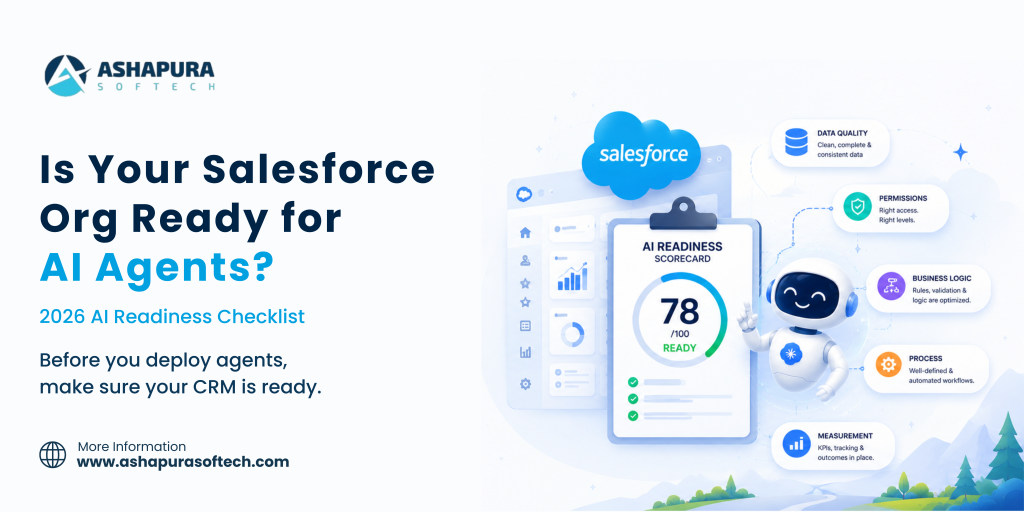
Agentforce readiness decides whether an AI agent works in production or stalls in a pilot. This checklist covers the five pillars to check before you switch one on.
Last updated: 6 October 2026
Update (14 Sep 2026): On 11 Sep 2026 Salesforce announced a new portfolio of named, job-ready Agentforce agents built for specific high-value work: Casey (customer service), Paige (IT and HR service), Carter (shopper agent for e-commerce), Marshall (supply chain orchestration), Piper (inbound lead generation) and Fin (complex customer experience), all generally available now, plus Hunter (outbound sales), in pilot with general availability expected November 2026.
The release also adds long-horizon runtime so agents can pursue goals over days or weeks rather than single interactions, AI Skills for teaching agents new tasks (pilot now, GA October 2026), multi-agent orchestration across workflows, and an Agent Optimizer for continuous performance tuning (GA October 2026).
This sits on top of the Core, Advanced and Max editions Salesforce introduced in early September.
Most Agentforce pilots do not fail because the model is not good enough. They fail because the org underneath it was never built for something that reads everything, believes what it reads, and acts on it in seconds.
This is the assessment we run before any agentic rollout. It takes about a week for a mid-sized org, it is mostly reporting rather than development, and it will tell you whether you are eight weeks from a pilot or eight months.
Why readiness got harder in 2026
Two things changed this year, and both raise the cost of a messy org.
Salesforce shipped Headless 360 in April, exposing the platform as APIs and MCP tools that external agents can call without a browser. Then in August, Claudeforce put a Salesforce plugin inside Claude with 37 prebuilt sales skills.
Both inherit each user’s existing Salesforce permissions. Salesforce presents that as the security story, and it is a good one – but read the sentence from Salesforce’s own admin blog carefully:
When an agent acts on behalf of a user, it can do anything that user is permitted to do.
Permission inheritance is only a safety feature if the permissions are correct. That is the whole readiness argument in one line.
Pillar 1: Data quality
An agent cannot tell the difference between a stale record and a current one. It will read your pipeline exactly as it stands and produce a confident, fluent, wrong answer.
Run these five reports before anything else. All are standard reporting, none require development.
| Check | What good looks like | What it breaks |
|---|---|---|
| Duplicate account and contact rate | Under 2% | Account planning, customer health, stakeholder mapping |
| Open opportunities with a close date in the past | Under 5% | Every forecast narrative the agent produces |
| Open opportunities with no activity in 30 days | Under 15% | Deal health scoring, pipeline review |
| Opportunities with an empty next step | Under 10% | Close planning, daily briefings |
| Contacts with no role on the opportunity | Under 20% | Stakeholder mapping, meeting prep |
If 30% of your open opportunities have a close date in the past, a forecast narrative generated from that pipeline does active harm. It reads as authoritative, and someone will act on it.
The fix is rarely a data cleanse. It is usually a validation rule and a process change, because the same conditions will regenerate within two quarters otherwise. Clean once, then enforce.
The field that lies
Every org has fields that are mandatory in process but optional in the schema. A rep is told to fill in Competitor and Loss Reason, nobody enforces it, and 60% are blank.
A human reading the record knows to discount the field. An agent asked “why are we losing to competitor X” will answer from the 40% that is populated and present it as the picture. Selection bias, delivered with total confidence.
List every field your business treats as required and check whether the schema agrees. Where it does not, either enforce it or stop treating the field as a source of truth.
Pillar 2: Permissions
This is the pillar that moved from housekeeping to security control, and it is where we find the most serious findings in almost every assessment.
What to pull:
- Every profile and permission set with View All or Modify All on a standard object
- Every profile with Export Reports
- Sharing rules granting broader access than the role hierarchy implies
- Integration users with elevated permissions and no owner
- Users with permissions inherited from a role they no longer hold
What you will find, in our experience of running this: at least one profile that got View All on a standard object during the original go-live because it was the fastest way to unblock a deadline, and which nobody has revisited since.
That was survivable when exploiting it required logging in and knowing exactly where to look. It is much less survivable when any user with that profile can ask a plain-English question and have an agent go and find the answer across every record they technically can see.
The remediation sequence:
- Inventory the over-provisioned profiles
- Find out who actually uses the access, from login and report-export history
- Move genuine needs into a narrow permission set
- Remove the blanket grant
- Retest the affected workflows before you go near an agent
Budget three to four weeks for a mid-sized org. This is the item that most often turns an “eight week” pilot into a quarter, and skipping it is not an option once agents are reading on a user’s behalf.
Pillar 3: Business logic
When work starts in Claude or Slack and finishes in Salesforce, your page layouts stop being where behaviour is governed.
Anything you enforced through interface design – a field that only appears at a certain stage, a button that only some users see, a required field on a specific record type – has to be re-enforced somewhere an agent will encounter it. That means validation rules, flows and the sharing model.
The audit:
- List every business rule currently enforced only by a page layout or a Lightning component
- Check each one has an equivalent validation rule or flow
- Identify flows that assume a human is present – screen flows, confirmation prompts, anything waiting on input
- Find automations that fire on field update and could loop when an agent writes at speed
That last one matters more than it sounds. Automation chains built for human-paced data entry behave differently when something writes forty records in a minute. Governor limits do fire on agent traffic, which is a protection, but hitting them mid-workflow produces partial states nobody designed for.
If your business logic lives in a mix of Apex, flows and process builders accumulated over years, this is the right moment to consolidate it. That is Salesforce DevOps work – version control, a release process, a test suite – and it is the difference between a platform an agent can be trusted with and one it cannot.
Pillar 4: Process
Two questions decide whether a pilot produces a budget line or an anecdote.
Which single workflow are you piloting? Not which platform. One skill, with a measurable before-and-after. Meeting prep and pipeline review are the strongest candidates because both have a time cost you can measure this week without instrumentation.
How will you know it worked? Establish the baseline before you turn anything on:
- Minutes per rep per week on the task today, from a sample of five reps over one week
- The same measurement after four weeks of agent use
- An accuracy check by a sales manager on a sample of twenty outputs
- Whether reps still do the task manually as well, which is the failure mode nobody reports
Resist enabling everything at once. A pilot proving one workflow converts into a budget. A pilot enabling 37 skills produces enthusiasm that evaporates at the next quarterly review. The same principle applies to Sales Cloud ROI work: one workflow, one baseline, one number.
Pillar 5: Measurement and governance
Adoption metrics change meaning. If sellers begin their day in Claude or Slack, Salesforce login counts stop being a proxy for usage. Decide now what replaces them, or you will spend Q1 arguing about a metric that no longer measures anything.
Training changes shape. You are teaching prompting and verification rather than navigation. The most important skill you can build in a sales team is the habit of checking an agent’s output against the record before acting on it. That habit is easy to build in week one and nearly impossible to retrofit after someone has been burned.
Consumption needs an owner. Agentforce meters on Flex Credits, and credits expire at the order end date with no rollover. Somebody has to watch the burn rate monthly. Our Agentforce pricing breakdown covers the rate card and where budgets typically go wrong.
The regulated-industry additions
If you are in financial services, healthcare or life sciences, three more items apply, and they should start before procurement rather than after.
Get the data flow diagram for each deployment path. A single request may touch the model provider, Amazon Bedrock and Salesforce. Ask where data rests and where it is processed at each hop. Salesforce’s Trust Boundary answers this for the Agentforce path by running inference inside its own virtual private cloud. It does not obviously answer it for an external plugin path.
Ask what is logged and retained, and for how long. Then check that answer against your own retention policy rather than assuming they align.
Reuse your existing review template. If you have integrated an EHR or a core banking system, you already have the muscle for this. Teams running Salesforce Health Cloud under HIPAA will recognise most of the questions.
The checklist, condensed
Print this. It is the whole assessment on one page.
Data
- Duplicate account and contact rate measured
- Open opportunities with past close dates measured
- Open opportunities with no 30-day activity measured
- Empty next-step fields measured
- Process-required but schema-optional fields listed
- Validation rules added so the same problems do not regenerate
Permissions
- All View All and Modify All grants inventoried
- Report-export permissions reviewed
- Sharing rules checked against the role hierarchy
- Integration users audited and given owners
- Over-provisioned access narrowed into permission sets
- Affected workflows retested after remediation
Business logic
- Rules enforced only by page layouts identified
- Equivalent validation rules or flows in place
- Human-dependent flows flagged
- Automation loops on rapid writes tested
- Business logic under version control
Process
- One pilot workflow chosen
- Baseline measured before enabling anything
- Accuracy review assigned to a named manager
- Success threshold agreed in advance
Measurement
- Replacement adoption metric agreed
- Prompting and verification training planned
- Consumption owner named
- Monthly credit burn review scheduled
Regulated industries
- Data flow diagram obtained for each deployment path
- Logging and retention confirmed against your own policy
- Security review completed pre-purchase
How long this actually takes
For a mid-sized org with a Salesforce implementation more than three years old:
| Phase | Duration | Who |
|---|---|---|
| Data quality assessment | 3-5 days | Admin or analyst, reporting only |
| Permission audit | 1 week to assess, 3-4 weeks to remediate | Admin plus security review |
| Business logic review | 1-2 weeks | Developer or architect |
| Pilot design and baseline | 1 week | RevOps |
| Pilot run | 4 weeks | One team |
Roughly eight to ten weeks from start to a pilot with a defensible number attached. Orgs that have kept their permission model tight can do it in five.
The permission remediation is the long pole, and it is also the item most likely to be skipped under deadline pressure. Do not skip it. It is the one whose failure mode is a data exposure rather than a disappointing demo.
Once your org is ready, the next question is where to start. Our guide to Salesforce Agentforce use cases shows what companies have put live in sales, service, marketing, commerce and the contact center.
This checklist matters even if you never build a custom agent. Agentforce Coworker, the AI assistant in the Salesforce search bar, has been switched on automatically in many orgs since August 2026, and it answers questions from whatever your sharing rules allow. See our Agentforce Coworker guide for eligibility, cost and the opt out setting.
Readiness also depends on the release you are on. Our guide to the Salesforce Winter ’27 release lists the 15 changes to test before GA, including Flow Test Mode and new Agentforce quality scoring.
Frequently asked questions
What is an Agentforce readiness assessment?
A structured review of whether a Salesforce org can support AI agents safely and usefully. It covers data quality, permission architecture, business logic placement, pilot design and consumption governance. It is mostly reporting and analysis rather than development work.
How clean does CRM data need to be for Agentforce?
Cleaner than most orgs are. As practical thresholds: duplicates under 2%, open opportunities with past close dates under 5%, and open opportunities with no 30-day activity under 15%. Beyond those levels, agent output degrades in ways that are hard to spot because it still reads fluently.
Why does the permission model matter more with AI agents?
Because agents inherit each user’s existing Salesforce permissions. Salesforce’s own admin guidance states that an agent acting on a user’s behalf can do anything that user is permitted to do. Over-provisioned access that was survivable when it required manual effort becomes reachable through a plain-English question.
How long does it take to get ready for Agentforce?
Eight to ten weeks for a typical mid-sized org, of which permission remediation is three to four. Orgs with a well-maintained permission model can be ready in about five weeks.
Should we pilot every Agentforce skill at once?
No. Pick one workflow with a measurable time cost, baseline it before you enable anything, and have a sales manager review a sample of outputs for accuracy. One proven workflow converts into budget. Thirty-seven enabled at once produces anecdotes.
What changes for Salesforce admins when agents arrive?
The interface stops being the control surface. Anything enforced through page layouts or component visibility has to move into validation rules, flows and the sharing model. That is more admin work, not less, and it is harder to skip.
Sources
- Introduction to Salesforce Headless 360 for Admins – Salesforce Admins
- Salesforce and Anthropic Announce Claudeforce – Salesforce, 26 August 2026
- Anthropic and Salesforce expanded partnership – Anthropic, 14 October 2025
- Flex Credits billable usage types – Salesforce Help
Ashapura Softech is a certified Salesforce implementation partner. Once the readiness gaps are clear the next step is vetting the vendor, and our list of nine questions to ask an Agentforce partner covers what to put in front of them. We run this assessment as a fixed-scope CRM health check covering data quality, permission architecture and automation debt – book one here. See also our CRM software development and Salesforce cloud services, or the delivery work in our case studies.
Editions note, September 2026: Agentforce now ships inside every tier of Salesforce’s new Core, Advanced and Max editions rather than as an add on, which changes what a readiness conversation has to cover. See what replaced Enterprise and Unlimited.
Related reading: readiness is not only an org question, it is a systems question. See the ERP and CRM readiness checklist for Claude Commerce Agents, including which platforms have connectors today.