
In today’s fast-paced business environment, sales teams need tools that keep them connected, agile, and efficient, regardless of their location. Zoho CRM’s mobile app empowers sales professionals with real-time access to customer data, seamless communication, and advanced automation, ensuring they never miss an opportunity.
This article explores how Zoho CRM’s mobile features enhance sales productivity, the key functionalities that drive efficiency, and best practices for implementation. We’ll also look at real-world success stories and how Zoho CRM development can be tailored to meet your business needs.
Zoho CRM Development
Zoho CRM is a powerful customer relationship management platform designed to streamline sales, marketing, and customer support. With its cloud-based infrastructure, businesses can manage leads, automate workflows, and gain actionable insights.
The Zoho CRM mobile app extends these capabilities to smartphones and tablets, ensuring sales teams stay productive even when away from their desks. Whether it’s logging calls, updating deals, or tracking customer interactions, the mobile app ensures seamless connectivity.
Key Features of Zoho CRM Mobile App
1. Real-time Lead & Contact Management
Sales reps can access, edit, and update lead details, contact information, and deal stages in real time. Changes sync instantly across devices, ensuring all team members have the latest data.
2. Location-based Check-ins
Using GPS tracking, sales reps can log client visits, track travel routes, and automate check-ins, helping managers monitor field activities efficiently.
3. Instant Notifications & Reminders
The app sends alerts for meetings, follow-ups, and pending tasks, ensuring no opportunity slips through the cracks.
4. Voice Notes & Call Logging
Instead of typing lengthy notes, reps can record voice memos post-call, saving time and improving accuracy. All calls are automatically logged for future reference.
5. Offline Access & Syncing
Even without internet, reps can view, edit, and update records, with changes syncing once connectivity is restored, eliminating data loss risks.
Benefits of Using Zoho CRM Mobile for Sales Teams
Enhanced Productivity on the Go
Sales reps can manage pipelines, send quotes, and update deals from anywhere, reducing dependency on office systems.
Faster Response Time to Leads
With instant notifications and quick access to customer history, teams can respond to leads before competitors.
Improved Collaboration & Team Tracking
Managers can assign tasks, track field activities, and monitor performance in real time, ensuring accountability.
Higher Conversion Rates
Automated follow-ups, timely updates, and streamlined workflows lead to more closed deals and increased revenue.
Importance of Zoho Mobile CRM in Today’s Business Landscape
The rapid rise of mobile technology has transformed how businesses operate. According to Gartner, over 70% of professionals now use mobile devices for work, making mobile-friendly solutions a must-have for staying competitive. Traditional CRM systems are no longer enough; companies need flexible, on-the-go access to customer data and sales tools.
- Zoho Mobile CRM keeps your team connected to clients and deals from anywhere. Whether you’re meeting customers in person or working remotely, you can:
✔Access real-time customer data
✔ Close deals faster
✔ Respond to client needs instantly - Research by Nucleus shows that mobile CRM users experience:
26% more accurate data
15% boost in efficiency
Plus, with Zoho CRM Integrations, the app works seamlessly with your favorite business tools—even offline. For teams looking to work smarter, move faster, and outperform competitors, Zoho Mobile CRM is the ultimate solution.
Features of Zoho CRM Mobile App for Modern Businesses
1. Access Customer Data Anytime, Anywhere
With the Zoho CRM app, your sales team can retrieve critical customer information on the go, whether at client meetings, traveling, or working remotely. The app even offers offline access to leads, contacts, and deals, so sales reps stay productive without an internet connection. Once back online, all updates sync automatically.
Why it matters:
- Businesses using mobile CRM see a 24% boost in customer retention (IDC Research)
- Ideal for teams operating in areas with poor connectivity.
2. Effortless Contact & Lead Management
Manage leads and contacts seamlessly; view, edit, and track interactions directly from your phone. The app provides a complete customer history, helping sales reps personalize engagements. Plus, integration with other apps ensures a unified CRM system across sales and marketing teams.
Why it matters:
- Mobile CRM users experience a 15% higher lead conversion rate (Forrester Research).
3. Automate Sales Tasks for Higher Efficiency
From scheduling meetings to setting reminders, the Zoho CRM app simplifies daily sales activities. By reducing manual data entry, sales reps can focus on closing deals instead of admin work.
Why it matters:
- Companies using mobile CRM report 25% higher sales efficiency (CSO Insights).
4. Smart Route Planning with RouteIQ
RouteIQ, an intelligent route optimizer, helps sales teams plan client visits efficiently, saving time and boosting productivity. It ensures reps meet more customers daily, increasing opportunities for conversions.
Why it matters:
- Optimized routes lead to 18% more customer visits and 14% higher conversions (McKinsey & Company).
5. Work Offline Without Disruptions
Even without internet access, sales reps can update records, log interactions, and manage deals—all changes sync once reconnected. This feature is crucial for field teams and remote workers.
Why it matters:
- Prevents data loss and ensures real-time accuracy in customer records.
6. Email & Document Management on the Go
The app lets users send emails, attach files, and organize documents directly within CRM. This ensures quick responses and keeps all client communications in one place.
Why it matters:
- CRM-integrated email boosts productivity by 25% (Nucleus Research).
7. Real-Time Sales Analytics
Access instant reports, sales forecasts, and performance metrics to make data-driven decisions. Mobile analytics help track team progress and identify growth opportunities.
Why it matters:
- Businesses using CRM analytics see 12% higher sales productivity (Gartner).
8. Scan Business Cards Instantly
No more manual data entry! The app’s business card scanner captures lead details in seconds, reducing errors and ensuring no potential customer is missed.
Why it matters:
- Improves data accuracy by 30% (HubSpot).
Zoho CRM Integrations for Modern Businesses
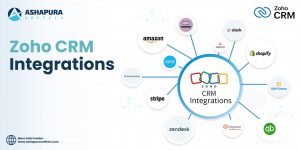
The Zoho CRM mobile app seamlessly integrates with other tools to automate workflows and enhance productivity. Key integrations include:
- Zoho Desk – Sync customer support tickets for faster issue resolution.
- Zoho Campaigns – Align marketing efforts with sales pipelines.
- Google Workspace – Access and manage documents directly within CRM.
These integrations eliminate manual data entry, improve collaboration, and ensure a smooth workflow across teams. By connecting Zoho CRM with your favorite apps, you can work smarter and close deals faster.
How Zoho CRM Development Enhances Mobile Experience
Custom App Workflows & Modules
Tailor Zoho CRM to fit unique sales processes—whether it’s lead scoring, approval workflows, or industry-specific fields.
Integration with Third-party Tools
Connect with marketing automation, customer support, and analytics tools for a seamless ecosystem.
Personalized Dashboards & Analytics
Sales teams get custom reports, performance insights, and predictive analytics on the go.
Best Practices for Implementing Zoho CRM Mobile App
1. Training & Onboarding Your Sales Team
Conduct interactive workshops to ensure reps understand app functionalities.
2. Setting Permissions & Roles
Define access levels to protect sensitive data while enabling necessary features.
3. Monitoring App Usage & Feedback
Track adoption rates and gather feedback to optimize CRM usage.
Case Study: Sales Growth with Zoho CRM Mobile Features
Real-world Example of Increased Efficiency
A B2B SaaS company implemented Zoho CRM’s mobile app for its remote sales team. Within six months, they saw:
- 40% faster lead response time
- 25% increase in conversion rates
- 30% reduction in administrative tasks
Metrics & Outcomes
- Deal closure time reduced by 35%
- Customer satisfaction improved by 20%
Conclusion
Zoho CRM’s mobile app transforms sales productivity by providing real-time access, automation, and seamless collaboration. From lead management to offline syncing, every feature is designed to help sales teams work smarter. With custom Zoho CRM development, businesses can further optimize the platform for higher efficiency and better ROI. Ready to Boost Your Sales Productivity? At Ashapura Softech, we specialize in Zoho CRM customization and integration to help businesses maximize their sales potential. Contact us today at [email protected] to get started.